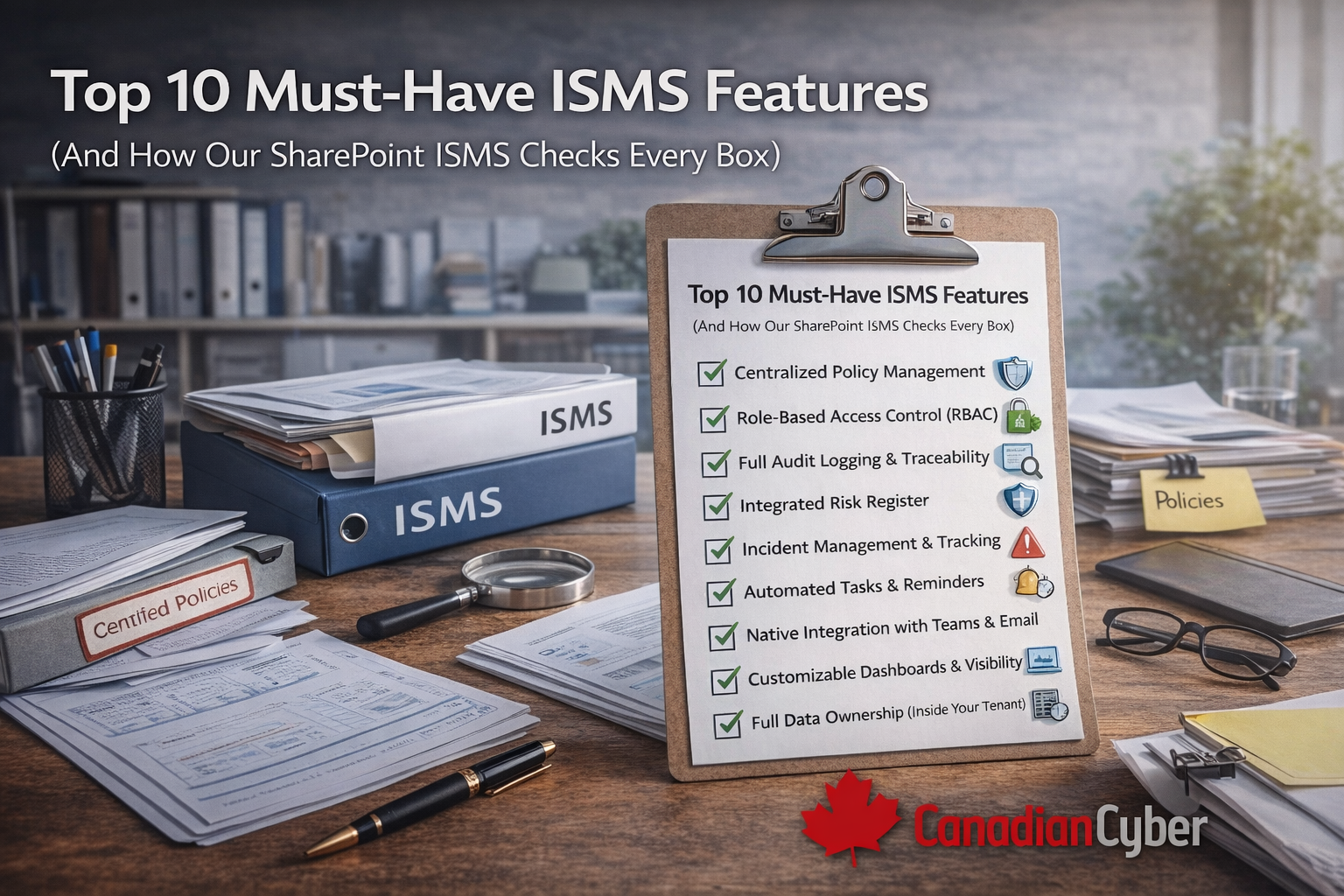
Top 10 Must-Have ISMS Features
(And How Our SharePoint ISMS Checks Every Box)
Choosing an ISMS platform isn’t about shiny dashboards.
It’s about one question:
Will this system actually hold up during real audits?
Decision-makers evaluating compliance software often struggle because tools promise everything but deliver friction.
This guide breaks down the 10 must-have ISMS features every serious organization needs and shows how the Canadian Cyber ISMS SharePoint Platform delivers each one without adding another SaaS headache.
A strong ISMS platform makes audits feel boring.
Not because you do less but because proof is always ready.
The 10 must-have ISMS features
Each section includes why it matters, and how our SharePoint ISMS supports it.
1) Centralized policy management
Why it matters: If policies live in emails, desktops, and shared drives, you don’t have an ISMS.
- One source of truth
- Clear ownership
- Version history
Our SharePoint ISMS: ✅ Yes — centralized libraries with version control, approval history, and role-based access.
No more “which version is correct?”
2) Role-based access control (RBAC)
Why it matters: Not everyone should see or edit everything.
- Least privilege
- Clear accountability
Our SharePoint ISMS: ✅ Yes — uses native Microsoft 365 permissions to restrict access by role, protect evidence, and maintain integrity.
3) Full audit logging and traceability
Why it matters: Auditors don’t trust silence. They want to see:
- Who changed what
- When approvals happened
- Evidence of reviews
Our SharePoint ISMS: ✅ Yes — document changes, approvals, and review history are captured automatically.
Nothing is manual. Nothing is lost.
4) Integrated risk register
Why it matters: Risk management is the backbone of ISO 27001 and related standards. Spreadsheets don’t scale.
- Central tracking
- Ownership and accountability
- Review cycles that don’t get missed
Our SharePoint ISMS: ✅ Yes — built-in risk registers track owners, treatments, and review schedules.
Risk becomes operational not theoretical.
5) Incident management and tracking
Why it matters: Incidents don’t wait for audits. You need:
- Clear logging
- Ownership
- Follow-up actions
Our SharePoint ISMS: ✅ Yes — incidents are logged centrally, linked to controls and risks, and retained with full history.
6) Automated tasks and reminders
Why it matters: Missed reviews are one of the most common audit findings. Manual reminders fail.
- Policy review reminders
- Risk review schedules
- Audit preparation tasks
Our SharePoint ISMS: ✅ Yes — workflows keep reviews on schedule so compliance doesn’t rely on memory.
7) Native integration with Teams and email
Why it matters: If compliance lives outside daily work, it gets ignored.
- Teams notifications
- Email alerts
- Seamless collaboration
Our SharePoint ISMS: ✅ Yes — built on Microsoft 365 so adoption is faster and workflows meet people where they already work.
8) Dashboards and visibility
Why it matters: Leadership needs visibility not raw data.
- Policy status
- Risk posture
- Audit readiness
- Outstanding actions
Our SharePoint ISMS: ✅ Yes — dashboards can surface what matters most for decision-making and governance.
9) Full data ownership (inside your tenant)
Why it matters: ISMS data is sensitive. Many SaaS GRC tools store it externally.
- Control access, retention, and residency
- Align with existing Microsoft 365 security controls
- Reduce vendor risk friction
Our SharePoint ISMS: ✅ Yes — all data stays in your Microsoft 365 tenant under your controls.
This is a major advantage during vendor risk reviews.
10) Expert support (not just software)
Why it matters: Tools don’t design ISMS programs. People do.
- ISMS design guidance
- Implementation support
- vCISO services
- Audit readiness expertise
Our SharePoint ISMS: ✅ Yes — Canadian Cyber supports implementation and audit readiness so you’re not left figuring it out alone.
Quick snapshot: ISMS feature checklist
| Feature | Required for ISO | SharePoint ISMS |
|---|---|---|
| Centralized policies | ✅ | ✅ |
| Role-based access | ✅ | ✅ |
| Audit logging | ✅ | ✅ |
| Risk register | ✅ | ✅ |
| Incident tracking | ✅ | ✅ |
| Automation | ✅ | ✅ |
| Teams integration | ⭐ | ✅ |
| Dashboards | ⭐ | ✅ |
| Data ownership | ⭐ | ✅ |
| Expert support | ⭐ | ✅ |
Why this matters for decision-makers
An ISMS platform should:
- Reduce audit stress
- Increase control
- Scale with your organization
- Not create more work
See how our SharePoint ISMS checks every box
Get a clear view of how the platform works in real audits.
Final thought
The best ISMS tools don’t feel like tools. They feel like part of the organization.
If you’re evaluating compliance platforms, use this checklist and choose the solution that delivers control, clarity, and confidence.
Want an ISMS that stays current without another SaaS?
Build on SharePoint with the right structure and support.
Stay Connected With Canadian Cyber
Follow us for practical insights on compliance, risk, and cybersecurity: