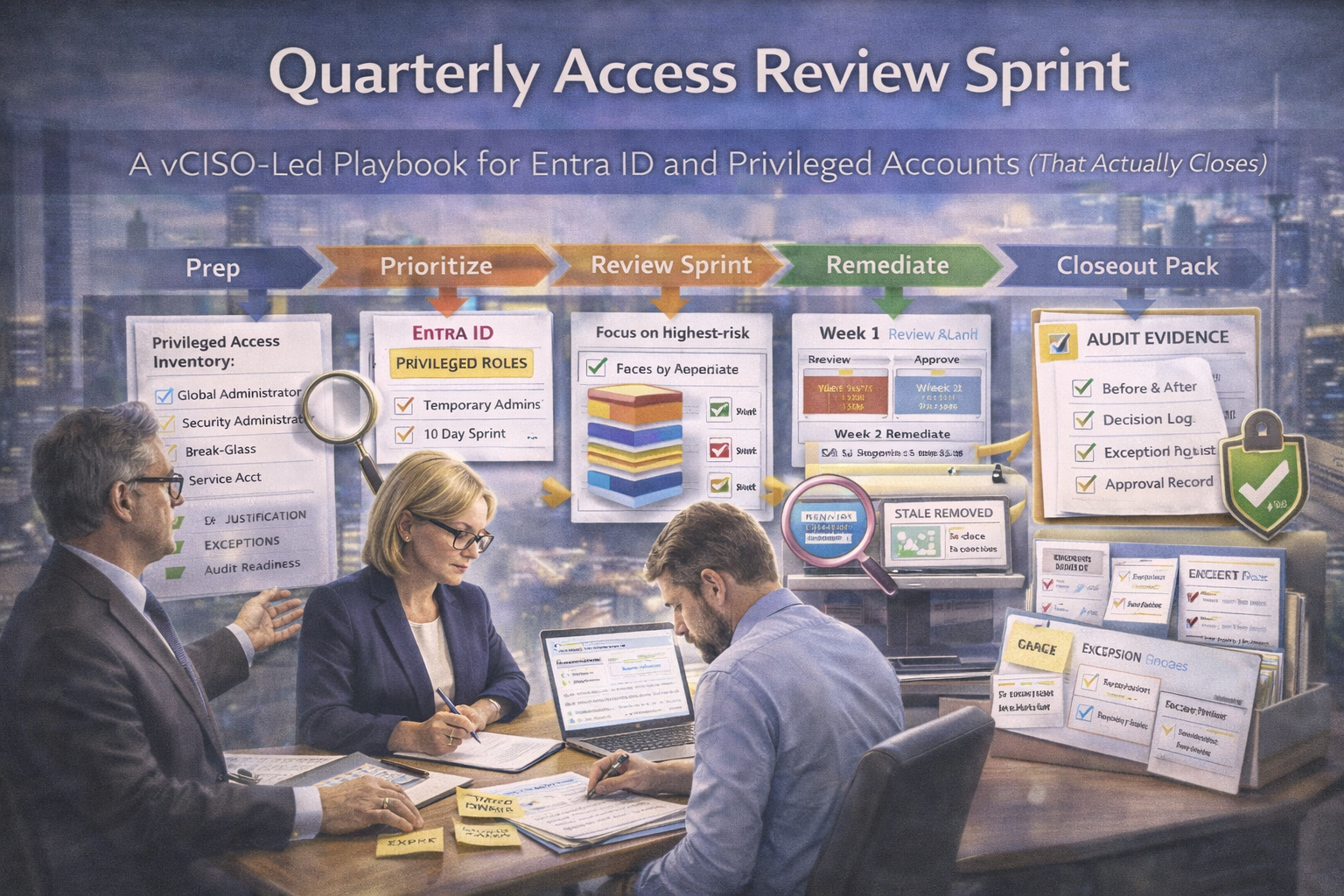
Why quarterly access reviews matter (and why auditors love them)
For ISO 27001 and SOC 2, access reviews prove something simple: you don’t just grant access you continuously validate it.
Auditors and enterprise buyers usually look for:
- evidence that privileged access is reviewed on a defined cadence
- proof that removals and corrections are actually executed
- documented exceptions with expiry dates
- a process that is repeatable across quarters
If you can do that cleanly for Entra ID privileged roles, you’re ahead of most teams.
The vCISO approach: shrink the scope, increase the impact
A quarterly review should not mean “review every group in the company.” A vCISO starts with privileged access first because it is the most likely breach path, the most audited, and the easiest place to show operating effectiveness quickly.
Sprint objective
confirm every privileged role is justified
remove stale admin sprawl
document exceptions and deadlines
produce one evidence pack
What counts as “privileged” in Entra ID
At minimum, focus your sprint on the identities and roles that can materially change the security posture of the tenant.
| Review target |
Examples |
Why it matters |
| Tier 0 roles |
Global Administrator, Privileged Role Administrator, Security Administrator, Conditional Access Administrator |
Direct control over tenant-wide security and identity |
| Admin pathways |
Break-glass accounts, service accounts with roles, group-based elevated access |
These often stay privileged long after they should |
| Sensitive admin control |
Logging configuration, app registrations, secrets, certificates, identity policy administration |
These roles can weaken detective and preventive controls |
| Optional add-ons |
Azure Owner/Contributor, M365 admin roles, GitHub or AWS admin access, backup platform admin access |
Important where cloud and SaaS access are part of the same control story |
The Quarterly Access Review Sprint (10 business days)
Day 0: Prep
Thirty minutes of prep can save hours later. Define the quarter, evidence cutoff date, and decision categories before anyone starts reviewing identities.
Decision categories
- Keep
- Remove
- Reduce
- Convert to JIT / PIM
- Exception
vCISO rule: no “keep because it might be needed.” That is how privilege sprawl survives.
Day 1: Extract the privileged access inventory
Start with a clean source-of-truth export. This is your before snapshot and the base for the rest of the sprint.
- Entra ID directory role assignments
- privileged accounts list
- group-based privileged access
- external or guest users with elevated access
Evidence to capture:
export date and time, who pulled the export, where it is stored, and which roles were included.
Day 2: Classify each privileged identity
For each privileged identity, add enough structure so owners can make a fast decision without guessing.
Basic tags
- owner
- identity type
- job-function justification
Identity types
- human admin
- break-glass
- service account
- vendor or contractor
Risk flags
- no MFA
- unknown owner
- contractor still enabled
- shared account
Day 3: Owner outreach
Send short, structured review requests. Make decisions easy. Owners should not need to interpret raw exports.
Simple owner ask
“Here are the privileged roles under your area. Mark Keep, Remove, or Reduce by Friday. Anything marked Keep must include justification.”
vCISO tactic: give owners the default. No reply is not a decision. Non-response should escalate to removal review.
Day 4–5: Review sessions
Run short review calls or async approvals with the right owner groups: IT leadership, security, and application owners where needed.
Decision rules that keep the sprint clean
- prefer role reduction over keep
- prefer temporary elevation over permanent admin
- prefer controlled group assignment over unmanaged direct assignment
- any exception must have compensating controls, an approver, and an expiry date
Day 6–7: Remediation execution
This is where most reviews fail. Teams decide, but the access does not actually change. Your sprint only works if remediation happens inside the sprint window.
- remove stale assignments
- reduce roles where justified
- convert direct assignments to controlled groups where appropriate
- disable accounts that should not exist
- rotate service account credentials if role changes require it
Evidence to capture:
before and after exports, change records, approvals, and timestamps.
Day 8: Verification
Verification is what turns a review into evidence. You need to prove the changes are real.
Confirm that:
- removed roles are actually gone
- break-glass accounts remain protected and monitored
- no orphaned privileged users remain
- MFA and Conditional Access still protect admin paths
Day 9: Exceptions and risk acceptance
Some access cannot be removed immediately. That is fine—if the exception is controlled.
For each exception, document:
- what role remains and why
- compensating controls
- target date to remove or reduce
- expiry date for the acceptance
- approving risk owner
vCISO rule: no expiry date means guaranteed audit pain.
Day 10: Closeout pack
The sprint ends when the evidence pack is complete not when the meetings are over.
Your closeout pack should include:
- Privileged Access Inventory (before snapshot)
- review tracker with decisions and owners
- approval or sign-off records
- remediation log
- after snapshot export
- exceptions list with expiry dates
- summary metrics showing what was removed or reduced
What auditors actually ask for
Good access review evidence should let you answer common audit questions in seconds, not scramble for screenshots after the fact.
| Auditor question |
What to provide |
Why it works |
| Show me your quarterly privileged access review |
before and after exports, review tracker, sign-off pack |
Shows cadence, action, and proof |
| How do you handle exceptions? |
risk acceptance records, compensating controls, expiry dates |
Shows controlled deviation instead of unmanaged drift |
| How do you know the review resulted in changes? |
remediation log and after snapshot showing removed access |
Proves the review was operational, not ceremonial |
Common findings (and how this sprint prevents them)
Finding: Too many Global Admins
Fix: use role reduction rules and owner-based justification.
Finding: No evidence of review
Fix: one pack, one tracker, one sign-off structure.
Finding: Stale contractors still privileged
Fix: identity type tagging and contractor review in classification.
Finding: Service accounts have broad roles
Fix: treat service accounts as privileged identities with owners and rotation plans.
Finding: No follow-up on exceptions
Fix: expiry dates, tracked exceptions, and escalation if deadlines slip.
Next steps
If your access reviews still drift across email, spreadsheets, and half-finished approvals, a sprint format can make them faster, cleaner, and easier to prove.
Final takeaway
Quarterly access reviews should not be a giant, exhausting clean-up exercise. They should be a focused control sprint that closes real risk, documents real decisions, and leaves behind proof that stands up in audits.
Start with Entra ID privileged roles. Keep the sprint small. Make decisions fast. Execute the removals. Then package the evidence properly. That is how an access review becomes a control that actually closes.
The goal is not to review more access. The goal is to close the right privileged access quickly and prove that you did.
Follow Canadian Cyber
Practical cybersecurity + compliance guidance: