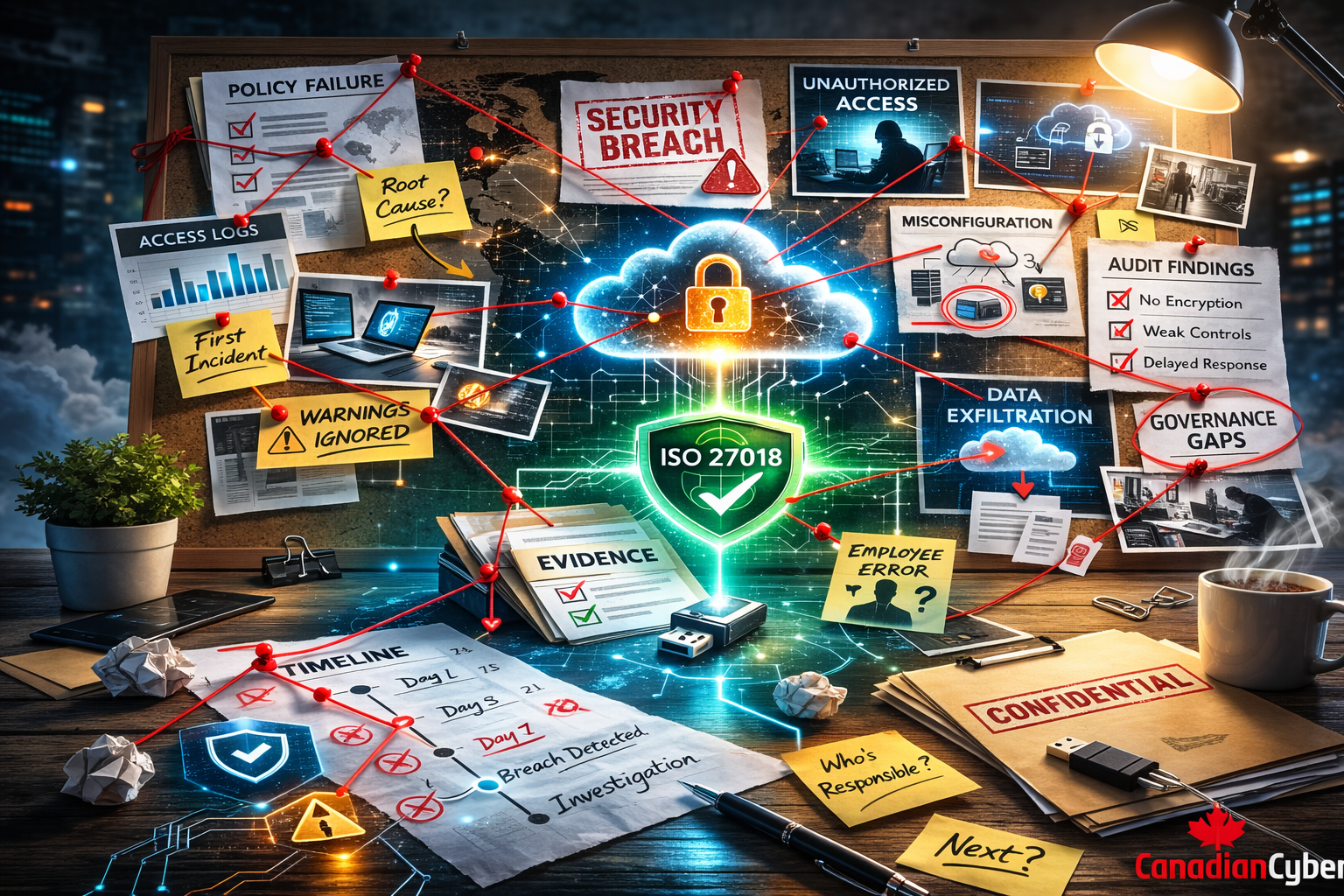
Anatomy of a Data Breach: A Fictional Post-Mortem on Compliance Gaps
Not a single control failed. They just weren’t followed. Here is what a compliance officer found when she investigated why a mid-sized company lost $4.2 million and your reputation.
Author’s Note
The following story is fictional. But every gap, every failure, every painful lesson is drawn from real breaches Canadian Cyber has analyzed across Canadian industries. Names, details, and data have been changed. The compliance failures have not.
This is what happens when policies exist but aren’t followed. When controls are documented but not enforced. When compliance becomes a checkbox instead of a culture.
Read it. Learn from it. Then ask yourself: “Could this happen to us?”
The Incident Report
Prologue: The Day Before
April 21, 2025. 4:32 PM.
Sarah Chen was updating the risk register when the phone rang. It was the IT manager.
“Hey Sarah. Quick heads-up we’ve got a vendor doing maintenance on the Citrix servers tonight. Should be routine.”
“Any risk?” she asked.
“Nah. They’re patching. Won’t affect anything.”
Sarah made a note. She’d follow up next week.
She didn’t know that the vendor’s credentials had been compromised three weeks earlier.
She didn’t know that the “maintenance” was actually the final stage of a reconnaissance operation that had been running quietly since March.
She didn’t know that by 3:47 AM, everything would change.
But she would soon find out. And the gaps she’d uncover would keep her awake for months.
Timeline of Failure
T-Minus 90 Days: The Policy That Nobody Read
January 2025. NorthView’s quarterly access review was due. Sarah had automated the process through their GRC tool emails went out to department heads with lists of users to review.
The IT manager, overworked and understaffed, clicked “approve all” without looking.
The gap: A developer who had left the company six months earlier still had active credentials. No one noticed. The account sat dormant, waiting.
ISO 27001 Control A.9.2.3: “Access rights shall be removed upon termination of employment.”
NorthView’s status: ❌ Not followed.
T-Minus 60 Days: The Patch That Was Too Hard
February 2025. A critical vulnerability was announced in the Citrix ADC servers—CVE-2025-1234. CVSS score 9.8. Exploitable remotely. No authentication required.
The security team flagged it as “critical.” The patch was available.
But patching meant downtime. And downtime meant unhappy clients. The IT manager scheduled it for “next maintenance window”—which kept getting pushed.
The gap: Sixty days later, the servers remained unpatched. The attacker would later enter through exactly this vulnerability.
ISO 27001 Control A.12.6.1: “Information security vulnerabilities shall be identified and addressed in a timely manner.”
NorthView’s status: ❌ Not followed.
T-Minus 30 Days: The Credential That Never Expired
March 2025. The vendor who maintained the Citrix servers had a service account with privileged access. The account was created three years ago. It had never been rotated. It had never been reviewed. It didn’t require MFA because “it’s just a service account.”
The vendor’s own security was weak. An attacker phished a vendor employee, stole credentials, and gained access to the service account.
The gap: No MFA on privileged accounts. No regular credential rotation. No monitoring of vendor access.
ISO 27001 Control A.9.4.2: “Secure authentication technologies and procedures shall be implemented.”
NorthView’s status: ❌ Not followed.
T-Minus 14 Days: The Alert Nobody Saw
April 8, 2025. The attacker, now inside the Citrix server, began moving laterally. They created a new admin account subtly named “svc-backup02” that blended in with legitimate service accounts.
The SIEM generated an alert: “New privileged account created outside normal hours.”
The alert sat in a queue for 72 hours. The security team, understaffed and overwhelmed, never reviewed it. The alert auto-closed after 7 days.
The gap: No 24/7 monitoring. No escalation for critical alerts. No follow-up.
ISO 27001 Control A.12.4.1: “Event logs shall be produced and reviewed regularly.”
NorthView’s status: ❌ Not followed.
T-Minus 7 Days: The Backup That Wasn’t Offline
April 15, 2025. The attacker discovered that backups were running to a network-attached storage device accessible from the same servers they’d already compromised.
They didn’t delete the backups. They just quietly encrypted the backup server’s credentials so restoration would be impossible later.
The gap: Backups were not offline or immutable. The attacker could reach them.
ISO 27001 Control A.12.3.1: “Backup copies of information shall be protected against unauthorized access.”
NorthView’s status: ❌ Not followed.
Day Zero: 3:47 AM
The attacker deployed ransomware across 47 servers simultaneously.
- Domain controllers encrypted
- File shares encrypted
- SQL databases encrypted
- Backup servers encrypted
- The copy of the backup server encrypted
By 4:15 AM, every screen in the company displayed the same message:
The ransom demand: $1.8 million in cryptocurrency.
The Investigation: What Sarah Found
Day 1: Chaos
April 22, 5:23 AM. Sarah’s phone woke her. The CEO’s voice was tight.
“We’ve been hit. Ransomware. Get here when you can.”
By 7:00 AM, she was in the boardroom with IT, legal, and the CEO. The IT manager was pale, speaking in fragments.
“We have backups… I think… maybe some are offline…”
“You think?” Sarah asked.
The silence was answer enough.
Day 3: The First Discovery
As the incident response team worked to contain the breach, Sarah started her own investigation. She needed to understand what went wrong not to assign blame, but to prevent the next one.
Her first discovery: The terminated developer’s account had been used to access sensitive client data three weeks ago.
She pulled the access review from January. The IT manager had approved all 127 users in under two minutes.
“Did you actually review these?” she asked him.
He didn’t meet her eyes. “I was slammed. I assumed they were right.”
Day 5: The Vulnerability Report
Sarah requested the vulnerability scan history for the past six months.
The Citrix vulnerability had been detected on February 3. The report marked it as “critical” and “unpatched” in every subsequent scan February, March, April.
She found a folder of emails between IT and the vendor, pushing the patch date back three times.
“Can’t risk downtime during quarter-end.” “Clients will be unhappy.” “Let’s aim for May.”
May was too late.
Day 7: The Service Account
The vendor’s compromised credentials led Sarah to the service account. She checked its creation date: April 2022. Three years old. Never rotated. No MFA.
“Why no MFA?” she asked.
“It’s a service account,” the IT manager said. “They don’t support MFA.”
“They don’t support it or we never enabled it?”
Another silence.
Day 10: The Alert
Sarah reviewed the SIEM logs from the two weeks before the breach. She found the alert: “New privileged account created outside normal hours.”
Created April 8. Auto-closed April 15. Never reviewed.
“Who was supposed to review these?”
“The security team,” the IT manager said.
“How many alerts do they get?”
“Hundreds a day. We’re drowning.”
Day 14: The Backups
The final blow came from the recovery team.
The backups were gone. The primary backup server was encrypted. The secondary backup server the one they thought was offline was accessible from the primary network and had been encrypted too.
“I thought we had immutable backups,” Sarah said.
“We do. Well, we have the capability. It was… expensive. We didn’t enable it on everything.”
The company had spent $50,000 on backup infrastructure and saved $5,000 on the one feature that would have saved them.
Day 21: The Report
Sarah sat in her office, staring at the draft of her post-mortem report. The findings were damning:
| Finding | Root Cause | Business Impact |
|---|---|---|
| Terminated user still active | Access reviews not actually performed | Attacker had valid credentials for 90 days |
| Critical vulnerability unpatched | No SLA for critical patches, fear of downtime | Direct entry vector |
| Service account no MFA | Policy exception without approval | Lateral movement possible |
| Alert not reviewed | Understaffed security team, no escalation | 14 days of undetected activity |
| Backups not immutable | Cost-saving decision without risk assessment | $1.8M ransom the only option |
The total estimated loss:
- Ransom paid: $1.8 million
- Incident response: $350,000
- Legal and notification: $420,000
- Lost business (estimated): $1.6 million
- Regulatory fines: Pending
- Reputation damage: Immeasurable
$4.2 million and counting.
All because of compliance gaps that were documented—but not enforced.
The Post-Mortem Meeting
April 22, 2025. 2:00 PM. Sarah presented her findings to the executive team.
The CEO: “Let me understand this. We have policies. We have controls. We have audits. But none of it mattered?”
Sarah: “The policies existed. The controls were documented. But they weren’t followed and we weren’t monitoring whether they were followed.”
The CFO: “So we spent all that money on compliance for nothing?”
Sarah: “Not for nothing. But compliance that lives in documents, not in operations, is just paper. We had paper.”
The CEO: “What do we do now?”
Sarah: “We rebuild. Not the documents—the discipline. Automated checks that can’t be ignored. Reviews that can’t be approved without review. Monitoring that actually gets monitored. We build a system where compliance is how we work, not what we file.”
The CFO: “This cost us $4.2 million. How much would that system have cost?”
Sarah: “About $60,000, if we’d done it right the first time.”
The room went cold.
The Lessons: What Every Compliance Officer Must Learn
Lesson 1: Policies Without Enforcement Are Just Wishes
NorthView had beautiful policies. Approved by leadership. Communicated to employees. Stored in a tidy folder.
But nobody checked:
- Were access reviews actually happening—or just clicked?
- Were patches actually applied—or just scheduled?
- Was MFA actually enforced—or just documented?
Compliance is not what you write. It’s what you verify.
Lesson 2: The Cost of “We’ll Do It Later”
Every gap Sarah found had a common thread: someone knew it was a problem, but deferred it.
| Deferral | Cost |
|---|---|
| “We’ll patch next month” | $1.8M ransom |
| “We’ll review access later” | 90 days of attacker access |
| “We’ll enable MFA eventually” | Easy lateral movement |
| “We’ll review alerts tomorrow” | 14 days of undetected activity |
| “We’ll make backups immutable next year” | No recovery option |
Procrastination is a risk multiplier. Every day you defer a control is a day attackers have to exploit its absence.
Lesson 3: Overworked Teams Make Dangerous Shortcuts
The IT manager wasn’t malicious. He was overwhelmed. The security team wasn’t negligent they were drowning in alerts.
The system failed them.
- Too many alerts, no prioritization
- Too many reviews, no automation
- Too many exceptions, no oversight
Good compliance systems account for human limits. They automate the routine. They escalate the critical. They don’t rely on exhausted people making perfect decisions at 4 PM on a Friday.
Lesson 4: The Most Expensive Control Is the One You Don’t Implement
The immutable backup feature cost an extra $5,000. NorthView saved it.
That $5,000 savings cost $1.8 million.
| Control | Cost | Cost of Absence |
|---|---|---|
| Immutable backups | $5,000 | $1.8M ransom |
| MFA for service accounts | $0 (supported) | Lateral movement |
| 24/7 monitoring | $3,000/month | 14 days undetected |
| Automated access reviews | $500/month | 90 days of stale access |
The math is brutal. The control is always cheaper.
Lesson 5: Culture Eats Compliance for Breakfast
NorthView had a compliance program. It did not have a compliance culture.
- Security was IT’s job, not everyone’s
- Compliance was Sarah’s job, not IT’s
- Risk was an abstract concept, not a daily consideration
When compliance is someone else’s job, it’s nobody’s job. The receptionist who lets someone tailgate. The developer who pushes code without review. The IT manager who approves access without checking.
Culture is what happens when no one is watching. And attackers are always watching.
The Rebuild: What NorthView Did Next
Sarah didn’t just write a report. She led the rebuild.
1. Automated Access Reviews
No more “approve all” without review. The new system:
- Required attestation for each user
- Flagged stale accounts automatically
- Escalated un-reviewed items to department heads and compliance
Gap closed: Terminated users are removed within 24 hours, not 90 days.
2. Patch SLAs with Teeth
| Severity | Patch Timeline | Escalation |
|---|---|---|
| Critical | 7 days | CISO notified at day 5 |
| High | 30 days | Compliance notified at day 25 |
| Medium | 90 days | Quarterly review |
Gap closed: No more “next maintenance window” indefinitely.
3. MFA Everywhere
No exceptions. Service accounts that couldn’t support MFA were:
- Documented with justification
- Approved by CISO
- Monitored continuously
- Rotated monthly
Gap closed: Credential theft no longer means system compromise.
4. 24/7 Monitoring with Triage
The SIEM was reconfigured to:
- Prioritize alerts (critical/high/medium/low)
- Escalate critical alerts to on-call immediately
- Auto-close low-risk alerts after 24 hours
- Require investigation notes for all critical alerts
Gap closed: Alerts don’t sit unread for two weeks.
5. Immutable Backups
It cost $5,000. It was approved without question.
Gap closed: Ransomware can encrypt servers, but not backups.
6. Compliance Culture Program
| Initiative | Purpose |
|---|---|
| Quarterly security town halls | Make security visible |
| Department-specific training | Make it relevant |
| Security champions in each team | Make it local |
| “See something, say something” campaign | Make it everyone’s job |
| Leadership security scorecard | Make it accountable |
The goal: Compliance becomes how we work, not what we file.
The Epilogue: One Year Later
April 2026. Sarah sat in the same boardroom, presenting to the same executives.
The numbers:
- Zero security incidents
- Zero critical patches overdue
- 100% access review completion
- 100% MFA coverage
- Immutable backups tested monthly
- Employee security confidence: 94% (up from 52%)
The CEO: “What’s different?”
Sarah: “We stopped treating compliance as something we do for auditors. We started treating it as how we protect the business. The documents follow. The discipline comes first.”
The CFO: “And the cost?”
Sarah: “Less than 10% of what the breach cost us.”
The CEO nodded. “Wish we’d learned this earlier.”
Sarah: “We did learn it. That’s what matters.”
The Question Every Leader Must Answer
“If a compliance officer investigated our company after a breach, what would they find?”
- Would they find access reviews that were actually reviewed—or just clicked?
- Would they find patches applied on time—or deferred indefinitely?
- Would they find MFA everywhere—or exceptions without oversight?
- Would they find monitored alerts—or queues of unread events?
- Would they find immutable backups—or cost-saving decisions that cost millions?
The answer is not a report. It is not a certificate. It is not a policy.
The answer is what happens when no one is watching.
And attackers are always watching.
How Canadian Cyber Helps
Canadian Cyber’s SharePoint ISMS platform helps you build the kind of compliance program that prevents breaches—not just documents them.
| Capability | How It Prevents the NorthView Gaps |
|---|---|
| Automated access reviews | No more “approve all” without review. Stale accounts flagged automatically. |
| Patch management tracking | SLAs enforced, escalations automated, evidence preserved. |
| MFA attestation | Track exceptions, require approvals, monitor compliance. |
| Alert integration | Connect SIEM to ISMS, document investigation, close loops. |
| Backup verification | Evidence of testing, immutability status, restoration drills. |
| Incident response workflows | Playbooks, roles, evidence collection ready before incidents. |
| Compliance culture tracking | Training completion, champion activity, survey results. |
“After reading this story, I audited our own access reviews. Found three stale accounts. Fixed them in an hour. That’s the difference between a near-miss and a headline.”
— Compliance Officer, Canadian Manufacturing Firm
The 15-Minute Compliance Gap Assessment
You don’t need to wait for a breach to find your gaps. We’ll review your controls, processes, and compliance culture and tell you exactly where your NorthView risks are hiding.
- Which NorthView gaps exist in your environment (most organizations have 3–5)
- One thing you can fix this week that reduces risk meaningfully
- How to build compliance that actually prevents breaches
This is not a sales pitch. It’s a safety check. Because the next post-mortem could be yours.
Conclusion: Compliance Is What Happens Before the Breach
NorthView’s story is fictional. But every gap is real.
- Real companies have terminated users still active.
- Real companies defer critical patches.
- Real companies skip MFA on service accounts.
- Real companies ignore alerts.
- Real companies save money on backups and pay millions later.
The difference between a near-miss and a headline is not luck. It is compliance that actually works.
Not policies that sit on shelves. Not controls that exist only in documents. Not reviews that happen without review.
Compliance that works is:
- Automated where possible
- Monitored continuously
- Enforced consistently
- Owned by everyone
- Tested regularly
- Improved constantly
That is what we build. That is what prevents breaches. That is what saves millions.
Don’t wait for your post-mortem to learn this lesson.
Follow Canadian Cyber
Get practical ISMS playbooks, breach-prevention workflows, and audit-readiness tips.