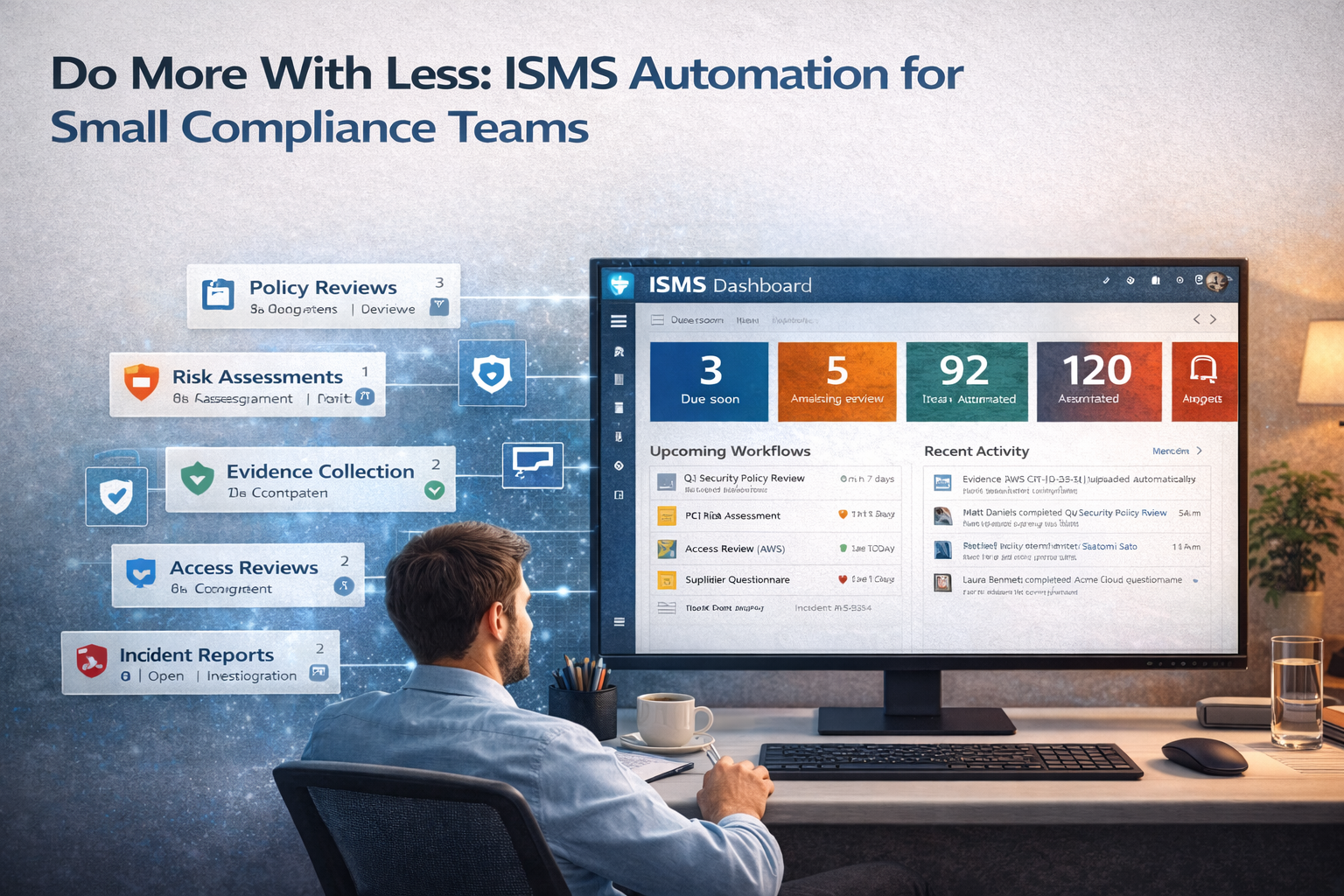
Do More With Less: ISMS Automation for Small Compliance Teams
One compliance officer. Zero burnout. Enterprise-grade ISMS. Here is how automation, workflows, and the right platform let tiny teams punch above their weight.
If your ISMS collapses when you take vacation, you don’t have a system.
You have a dependency.
The Solo Compliance Officer’s Reality
You are the compliance team.
Not a department. Not a function. You.
Maybe you have a fractional helper. Maybe you borrow engineering time when things get urgent. But when the auditor calls,
when the policy review deadline looms, when the risk register needs updating it’s you.
And the work never stops:
- Policies need annual reviews
- Risks need quarterly assessments
- Controls need evidence
- Vendors need questionnaires
- Employees need training
- Auditors need answers
This is the reality for thousands of compliance professionals. And it is not sustainable.
The good news: you do not need a team of ten. You need a system that does the work of ten.
The better news: you already own most of the tools. You just haven’t connected them.
The Burnout Math: Why Small Teams Fail Without Automation
Let’s look at the numbers a solo compliance officer faces.
| Task | Frequency | Time per Occurrence | Annual Hours |
|---|---|---|---|
| Policy reviews (20 policies) | Annual | 2 hours each | 40 |
| Risk register updates (50 risks) | Quarterly | 1 hour | 200 |
| Evidence collection | Continuous | 4 hours/month | 48 |
| Vendor questionnaires | 20/year | 3 hours each | 60 |
| Access reviews | Quarterly | 8 hours | 32 |
| Training tracking | Monthly | 2 hours | 24 |
| Internal audits | Annual | 40 hours | 40 |
| Management reviews | Quarterly | 4 hours | 16 |
| Incident response | As needed | Varies | 20+ |
| Auditor requests | Annual | 40 hours | 40 |
Total: 520+ hours per year.
That’s 13 weeks of full-time work just to keep the recurring compliance machine running.
The math is simple: one person cannot sustainably do 13 weeks of recurring compliance work while also doing their actual job.
Unless they automate.
The Automation Mindset: From “Doing” to “Orchestrating”
The shift is not about working harder. It is about working differently.
| Before Automation | After Automation |
|---|---|
| “I send reminder emails.” | “The system sends reminders.” |
| “I collect evidence.” | “Evidence collects itself.” |
| “I track review dates.” | “Reviews appear when due.” |
| “I chase approvers.” | “Approvals come to me.” |
| “I build reports.” | “Reports build themselves.” |
Your role changes from doer to orchestrator:
you design the workflows, monitor the outputs, and intervene when exceptions occur. The system handles the routine.
The 5 Pillars of ISMS Automation
Pillar 1: Automated Policy Management
The problem: policies need annual reviews. You track them in a spreadsheet. You send emails. You follow up. You pray.
The automated solution looks like this:
| Automation | How it works |
|---|---|
| Review reminders | Power Automate checks review dates weekly; emails owners 30, 15, and 7 days before due. |
| Approval workflows | When a policy is updated, approval goes to a designated approver; escalation if not approved within 7 days. |
| Acknowledgement tracking | New version triggers Teams notification; “I acknowledge” records timestamp. |
| Version control | Major versions only after approval; history preserved. |
With our ISMS SharePoint Platform:
- Policy library with review date metadata
- Automated review workflows pre-configured
- Read confirmation tracking built-in
- Dashboard showing policy status by owner
“I used to spend 8 hours a month chasing policy reviews. Now the system does it. I just check the dashboard.”
— Solo Compliance Officer, SaaS Company
Pillar 2: Self-Collecting Evidence
The problem: auditors want evidence screenshots, logs, reports. You spend days gathering what already exists.
Here’s the goal: evidence collects itself. You don’t touch it until audit time then you just open folders.
| Evidence type | Automation |
|---|---|
| Access reviews | Quarterly workflow assigns reviews; completed reviews auto-save to evidence folder. |
| Vulnerability scans | Weekly scan exports to SharePoint with timestamp + control mapping. |
| Training records | LMS integration pulls completion data monthly. |
| Incident logs | Form submissions create incident records automatically. |
| Configuration backups | Scheduled scripts capture IaC state and store immutably. |
With our ISMS SharePoint Platform:
- Evidence folders pre-created for all 93 ISO controls
- Power Automate connectors to common tools (AWS, Azure, GitHub, Jira)
- Immutable storage approach (evidence can’t be “cleaned up” later)
- Audit-ready views organized by control
“Before, evidence collection took two weeks. Now it’s continuous. The auditor was shocked at how organized everything was.”
Compliance Manager, Fintech Startup
The 15-Minute Automation Assessment
Want to know which workflows will save you the most time first? We’ll review your current ISMS approach, pain points, and Microsoft 365 setup then tell you one automation you can implement this week to save 10+ hours/month.
Pillar 3: A Living Risk Register
The problem: risk registers are static spreadsheets updated quarterly (if you remember), then outdated the moment you save.
| Capability | Automation |
|---|---|
| Risk scoring | Calculated columns auto-score based on likelihood/impact. |
| Owner assignments | Risks assigned to owners with automated notifications. |
| Review reminders | Quarterly reviews triggered automatically. |
| Control mapping | Dropdown links risks to relevant controls. |
| Residual scoring | Auto-calculated based on control effectiveness ratings. |
| Dashboard | Real-time view of risk posture. |
With our ISMS SharePoint Platform:
- Risk register as a SharePoint list (not Excel)
- Pre-configured scoring matrices (3×3 or 4×4)
- Automated quarterly review workflows
- Power BI dashboard for leadership
- Links to evidence and controls
“Leadership used to ask for risk updates and I’d scramble. Now they have a dashboard.”
Compliance Lead, Professional Services
Pillar 4: Automated Access Reviews
The problem: access reviews are required by ISO 27001 and SOC 2. Doing them manually becomes spreadsheet hell.
| Step | Automation |
|---|---|
| Initiation | Quarterly trigger creates review tasks for each system owner. |
| Data population | Power Automate pulls user lists from Azure AD, AWS, etc. |
| Review | Owners click link, review list, approve/revoke. |
| Escalation | Reminders sent weekly until complete. |
| Evidence | Completed reviews saved to control evidence folder. |
| Reporting | Dashboard shows completion and findings. |
With our ISMS SharePoint Platform:
- Pre-built access review workflows
- Integration options (Azure AD, AWS IAM, Google Workspace)
- Automated evidence storage per control
- Findings log linked to risk register
“Access reviews used to take a week of chasing. Now they take an hour of monitoring.”
IT Manager, Mid-Sized Enterprise
Pillar 5: Vendor Management That Doesn’t Overwhelm
The problem: vendors multiply. Questionnaires pile up. Expiry dates get forgotten.
| Task | Automation |
|---|---|
| Onboarding | New vendor form creates a vendor record automatically. |
| Assessment | Questionnaire sent automatically; responses saved to vendor folder. |
| Expiry tracking | Certificate expiry triggers reminders 60, 30, and 7 days before expiry. |
| Reassessment | Annual review workflow assigned to vendor owner. |
| Risk scoring | Vendor score calculated based on assessment results. |
The Automation Stack: What You Actually Need
You do not need expensive GRC tools. You need:
| Tool | Purpose | You probably already have it |
|---|---|---|
| SharePoint | Documents, lists, permissions | ✅ (Microsoft 365) |
| Power Automate | Workflows, reminders, integrations | ✅ (Microsoft 365) |
| Power BI | Dashboards, reporting | ⚠️ (often included) |
| Microsoft Forms | Intake forms, questionnaires | ✅ (Microsoft 365) |
| Teams | Notifications, approvals | ✅ (Microsoft 365) |
| Outlook | Email notifications | ✅ (Microsoft 365) |
The hidden truth: most companies already own everything they need to automate their ISMS.
They just haven’t connected it.
The 80/20 Rule of Automation
Not everything needs automation. Focus on the 20% of tasks that consume 80% of your time.
| High-impact automation | Lower-impact automation |
|---|---|
| Policy review reminders | Formatting policy documents |
| Access review workflows | Archiving old versions |
| Evidence collection | Tagging documents (if metadata is good) |
| Vendor expiry tracking | Vendor questionnaire design |
| Risk review assignments | Risk treatment documentation |
Start with tasks that:
- Happen frequently
- Require chasing people
- Generate compliance risk if missed
- Are tedious and error-prone
The Implementation Roadmap for Solo Teams
By the end of Month 3, a well-scoped setup should cut repetitive effort by up to 80%.
Month 1: Foundation
| Week | Focus | Action |
|---|---|---|
| 1 | Document inventory | Move all policies to SharePoint with metadata |
| 2 | Review workflows | Configure automated review reminders |
| 3 | Risk register | Build SharePoint list, migrate from Excel |
| 4 | Evidence folders | Create control-based folder structure |
Month 2: Automation
| Week | Focus | Action |
|---|---|---|
| 5 | Access reviews | Build quarterly workflow |
| 6 | Policy acknowledgements | Configure Teams notifications |
| 7 | Vendor tracking | Create vendor register with expiry alerts |
| 8 | Reporting | Build Power BI dashboard |
Month 3: Integration
| Week | Focus | Action |
|---|---|---|
| 9 | Evidence automation | Connect scanning tools to SharePoint |
| 10 | Training tracking | Integrate LMS with SharePoint |
| 11 | Incident logging | Build Forms-to-SharePoint workflow |
| 12 | Management review | Automate report generation |
Why Our SharePoint Platform Accelerates This
You can build all of this yourself with native Microsoft tools. You should.
But if you want to skip months of building, testing, and debugging, our ISMS SharePoint Platform delivers it pre-built.
| Component | DIY timeline | Our platform |
|---|---|---|
| Policy library with metadata | 2 weeks | ✅ Ready to use |
| Review workflows | 3 weeks | ✅ Pre-configured |
| Risk register | 2 weeks | ✅ With scoring |
| Evidence folders (93 controls) | 4 weeks | ✅ Pre-created |
| Access review automation | 3 weeks | ✅ Ready to deploy |
| Vendor tracker | 2 weeks | ✅ With expiry alerts |
| Power BI dashboard | 4 weeks | ✅ Template included |
| Training documentation | 2 weeks | ✅ Included |
Total time to value: 3–6 months DIY vs. ~2 days with our platform.
It’s not software. It’s 5,000 hours of automation experience packaged into a fast deployment.
| Metric | DIY | Our platform |
|---|---|---|
| Time to first automated workflow | 4 weeks | 2 hours |
| Policy review compliance | ~60% (manual) | ~95% (automated) |
| Evidence collection effort | 8 hours/month | 1 hour/month |
| Risk register accuracy | Quarterly | Real-time |
| Leadership visibility | Spreadsheets | Live dashboard |
The Question Every Solo Compliance Officer Must Answer
“Am I building a system that will work without me or a job that depends on me?”
If your ISMS collapses when you take vacation, you haven’t built a system. You’ve built a dependency.
Real automation means:
- Workflows run without you
- Evidence collects without you
- Reminders fire without you
- Reports generate without you
Your job becomes:
- Designing workflows
- Monitoring outputs
- Handling exceptions
- Improving the system
Conclusion: From Overwhelmed to Orchestrator
You do not need a team of ten to manage an enterprise-grade ISMS.
You need a system that does the work of ten:
- Policies that review themselves
- Evidence that collects itself
- Risks that update themselves
- Vendors that track themselves
- Reports that build themselves
This is not science fiction. It is Microsoft 365, properly configured.
And with Canadian Cyber’s ISMS SharePoint Platform, it is ready in days, not months.
Stop chasing work. Start orchestrating it.
The 15-Minute Automation Assessment
We’ll review your current processes, pain points, and tech stack and show you: which tasks are costing you the most time, one workflow you can automate this week to save 10+ hours/month, and what a fully automated ISMS looks like for your role.
P.S. The best time to automate was before burnout.
The second best time is now.
About the Author
Canadian Cyber helps solo compliance officers and small teams do more with less.
Our ISMS SharePoint Platform automates the work so you can focus on strategy not spreadsheets.
Automation Checklist for Small Teams
| Task | Automated? |
|---|---|
| Policy review reminders | ☐ |
| Policy acknowledgements | ☐ |
| Risk register updates | ☐ |
| Access review workflows | ☐ |
| Evidence collection | ☐ |
| Vendor expiry tracking | ☐ |
| Incident logging | ☐ |
| Training tracking | ☐ |
| Management reporting | ☐ |
| Auditor evidence access | ☐ |
If you checked fewer than 5, you’re working too hard.
Stay Connected With Canadian Cyber
Follow us for ISO 27001 playbooks, ISMS automation workflows, and evidence system tips: