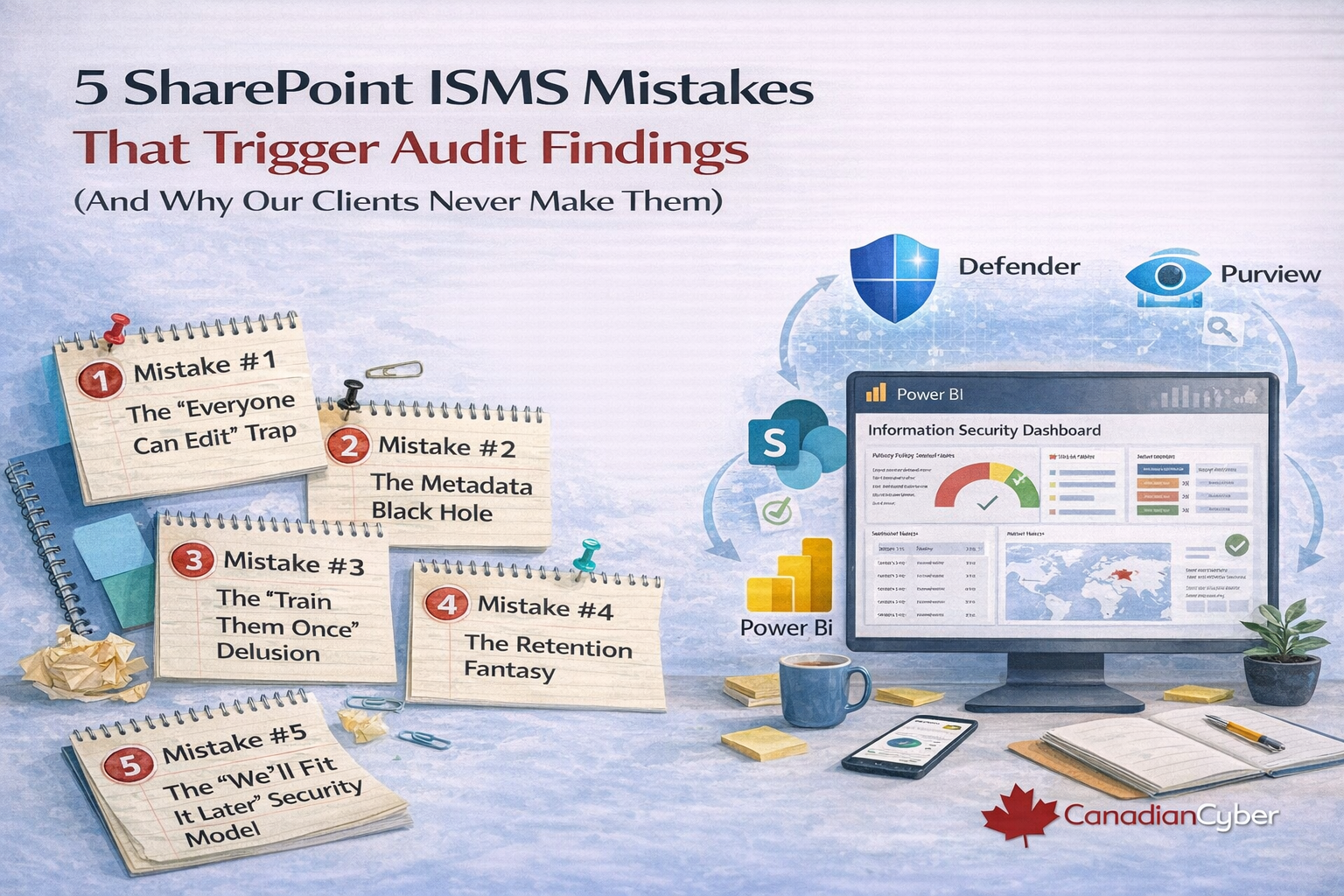
5 SharePoint ISMS Mistakes That Trigger Audit Findings (And Why Our Clients Never Make Them)
You chose SharePoint over an $80,000 GRC tool. Smart. But if your ISMS relies on folders, memory, and hope, you didn’t avoid the cost you deferred the risk. Here’s exactly how we fix it.
SharePoint is absolutely capable of world-class compliance.
The catch? It arrives as a blank slate no control framework, no evidence taxonomy, no retention enforcement, and no guardrails.
You didn’t buy the wrong tool. You bought it unfinished.
GRC vendors charge for software. We charge for the configuration that makes your existing Microsoft environment behave like a real ISMS.
The Hard Truth About “Free” SharePoint ISMS
Your Microsoft licenses are not the cost. Your time, your mistakes, and your audit findings are the cost.
| DIY SharePoint ISMS | Our ISMS SharePoint Platform |
|---|---|
| You build the taxonomy | You inherit a proven taxonomy |
| You guess the permissions | Permissions arrive pre-locked |
| You hope retention sticks | Retention is enforced at the library level |
| You train users to navigate | Workflows come to users |
| You discover gaps during the audit | Gaps are visible on Day 1 |
This isn’t about whether SharePoint can do compliance.
It’s about whether you have 200 hours to build what we already built.
Pitfall #1: The “Everyone Can Edit” Trap
You wanted collaboration. The auditor saw a control failure.
The mistake: Critical policies have too many editors, unclear approvals, and messy version history.
Why DIY fails: SharePoint defaults to permissive. “Edit” is easy. Proper governance takes work so it gets skipped.
Our solution: We don’t give you a blank library. We give you a policy management system with approvals, locked permissions, and clean versioning.
| Feature | What we configured |
|---|---|
| Security groups | Policy Owners, Approvers, Viewers pre-created |
| Permission inheritance | Edit access removed from everyone except owners |
| Approval flow | Drafts hidden; publish requires designated approval |
| Versioning | Major versions only; controlled drafting |
| Audit trail | Every view, edit, and approval captured |
Auditor experience: “Who approved this policy?”
You open version history. One approver. One timestamp. Done.
Pitfall #2: The Metadata Black Hole
You can find things until you need to prove a control operated consistently.
The mistake: Evidence lives in folder mazes. The “system” is really one person’s memory.
Why DIY fails: Folders don’t enforce behaviour. They accept whatever gets dropped in.
Our solution: We replace folder dependency with metadata-driven architecture and controlled taxonomies.
| Feature | What we configured |
|---|---|
| Content types | Vendor evidence, control evidence, risk acceptance with required fields |
| Controlled taxonomies | Dropdowns, not text boxes (no naming inconsistency) |
| Document sets | All evidence for a control stays together |
| Views | One-click views by year, vendor, control, or quarter |
Auditor experience: “Show all privileged access reviews from the last 18 months.”
You select the view. The evidence appears, sorted and timestamped.
Pitfall #3: The “Train Them Once” Delusion
You trained the team once. Then the business kept running. New hires missed it. Busy people reverted to email.
Compliance became optional.
Why DIY fails: SharePoint is a destination. Users have to remember to go there.
They won’t. They choose the easiest path.
Our solution: We bring compliance to where people already work (Teams, Outlook, Forms).
Evidence saves itself.
- Teams adaptive cards: acknowledge policies in one click
- Forms intake: incidents and requests write to SharePoint lists
- Task assignment: owners get reminders with due dates
- Deep links: no navigation required
Want to know which of these pitfalls exist in your SharePoint ISMS right now?
Book a short diagnostic call. We’ll show you exactly what will trigger audit findings and how to fix it quickly.
Pitfall #4: The Retention Fantasy
You think you kept everything. The auditor knows you didn’t.
Evidence disappears when deletion is allowed and retention is not enforced.
Why DIY fails: People “clean up” folders. Things get moved, archived, or deleted.
Policies exist, but the platform doesn’t enforce them.
Our solution: retention labels are applied at the library level and deletion is blocked.
Evidence becomes immutable by default.
Pitfall #5: The “We’ll Fix It Later” Security Model
Your ISMS contains sensitive risk details and internal findings. If it’s secured like a general team site, it’s a governance failure waiting to happen.
Why DIY fails: granular permissions feel tedious, so broad groups stay in place.
“Later” becomes “after the incident” or “during the audit.”
Our solution: least-privilege groups are pre-configured and aligned to your controls.
Sensitive items can enforce unique permissions automatically.
The Pattern You Just Noticed
Every pitfall has the same root cause: you were given a tool, not a system.
SharePoint is flexible. Without guardrails, that flexibility turns into fragmentation.
What You Actually Get
You’re not buying “a SharePoint site.” You’re buying the discipline, structure, and enforcement that makes audit readiness reliable.
| Your problem | DIY outcome | Our platform delivers |
|---|---|---|
| Unclear policy approvals and messy versions | Audit finding: weak document control | Pre-configured approvals and clean versioning |
| Vendor evidence scattered across folders | Audit finding: evidence not controlled | Metadata architecture with one-click views |
| Users forget the portal | Audit finding: inconsistent execution | Teams + workflow-driven acknowledgements |
| Retention not enforced | Audit finding: missing records | Deletion blocked, labels enforced |
| Permissions too broad | Audit finding: weak access control | Least privilege, control-aligned security groups |
The 15-Minute ROI Calculation
In 15 minutes, we’ll identify which of these pitfalls exist in your current SharePoint ISMS and show how to close the gaps fast.
This is a diagnostic, not a generic pitch.
Final thought: SharePoint isn’t the risky choice. An unfinished SharePoint ISMS is.
Guardrails make audit readiness predictable.
Stay Connected With Canadian Cyber
Follow us for ISMS automation tips, audit readiness playbooks, and SharePoint-based compliance best practices: