Why threat intel governance matters (beyond security teams)
Threat intel becomes a board and audit issue because it influences real operational decisions. It affects vulnerability management, patching cadence, emergency changes, uptime risk, customer trust, and audit credibility.
Operational impact
Threat intel drives patch decisions, emergency changes, and service risk. Done badly, it creates churn. Done well, it improves resilience.
Audit impact
Auditors do not want “we read advisories.” They want to see intake, triage, action, verification, and evidence.
Leadership impact
The board cares when threat intel turns into downtime, customer risk, or an avoidable incident that should have been acted on.
The governance standard in one line
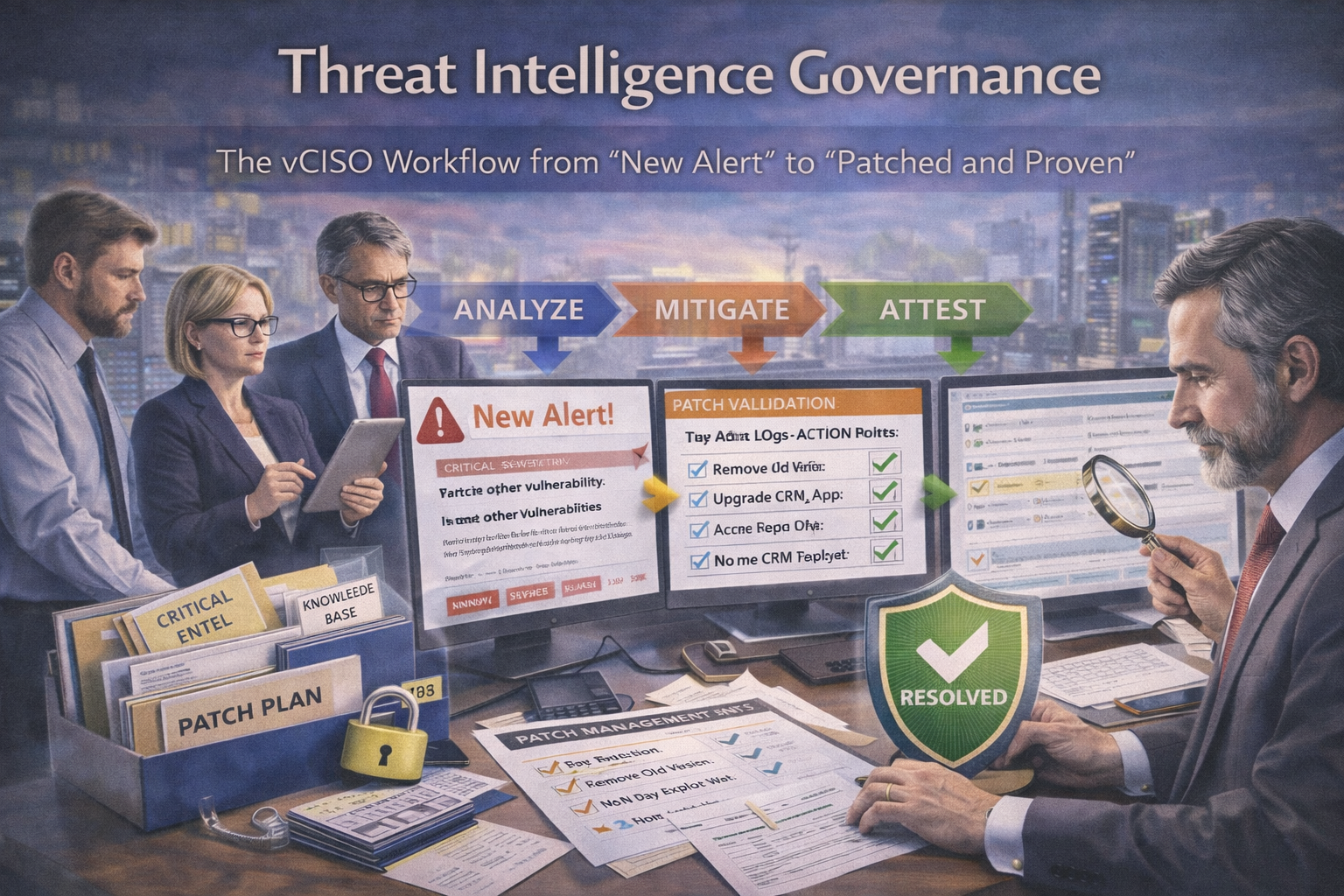
Auditors don’t want to see “we read advisories.” They want to see a control system: intake → triage → action → verification → evidence.
The vCISO Threat Intel Workflow (End-to-End)
Step 1: Intake — “One funnel, not ten inboxes”
The goal of intake is simple: make sure alerts land in one place with traceability. If teams are working from inboxes, Teams chats, Slack posts, screenshots, and forwarded vendor emails, your governance is already leaking.
Typical sources
- cloud provider advisories (AWS, Azure, GCP)
- key vendor advisories (Microsoft, Atlassian, Okta, etc.)
- vulnerability sources (CVE feeds, security vendor alerts)
- managed detection / MDR notifications
- customer escalations asking “are we vulnerable to X?”
vCISO rule
Everything goes into a single Threat Intel Queue — usually a ticketing system or SharePoint list. No side-channel work. No “we were looking at it in Slack.”
Evidence you’ll have
an entry record with timestamp, source, owner, and source link.
Step 2: Triage — “Does this apply to us?”
This is where noise gets reduced without losing real risk. A good triage model is fast, structured, and evidence-based.
A vCISO triage usually asks five questions:
Exposure
Do we run the affected product, service, or version?
Reachability
Is the vulnerable component internet-facing, internal only, or segmented?
Exploitability
Is exploitation active in the wild or still theoretical?
Impact
Would exploitation create RCE, data access, privilege escalation, or DoS?
Controls
Do we already have mitigations like WAF rules, MFA, segmentation, or EDR?
- Not applicable → close with evidence, usually asset inventory proof
- Applicable → move to action with severity and SLA
- Unclear → assign investigation with a timebox, usually 24–48 hours
Evidence you’ll have: documented applicability decision, rationale, and who made it.
Step 3: Severity + SLA — “How fast do we move?”
The goal here is predictable timelines, not emotional patching. Urgency should come from reachability, exploitation status, and business impact not from subject lines written in all caps.
| Condition |
Example response target |
Governance point |
| Critical + exploited in the wild + reachable |
patch or mitigate within 24–72 hours |
Needs fast-track approval path and clear owner |
| High + reachable |
patch or mitigate within 7–14 days |
Requires scheduled action, not passive backlog |
| Medium |
patch within normal cycle, such as 30 days |
Should still have due date and owner |
| Low |
backlog or next maintenance window |
Can defer, but should not disappear |
Key governance point:
emergency work still needs an SLA, owner, and approval path. “Urgent” is not a workflow.
Step 4: Assign owners — “Security doesn’t patch”
This is where many programs break down. Security identifies and prioritizes risk, but security rarely owns the patching work itself. Governance fails when that handoff is vague.
Security / vCISO
owns decisioning, comms, priority, and evidence.
Infra / Cloud
owns platform patching and configuration changes.
App / Engineering
owns code, library updates, and deployments.
IT / Endpoint
owns fleet updates where relevant.
Product / CS
owns customer comms when needed.
Evidence you’ll have: assignee, tasks, due dates, and timestamps.
If threat intel is still spread across inboxes, Slack threads, and forwarded emails, fix the workflow before the next critical advisory lands.
Step 5: Choose the action path — patch, mitigate, or accept
A mature program avoids false binary thinking. Not every issue can be patched immediately, and not every delay is a failure. The important thing is that the chosen path is explicit, time-bound, and evidenced.
- apply vendor patch or update
- follow change control, even if fast-tracked
- confirm deployment and health checks
Common mitigations
- disable vulnerable feature or module
- restrict network access
- add WAF rules
- increase monitoring and alerting
- isolate service
Only acceptable if
- business rationale exists
- compensating controls reduce exposure
- expiry date is set
- exec or risk owner approves
Evidence you’ll have:
patch evidence, mitigation evidence, or a formal risk acceptance record with expiry.
Step 6: Verify — “Patched and proven”
This is where many programs fail. “Installed” is not the same as “resolved.” Verification is what turns patching into governance.
A vCISO expects verification such as:
- vulnerability rescan results before and after
- version confirmation for package, application, or server
- configuration validation, such as feature disabled or WAF rule active
- targeted testing where safe and practical
Verification rule:
“installed” is not “resolved” until someone verifies it and signs off.
Step 7: Close the loop — “Lessons, recurrence, and reporting”
The final step is what makes the system smarter over time. If the workflow ends the moment a patch is installed, the organization keeps relearning the same lessons.
Closure should include:
- update the risk register if the alert exposed a systemic weakness
- update baselines such as hardening standards, patch SLAs, or monitoring rules
- add detection rules for the exploited technique
- report outcomes in management review or board pack
Useful metrics include how many alerts were triaged, how many were applicable, how fast critical items were handled, and what exceptions still exist with expiry dates.
Evidence you’ll have: closure notes, lessons learned, and quarterly metrics.
What “Patched and Proven” looks like in real life
Alert: Critical vulnerability in a widely used VPN appliance, with exploitation reported.
Workflow
- intake ticket created with source link attached
- triage confirms appliance exists, internet-facing, and reachable
- severity set to Critical with 48-hour SLA
- mitigation applied immediately: restrict admin interface, add WAF rule, increase monitoring
- patch scheduled in the next change window
- verification completed: post-patch version check and vuln rescan show resolved
- closure updates standard to require monthly config review and alerting for exposed admin interface
That’s how you avoid both panic and paralysis.
The 8 evidence artifacts auditors trust (SOC 2 / ISO 27001 friendly)
If you want threat intel governance to stand up in audits, your workflow needs to leave behind evidence that is clear, dated, attributable, and linked to action.
| Artifact |
What it proves |
Why auditors trust it |
| Threat intel intake record |
The alert entered a governed process |
Shows traceability from source to action |
| Applicability assessment |
Why it does or does not apply |
Prevents arbitrary closure |
| Severity rating + SLA |
How urgency was determined |
Shows predictable decisioning |
| Change / implementation record |
Patch or mitigation actually happened |
Links governance to execution |
| Verification evidence |
The issue was actually resolved or mitigated |
Separates “done” from “assumed done” |
| Exception / risk acceptance record |
Why non-remediation was approved |
Makes exceptions visible and time-bound |
| Closure notes |
What changed and what was learned |
Proves continuous improvement |
| Metrics summary |
Trend view across quarter or review period |
Turns ad hoc handling into a measurable control |
Common failure modes (and the fixes)
Failure: “We patch when we can”
Fix: SLAs tied to reachability and exploit status.
Failure: “Security told us to patch, but ops didn’t prioritize it”
Fix: accountable owners and escalation ladder.
Failure: “We patched… we think”
Fix: mandatory verification step.
Failure: “Exceptions live in email”
Fix: formal risk acceptance with expiry and compensating controls.
Failure: “We keep relearning the same lessons”
Fix: closure must include baseline updates and recurring metrics review.
Practical next steps
If your current threat intel process is still mostly people reacting to urgent messages, it’s time to turn it into a real governance workflow.
Simple ways to improve quickly:
- centralize threat intel intake into one queue
- set triage rules for applicability and urgency
- add verification and exception handling to the workflow
Final takeaway
Threat intel governance is not about reading more alerts. It is about turning incoming noise into a consistent set of decisions, actions, and proof. That is what lets teams move fast without chaos and what gives auditors and leadership confidence that the organization is not just aware it is governed.
A strong vCISO workflow makes threat intel useful by making it operational. The result is simple and defensible: patched and verified, mitigated and monitored, or formally accepted with an expiry.
In one line
The goal is not to process more alerts it is to create a workflow that proves the right alerts were handled the right way.
Follow Canadian Cyber
Practical cybersecurity + compliance guidance: