Mapping the NIST Cybersecurity Framework in Your ISMS: A Microsoft 365 Implementation Guide
How to operationalize NIST CSF using a SharePoint-based ISMS without adding complexity.
The NIST Cybersecurity Framework (NIST CSF) is widely respected.
Executives trust it. Regulators reference it. Security teams understand it.
Yet many organizations struggle with one key question:
How do we actually implement NIST CSF in a practical, auditable way?
The answer is not another spreadsheet. It’s a well-structured ISMS embedded into the tools you already use: Microsoft 365.
At Canadian Cyber, we designed our ISMS SharePoint Solution to support NIST CSF alongside ISO 27001, SOC 2, and more using a single, control-driven system.
This guide shows how to map NIST CSF functions into a SharePoint ISMS, step by step.
Quick Snapshot
| NIST CSF goal | How SharePoint operationalizes it |
|---|---|
| Make NIST auditable | Link assets, risks, controls, evidence, and action items in one system |
| Reduce complexity | Use Microsoft 365 tools you already own (SharePoint, Teams, Power Automate) |
| Prove controls over time | Continuous evidence collection with clear ownership and timelines |
Why NIST CSF Often Stays Theoretical
NIST CSF is powerful, but intentionally flexible. That flexibility creates real-world problems:
- No fixed control list
- No prescribed documentation format
- No clear evidence model
Organizations often end up with high-level statements, inconsistent implementation, and weak readiness.
NIST works best when paired with an operational ISMS.
Why Microsoft 365 Is a Strong Foundation for NIST CSF
Microsoft 365 already supports many NIST objectives: identity and access control, logging and monitoring, secure collaboration, and incident response coordination.
The missing piece is structure. The Canadian Cyber ISMS solution provides that structure by:
- Centralizing governance in SharePoint
- Linking assets, risks, controls, and evidence
- Making NIST measurable and reviewable
How the ISMS Structure Supports NIST CSF
In our ISMS solution, everything is built around operational building blocks:
Core registers
- Asset register
- Risk register
- Control catalog
Governance & proof
- Policies and procedures
- Evidence libraries
- Action tracking
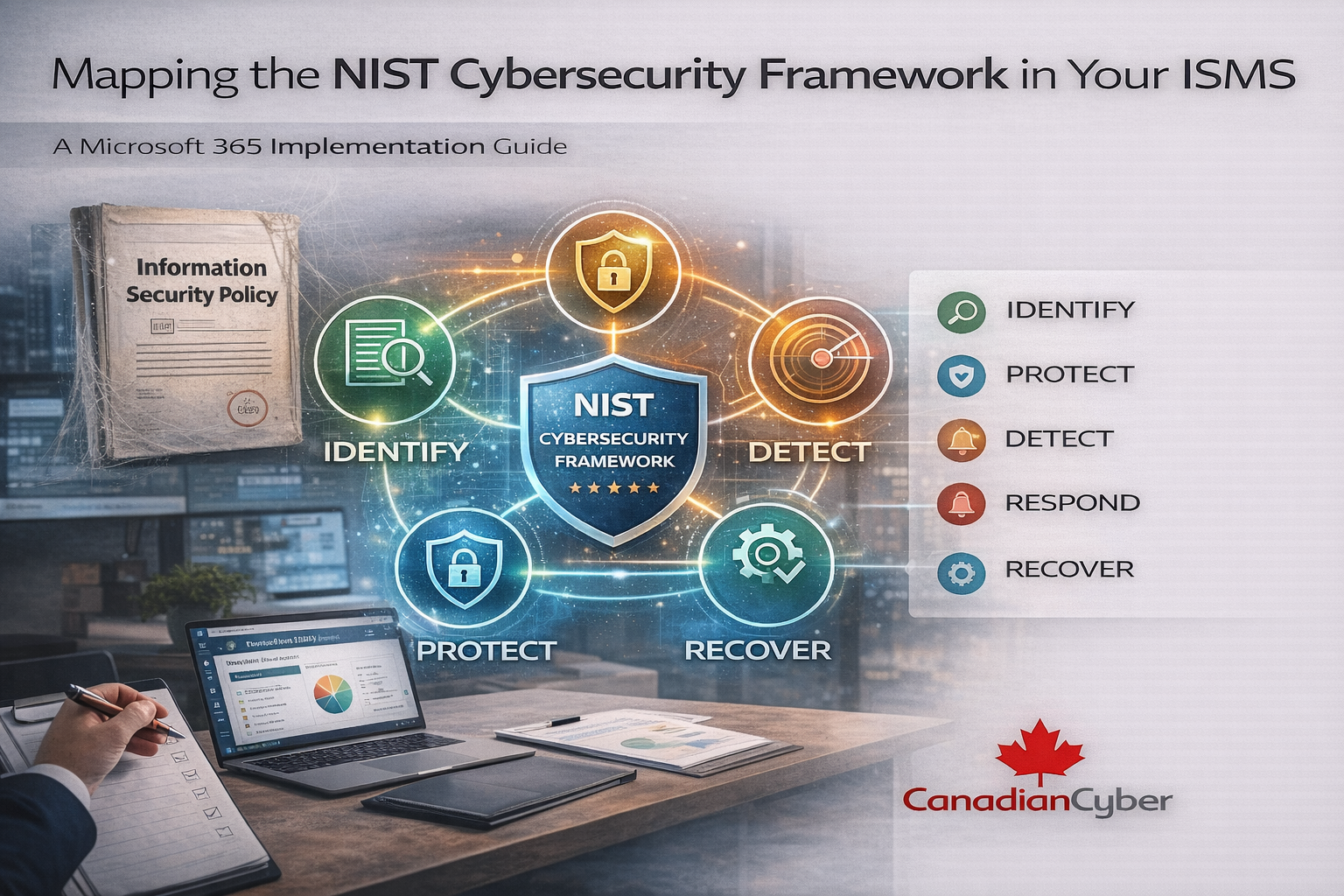
These elements map naturally to NIST’s five core functions: Identify, Protect, Detect, Respond, and Recover.
Mapping NIST CSF Functions into a SharePoint ISMS
NIST Function 1: Identify
Goal: Understand assets, risks, and business context.
How this maps in the SharePoint ISMS:
- Asset Register: information assets, systems, cloud services, vendors
- Risk Register: threats tied to assets, likelihood/impact scoring, owners, treatment decisions
- Business context documentation: scope definitions, critical services
- NIST “Identify” becomes visible and auditable
- Risk ownership is clear
- Decisions are documented
NIST Function 2: Protect
Goal: Safeguard critical services and data.
How this maps in the SharePoint ISMS:
- Access control policies: stored and version-controlled in SharePoint
- Security procedures: change management, secure configuration, awareness policies
- Training records: delivered in Teams, evidence stored in SharePoint
- Protection becomes policy-driven and consistent
- Controls can align with ISO 27001 Annex A (without duplicating work)
- Evidence remains continuously available
NIST Function 3: Detect
Goal: Identify cybersecurity events quickly.
How this maps in the SharePoint ISMS:
- Monitoring documentation: logging policies and alert handling procedures
- Evidence collection: detection reports uploaded on schedule (Power Automate tasks)
- Incident indicators: linked to risk scenarios and follow-up actions
- Detection is documented, not implied
- Evidence shows controls operate over time
NIST Function 4: Respond
Goal: Take action during a cybersecurity incident.
How this maps in the SharePoint ISMS:
- Incident response plan: central approved document with version control
- Incident records: stored in SharePoint and linked to action items and lessons learned
- Teams integration: role-based coordination and communications
- Response stays structured during pressure
- Decisions are traceable for leadership and assessors
NIST Function 5: Recover
Goal: Restore services and improve resilience.
How this maps in the SharePoint ISMS:
- Business continuity and recovery plans: stored and reviewed in SharePoint
- Corrective actions: tracked as action items linked to incidents and risks
- Post-incident reviews: evidence of improvement with management oversight
- Recovery becomes measurable
- NIST becomes a cycle, not a checkbox
Why This Works Alongside ISO 27001
Many organizations don’t choose between NIST and ISO. They use both.
The Canadian Cyber ISMS solution supports this by mapping NIST functions to ISO 27001 controls using:
- One risk register
- One evidence system
- One governance structure
One ISMS. Multiple frameworks. Clear alignment.
NIST CSF to ISMS Mapping Summary
| NIST function | ISMS component in SharePoint | Audit proof you gain |
|---|---|---|
| Identify | Asset register, risk register, business context | Owned risks, documented decisions |
| Protect | Policies, procedures, training records | Approved docs, evidence of practice |
| Detect | Logging/monitoring docs, scheduled evidence | Proof of ongoing monitoring |
| Respond | IR plans, incident records, Teams coordination | Traceable response and decisions |
| Recover | BC/DR plans, corrective actions, post-incident reviews | Measured recovery and improvements |
A Fictional Example: From NIST on Paper to NIST in Practice
(This example is fictional but reflects real-world patterns.)
An organization claimed NIST CSF alignment, but assets were undocumented, policies were outdated, and evidence was inconsistent.
After deploying the ISMS solution, NIST functions were mapped to SharePoint structures, risks and controls were linked, and evidence
was collected consistently.
NIST stopped being a slide deck. It became operational.
Why Auditors and Assessors Prefer This Approach
Assessors don’t want promises. They want structure, consistency, evidence, and ownership.
A SharePoint-based ISMS makes NIST CSF transparent, reviewable, and defensible.
How Canadian Cyber Helps Organizations Implement NIST CSF
We don’t just talk about frameworks. We operationalize them inside Microsoft 365.
Support options
| Service | What it includes |
|---|---|
| ISMS SharePoint Solution | NIST-aligned structure, asset/risk/control mapping, evidence automation |
| Framework alignment support | NIST + ISO 27001 mapping, SOC 2 integration, practical documentation |
| Optional vCISO oversight | Risk interpretation, executive reporting, continuous improvement |
NIST Works Best When It Lives Inside Your ISMS
NIST CSF isn’t meant to sit in a binder. It’s meant to guide decisions.
When implemented inside a SharePoint ISMS, risk becomes visible, controls become provable, and compliance becomes calm.
Ready to Automate Policy Management in Microsoft 365?
Let us show you how NIST CSF can move from theory to reality inside SharePoint, without adding complexity.
Stay Connected With Canadian Cyber
Follow Canadian Cyber for ISO 27001, SOC 2, NIST CSF, and Microsoft 365 ISMS insights: