Tracking Audit Evidence & Tasks in Teams and SharePoint: An ISO 27001 How-To That Actually Works
How to stop chasing evidence before audits and start collecting it naturally.
If ISO 27001 or SOC 2 audits feel stressful, it is usually for one reason:
Evidence is everywhere.
Policies live in one place. Screenshots are in emails. Logs sit on desktops. No one knows who owns what.
The result is always the same:
• Last-minute scrambling
• Missed evidence
• Long audit days
At Canadian Cyber, we help organizations avoid this chaos by using
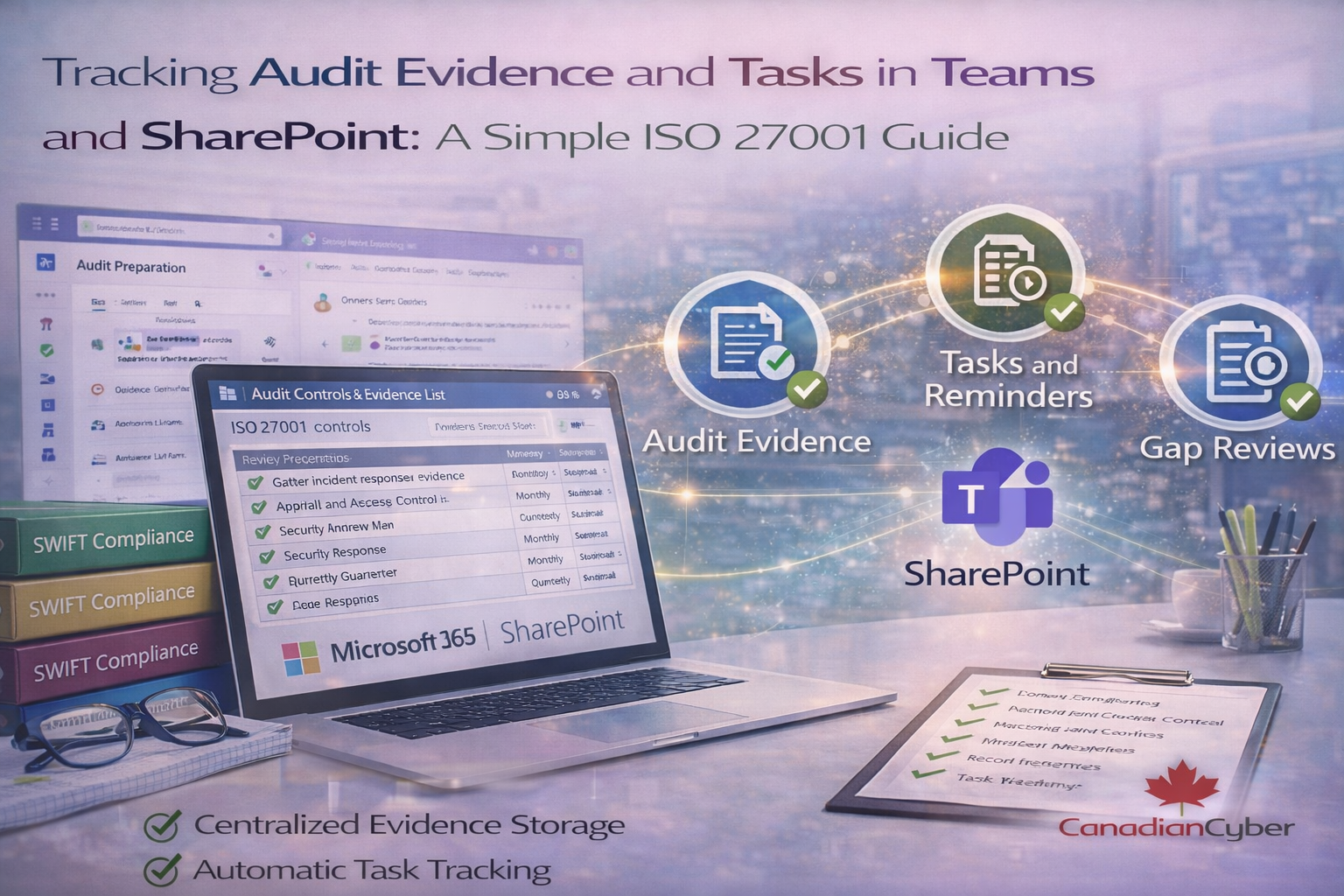
Microsoft Teams and SharePoint together to track audit evidence and tasks in a simple, repeatable way.
This blog explains how an audit evidence tracker works in practice and why it makes audits easier.
Why Audit Evidence Becomes a Problem
Most organizations do not fail audits because controls are missing.
They fail because:
• Evidence was not collected on time
• Ownership was unclear
• Proof was scattered across tools
Auditors expect to see:
✅ Evidence linked to each control
✅ Clear timestamps
✅ Named owners
Good intentions are not enough. You need structure.
Why Microsoft Teams and SharePoint Work So Well Together
Microsoft 365 already gives you what you need:
• SharePoint for document storage
• Teams for collaboration
• Planner for task tracking
• Alerts and reminders
The missing piece is how these tools are connected.
When structured correctly, they create a live audit evidence system.
What each tool does in the audit evidence system
| Tool | Purpose | Audit benefit |
|---|---|---|
| SharePoint List | Evidence register (controls, owners, frequency) | One source of truth |
| SharePoint Library | Central storage for evidence files | Fast retrieval + version history |
| Teams | Where owners communicate and follow tasks | Tasks show up where people work |
| Planner | Evidence tasks with due dates and status | No missed reviews |
| Automations | Reminders and recurring check prompts | Continuous compliance |
Step 1: Create an Evidence Register in SharePoint
The foundation is a simple SharePoint list. Each row represents:
• An ISO 27001 or SOC 2 control
• The required evidence
• The control owner
• Review frequency
This list becomes your single source of truth. No spreadsheets. No guessing.
Step 2: Store Evidence in Central SharePoint Libraries
Each control should have:
• A clear evidence location
• Consistent naming
• Version history enabled
SharePoint libraries give you secure storage and audit-ready history.
When auditors ask for evidence, you know exactly where to go.
Step 3: Assign Evidence Tasks in Microsoft Teams
Evidence collection should not rely on memory.
Using Teams and Planner:
✅ Tasks are assigned to control owners
✅ Due dates are visible
✅ Progress is tracked
Team members see tasks where they already work. No extra tools. No extra effort.
Want a ready-to-use evidence tracker?
We can deploy a SharePoint evidence register with Teams and Planner integration,
so tasks and proof flow naturally all year.
Step 4: Use Alerts and Reminders to Stay on Track
ISO 27001 and SOC 2 require ongoing evidence.
With reminders:
• Monthly reviews happen on time
• Quarterly checks are not missed
• Annual controls stay active
Automation removes the human risk of forgetting.
Step 5: Link Evidence Directly to Controls
In SharePoint, each control record can link to:
• Documents
• Screenshots
• Logs
• Review notes
This creates a clear audit trail. Auditors can follow the evidence without confusion.
Step 6: Track Gaps Before the Audit Starts
Dashboards and filters help you see:
• Missing evidence
• Overdue tasks
• High-risk controls
This allows you to fix gaps early. Preparation replaces panic.
Why This Works for Both ISO 27001 and SOC 2
ISO 27001 and SOC 2 both require:
✅ Evidence of control operation
✅ Clear ownership
✅ Ongoing monitoring
This approach supports both standards, avoids duplicate work, and keeps compliance continuous.
One system. Multiple frameworks.
A Fictional Example: No More Audit Panic
(This example is fictional but reflects real-world patterns.)
An organization prepared evidence only weeks before audits.
Every year it meant long nights, missed files, and frustrated teams.
After using Teams and SharePoint:
✅ Evidence was collected throughout the year
✅ Tasks were tracked automatically
✅ Audits became predictable
Stress disappeared.
How Canadian Cyber Helps You Set This Up
At Canadian Cyber, we don’t just explain this approach. We design and deploy it.
🔹 ISMS SharePoint Solution
Pre-structured evidence registers • Control-mapped libraries • Audit-ready organization
🔹 Teams and Planner Integration
Task ownership • Reminders • Progress tracking
🔹 vCISO and Audit Support
Control oversight • Gap identification • Audit preparation
We focus on making compliance manageable, not painful.
Audits Are Easier When Evidence Is Collected Early
When evidence is centralized, assigned, and tracked, audits stop feeling like emergencies.
They become routine.
Ready to Simplify Audit Evidence Tracking?
Let us help you move from last-minute evidence chasing to calm, confident audits.
Stay Connected With Canadian Cyber
Follow Canadian Cyber for practical ISMS and audit-readiness insights: