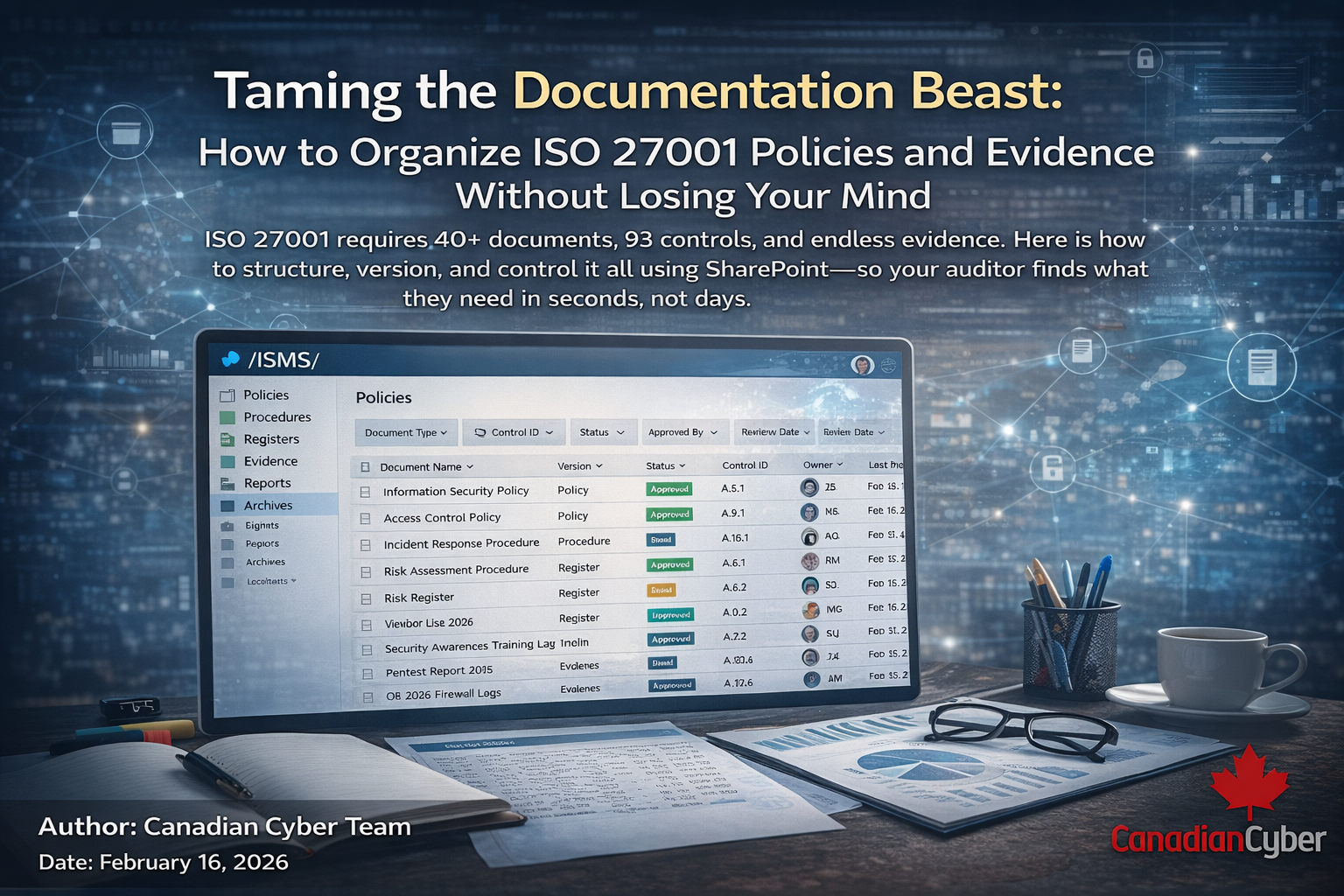
Taming the Documentation Beast: How to Organize ISO 27001 Policies and Evidence Without Losing Your Mind
Subtitle: ISO 27001 requires 40+ documents, 93 controls, and endless evidence. Here is how to structure, version, and control it all using SharePoint so your auditor finds what they need in seconds, not days.
Want an ISO 27001-ready SharePoint ISMS in days, not months?
Explore our ISMS SharePoint Platform + book a discovery call.
“Where is the signed version of the Access Control Policy?”
“Who approved this risk acceptance?”
“Can you show me the access review from Q4 last year?”
If these questions trigger a familiar panic, you are not alone.
ISO 27001 is a documentation-heavy standard. Between policies, procedures, risk registers, Statements of Applicability, internal audit reports, management review minutes, and control evidence a typical ISMS generates hundreds of documents per year.
The problem: Most organizations treat these documents as separate islands. Policies live in one folder. Evidence lives in another. Risk registers are spreadsheets emailed around. Audit trails are buried in Outlook.
The result: When the auditor asks for something, you spend hours hunting. When they ask for version history, you guess. When they ask who approved what, you hope.
This is not compliance. This is chaos with a certificate.
Enter Microsoft SharePoint.
In this guide, we’ll show you how to tame the documentation beast using SharePoint to create a single source of truth where every policy, every risk, and every piece of evidence is organized, version-controlled, and accessible in seconds.
Perfect for compliance managers, ISO 27001 leads, and anyone drowning in documents.
Why Documentation Fails (And How SharePoint Fixes It)
Before we dive into the solution, let’s understand why ISO 27001 documentation becomes a beast in the first place.
| Failure Mode | Why It Happens | How SharePoint Fixes It |
|---|---|---|
| Scattered Files | Documents live in network drives, email attachments, and local laptops | Centralized repository with one source of truth |
| Version Chaos | “Policy_v3_final_FINAL_revised.docx” | Version control with required check-in/check-out |
| No Audit Trail | No record of who approved what or when | Version history with timestamps and user IDs |
| Lost Evidence | Screenshots and logs saved randomly | Evidence lockers linked to specific controls |
| Inconsistent Naming | Everyone names files differently | Metadata columns enforce consistency |
| Access Confusion | No one knows who can edit vs. view | Role-based permissions with security groups |
| Retention Gaps | Documents deleted “to save space” | Retention policies enforced at library level |
| Search Failures | “I know it’s here somewhere” | Metadata-driven views and search |
SharePoint does not just store your documents. It imposes order on chaos.
The ISO 27001 Documentation Universe
ISO 27001:2022 requires documented information across multiple clauses and controls. Here is what you are managing:
| Document Category | Examples | Quantity |
|---|---|---|
| Policies | Information Security Policy, Access Control Policy, etc. | 10–20 |
| Procedures | Incident Response Procedure, Risk Assessment Procedure | 15–25 |
| Registers | Risk Register, Asset Register, Vendor Register | 5–8 |
| Plans | Risk Treatment Plan, Business Continuity Plan | 3–5 |
| Reports | Internal Audit Reports, Management Review Minutes | 4–8 per year |
| Evidence | Access review logs, training records, scan reports | Hundreds |
| Statements | Statement of Applicability, Scope Statement | 2–3 |
| Total | Core documents + evidence artifacts | 40–70 + hundreds/year |
Without a system, this is unmanageable.
With SharePoint, it is a well-oiled machine.
Step 1: Build Your Information Architecture (The Foundation)
The Mistake
Creating folders. Lots of folders. Nested folders. “Policies/HR/Access Control/Drafts/2024/Archived.”
Why It Fails
Folders hide documents. The deeper the folder, the less likely anyone finds what they need. And folders do not enforce behavior they just sit there.
The SharePoint Solution
Use metadata, not folders.
| Metadata Column | Purpose | Example Values |
|---|---|---|
| Document Type | What kind of document is this? | Policy, Procedure, Register, Report, Evidence |
| Control ID | Which Annex A control does this relate to? | A.5.1, A.8.2, A.12.6 |
| Owner | Who is responsible? | Person/Group |
| Review Date | When is this due for review? | Date |
| Status | Is this current, draft, or archived? | Current, Draft, Under Review, Archived |
| Classification | How sensitive is this? | Public, Internal, Confidential, Restricted |
| Approval Status | Has this been approved? | Approved, Pending, Rejected |
What to Build in SharePoint
/ISMS/
  /Policies/     (Document Library + metadata + views)
  /Procedures/   (Document Library + metadata + views)
  /Registers/    (SharePoint Lists: Risk, Asset, Vendor)
  /Evidence/     (Evidence Library + Control ID lookup)
  /Reports/      (Document Library + quarterly views)
  /Archives/     (Retention library for historical)
Pro Tip: Use a “Document Type” column as your primary filter. Create views that show only Policies, only Procedures, only Evidence. Users never browse folders they select a view.
Our ISMS SharePoint Platform ships with this architecture pre-built. You do not design it. You just populate it.
Step 2: Implement Version Control That Actually Works
The Requirement: ISO 27001 Clause 7.5.3 requires control of documented information including version control and approval.
The Mistake
Emailing documents around. “Can you review this?” “Here are my comments.” “I saved the final version on my desktop.”
The SharePoint Solution
Enable required check-out and major/minor versioning.
| Setting | Value | Why |
|---|---|---|
| Require Check Out | Yes | Prevents two people editing simultaneously |
| Major Versions | Unlimited | Keep every published version forever |
| Minor Versions (Drafts) | 10 | Track draft changes before approval |
| Require Content Approval | Yes | Drafts are invisible until approved |
| Version | Modified | Modified By | Comments |
|---|---|---|---|
| 3.0 | Feb 15, 2026 | CISO | Approved for annual review |
| 2.1 | Jan 20, 2026 | Compliance Mgr | Incorporated legal feedback |
| 2.0 | Dec 1, 2025 | Board | Approved |
| 1.3 | Nov 15, 2025 | Legal | Draft comments |
| 1.0 | Oct 1, 2025 | CISO | Initial version |
The auditor asks: “Who approved version 2.0?” You show them. Next question.
Our ISMS SharePoint Platform has versioning pre-configured. You do not remember to turn it on. It is on.
Step 3: Automate Policy Review and Approval
The Requirement: Annex A.5.1 requires policies to be reviewed at planned intervals.
The Mistake
A spreadsheet of policy review dates. Someone’s calendar reminder. “Oh, that policy expired three months ago.”
The SharePoint Solution
Use Power Automate to manage the entire policy lifecycle.
| Workflow | How It Works |
|---|---|
| Annual Policy Review | Monthly scan → assign review task → owner updates draft → approval routed to CISO/Board → publish major version → log timestamps → escalate if overdue. |
| Quarterly Policy Acknowledgement | Teams card → “I acknowledge” click → response logged in SharePoint list → dashboard shows completion → auto-reminders to non-responders. |
What the auditor sees: clear review dates, version history showing annual reviews, acknowledgement logs with timestamps. No chasing. No guessing.
Our ISMS SharePoint Platform includes pre-built Power Automate workflows for policy review and acknowledgement. You enable. They run. Evidence collects itself.
Step 4: Create Evidence Lockers That Actually Make Sense
Every control needs evidence. Access reviews need proof. Training needs records. Incidents need logs.
The Mistake
“Screenshots” folder. “Evidence” folder. “Misc” folder. Good luck.
The SharePoint Solution
Organize evidence by control group, and enforce metadata for every file.
Evidence Library Structure (example)
/Evidence/
  /Control A.5 (Leadership)/
    - A.5.1 Policies
    - A.5.2 Roles
  /Control A.8 (Asset Management)/
    - A.8.1 Asset Inventory
    - A.8.2 Asset Classification
    - A.8.9 Configuration Management
  /Control A.12 (Operations)/
    - A.12.4 Logging
    - A.12.6 Vulnerability Management
  /Control A.16 (Incident Management)/
    - A.16.1 Incident Reports
    - A.16.2 Lessons Learned
| Metadata Column | Purpose | Example |
|---|---|---|
| Control ID | Which control does this support? | A.12.6.1 |
| Date of Evidence | When was this created? | Feb 15, 2026 |
| Source System | Where did this come from? | Azure AD / Defender / AWS |
| Review Status | Has it been validated? | Validated / Pending |
| Retention Period | How long must it be retained? | 1–7 years |
| Evidence Type | Source | Automation | Destination |
|---|---|---|---|
| Access review logs | Azure AD | Monthly export | A.5 / A.8 evidence |
| Vulnerability scans | Defender / AWS | Weekly capture | A.12.6 evidence |
| Incident reports | ServiceNow | Real-time | A.16.1 evidence |
| Training records | LMS | Quarterly | A.6 / A.7 evidence |
| Pen test reports | External | Upon receipt | A.8 / A.12 evidence |
What the auditor sees: open the SoA → click control → see dated, validated evidence. No searching. No “let me check.” Just proof.
Our ISMS SharePoint Platform includes pre-configured evidence folders for all 93 Annex A controls. You do not design the structure. You just add the files.
Step 5: Connect Everything with Cross-References
ISO 27001 is a system. Risks link to controls. Controls link to evidence. Policies link to procedures. Nothing lives in isolation.
The Mistake
Separate lists. Separate libraries. Separate worlds.
The SharePoint Solution
Use lookup columns to create relationships.
| Relationship | How SharePoint Links It |
|---|---|
| Risk → Controls | Lookup column in Risk Register to Annex A list |
| Control → Evidence | Evidence metadata links to Control ID + folder |
| Policy → Procedures | Hyperlinks between libraries + related docs panel |
| Incident → Risk | Incident list lookup to Risk Register |
| Audit Finding → Treatment | Audit report lookup to Treatment Plan list |
Now you can navigate your ISMS like a website, not a file system.
Our ISMS SharePoint Platform includes all lookup relationships pre-configured. You do not build the links. You just populate the data.
Step 6: Implement Retention and Disposal
The Requirement: Annex A.12.3 requires protection against loss of data. Retention is part of that.
The Mistake
“Keep everything forever.” Eventually you have 10,000 files and no idea what is current.
The SharePoint Solution
Apply retention labels at the library level.
| Document Type | Retention Period | Disposition Action |
|---|---|---|
| Policies | Current + 3 years | Archive |
| Risk Register | Current + 5 years | Archive |
| Evidence (logs) | 1 year | Delete |
| Evidence (audit reports) | 3 years | Archive |
| Training records | 3 years | Delete |
| Contracts | 7 years | Archive |
What the auditor sees: “Show me access reviews from 2022.” You open the archived library. They’re there, immutable, retained.
Our ISMS SharePoint Platform has retention policies pre-configured. You do not remember to turn them on. They are on.
Practical Use Cases: SharePoint in Action for Documentation Management
Use Case 1: Policy Review Portal
Homepage views + traffic lights + one-click review workflows + automated reminders + acknowledgement dashboards.
Outcome: Policies never go overdue. Auditors see a controlled process.
Use Case 2: Audit Evidence Repository
Control-based folders + naming convention + evidence captured throughout the year + auditor read-only access during audit.
Outcome: Audit prep becomes a quick review—not a panic sprint.
Use Case 3: Document Search That Actually Works
Search by content + refine by Document Type, Owner, Date + saved searches for common auditor requests.
Outcome: Find anything in under 30 seconds.
Use Case 4: Management Review Dashboard
Power BI connected to risks, policies, evidence, incidents, and training to auto-generate management review metrics.
Outcome: Board-ready reporting with no Excel scramble.
Use Case 5: Supplier Documentation Portal
Vendors upload SOC reports + insurance + policies; expiry metadata drives reminders and ensures freshness.
Outcome: Vendor documentation stays current—auditor requests answered in seconds.
Innovative Ideas: Elevating Documentation with SharePoint
- Intelligent naming: Auto-rename files from metadata (no more “final_final”).
- Expiry alerts: Monthly workflows flag past-due review dates and escalate.
- Template generation: Power Apps creates new policies from approved templates.
- QR-coded asset labels: Scan to open SharePoint asset record instantly.
- AI-assisted classification: Microsoft Syntex auto-tags, routes, and labels retention.
Best Practices for Documentation Success with SharePoint
- Standardize before you populate: metadata, naming, and structure first.
- Use content types: bundle templates + metadata + workflows per document category.
- Train users on metadata: “3 dropdowns → never search again.”
- Review permissions quarterly: remove leavers, validate need-to-know.
- Enable alerts for critical libraries: approvers see every meaningful change.
- Test your search: if “Access Control Policy” isn’t top result, fix it.
- Archive, don’t delete: keep history searchable without clutter.
- Run health checks: overdue reviews, orphaned docs, permissions drift, retention.
The 5 Audit Findings You’ll Avoid with SharePoint
| Finding | Root Cause | SharePoint Prevention |
|---|---|---|
| “Documented information not controlled” | No version control, no approval tracking | Version history + approval workflows |
| “Policies not reviewed at planned intervals” | Manual tracking, missed dates | Automated review workflows with reminders |
| “Evidence of control operation missing” | Evidence scattered, not linked to controls | Evidence lockers per control with metadata |
| “Access to documented information not restricted” | Broad permissions, no review | Role-based permissions + quarterly reviews |
| “Obsolete documents retained” | No retention policy | Retention labels + auto-archiving |
Why This Works Better With Our ISMS SharePoint Platform
You can build all of this with native SharePoint and Power Automate. You should. But if you want to skip the 6 months of design, testing, and debugging, our ISMS SharePoint Platform delivers it pre-built.
| Component | DIY Timeline | Our Platform |
|---|---|---|
| Information architecture design | 3 weeks | ✅ Pre-built, proven |
| Metadata schema | 2 weeks | ✅ Configured for ISO 27001 |
| Document libraries (40+) | 4 weeks | ✅ Ready to use |
| Version control settings | 1 week | ✅ Enabled |
| Policy review workflows | 4 weeks | ✅ Automated |
| Evidence folder structure | 2 weeks | ✅ Per control (93 folders) |
| Retention labels | 2 weeks | ✅ Pre-configured |
| Power BI dashboard | 4 weeks | ✅ Template included |
| Search configuration | 1 week | ✅ Optimized |
| Permission model | 3 weeks | ✅ Least privilege by design |
| Training materials | 2 weeks | ✅ Included |
| Metric | DIY | Our Platform |
|---|---|---|
| Time to first document uploaded | 2 months | 1 hour |
| Time to audit-ready documentation | 6 months | 1 week |
| Document search time | 5–10 minutes | <30 seconds |
| Policy review completion | 60% (manual) | 95% (automated) |
| Audit findings (first year) | 4–8 | 0–2 |
| Compliance team hours per month | 60+ | 12 |
Our ISMS SharePoint Platform is not software.
It is 4,000 hours of documentation experience, packaged into a 2-day deployment.
The 15-Minute Documentation Diagnostic
You do not need to guess whether your documentation will survive audit day. Book 15 minutes with our team. We will open your current ISMS (or our demo tenant) and show you:
- Which documentation gaps exist in your current environment (most have 5–7)
- One folder structure you can fix this week (before the auditor finds it)
- How our platform turns documentation from chaos into confidence
This is not a sales pitch. It is a biopsy. You will finally understand why “we have documents” and “we control documented information” are not the same thing.
Conclusion: Your Path to Documentation Mastery
ISO 27001 requires documentation. It does not require chaos.
With SharePoint, you can transform your ISMS from scattered files into a single source of truth where every policy has an owner and review date, every risk links to controls and evidence, and every auditor request is answered in seconds.
This is not just about passing audits. It is about running an ISMS that actually works.
Have questions or success stories? Share them with us we’d love to hear how you’re taming the documentation beast!
Stay Connected With Canadian Cyber
Follow us for SOC 2 + ISO 27001 playbooks, ISMS automation tips, and audit-ready evidence workflows: