SOC 2 • AI Features • LLM Governance • SaaS Security • Prompt and Output Controls
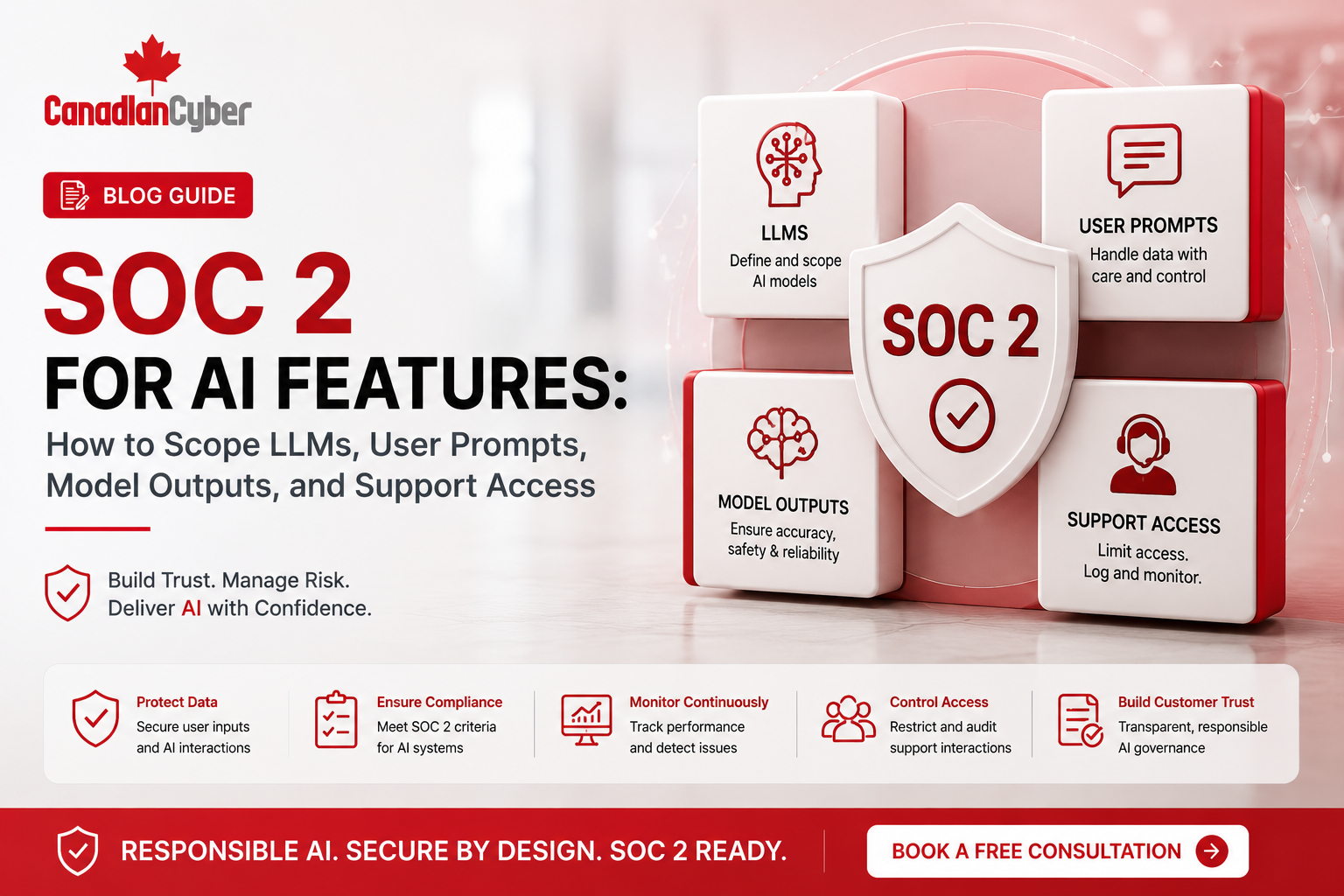
SOC 2 for AI Features: How to Scope LLMs, User Prompts, Model Outputs, and Support Access
SaaS companies are adding AI features quickly. But once AI features process customer data, prompts, uploaded files, model outputs, metadata, logs, or support tickets, they can affect SOC 2 scope.
Canadian Cyber SOC 2 + AI Governance Support
Scope AI Features Before Buyers or Auditors Ask Harder Questions
Canadian Cyber helps SaaS companies scope AI features for SOC 2, review LLM vendors, define prompt and output controls, design support access rules, build AI evidence workspaces, and align SOC 2 readiness with ISO 42001 AI governance.
Quick Snapshot
| AI Scope Area | Why It Matters for SOC 2 |
|---|---|
| LLM Provider | Third-party AI vendors may process prompts, outputs, files, or metadata. |
| User Prompts | Prompts may contain customer data, personal information, confidential records, or regulated data. |
| Model Outputs | Outputs may be inaccurate, sensitive, logged, retained, or shared with users. |
| Support Access | Support teams may view prompts, outputs, tickets, logs, screenshots, and AI issue reports. |
| Logging and Retention | Prompt and output logs can become customer data evidence and privacy risk. |
| Vendor Risk | AI providers, support tools, observability systems, and analytics vendors may enter SOC 2 scope. |
AI Features Change the SOC 2 Conversation
AI features can improve a SaaS product. They can summarize documents, answer customer questions, draft support replies, analyze tickets, classify records, search knowledge bases, and generate workflow recommendations.
But AI also changes the compliance conversation.
Before AI, a SaaS company may have scoped SOC 2 around its application, cloud infrastructure, identity provider, source code, support tool, monitoring system, and vendor environment.
After AI, new questions appear. Is the LLM provider in scope? Are prompts customer data? Are outputs stored? Can support view prompts and outputs? Are AI logs retained? Does the vendor use customer data for training?
If an AI feature touches customer data or customer commitments, it should be reviewed during SOC 2 scoping.
Quick Answer
SOC 2 for AI features requires SaaS companies to define whether LLM providers, user prompts, model outputs, AI logs, customer-uploaded files, support access, and AI vendors are part of the system that protects customer data.
If AI features process, store, transmit, or influence customer data or service commitments, they should be considered during SOC 2 scoping.
Companies should document AI data flows, vendor responsibilities, access controls, prompt and output retention, monitoring, incident response, support procedures, and customer-ready evidence.
Who This Guide Is For
- SaaS companies adding AI features.
- AI startups preparing for SOC 2.
- CTOs scoping LLM architecture for compliance.
- Product leaders launching AI workflows.
- Security teams reviewing prompt and output risk.
- Support teams handling AI-related customer issues.
- Legal teams reviewing AI vendor and data terms.
- Founders selling AI-enabled SaaS to enterprise customers.
Why SOC 2 for AI Features Matters Now
Enterprise buyers are paying closer attention to AI risk. They want to know how vendors use AI, where customer data goes, whether data is used for model training, who can access prompts and outputs, and how AI errors are handled.
Security questionnaires now commonly include AI questions such as:
Do AI features process customer data?
Is customer data used to train models?
Which AI vendors are involved?
Are prompts and outputs logged?
Who can access AI logs?
Can customers disable AI features?
How do you handle AI incidents?
SOC 2 may not be an AI-specific standard, but AI features can affect SOC 2 controls around security, confidentiality, availability, privacy, change management, vendor risk, access control, logging, and incident response.
Practical rule: SOC 2 readiness must evolve when AI becomes part of the SaaS product.
What Does It Mean to Scope AI Features for SOC 2?
SOC 2 scoping defines the system, people, processes, technologies, and vendors that support the service commitments made to customers.
When AI features are added, scoping should identify which AI features exist, what data they process, where prompts and outputs go, which vendors are involved, what systems store logs, which teams can access AI data, and what evidence proves controls operate.
| AI Feature | SOC 2 Scoping Concern |
|---|---|
| AI Document Summary | Customer files, prompts, outputs, vendor processing. |
| AI Chatbot | Customer questions, generated answers, support escalation. |
| AI Search | Access permissions, source content, output accuracy. |
| AI Support Assistant | Ticket data, support access, human review. |
| AI Workflow Recommendations | Decision support, human oversight, output tracking. |
| AI Analytics | Metadata, profiling, privacy, access controls. |
Adding AI Features to a SaaS Product?
Canadian Cyber helps SaaS companies scope AI features for SOC 2, ISO 27001, ISO 42001, ISO 27017, and ISO 27018 before customers, auditors, or procurement teams ask for evidence.
Scoping LLM Providers in SOC 2
Many SaaS companies use third-party LLM providers. That provider may receive prompts, outputs, files, metadata, embeddings, system instructions, or API usage logs.
If the LLM provider processes customer data, it should be reviewed as a critical vendor.
| LLM Vendor Review Question | Why It Matters |
|---|---|
| What data is sent to the LLM provider? | Defines exposure. |
| Is customer data used for training? | Impacts confidentiality and privacy. |
| Are prompts and outputs retained? | Affects retention and access risk. |
| Where is data processed? | Supports customer and legal review. |
| Are subprocessors used? | Extends vendor risk. |
| Does the vendor provide SOC 2 or ISO evidence? | Supports supplier assurance. |
| How are incidents reported? | Supports incident response. |
Evidence to collect:
contract or DPA
subprocessor list
security assurance report
privacy documentation
training data terms
prompt retention terms
vendor risk rating
Practical rule: An LLM provider that processes customer data is not just a product dependency. It is a SOC 2 vendor risk dependency.
Scoping User Prompts
User prompts can become sensitive data. A user may type or upload customer names, contracts, financial data, source code, API keys, health information, legal information, support details, screenshots, metadata, or confidential business notes.
If prompts are stored, transmitted, logged, reviewed, or sent to vendors, they need controls.
| Prompt Governance Control | Recommended Action |
|---|---|
| Data Minimization | Limit prompts to necessary context. |
| Sensitive Data Restrictions | Prevent secrets, credentials, or unnecessary personal data. |
| Access Control | Restrict who can view prompts. |
| Retention | Define how long prompts are stored. |
| User Notice | Tell users what should not be entered. |
| Incident Response | Escalate prompt-related data exposure. |
Practical rule: Prompts should be treated as customer data when they contain customer information or confidential content.
Scoping Model Outputs
Model outputs can also become sensitive. Outputs may include summaries of customer files, extracted personal data, recommendations, classifications, risk scores, draft decisions, support replies, or search results.
SOC 2 scoping should ask how outputs are stored, displayed, reviewed, shared, corrected, and used.
| Model Output Question | Why It Matters |
|---|---|
| Are outputs stored? | Defines evidence and retention risk. |
| Can outputs include customer data? | Impacts confidentiality. |
| Are outputs shown to other users? | Requires access controls. |
| Are outputs used for decisions? | May need human oversight. |
| Are outputs logged for debugging? | Creates privacy and security risk. |
| Are incorrect outputs tracked? | Supports monitoring and corrective action. |
Practical rule: Model outputs are not automatically harmless. They can contain customer data, errors, or sensitive conclusions.
Support Access to Prompts and Outputs
Support teams may need to troubleshoot AI issues. They may view tickets, prompts, outputs, logs, screenshots, customer files, or AI issue records.
This creates access risk. Support access to AI data should be role-based, limited, reviewed, logged, and documented.
| Support Access Control | Evidence |
|---|---|
| Support Role Matrix | Defines who can access AI support data. |
| Sensitive Ticket Process | Restricts high-risk AI issues. |
| Access Review | Confirms support permissions remain appropriate. |
| Ticket Handling Procedure | Controls screenshots, prompts, outputs, and logs. |
| Escalation Process | Routes security, privacy, or accuracy issues. |
| Offboarding Evidence | Removes access for former support users. |
Need Prompt, Output, and Support Access Controls?
Canadian Cyber helps SaaS teams define AI data flows, prompt retention, model output rules, LLM vendor evidence, support access reviews, AI incident response, and SharePoint-based SOC 2 evidence mapping.
Mapping AI Features to SOC 2 Control Areas
AI features may affect multiple SOC 2 control areas. Scoping should connect AI architecture to real controls and evidence.
| AI Scope Area | SOC 2 Control Concern | Example Evidence |
|---|---|---|
| LLM Provider | Vendor risk management. | AI vendor review, SOC 2 report, DPA. |
| User Prompts | Confidentiality and privacy. | Prompt retention rules, user guidance. |
| Model Outputs | Accuracy and access control. | Output handling procedure, issue tracker. |
| AI Logs | Monitoring and retention. | Log retention settings, access review. |
| Support Access | Logical access. | Support role matrix, access review. |
| AI Incidents | Incident response. | AI incident procedure, incident register. |
| AI Changes | Change management. | Release approvals, model change review. |
SOC 2 Evidence for AI Features
Auditors and enterprise buyers may ask for AI-related evidence. Prepare it before the review.
| AI Evidence | Ready? |
|---|---|
| AI feature inventory | |
| AI data flow diagram | |
| LLM vendor review | |
| AI vendor contract or DPA | |
| Training data terms | |
| Prompt and output retention policy | |
| Prompt access review | |
| Output access review | |
| Support role matrix | |
| AI issue tracker | |
| AI incident response procedure | |
| AI release approval |
Practical Checklist: How to Scope AI Features for SOC 2
- List every AI feature in the product.
- Identify whether each feature is internal or customer-facing.
- Map what data is sent to the LLM provider.
- Confirm whether prompts, outputs, files, and metadata are stored.
- Review whether customer data is used for model training.
- Document prompt and output retention rules.
- Review who can access prompts, outputs, AI logs, and support tickets.
- Update vendor reviews for all AI providers.
- Create an AI issue tracker for incorrect outputs, privacy issues, and customer complaints.
- Store evidence in a SOC 2-ready SharePoint workspace.
Common Mistakes to Avoid
- Treating AI as outside SOC 2 scope. If AI features process customer data or support service delivery, they should be reviewed during SOC 2 scoping.
- Ignoring prompts. Prompts may contain confidential customer data, personal information, or sensitive business content.
- Assuming outputs are not sensitive. Outputs may summarize, reproduce, or infer sensitive information.
- No LLM vendor review. AI providers should be reviewed like other critical vendors.
- Support has broad AI data access. Support teams should only access prompts, outputs, tickets, and logs when needed.
- No AI issue tracking. Incorrect outputs, privacy issues, model changes, and customer complaints should be tracked.
- No retention rules. Prompt and output logs should not be retained indefinitely without a business reason.
- No customer-ready AI explanation. Enterprise buyers may ask how AI features are secured and governed.
How Canadian Cyber Helps
Canadian Cyber helps SaaS companies and AI-enabled software providers prepare for SOC 2 when AI features are part of the product.
We help organizations move from unclear AI scope and scattered evidence to structured governance, vendor control, prompt and output security, support access discipline, and customer-ready SOC 2 evidence.
Canadian Cyber can support:
SharePoint AI Evidence Workspace
Canadian Cyber’s ISMS SharePoint Solution can help organize AI feature inventories, AI data flow records, LLM vendor evidence, prompt and output retention evidence, support access reviews, AI issue tracking, incident records, release approvals, SOC 2 evidence mapping, and client-ready AI governance summaries.
This helps product, security, compliance, support, and leadership teams work from one evidence system.
Related Canadian Cyber Services
Frequently Asked Questions
Does SOC 2 apply to AI features?
SOC 2 can apply to AI features when they are part of the system used to provide the SaaS service or protect customer data. AI features should be reviewed if they process prompts, outputs, files, metadata, or customer information.
Are user prompts considered customer data for SOC 2?
User prompts should be treated as customer data when they contain customer information, personal data, confidential records, files, screenshots, or business-sensitive content.
Do LLM providers need to be reviewed for SOC 2?
Yes. If an LLM provider processes customer data or supports the SaaS service, it should be reviewed as part of vendor risk management.
Should model outputs be stored?
Model outputs should only be stored when there is a clear business, support, monitoring, or compliance reason. If outputs are stored, access, retention, privacy, and security controls should be documented.
Can support teams view AI prompts and outputs?
Support access should be limited, role-based, reviewed, and logged. Sensitive prompts and outputs should not be broadly accessible.
How does ISO 42001 relate to SOC 2 for AI features?
SOC 2 focuses on trust service controls, while ISO 42001 provides a management system for AI governance. Together, they can help SaaS companies manage AI security, privacy, risk, accountability, and monitoring.
Takeaway
SOC 2 for AI features requires clear scoping. SaaS companies should understand how LLMs, user prompts, model outputs, AI logs, support access, and vendors affect customer data and service commitments.
The goal is not to block AI innovation. The goal is to launch and operate AI features with evidence, accountability, access control, vendor review, monitoring, and customer trust.
If AI touches customer data, it belongs in the SOC 2 scoping conversation.
Adding AI Features and Preparing for SOC 2?
Canadian Cyber can help you scope the right controls before buyers or auditors ask harder questions. We support SOC 2 readiness, AI feature scoping, LLM vendor reviews, prompt and output controls, support access reviews, ISO 42001 implementation, SharePoint evidence workspaces, cybersecurity assessments, incident response planning, and vCISO support.
Stay Connected With Canadian Cyber
Follow Canadian Cyber for practical guidance on SOC 2, AI features, LLM governance, ISO 42001, ISO 27001, ISO 27017, ISO 27018, SharePoint ISMS, audit evidence, and vCISO support.