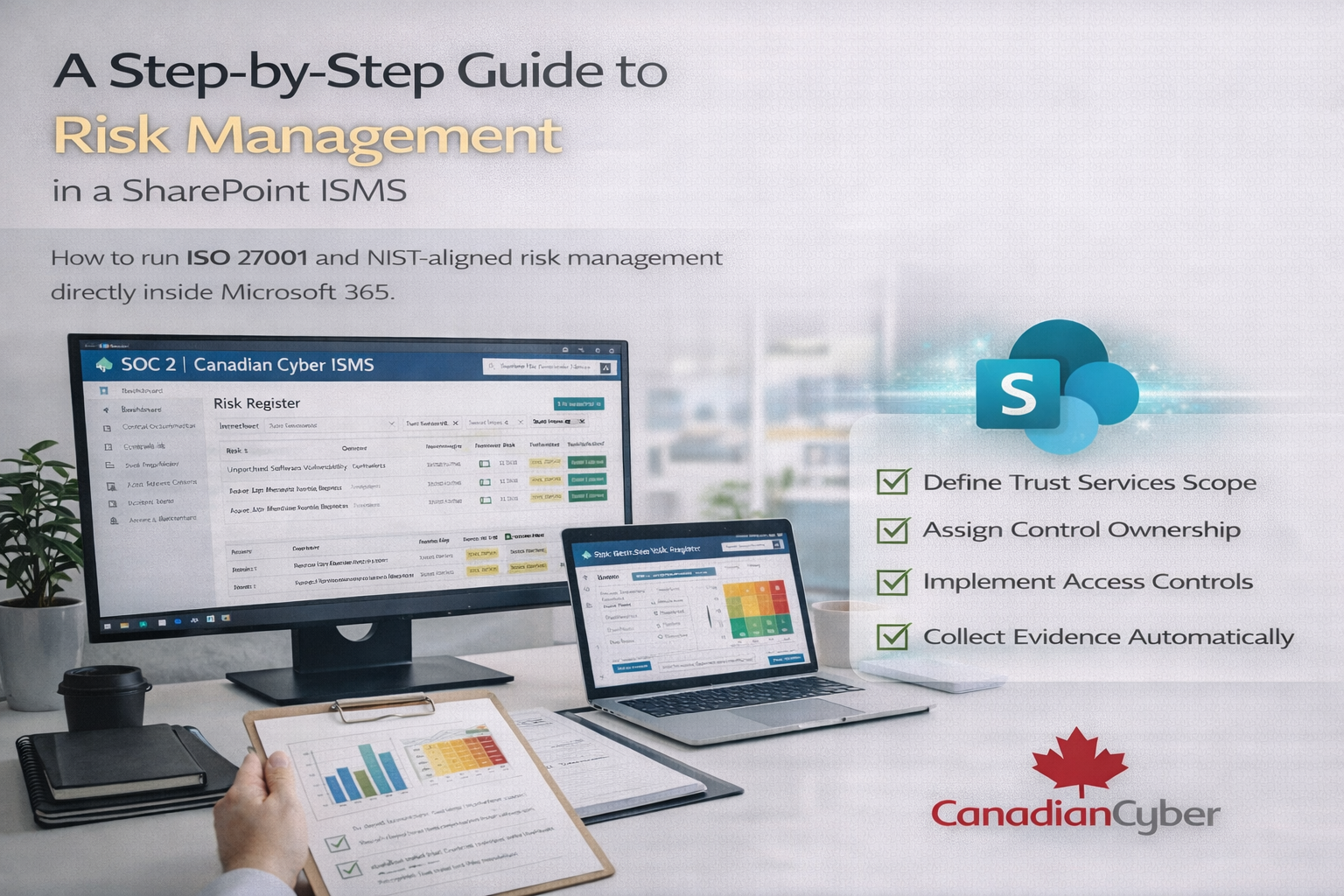
A Step-by-Step Guide to Risk Management in a SharePoint ISMS
How to run ISO 27001 and NIST-aligned risk management directly inside Microsoft 365.
Risk management is the backbone of every serious security framework.
ISO 27001 is risk-driven. NIST is risk-driven. Even SOC 2 decisions are risk-driven.
Yet many organizations still manage risk using:
- Spreadsheets
- Email approvals
- Isolated documents
- Manual updates before audits
What happens next is predictable: risks go stale, ownership gets fuzzy, treatment decisions aren’t traceable, and auditors lose confidence.
That’s why Canadian Cyber built its ISMS solution on SharePoint to make risk management a living system, not a once-a-year worksheet.
This guide shows how to perform risk management step by step using a SharePoint ISMS, aligned with ISO 27001:2022 and NIST risk management best practices.
Quick Snapshot
| What auditors want | What SharePoint enables |
|---|---|
| Consistency | Structured risk register fields (no free-text chaos) |
| Traceability | Risk → action → control → evidence linking |
| Ownership | Named owners, roles, and accountability visibility |
| Ongoing review | Dashboards, reminders, and review cycles inside Microsoft 365 |
Why Risk Management Fails Without a System
Risk management usually breaks down for one reason: it isn’t embedded into daily operations.
Common issues we see
- Risk registers updated once a year
- No clear risk ownership
- Mitigation actions tracked somewhere else
- Leadership approvals lost in email threads
ISO 27001 doesn’t expect perfect security. It expects consistent risk identification, documented decisions, ongoing monitoring, and clear accountability.
Why SharePoint Is Ideal for Risk Management
Microsoft 365 already gives you secure storage, role-based access control, audit logs, workflow automation, and reporting tools. The Canadian Cyber ISMS solution organizes those capabilities into a dedicated Risk Register aligned with ISO 27001 and adaptable to NIST.
No new SaaS tools
Use what you already pay for.
No data leaving your tenant
Reduced third-party risk.
No disconnected systems
One source of truth.
Step 1: Identify and Record Risks in the SharePoint Risk Register
Risk management starts with visibility. In the ISMS solution, risks are logged in a structured SharePoint Risk Register list.
Each risk entry includes:
- Risk title and description
- Affected assets or processes
- Related ISO 27001 or NIST controls
- Business context
✔ No free-text spreadsheets ✔ No inconsistent formats ✔ Easy to review and audit
Step 2: Assess Risk Using Likelihood and Impact Scoring
Once a risk is identified, it must be assessed. The ISMS solution uses standardized scoring fields to keep results consistent.
Standard scoring fields include:
- Likelihood (e.g., Low to High)
- Impact (e.g., Low to High)
- Inherent risk rating
- Residual risk rating (after treatment)
Why this matters: Scoring stays consistent, the logic is transparent, and results are defensible during audits.
Step 3: Assign Clear Risk Ownership
A risk without an owner is not managed. In a SharePoint ISMS, ownership is visible and role-based.
Risk owners are responsible for:
- Reviewing the risk on schedule
- Proposing treatment decisions
- Monitoring effectiveness and changes
✔ Removes ambiguity ✔ Strengthens governance ✔ Supports leadership accountability
Step 4: Define and Approve Risk Treatment Decisions
ISO 27001 expects treatment decisions to be documented and approved. In the ISMS solution, decisions are tracked inside SharePoint.
Treatment options include:
- Accept
- Mitigate
- Avoid
- Transfer
Each decision records: rationale, target residual risk, and approval evidence.
Audit-friendly: Approvals are not buried in email threads. Auditors can see who approved what, and when.
Step 5: Track Mitigation Actions in One Place
Risk treatment only works if actions get completed. The ISMS solution links risks directly to Action Items.
Action items can include:
- Implementing a new control
- Updating a policy or procedure
- Deploying technical safeguards
- Closing audit findings
Each action records: owner, deadline, status, and links back to the risk and control.
Traceability chain: Risk → Action → Control → Evidence
Step 6: Monitor Risk Status Continuously
Risk is not static. Threats change, systems change, and businesses evolve. A SharePoint ISMS supports continuous review.
Ongoing monitoring includes:
- Scheduled risk reviews and updates
- Residual risk reassessment after changes
- Dashboards showing high-risk items
- Visibility into overdue actions and trends
This supports day-to-day management and strengthens management review discussions.
Step 7: Align Risk Management with ISO 27001 and NIST
The ISMS solution supports multiple frameworks because it is control-based, not document-based.
- Map risks to ISO 27001 Annex A controls
- Align risks with NIST categories
- Support SOC 2 risk narratives and audit evidence
One risk register. Multiple frameworks. One source of truth.
A Fictional Example: Risk Management Without Guesswork
(This example is fictional but reflects real-world patterns.)
An organization used spreadsheets for risk management. Risks were updated once a year, actions were tracked elsewhere, and approvals were unclear.
After deploying the Canadian Cyber ISMS, risks were centralized, ownership was clear, mitigation actions were tracked, and dashboards reflected real-time status. Risk discussions became fact-based.
Why Auditors Trust a SharePoint ISMS
Auditors look for:
- Consistency
- Traceability
- Clear ownership
- Evidence of ongoing review
A SharePoint ISMS makes this visible by default. No duplicate documents. No hidden approvals. No unexplained gaps. Everything is linked.
How Canadian Cyber Supports Risk Management Success
We don’t just deploy the ISMS. We help you run it.
🔹 ISMS Solution Deployment
- ISO 27001-aligned risk register
- SharePoint configuration
- Secure Microsoft 365 setup
🔹 vCISO Oversight (Optional)
- Risk review facilitation
- Leadership reporting
- Continuous improvement support
🔹 Audit & Surveillance Support
- Risk readiness checks
- No-surprise audits
- Audit support and guidance
Risk Management Works Best as a System
When risk lives in spreadsheets, it decays. When risk lives inside your ISMS, it improves.
A SharePoint-based ISMS turns risk management into a daily process, a leadership tool, and an audit strength.
Ready to Modernize Risk Management in Microsoft 365?
We’ll show you how ISO 27001 and NIST risk management can run cleanly, securely, and continuously inside SharePoint.
Stay Connected With Canadian Cyber
Follow Canadian Cyber for ISO 27001, SOC 2, and Microsoft 365-ready compliance insights: