Get in touch
info@canadiancyber.ca


Rafia Rizwan

April 3, 2026
Struggling with scattered risks, policies, and exceptions? Learn how to turn SharePoint into a single source of truth for ISO 27001 and SOC 2 compliance.
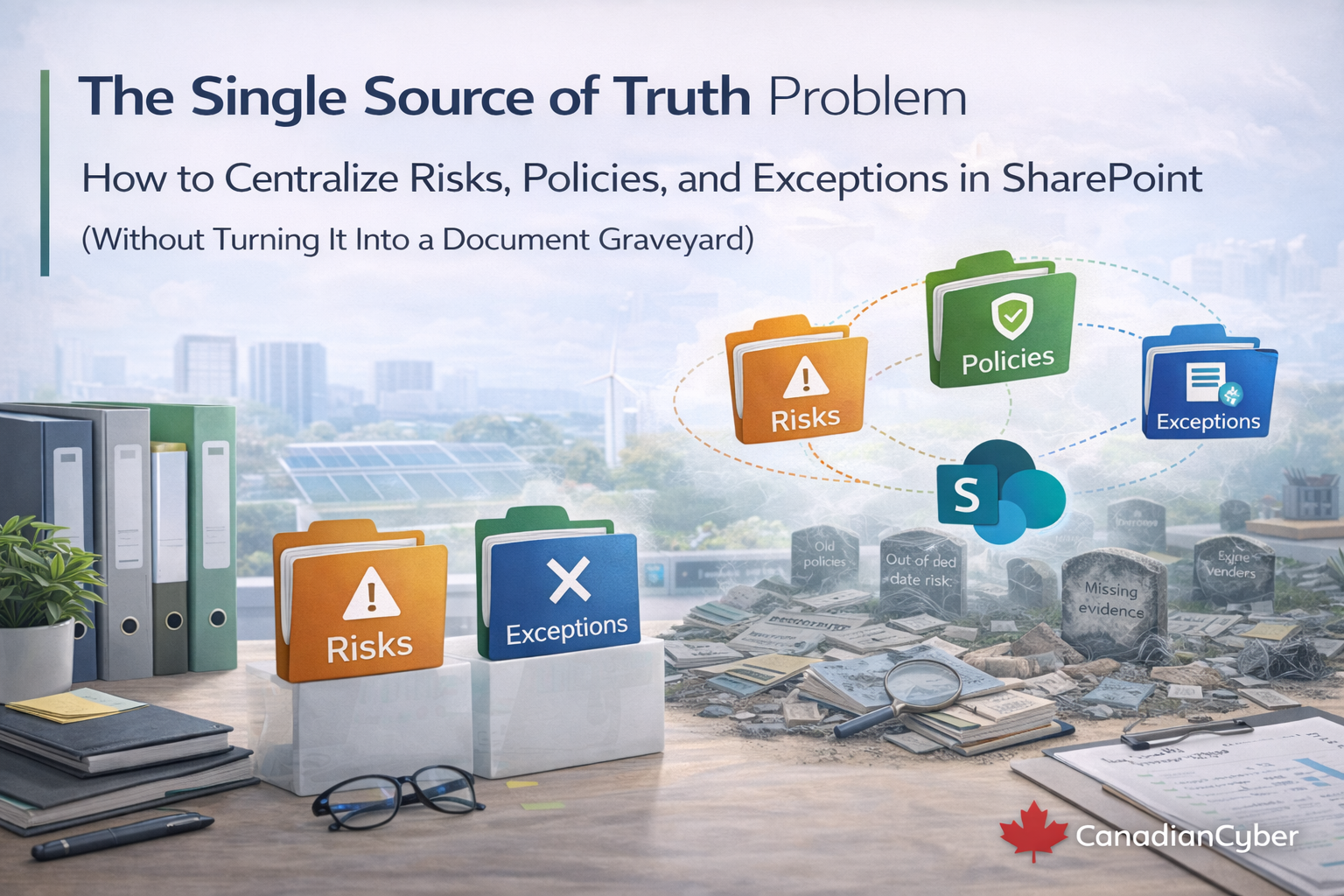
Most ISMS programs do not fail because teams lack policies. They fail because nobody can say with confidence which record is the real one, who owns it, when it was approved, or what links to what.
You see the symptoms quickly. The “real” risk register is a spreadsheet someone updates sometimes. Exceptions live in Jira tickets, Teams chats, and email threads. Policies sit in folders, but nobody is sure which version is current. Auditors ask for proof, and the team hunts across five places. Leadership asks whether the company is safer than last quarter, and nobody can answer in under a minute.
That is the single source of truth problem. The fix is not adding more tools. The fix is making SharePoint operate like a system, not just a storage location.
A single source of truth does not mean every file sits in one giant folder. It means every important item has one authoritative record and that record can be trusted.
That is what makes audits, due diligence, and management review easier. Not just storage. Traceability.
SharePoint usually fails for a simple reason. Teams use it like a dumping ground. Files are uploaded, but not governed. Policies are saved as “final_v7” and “final_v7_reallyfinal.” Evidence is present, but not tagged. Exceptions are mentioned in tickets but not tracked centrally. Nothing connects.
To stop that from happening, SharePoint needs a small number of design rules that shape how the system works.
Policies and evidence are documents, yes. But status, ownership, dates, and approvals should live in SharePoint Lists. Lists make the ISMS queryable. Libraries make it readable.
| Use Lists for | Use Libraries for | Why it works |
|---|---|---|
| Risks, exceptions, approvals, actions, registers | Policies, procedures, evidence packs, runbooks | You can filter, sort, report, and dashboard records cleanly |
No owner means no accountability. No next date means drift. Every risk, policy, and exception needs an owner, a status, and either a next review date or an expiry date.
If an exception has no expiry date, it often becomes permanent by accident. Permanent exceptions create repeat findings and invisible security debt. Expiry is not a nice-to-have. It is the governance control.
Once the design rules are in place, build the system around three connected pillars: policies, risks, and exceptions. Then connect them with one dashboard page.
A PDF in a folder is not a policy system of record. A real policy system shows what is current, who owns it, who approved it, when it was last reviewed, and what evidence proves it operates.
The missing link many teams ignore is policy-to-procedure mapping. A policy should connect to the procedure or runbook that implements it and to the evidence that shows it operates.
Auditors do not need a fancy spreadsheet. They need proof that risks are identified, assessed consistently, treated with actions, and reviewed on a cadence.
| Useful risk fields | Why they matter |
|---|---|
| Risk ID, title, statement, asset or system, owner | Creates one accountable, identifiable record |
| Inherent and residual ratings | Shows whether treatment is changing the risk meaningfully |
| Treatment option and treatment plan link | Connects the risk to action instead of discussion only |
| Evidence links, review dates, status | Makes the register live, not static |
One of the most useful additions is a simple “proof required” field for treatments. That stops “treated” from meaning “we talked about it.”
This is where many programs fail. Patch exceptions, logging gaps, vendor issues, temporary admin access, legacy systems, and maintenance windows can all be real and defensible. But if they are not tracked clearly, auditors will find them.
Exception governance is one of the clearest signals of maturity because it shows leadership is making conscious, time-bound decisions instead of silently tolerating risk.
The three pillars matter most when they connect. That is what creates traceability, and traceability is what audits are built on.
Once those links exist, SharePoint stops behaving like a file repository and starts behaving like a system of record.
Create one ISMS Dashboard page in SharePoint and show live views. Leadership should see status, not file trees.
| Dashboard section | What it should show |
|---|---|
| What’s due | Evidence due this month, overdue evidence, evidence awaiting approval |
| Risk posture | Top residual risks, risks due for review, new risks this quarter |
| Exceptions | Exceptions expiring soon, expired exceptions, and those missing compensating controls if tracked |
| Governance | Overdue corrective actions, closed-but-not-verified items, management review actions due |
This single page becomes the fastest way to prepare for reviews, audits, and board or management meetings.
If you implement nothing else, create these five views first:
These views are what make SharePoint feel live. They are also what make leadership trust the system.
You do not need a disruptive rebuild. Most teams can move toward a true single source of truth in four weeks if they keep the scope tight.
At that point, you no longer have scattered truth. You have a working system.
A strong single source of truth does not mean everything is in one folder. It means every important record is authoritative, linked, owned, dated, and reviewable.
When SharePoint works that way, your ISMS stops feeling like a document graveyard. It becomes a live operating system for risks, policies, exceptions, evidence, and management review.
That is what keeps ISO 27001 and SOC 2 readiness continuous instead of seasonal.