vCISO • Shadow AI • SaaS Security • AI Governance • Code Security
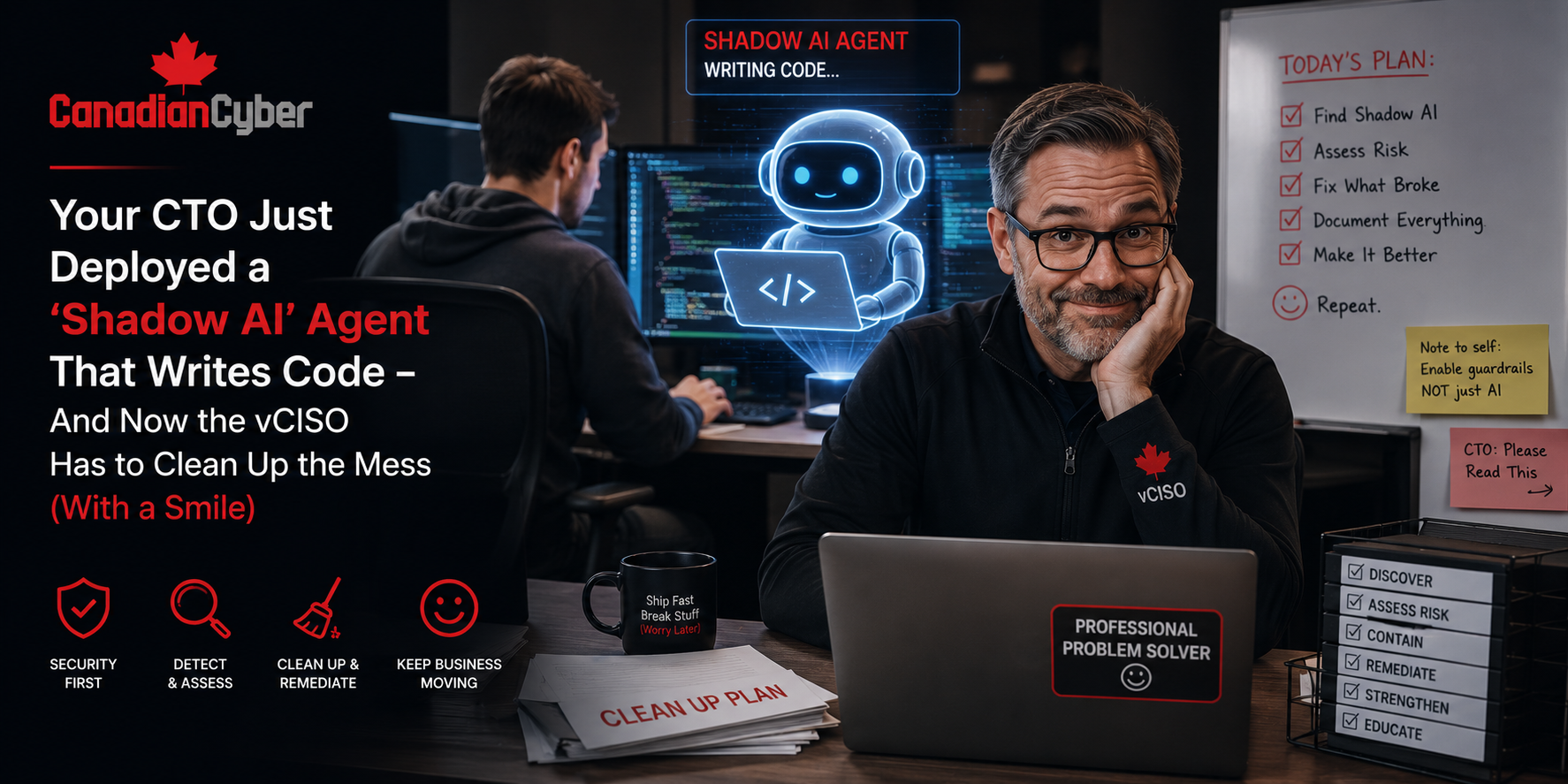
Your CTO Just Deployed a “Shadow AI” Agent That Writes Code — And Now the vCISO Has to Clean Up the Mess
The AI did not leak your API keys. The CTO did. Not on purpose, of course. But when engineering teams quietly start using Copilot, Cursor, internal LLM agents, and AI coding workflows without security review, the vCISO becomes the calm person in the room who turns panic into governance.
Quick Snapshot
| Shadow AI Risk Area | What Usually Goes Wrong |
|---|---|
| AI Coding Tools | Developers use Copilot, Cursor, ChatGPT, or internal agents without formal approval. |
| Code Security | AI-generated code ships without secure review, testing, or scanning. |
| Secrets Exposure | API keys, tokens, customer data, or internal code may be pasted into AI tools. |
| Access Control | AI agents get broad access to repositories, tickets, docs, or cloud systems. |
| vCISO Role | Provides leadership, cleanup, risk review, and a practical AI governance model. |
Introduction
It started like most SaaS security surprises do.
Not with a breach. Not with a ransomware note. Not with a regulator.
It started with a casual sentence in a product meeting.
“Oh, we have an internal AI agent helping the team write code now.”
The founder smiled. The engineers looked proud. The CTO called it a productivity win. The product team loved the speed.
The vCISO quietly asked one question:
“What does the agent have access to?”
Silence.
Then came the second question:
“Has security reviewed it?”
More silence.
Then the third:
“Are developers pasting customer data, secrets, logs, or proprietary code into it?”
Now everyone looked at the CTO.
This is the new reality. Engineering teams are adopting AI coding tools fast. Copilot, Cursor, ChatGPT, Claude, internal LLM agents, AI test writers, AI deployment helpers, and documentation bots are becoming part of daily software development.
The business sees speed. Security sees unmanaged risk. And the vCISO has to clean it up with a smile.
Is Shadow AI Already Inside Your Engineering Team?
Canadian Cyber helps SaaS companies build practical AI governance, code security reviews, access controls, secret scanning, policy updates, and vCISO-led security programs before shadow AI becomes a real incident.
The Story: “It Was Just a Productivity Experiment”
Let’s call the company BuildLayer SaaS.
BuildLayer was growing fast. The engineering team was under pressure to ship new features. Customers wanted integrations. Sales wanted enterprise readiness. Product wanted faster release cycles. Leadership wanted more output without adding too much headcount.
So the CTO gave the team permission to experiment with AI coding tools.
At first, it looked harmless. Developers used AI to:
- write boilerplate code
- generate tests
- summarize pull requests
- draft documentation
- debug error messages
- create migration scripts
- explain legacy code
- build internal automation
Productivity improved.
Then one senior developer connected an internal AI agent to GitHub, Jira, and the documentation wiki.
That made the agent more useful. It could read tickets, summarize backlog items, propose code changes, generate release notes, and answer engineering questions.
Everyone loved it until the vCISO asked what data the agent could see. That is when the “productivity experiment” became a governance problem.
The Real Problem Was Not AI
The problem was not that the company used AI.
AI coding tools can be useful. They can help teams move faster, reduce repetitive work, improve test coverage, support documentation, and help junior developers learn.
The real problem was that nobody had defined the rules.
| Missing Governance Area | Why It Created Risk |
|---|---|
| No approved tool list | Teams used tools without review. |
| No AI use policy | Staff did not know what was allowed. |
| No data handling rules | Secrets, logs, and customer data could enter prompts. |
| No access review | AI agents could get more access than needed. |
| No evidence trail | SOC 2, ISO 27001, and customer reviews became harder. |
The AI tool was not the root cause. The missing governance was.
Shadow AI Warning Signs
| Warning Sign | Why It Matters |
|---|---|
| Developers use AI tools without approval. | Security does not know where code or data is going. |
| AI agents connect to repositories. | Proprietary code may be exposed or modified. |
| Prompts include logs or customer data. | Confidential information may enter third-party systems. |
| AI-generated code bypasses review. | Vulnerabilities may enter production. |
| No vendor review exists. | Legal, privacy, and security terms are unknown. |
The Painful Truth: The AI Did Not Leak Your API Keys — The Human Did
This is the part nobody likes.
Most AI security mistakes start with human behavior.
- A developer pastes an error log into a public tool. The log contains a token.
- A support engineer asks AI to summarize a customer ticket. The ticket contains personal data.
- A product manager uploads a client contract for analysis. The contract includes confidential terms.
- A developer asks AI to fix a bug. The code includes internal authentication logic.
- A CTO connects an agent to GitHub with broad access. No one reviews the permissions.
The AI did not decide to leak the data. A human gave it the data.
That means the solution is not only technical. It is training, policy, workflow, access control, and leadership.
| Human Behavior | Control Needed |
|---|---|
| Pasting secrets into prompts | Secret scanning and AI use training. |
| Uploading customer data | Data classification and AI restrictions. |
| Using unapproved tools | Approved AI tool list. |
| Connecting agents to repositories | Access review and least privilege. |
| Trusting AI-generated code | Mandatory human review and testing. |
Practical rule: Train humans before blaming AI.
What the vCISO Did First
The vCISO did not start by yelling.
That would have pushed the behavior underground. Instead, they treated the situation like a security governance problem.
First 48 Hours
| Action | Why It Helped |
|---|---|
| Identified AI tools in use | Built the real inventory. |
| Asked what data was entered | Checked exposure risk. |
| Reviewed agent permissions | Found excessive access. |
| Paused new integrations | Stopped risk from expanding. |
| Briefed leadership | Made risk visible without panic. |
Finding 1: The Agent Had Too Much Access
The internal AI agent had more access than it needed.
It could read:
- multiple GitHub repositories
- engineering tickets
- architecture notes
- deployment documentation
- some incident notes
- internal API documentation
- old customer integration examples
It did not need all of that.
The vCISO treated the agent like any other non-human identity. Because that is what it was.
| AI Agent Access Area | Risk |
|---|---|
| Source code repositories | Proprietary code exposure or insecure suggestions. |
| Jira tickets | Customer details or security-sensitive backlog items. |
| Internal docs | Architecture and security design exposure. |
| Logs | Tokens, IPs, customer identifiers, and incident data. |
| API docs | Sensitive integration details. |
What Changed
- The team created an AI agent inventory.
- Each agent received an owner.
- Unnecessary repository access was removed.
- Sensitive documentation access was restricted.
- Customer data sources were blocked.
- Agent activity was logged where possible.
New rule: AI agents must follow least privilege. If a human engineer needs access review, so does an AI agent.
Finding 2: Code Was Moving Faster Than Review
AI-generated code was entering pull requests.
That was not automatically bad. The problem was that reviewers were not always checking whether the code was AI-generated, secure, licensed properly, or aligned with internal standards.
| AI Code Risk | Example |
|---|---|
| Vulnerable code | Insecure authentication or unsafe dependencies. |
| Logic errors | Code works in simple tests but fails edge cases. |
| Secret exposure | Generated examples include placeholder secrets that become real. |
| License risk | Code resembles restricted open-source snippets. |
| Data leakage | Generated code logs sensitive fields. |
New AI Code Review Rules
- AI-generated code must be reviewed by a human.
- Security-sensitive code requires deeper review.
- Secrets must never be included in prompts.
- Generated dependencies must be checked.
- Critical logic must include tests.
- AI-assisted changes must follow normal pull request approval.
- Security scanning must run before merge.
Practical rule: AI can help write code. It cannot approve its own work.
Need AI Code Security Rules for Your SaaS Team?
Canadian Cyber helps engineering teams update Secure SDLC controls, code review rules, secret scanning, AI coding tool use, and customer-ready evidence for SOC 2 and ISO 27001.
Finding 3: Nobody Had Updated the Policies
The company had security policies. But none of them mentioned AI coding tools.
That created a gap.
| Policy / Procedure | Needed AI Update |
|---|---|
| Acceptable Use Policy | What AI tools staff may use. |
| Data Classification Policy | What data cannot be entered into AI tools. |
| Secure SDLC Procedure | AI-generated code review expectations. |
| Access Control Policy | AI agents and non-human identities. |
| Vendor Management Policy | AI vendor review requirements. |
| Incident Response Plan | AI-related data exposure scenarios. |
Example AI Use Rule
Employees may only use approved AI tools for company work. Confidential client data, production secrets, credentials, API keys, regulated data, and non-public customer information must not be entered into public AI tools unless explicitly approved through the AI governance process.
Finding 4: Secrets Needed Stronger Controls
The vCISO asked whether developers had ever pasted logs or code into AI prompts.
The answer was uncomfortable: “Probably.”
So the team checked the controls.
| Secret Control | Question |
|---|---|
| Secret scanning | Are secrets detected in code repositories? |
| Pre-commit hooks | Are secrets blocked before commit? |
| CI/CD scanning | Are tokens detected before deployment? |
| Prompt guidance | Do developers know not to paste secrets? |
| Token rotation | Can exposed tokens be rotated quickly? |
What Changed
- The team enabled stronger secret scanning.
- Developers received AI prompt safety training.
- Sensitive logs were masked.
- High-risk tokens were rotated.
- Prompt exposure was added to incident categories.
- Repositories were reviewed for exposed secrets.
Practical rule: If your team uses AI coding tools, secret scanning is not optional.
Finding 5: Vendor Review Was Missing
AI tools are vendors. That means they need review.
The company had reviewed cloud providers, payment processors, and customer support tools. But it had not reviewed AI coding vendors.
| AI Vendor Review Question | Why It Matters |
|---|---|
| What data is sent to the vendor? | Defines exposure. |
| Is data used for model training? | Protects proprietary and client data. |
| Where is data stored? | Supports data residency review. |
| Does the vendor support enterprise controls? | Admin, SSO, logging, and retention matter. |
| Can access be centrally managed? | Reduces shadow accounts. |
The team created an approved AI tool list. Each tool had:
- owner
- use case
- data allowed
- data not allowed
- vendor review status
- access method
- approved users
- review date
Need AI Vendor and Tool Reviews?
Canadian Cyber helps SaaS teams review AI vendors, AI coding tools, and internal agents for security, privacy, access, and compliance risk.
Finding 6: Customers Would Ask About This Soon
The vCISO knew this was not only an internal issue.
Enterprise buyers were already asking harder AI questions:
- Do you use AI in development?
- Can customer data be entered into AI tools?
- Do you use customer data for model training?
- Are AI vendors reviewed?
- How do you prevent secret leakage?
- Is AI-generated code reviewed?
- Do you have an AI policy?
- Are AI tools covered by your SOC 2 or ISO program?
Better buyer response:
“Yes, our engineering team may use approved AI-assisted development tools. Use is governed by our AI acceptable use rules, Secure SDLC process, vendor review requirements, and data handling restrictions. Customer confidential data, secrets, credentials, and regulated data are not permitted in unapproved AI tools. AI-generated code remains subject to human review, security testing, and standard change approval.”
How the vCISO Turned Crisis Into Strategy
The vCISO built a practical AI governance model.
Not a giant policy. Not a fear-based ban. A working model.
| AI Governance Area | Control |
|---|---|
| Tool Inventory | List approved and unapproved AI tools. |
| Ownership | Assign owners to AI tools and agents. |
| Data Rules | Define what data can and cannot be used. |
| Vendor Review | Review AI vendors before approval. |
| Access Control | Apply least privilege to AI agents. |
| Code Review | Require human review for AI-generated code. |
| Evidence | Keep review records for audits and customers. |
The 30-Day Cleanup Plan
The vCISO created a short action plan.
Days 1–7: Stabilize
| Action | Outcome |
|---|---|
| Inventory AI tools and agents | Know what is being used. |
| Freeze new AI integrations | Prevent uncontrolled expansion. |
| Review AI agent access | Remove excessive permissions. |
| Check for secret exposure | Identify urgent risk. |
Days 8–15: Govern
| Action | Outcome |
|---|---|
| Create approved AI tool list | Clear tool boundaries. |
| Update acceptable use rules | Staff know what is allowed. |
| Review AI vendors | Legal and security risks are understood. |
| Assign AI tool owners | Accountability is established. |
Days 16–30: Operationalize
| Action | Outcome |
|---|---|
| Update Secure SDLC | AI code review is required. |
| Strengthen secret scanning | Credential leakage risk is reduced. |
| Train engineering teams | Human behavior improves. |
| Create customer AI summary | Sales can answer buyer questions. |
Need a Fast AI Risk Cleanup Plan?
Canadian Cyber can help your SaaS team move from shadow AI to governed AI in 30 days with discovery, access reviews, vendor checks, policy updates, code review rules, and audit-ready evidence.
What Changed After 30 Days
BuildLayer did not ban AI.
It made AI safer.
| Before vCISO Cleanup | After vCISO Guidance |
|---|---|
| AI tools used informally. | Approved AI tool list. |
| Internal agent had broad access. | Least privilege access review. |
| Developers used AI without clear rules. | AI acceptable use guidance. |
| AI code review was inconsistent. | Secure SDLC updated. |
| Customer answers were weak. | AI governance summary created. |
That is the difference between shadow AI and governed AI.
Common Mistakes to Avoid
- Mistake 1: Banning AI without understanding actual use. This drives AI use underground. Start with discovery.
- Mistake 2: Assuming Copilot or Cursor is harmless. Useful tools still need rules.
- Mistake 3: Ignoring internal AI agents. Internal agents can create serious risk if they have broad access.
- Mistake 4: Forgetting non-human identities. AI agents need owners, permissions, review dates, and logging.
- Mistake 5: Letting AI-generated code skip normal review. AI code must follow secure development rules.
- Mistake 6: Training tools but not humans. Most AI mistakes are human workflow mistakes.
- Mistake 7: Waiting for auditors or customers to ask. The risk already exists.
What Good Looks Like
A mature SaaS AI governance model includes:
- approved AI tool list
- AI acceptable use rules
- developer training
- data classification guidance
- AI vendor reviews
- AI agent inventory
- least privilege access reviews
- secret scanning
- secure code review
- human approval
- incident response updates
- customer-facing AI security summary
The goal is not to slow engineering down. The goal is to let engineering move fast without creating invisible risk.
Canadian Cyber’s Take
At Canadian Cyber, we are seeing the same pattern across SaaS teams.
AI adoption is moving faster than governance. Engineering teams are not waiting for a policy. CTOs are testing agents. Developers are using coding assistants. Product teams are experimenting with AI workflows. Customer-facing teams are asking AI to summarize sensitive content.
This is not automatically bad. But it needs structure.
The vCISO’s role is not to be the person who says no to everything.
The vCISO provides strategic leadership. They help the business decide what is allowed, what is risky, what needs review, what needs evidence, and what needs to change before customers or incidents expose the gap.
Shadow AI is not just a technology issue. It is a governance issue. And governance is exactly where a good vCISO earns trust.
Takeaway
Your CTO may not call it shadow AI. Your developers may call it productivity. Your product team may call it innovation.
Your vCISO will call it unmanaged risk until it has rules, owners, reviews, and evidence.
AI coding tools can help SaaS teams move faster. But they need governance.
Start with:
- discovery
- access review
- secret scanning
- approved tools
- policy updates
- human training
- vendor review
- secure code review
- customer-ready answers
- AI agent governance
The goal is not to kill AI adoption. The goal is to make it safe enough to scale.
How Canadian Cyber Can Help
Canadian Cyber helps SaaS companies manage AI security risk with practical vCISO guidance.
- AI governance reviews
- shadow AI discovery
- approved AI tool registers
- AI acceptable use policies
- AI vendor risk reviews
- AI coding tool security reviews
- internal AI agent access reviews
- secret scanning reviews
- Secure SDLC updates
- AI-related incident tabletop exercises
- customer AI security summaries
- SOC 2 and ISO 27001 AI evidence mapping
- vCISO strategic leadership for SaaS teams
Stay Connected With Canadian Cyber
Follow Canadian Cyber for practical guidance on vCISO leadership, AI governance, SaaS security, SOC 2, ISO 27001, SharePoint ISMS, secure development, and vendor risk.