



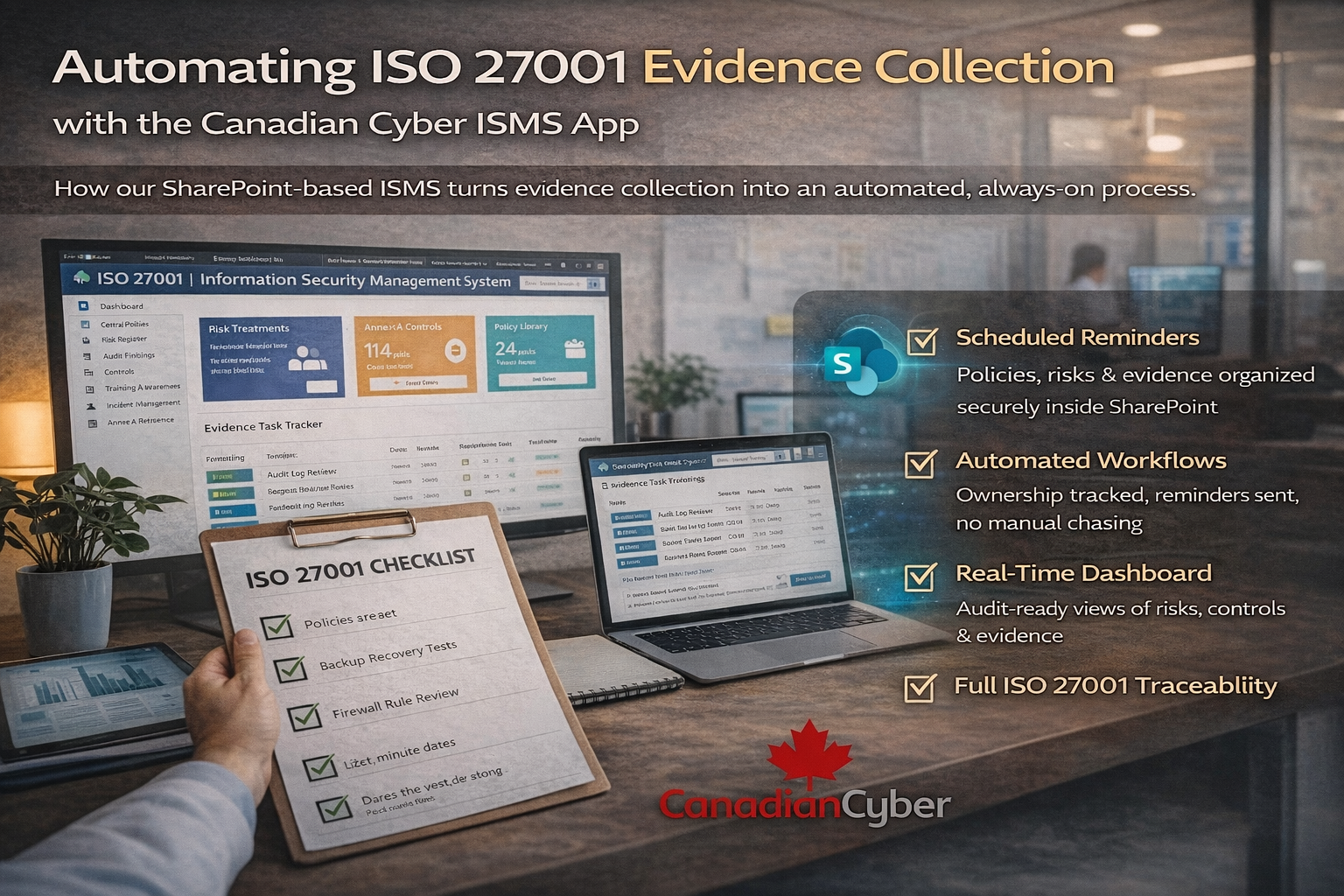
Automating ISO 27001 Evidence Collection with the Canadian Cyber ISMS Solution
How our SharePoint-based ISMS turns evidence collection into an automated, always-on process.
ISO 27001 audits rarely fail because controls are missing.
They fail because evidence is missing, late, or inconsistent.
- Logs weren’t saved
- Reviews weren’t documented
- Proof exists but not where auditors expect it
This is exactly why Canadian Cyber built its ISMS App on Microsoft SharePoint.
Our ISMS App doesn’t treat evidence as an afterthought. It automates evidence collection at the system level using Power Automate, SharePoint, and Microsoft 365 so audit readiness becomes continuous, not seasonal.
Quick Snapshot
| What you automate | What changes for audits |
|---|---|
| Evidence reminders | Owners get prompted at the right interval with direct links |
| Evidence storage | Evidence lands in the correct control-mapped library every time |
| Status tracking | Auditors can instantly see what was collected, when, and by whom |
Why Manual Evidence Collection Doesn’t Scale
Many organizations still rely on:
- Calendar reminders
- Emails to control owners
- Spreadsheets to track evidence
- Last-minute uploads before audits
This approach breaks down because people forget, ownership becomes unclear, evidence ends up scattered, and audits turn into fire drills.
ISO 27001 expects repeatable, provable operation of controls not heroic effort once a year.
That’s the gap our ISMS App was designed to close.
What Makes Evidence Automation Native to the ISMS Solution
The Canadian Cyber ISMS App is not just a document library. It’s a control-driven ISMS platform, pre-mapped to:
ISO 27017
ISO 27018
SOC 2
NIST
SWIFT
Every control in the ISMS App links to: policies, risks, evidence tasks, and action items.
This structure lets Power Automate run reliably without custom scripting or complex tooling.
How Evidence Automation Works Inside the ISMS App
Step 1: Evidence Tasks Are Defined Once
Inside the ISMS App, each ISO 27001 control includes Evidence Tasks. Each task defines:
- What evidence is required
- Who owns it
- How often it must be collected (monthly, quarterly, annually)
Examples:
- Quarterly access reviews
- Monthly backup verification
- Annual security awareness records
Once defined, the task runs continuously so your evidence backlog never resets to zero.
Step 2: Power Automate Sends Scheduled Reminders
The ISMS App uses Power Automate flows to:
- Trigger reminders at the correct interval
- Notify the assigned control owner
- Provide a direct link to the correct evidence folder
No chasing. No manual follow-ups. The system prompts the right person at the right time.
Step 3: Evidence Is Uploaded to the Correct Location
Control owners upload proof directly into:
- The correct SharePoint evidence library
- The correct control-mapped folder
This ensures evidence is never misplaced, naming conventions stay consistent, and audit trails remain intact. Everything stays inside your Microsoft 365 tenant.
Step 4: Evidence Status Updates Automatically
Once evidence is uploaded, the ISMS App can automatically record:
- Task status updates
- Submission dates
- Owner accountability
Auditors can instantly see what was collected, when, and who submitted it. No screenshots. No explanations. No gaps.
What Audits Look Like with the ISMS App
With the ISMS App in place, evidence is already collected, controls are already mapped, and ownership is already visible. Audits become:
Verification, not investigation.
Instead of searching for proof, teams simply navigate the ISMS site.
Using Microsoft Copilot with the ISMS App
Power Automate handles evidence collection. Microsoft 365 Copilot supports oversight and reporting.
Within the ISMS App, Copilot can help:
- Summarize evidence completion status
- Highlight overdue tasks
- Support management review discussions
- Improve reporting clarity for leadership
Copilot doesn’t replace controls it improves visibility and decision-making.
A Fictional Example: Evidence Without Panic
(This example is fictional but reflects real-world outcomes.)
An organization using spreadsheets prepared for ISO 27001. Each audit meant:
- Scrambling for evidence
- Missing records
- Stress across teams
After deploying the Canadian Cyber ISMS App, reminders ran automatically, proof accumulated throughout the year, and audit preparation time dropped dramatically.
The controls didn’t change. The system did.
Why This Matters Beyond ISO 27001
Because the ISMS App is control-based, the same evidence automation supports multiple frameworks in one place:
| Framework | What evidence automation supports |
|---|---|
| SOC 2 | Operational evidence collection for trust criteria controls |
| ISO 27017 / ISO 27018 | Cloud and privacy control evidence mapped to ownership and tasks |
| NIST | Monitoring and review evidence that supports maturity and governance |
| SWIFT | Audit-ready evidence and accountability for control expectations |
One platform. Multiple frameworks. One source of truth.
Why Organizations Choose the Canadian Cyber ISMS App
- It lives inside Microsoft 365
- No third-party SaaS risk
- Evidence collection is automated
- Audits become predictable
- Compliance becomes operational
How Canadian Cyber Supports You
We don’t just deploy the ISMS App. We support it.
🔹 ISMS App Deployment
- ISO-aligned SharePoint structure
- Evidence automation configured
- Secure Microsoft 365 setup
🔹 Optional vCISO Oversight
- Evidence quality reviews
- Control effectiveness monitoring
- Executive reporting
🔹 Audit & Surveillance Support
- No-surprise audits
- Continuous readiness
- Audit prep without panic
ISO 27001 Works Best When Evidence Is Automatic
When evidence relies on memory, compliance is fragile. When evidence is automated inside the ISMS App, compliance becomes reliable.
Power Automate doesn’t just save time. It makes ISO 27001 defensible.
Ready to See Automated Evidence Collection in Action?
Let us show you how ISO 27001 evidence can collect itself securely, continuously, and inside Microsoft 365.
Stay Connected With Canadian Cyber
Follow Canadian Cyber for ISO 27001, SOC 2, and Microsoft 365-ready compliance insights:










