



Microsoft 365 • SharePoint ISMS • Compliance Automation • Audit Evidence • Power Automate
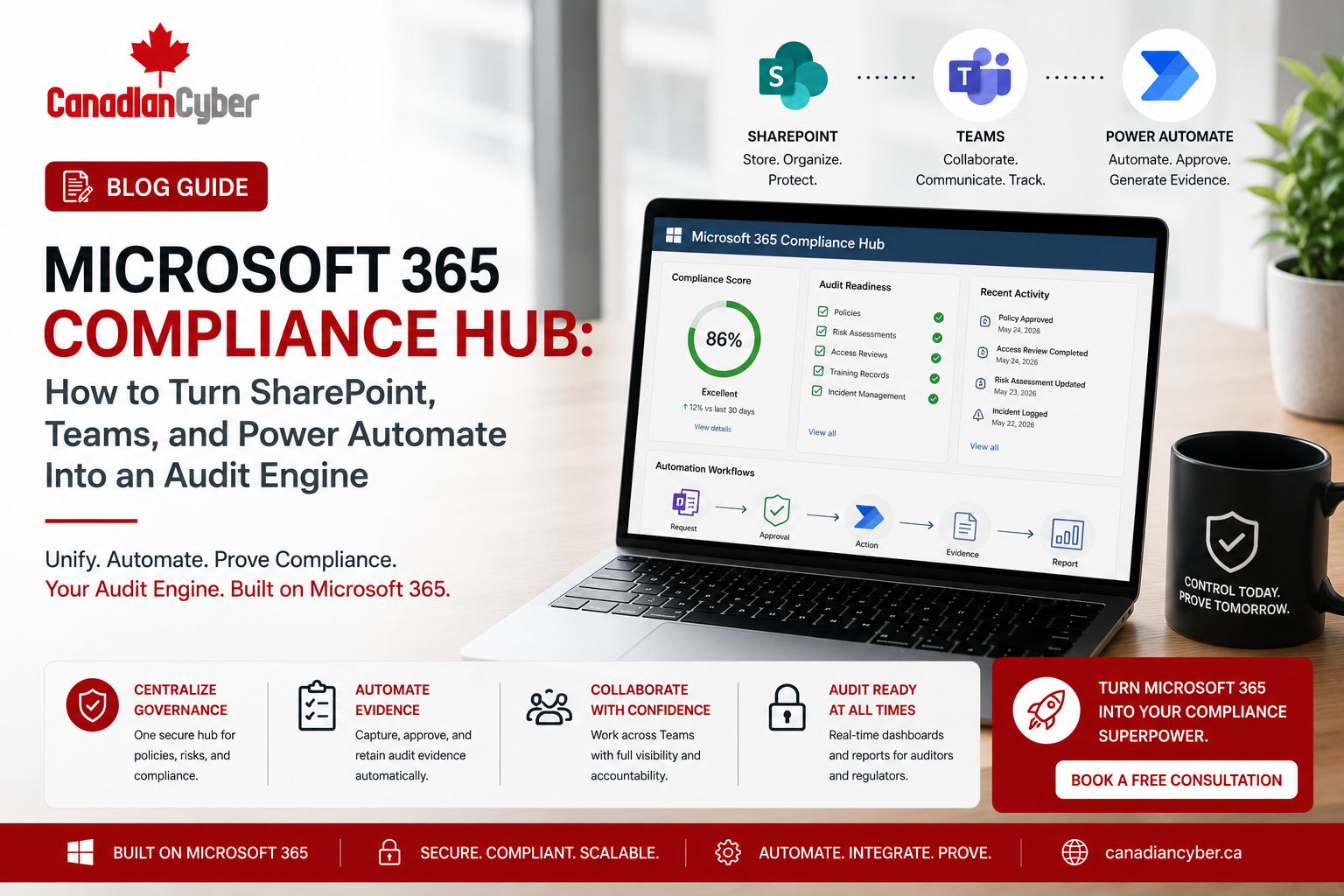
Microsoft 365 Compliance Hub: How to Turn SharePoint, Teams, and Power Automate Into an Audit Engine
A growing company does not always need a heavy GRC platform to become audit-ready. With the right structure, SharePoint, Teams, Microsoft Lists, and Power Automate can become a practical compliance hub for ISO 27001, SOC 2, ISO 42001, ISO 27017, ISO 27018, internal audits, evidence collection, and management review.
Canadian Cyber ISMS SharePoint Solution
Turn Microsoft 365 Into an Audit-Ready Compliance Workspace
Canadian Cyber helps organizations design Microsoft 365 compliance hubs using SharePoint, Teams, Microsoft Lists, Power Automate, structured evidence libraries, policy workflows, risk registers, control registers, vendor tracking, audit dashboards, and management review records.
Quick Snapshot
| Microsoft 365 Tool | Compliance Role |
|---|---|
| SharePoint | Central evidence library, policy library, risk register, control register, audit workspace. |
| Teams | Control owner communication, evidence reminders, audit collaboration, management review updates. |
| Power Automate | Approval workflows, review reminders, evidence task alerts, overdue notifications. |
| Microsoft Lists | Risk register, vendor register, asset register, corrective action tracker. |
| Document Libraries | Policies, procedures, audit evidence, screenshots, reports, approvals. |
| Dashboards | Audit readiness, overdue evidence, open risks, corrective actions, management visibility. |
Why Compliance Evidence Becomes Hard to Manage
Compliance evidence is often scattered. Policies sit in one folder. Risk registers sit in spreadsheets. Audit evidence is saved in email. Screenshots are stored on desktops. Vendor reviews are incomplete. Control owners are unclear. Management review notes are disconnected.
This creates stress before ISO 27001 audits, SOC 2 reviews, client security questionnaires, cyber insurance renewals, board updates, and internal audits.
A random SharePoint folder is not an audit engine. A structured Microsoft 365 compliance hub is.
Many growing companies assume they need to buy a GRC platform immediately. Sometimes they do. But many organizations already have useful tools inside Microsoft 365. SharePoint can centralize records. Teams can keep owners aligned. Power Automate can trigger reminders and approvals. Microsoft Lists can track risks, controls, vendors, incidents, and corrective actions.
What Is a Microsoft 365 Compliance Hub?
A Microsoft 365 compliance hub is a structured workspace built inside SharePoint, Teams, Microsoft Lists, and Power Automate. It helps organizations manage compliance records, recurring evidence tasks, audit requests, policy approvals, risk treatment, vendor reviews, internal audits, and management reporting.
A practical Microsoft 365 compliance hub can manage:
procedures
risks
controls
evidence
vendors
assets
access reviews
incidents
corrective actions
internal audits
management review
Practical rule: Microsoft 365 becomes useful for compliance when documents, owners, evidence, workflows, and dashboards are connected.
Why Companies Are Building Compliance Hubs in Microsoft 365
Many companies already use Microsoft 365 every day. Employees know SharePoint. Managers use Teams. Files are already stored in Microsoft 365. Approvals can happen through familiar workflows. This can make adoption easier than introducing a completely separate compliance platform.
This is especially useful for companies preparing for:
- ISO 27001 implementation and internal audits
- SOC 2 readiness and evidence collection
- ISO 42001 AI governance and AI risk management
- ISO 27017 cloud security controls
- ISO 27018 cloud privacy controls
- cybersecurity assessments and vCISO reporting
- incident response tabletop exercises
- client security reviews and vendor due diligence
| Business Need | Microsoft 365 Compliance Hub Benefit |
|---|---|
| Faster audit preparation | Evidence is stored in one structured workspace. |
| Better ownership | Risks, controls, and tasks have named owners. |
| Less spreadsheet chaos | Registers are moved into Microsoft Lists. |
| Better evidence quality | Metadata, status, and review dates are tracked. |
| Stronger management visibility | Dashboards show overdue actions, open risks, and audit readiness. |
| Easier client responses | Approved evidence can be reused for security questionnaires. |
Need to Organize Compliance Inside Microsoft 365?
Canadian Cyber helps teams move from scattered evidence to structured SharePoint libraries, Microsoft Lists registers, Teams collaboration, Power Automate reminders, and audit-ready dashboards.
Core Components of a Microsoft 365 Audit Engine
A strong Microsoft 365 compliance hub should include connected components. Each component should have a clear purpose, owner, workflow, and evidence outcome.
1. SharePoint Policy Library
Policies and procedures should be controlled. A good policy library helps show which document is current, who owns it, when it was approved, and when it must be reviewed again.
| Policy Metadata Field | Purpose |
|---|---|
| Policy Owner | Shows accountability. |
| Document Type | Policy, procedure, standard, or guideline. |
| Framework | ISO 27001, SOC 2, ISO 42001, ISO 27017, or ISO 27018. |
| Status | Draft, under review, approved, published, or archived. |
| Review Date | Keeps documents current. |
| Evidence Link | Connects approval or communication evidence. |
Practical rule: An auditor should be able to see which policy is current, who approved it, and when it must be reviewed again.
2. Risk Register in Microsoft Lists
Spreadsheets can work at the beginning, but they often become messy. Microsoft Lists can make risk tracking more structured and easier to assign, review, filter, and report.
| Risk Register Field | Purpose |
|---|---|
| Risk ID | Unique identifier. |
| Risk Title | Short risk name. |
| Risk Owner | Accountable person. |
| Likelihood and Impact | Supports risk rating. |
| Treatment Plan | Mitigation approach. |
| Target Date | Deadline for treatment action. |
| Status | Open, treated, accepted, or closed. |
| Evidence Link | Supporting proof. |
3. Control Register for ISO, SOC 2, AI, Cloud, and Privacy Controls
A control register connects frameworks to actual work. It helps answer which controls apply, who owns them, what evidence proves they operate, and what is overdue.
| Control Register Field | Purpose |
|---|---|
| Control ID | Framework or internal control reference. |
| Framework | ISO 27001, SOC 2, ISO 42001, ISO 27017, ISO 27018. |
| Control Owner | Responsible person. |
| Evidence Required | What proof is needed. |
| Frequency | Monthly, quarterly, annual, or event-based. |
| Evidence Status | Missing, in progress, approved, or expired. |
| Next Due Date | Drives the evidence calendar. |
4. Evidence Library in SharePoint
The evidence library is the heart of the audit engine. This is where teams store audit-ready proof for controls, reviews, approvals, reports, screenshots, logs, assessments, and management decisions.
Evidence examples include:
access reviews
security training
backup reports
restore tests
vulnerability scans
vendor SOC 2 reports
policy approvals
AI risk assessments
management review minutes
| Evidence Metadata Field | Purpose |
|---|---|
| Framework | Maps evidence to audit requirement. |
| Control ID | Links evidence to control. |
| Evidence Type | Report, screenshot, approval, review, or record. |
| Owner | Responsible person. |
| Period | Month, quarter, year, or event. |
| Status | Draft, submitted, approved, or expired. |
| Confidentiality | Internal, restricted, auditor-ready, or client-ready. |
Move From Scattered Evidence to an Audit Engine
Canadian Cyber helps organizations turn Microsoft 365 into a practical compliance hub for ISO 27001, SOC 2, ISO 42001, ISO 27017, ISO 27018, cybersecurity assessments, incident response planning, vCISO reporting, and audit evidence management.
5. Teams for Control Owner Collaboration
Compliance fails when communication is scattered. Teams can coordinate control owners, evidence tasks, audit preparation, vendor reviews, incident response, and management review updates.
| Recommended Teams Channel | Purpose |
|---|---|
| Compliance Announcements | Updates, deadlines, audit reminders. |
| Evidence Requests | Evidence task coordination. |
| Risk Review | Risk register updates and treatment discussions. |
| Internal Audit | Audit planning and evidence questions. |
| Vendor Reviews | Supplier review follow-up. |
| Management Review | Leadership summaries and action tracking. |
Practical rule: Teams should support the compliance workflow, but approved evidence should still be stored in SharePoint.
6. Power Automate for Review Reminders and Approvals
Power Automate can reduce manual follow-up by sending reminders, routing approvals, escalating overdue tasks, and helping owners stay on track.
| Workflow | Purpose |
|---|---|
| Policy Review Reminder | Notifies policy owners before review date. |
| Evidence Due Reminder | Reminds control owners to upload evidence. |
| Approval Workflow | Routes documents for approval. |
| Overdue Escalation | Alerts managers when tasks are late. |
| Vendor Review Reminder | Tracks annual vendor reassessments. |
| Corrective Action Follow-Up | Tracks audit findings to closure. |
7. Corrective Action Tracker
Audits, assessments, tabletop exercises, and risk reviews often create action items. These should not live in meeting notes only. They should be tracked until evidence proves closure.
| Corrective Action Field | Purpose |
|---|---|
| Finding ID | Unique reference. |
| Source | Audit, risk review, assessment, incident, or tabletop. |
| Owner | Responsible person. |
| Action Plan | Planned fix. |
| Target Date | Deadline. |
| Evidence Link | Proof of closure. |
8. Management Review Dashboard
Executives do not need every detail. They need a clear view of risk, readiness, overdue actions, decisions, and trends. A dashboard should show what needs action, not just what exists.
| Dashboard View | What It Shows |
|---|---|
| Audit Readiness | Evidence complete vs missing. |
| Overdue Evidence | Late control evidence. |
| High Risks | Top risks needing leadership attention. |
| Corrective Actions | Open findings and overdue items. |
| Vendor Risk | Critical vendor review status. |
| AI Governance | ISO 42001 risks, features, and approvals. |
| Cloud Controls | ISO 27017 backup, monitoring, and admin access controls. |
| Privacy Controls | ISO 27018 support data and metadata controls. |
Practical Checklist: Build Your Microsoft 365 Compliance Hub
| Action Item | Done? |
|---|---|
| Create a dedicated SharePoint compliance site. | |
| Build a controlled policy and procedure library. | |
| Create a risk register in Microsoft Lists. | |
| Create a control register mapped to frameworks. | |
| Build an evidence library with metadata. | |
| Assign owners for risks, controls, vendors, and evidence. | |
| Create Teams channels for compliance collaboration. | |
| Set up Power Automate reminders for due dates. | |
| Create a corrective action tracker. | |
| Build a management review dashboard. |
Common Mistakes to Avoid
- Using SharePoint as a simple folder. A folder system is not an audit engine. You need metadata, owners, statuses, review dates, and framework mapping.
- No evidence naming rules. Use consistent naming such as Framework_ControlArea_EvidenceType_Period_Owner_Status.
- No control owners. Every control should have an accountable owner. Department-level ownership is often too vague.
- Storing evidence in Teams chat. Teams is useful for collaboration, but approved audit evidence should be stored in SharePoint libraries.
- No review calendar. Policies, risks, vendors, controls, and evidence need recurring review dates.
- No permission design. Compliance evidence may include sensitive security, privacy, vendor, incident, and customer information.
- No dashboard for leadership. If leadership cannot see readiness, risks, and overdue items, management review becomes weak.
What Good Looks Like
A strong Microsoft 365 compliance hub can show:
- central SharePoint ISMS site
- policy library with approval history
- risk register with treatment status
- control register mapped to frameworks
- evidence library with metadata
- vendor register and asset register
- access review records
- incident response records
- tabletop exercise evidence
- corrective action tracker
- Teams-based owner communication
- Power Automate reminders
- management review dashboard
- auditor-ready evidence views
- client-ready evidence packs
The best compliance system is the one your team can actually use consistently.
How Canadian Cyber Helps
Canadian Cyber helps organizations move from scattered documents and last-minute audit preparation to structured governance inside Microsoft 365.
We help design and implement ISMS SharePoint workspaces that support:
Our ISMS SharePoint Solution can include:
- policy libraries
- risk registers
- control registers
- evidence libraries
- vendor registers
- corrective action trackers
- audit workspaces
- approval workflows
- Power Automate reminders
- Teams collaboration structure
- management dashboards
Frequently Asked Questions
Can Microsoft 365 be used as a compliance hub?
Yes. Microsoft 365 can be used as a compliance hub when SharePoint, Teams, Microsoft Lists, and Power Automate are structured for policies, risks, controls, evidence, vendors, corrective actions, and audit readiness.
Can SharePoint support ISO 27001 implementation?
Yes. SharePoint can support ISO 27001 by organizing policies, risk registers, Statement of Applicability records, control evidence, internal audit reports, corrective actions, and management review records.
Can Microsoft 365 help with SOC 2 readiness?
Yes. Microsoft 365 can help organize SOC 2 evidence such as access reviews, change management records, incident response evidence, vendor reviews, backup reports, security training, and monitoring evidence.
Is SharePoint a replacement for a GRC platform?
For many growing companies, SharePoint can act as a practical GRC alternative when properly structured. Larger organizations with advanced automation and complex reporting needs may still need a dedicated GRC platform.
What role does Power Automate play in compliance?
Power Automate can send reminders, route approvals, escalate overdue evidence, notify control owners, and support recurring review workflows for policies, vendors, risks, and evidence tasks.
Why use Teams for compliance?
Teams helps control owners, managers, auditors, and compliance leads communicate around tasks, deadlines, evidence requests, and audit preparation. Final evidence should still be stored in SharePoint.
Takeaway
A Microsoft 365 compliance hub can help growing companies turn SharePoint, Teams, Microsoft Lists, and Power Automate into a practical audit engine.
The goal is not to create more folders. The goal is to create a structured system for policies, risks, controls, evidence, owners, vendors, incidents, corrective actions, approvals, dashboards, and management review.
When designed properly, Microsoft 365 can support ISO 27001, SOC 2, ISO 42001, ISO 27017, ISO 27018, cybersecurity assessments, incident response planning, and vCISO reporting.
Ready to Build a Microsoft 365 Compliance Hub?
If your organization is preparing for ISO 27001, SOC 2, ISO 42001, ISO 27017, ISO 27018, a cybersecurity assessment, or a client security review, Canadian Cyber can help you build a practical compliance hub inside Microsoft 365.
Stay Connected With Canadian Cyber
Follow Canadian Cyber for practical guidance on Microsoft 365 compliance, SharePoint ISMS, ISO 27001, SOC 2, ISO 42001, ISO 27017, ISO 27018, audit evidence, and vCISO support.










