



SharePoint ISMS • Evidence Automation • Audit Readiness • ISO 27001 • SOC 2
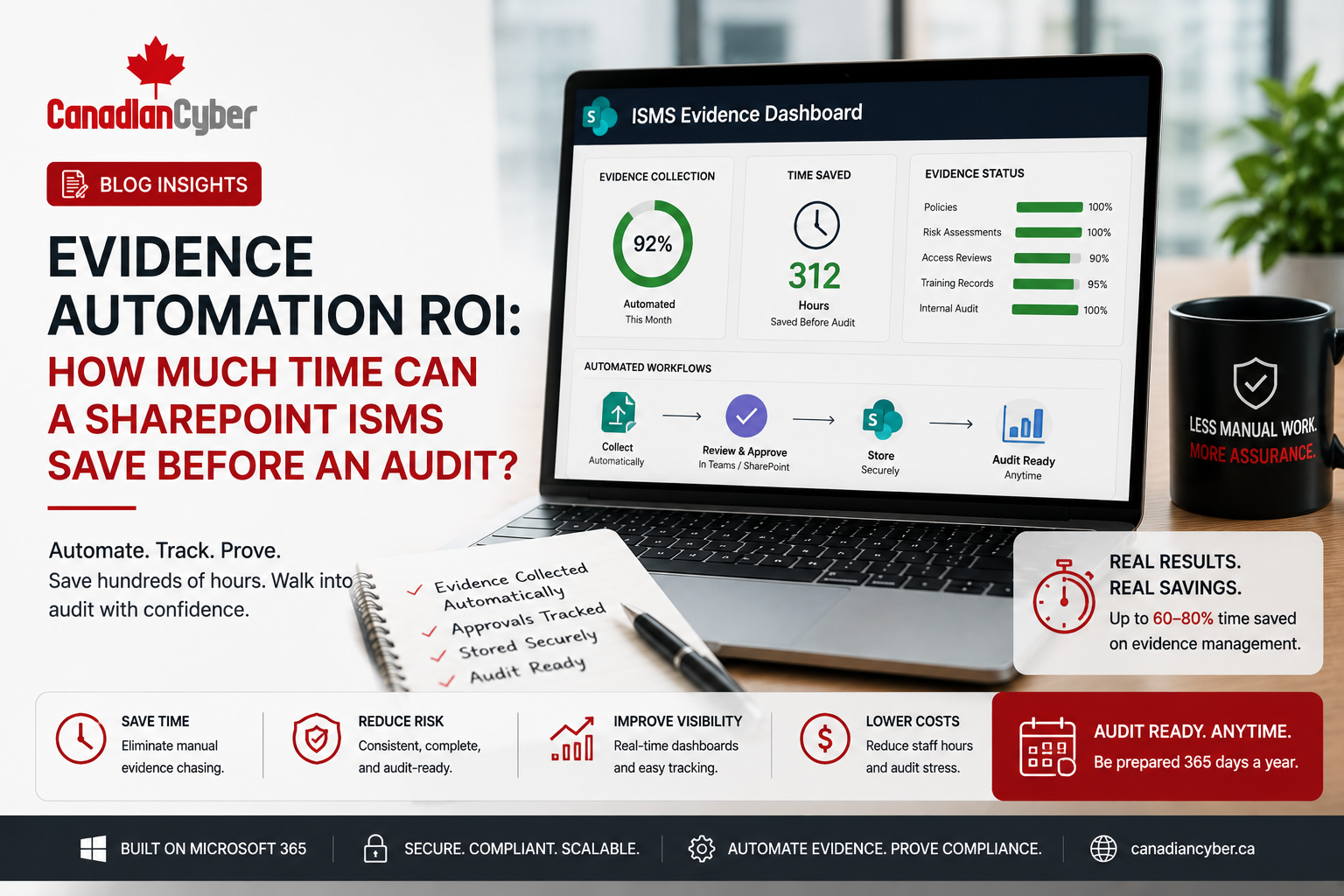
Evidence Automation ROI: How Much Time Can a SharePoint ISMS Save Before an Audit?
Audit preparation takes time because evidence is rarely in one place. A SharePoint ISMS can reduce audit stress by turning evidence collection into a structured, repeatable process inside Microsoft 365.
Canadian Cyber ISMS SharePoint Solution
Reduce Evidence Chasing Before Your Next Audit
Canadian Cyber helps organizations build SharePoint ISMS workspaces with evidence libraries, control mapping, owner assignments, Power Automate reminders, Teams notifications, dashboards, auditor-ready views, and client-ready evidence packs.
Quick Snapshot
| Audit Preparation Problem | How a SharePoint ISMS Saves Time |
|---|---|
| Evidence scattered across folders and email | Central evidence library with metadata and control mapping. |
| Control owners forget deadlines | Automated reminders through Power Automate and Teams. |
| Auditors ask for proof at the last minute | Auditor-ready evidence views prepared in advance. |
| Policies are outdated | Review dates and approval workflows keep documents current. |
| Access reviews are manual | SharePoint Lists track review status, owners, exceptions, and evidence. |
| Management lacks visibility | Dashboards show overdue evidence, risks, open actions, and audit readiness. |
Why Audit Preparation Takes So Much Time
Most audit stress does not come from the audit itself. It comes from evidence collection.
Before an audit, teams often spend days or weeks asking the same questions: Where is the latest policy? Who approved this document? Where is the MFA report? Did we complete the access review? Who owns vendor evidence? Where is the backup restore test? Do we have training records? Which screenshot belongs to which control?
A SharePoint ISMS saves time by making audit evidence easier to assign, collect, review, approve, reuse, and report.
The result is not just cleaner documentation. The result is measurable time savings before ISO 27001 audits, SOC 2 reviews, internal audits, cybersecurity assessments, client security reviews, and management reporting.
What Is Evidence Automation in a SharePoint ISMS?
Evidence automation means using SharePoint, Microsoft Lists, Teams, and Power Automate to reduce manual evidence chasing. It does not mean everything becomes fully automatic. It means the system helps the team operate evidence collection more consistently.
Evidence automation helps teams:
send reminders
track due dates
map evidence to controls
flag missing evidence
route approvals
show overdue tasks
prepare auditor-ready views
reuse evidence for clients
Practical rule: Evidence automation is not about replacing people. It is about reducing repeated follow-up and making control ownership visible.
Why Evidence Automation ROI Matters Before an Audit
Audit preparation has a hidden cost. It takes time from IT, security, compliance, HR, operations, engineering, finance, legal, support, and leadership. For growing companies, this matters because audit preparation often happens alongside normal work.
| Common Time Drain | Why It Happens |
|---|---|
| Searching for documents | Evidence is spread across folders, email, chats, and personal drives. |
| Recreating screenshots | Old screenshots are missing, outdated, or not mapped to controls. |
| Chasing owners | Teams do not know who is responsible for each control. |
| Rechecking versions | Policies have multiple drafts and unclear approval status. |
| Fixing evidence quality | Evidence is incomplete, unlabeled, or not auditor-ready. |
| Preparing management reports | Leadership summaries are built manually at the last minute. |
Practical rule: If evidence is collected only during audit season, the organization is paying for compliance with stress, delays, and rework.
How Much Time Can a SharePoint ISMS Save?
The time saved depends on the size of the organization, number of frameworks, control maturity, number of evidence owners, and how scattered the current process is. However, most growing companies see time savings in evidence search, owner follow-up, policy review, access review tracking, and audit request response.
| Audit Activity | Manual Approach | SharePoint ISMS Approach | Potential Time Saved |
|---|---|---|---|
| Finding policy approvals | Search folders and emails. | Filter approved policy library. | Hours per audit cycle. |
| Collecting access review evidence | Ask IT and app owners manually. | Use access review list with owner and status. | Several hours per quarter. |
| Tracking vendor reviews | Spreadsheet and email follow-up. | Vendor register with review dates. | Hours per vendor cycle. |
| Preparing evidence for auditors | Manually create folders. | Auditor-ready filtered views. | Days before audit. |
| Following up on overdue evidence | Repeated emails and chats. | Automated Teams reminders. | Weekly admin time. |
| Preparing management review | Manual report building. | Dashboard and linked evidence. | Hours per meeting. |
Want to Save Time Before Your Next Audit?
Canadian Cyber helps organizations reduce evidence chasing with SharePoint ISMS workspaces, metadata, owner assignments, reminders, dashboards, and auditor-ready evidence views.
Where the Time Savings Come From
1. Central Evidence Library
A central evidence library helps teams store proof in one place. Instead of asking people to search email or personal folders, the team can filter evidence by framework, control ID, evidence type, owner, period, status, confidentiality level, auditor-ready flag, and client-ready flag.
2. Control Mapping
Evidence becomes more useful when it is mapped to controls. Without mapping, evidence is just a file. With mapping, it becomes audit-ready proof.
| Evidence Example | Control Mapping Example |
|---|---|
| MFA report | Access control evidence. |
| Backup restore test | Availability and resilience evidence. |
| Vendor SOC 2 report | Supplier risk evidence. |
| AI impact assessment | ISO 42001 governance evidence. |
| Support ticket privacy review | ISO 27018 privacy evidence. |
| Cloud admin review | ISO 27017 cloud security evidence. |
3. Owner Accountability
A SharePoint ISMS can assign owners to policies, risks, controls, evidence tasks, vendors, assets, incidents, corrective actions, and management review actions. This reduces confusion before audits.
4. Automated Reminders
Power Automate can send reminders when evidence is due, policy review is approaching, vendor review is overdue, access review is incomplete, corrective action is late, management review input is required, or an audit request is pending.
5. Auditor-Ready Views
Instead of preparing a new evidence package manually, teams can create filtered views for auditors, such as ISO 27001 evidence view, SOC 2 evidence view, Q2 access review evidence, vendor review evidence, incident response evidence, and management review evidence.
Practical rule: Evidence automation saves time by making the audit package a by-product of normal operations.
Build an Evidence Engine Inside Microsoft 365
Canadian Cyber can help your team design a SharePoint ISMS that supports ISO 27001, SOC 2, ISO 42001, ISO 27017, ISO 27018, cybersecurity assessments, vCISO reporting, and management review dashboards.
Practical ROI Model for SharePoint ISMS Evidence Automation
A simple ROI model looks at how much time your team currently spends on evidence work and how much of that can be reduced through structure and automation.
| Cost Area | Manual Process | SharePoint ISMS Improvement |
|---|---|---|
| Evidence search time | Staff search emails, chats, folders, and old files. | Central library with filters and metadata. |
| Follow-up time | Compliance lead sends repeated reminders. | Power Automate sends reminders and escalations. |
| Evidence quality review | Files are renamed, checked, and reorganized manually. | Standard naming, required metadata, and approval status. |
| Control owner confusion | No clear accountability. | Every control has a named owner. |
| Audit request handling | Evidence is assembled manually. | Auditor-ready views and evidence packs. |
| Management reporting | Manual slides and updates. | Dashboard shows status and overdue items. |
The ROI is strongest when the same evidence supports multiple needs: audits, client questionnaires, cyber insurance, internal reviews, and management reporting.
Evidence Areas That Benefit Most From Automation
Some evidence areas create more recurring work than others. These are the best starting points for automation.
| Evidence Area | Why It Saves Time |
|---|---|
| Access Reviews | Tracks system reviewed, owner, users, exceptions, access removed, approval status, and evidence link. |
| Policy Reviews | Notifies owners before policies expire and stores approval evidence. |
| Vendor Reviews | Tracks review dates, risk levels, contracts, SOC 2 reports, ISO certificates, DPAs, and open issues. |
| Backup and Restore Evidence | Stores monthly or quarterly reports and links restore tests to availability controls. |
| Incident Response Evidence | Centralizes incident plans, tabletop exercises, lessons learned, and corrective actions. |
| AI Governance Evidence | Stores AI inventories, risk assessments, impact assessments, vendor AI reviews, and issue trackers. |
Practical Checklist: How to Save Time Before Your Next Audit
| Action Item | Done? |
|---|---|
| Create one central SharePoint evidence library. | |
| Add metadata for framework, control ID, owner, period, and status. | |
| Assign owners to every recurring evidence task. | |
| Create a control register linked to evidence requirements. | |
| Set review dates for policies, vendors, risks, and controls. | |
| Use Power Automate reminders for evidence due dates. | |
| Create dashboards for overdue evidence and open actions. | |
| Standardize evidence naming rules. | |
| Create auditor-ready and client-ready views. | |
| Track corrective actions until closure evidence is uploaded. |
Common Mistakes to Avoid
- Calling folders automation. A folder structure alone does not automate evidence. Automation requires owners, metadata, due dates, workflows, reminders, and dashboards.
- No control mapping. If evidence is not mapped to controls, the team still has to explain where everything fits during the audit.
- No evidence owner. Files do not update themselves. Each evidence requirement needs a named owner.
- No review frequency. Recurring controls need defined frequencies such as monthly, quarterly, annually, or event-based.
- No expiry or review status. Old evidence can create audit problems. Track whether evidence is current, expired, draft, submitted, or approved.
- Over-automating too early. Start with high-value recurring workflows first. Do not create complex automation before the process is clear.
- No management dashboard. If leadership cannot see overdue evidence, audit readiness, and open risks, accountability remains weak.
How Canadian Cyber Helps
Canadian Cyber helps organizations move from scattered documents, unclear ownership, and last-minute audit preparation to structured governance and centralized evidence inside Microsoft 365.
We design and implement SharePoint ISMS workspaces that support:
Canadian Cyber’s ISMS SharePoint Solution Can Include
- policy and procedure libraries
- risk register
- control register
- evidence library
- vendor register
- asset register
- access review tracker
- corrective action tracker
- incident response workspace
- AI governance register
- cloud security evidence library
- privacy evidence library
- Power Automate reminders
- Teams owner notifications
- management dashboards
Frequently Asked Questions
How much time can a SharePoint ISMS save before an audit?
A SharePoint ISMS can save time by reducing evidence searching, owner follow-up, duplicate document creation, manual tracking, and audit package preparation. The exact savings depend on company size, number of controls, and current process maturity.
Does SharePoint automatically collect audit evidence?
SharePoint does not automatically collect all evidence by itself. However, with Microsoft Lists, metadata, Power Automate reminders, Teams notifications, and structured libraries, it can significantly reduce manual evidence management and follow-up.
Can a SharePoint ISMS help with SOC 2 evidence?
Yes. A SharePoint ISMS can organize SOC 2 evidence such as access reviews, change management records, vendor reviews, backup reports, incident response evidence, security training records, and monitoring evidence.
Can SharePoint support ISO 27001 audit evidence?
Yes. SharePoint can support ISO 27001 evidence by organizing policies, risk registers, Statement of Applicability records, internal audit evidence, control evidence, corrective actions, and management review records.
What evidence should be automated first?
Start with recurring evidence that auditors and clients request often, such as access reviews, MFA reports, vendor reviews, backup reports, restore tests, security training records, incident response evidence, and policy reviews.
Is a SharePoint ISMS a replacement for a GRC tool?
For many growing companies, a SharePoint ISMS can act as a practical GRC alternative. Larger organizations with advanced automated control testing, complex regulatory mapping, and enterprise reporting needs may still require a dedicated GRC platform.
Takeaway
Evidence automation ROI comes from reducing repeated manual work before audits. A SharePoint ISMS can help save time by centralizing evidence, assigning owners, mapping controls, automating reminders, tracking review dates, and creating dashboards.
Instead of chasing documents before every audit, growing companies can build an audit-ready evidence engine inside Microsoft 365.
Ready to Reduce Evidence Collection Time?
If your organization is preparing for ISO 27001, SOC 2, ISO 42001, ISO 27017, ISO 27018, a cybersecurity assessment, a client security review, or an internal audit, Canadian Cyber can help you reduce evidence collection time and improve audit readiness.
Stay Connected With Canadian Cyber
Follow Canadian Cyber for practical guidance on SharePoint ISMS, evidence automation, ISO 27001, SOC 2, ISO 42001, ISO 27017, ISO 27018, audit readiness, Microsoft 365 compliance, and vCISO support.










