



ISO 27001 Internal Audit
Canadian Businesses
SharePoint ISMS
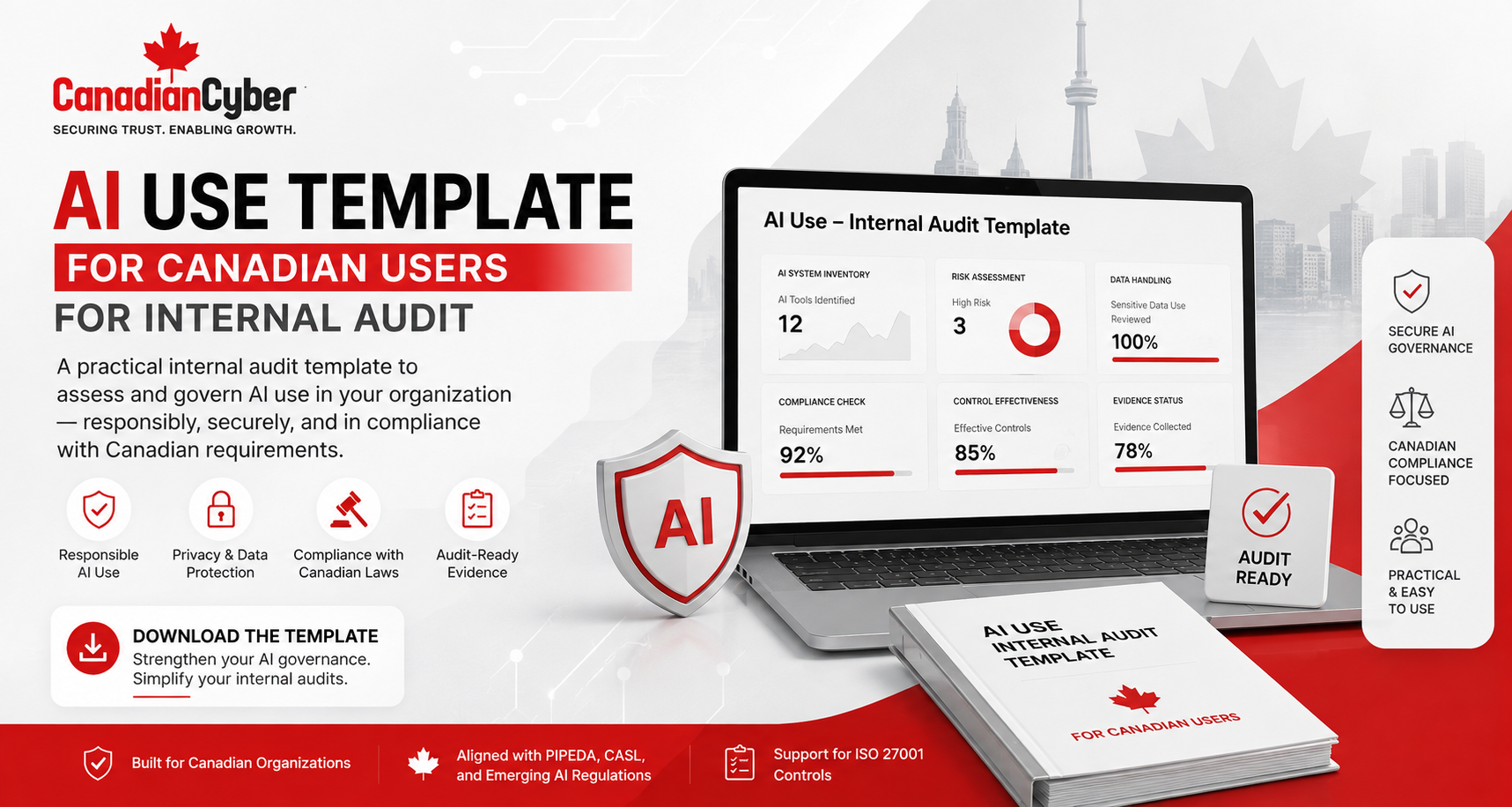
AI Use Template for Canadian Organizations: Internal Audit Questions for Safe and Responsible AI Use
AI tools are already inside Canadian workplaces. The challenge is not AI use. The challenge is unmanaged AI use. This template helps organizations document, approve, review, and audit AI use before it creates privacy, security, confidentiality, legal, or compliance risk.
Quick Answer
What should an AI Use Template include?
An AI Use Template should document approved AI tools, business use cases, owners, data restrictions, privacy review, security review, vendor review, human review requirements, prohibited uses, training, exceptions, incident reporting, and internal audit evidence.
Internal auditors should check whether AI use is inventoried, risk-assessed, approved, communicated, monitored, and supported by evidence.
Bottom line: Canadian organizations should be able to prove that AI tools are used safely, responsibly, and in line with information security and privacy expectations.
Canadian Cyber AI Governance Support
Turn Informal AI Use Into Audit-Ready AI Governance
Canadian Cyber helps Canadian organizations create AI Use Templates, AI acceptable use policies, SharePoint AI governance trackers, ISO 27001 internal audit questions, and ISO 42001 readiness workspaces.
We help identify AI risks, document approved use cases, review vendors, build evidence libraries, and prepare internal audit questions for responsible AI use.
Quick Snapshot
| AI Audit Area | What Internal Audit Should Check |
|---|---|
| AI Tool Inventory | Which AI tools are used across the organization. |
| Approved Use Cases | What employees are allowed to use AI for. |
| Prohibited Use | What data or activities are not allowed. |
| Data Protection | Whether personal, confidential, client, or regulated data is restricted. |
| Vendor Review | Whether AI vendors are reviewed before use. |
| Human Review | Whether AI outputs are checked before use. |
| Access Control | Who can use paid or enterprise AI tools. |
| Training | Whether employees understand AI rules. |
| Incident Reporting | Whether AI misuse or data exposure can be reported. |
Why AI Use Needs an Internal Audit Template
Many organizations already have security policies.
But AI creates new practical questions.
Can employees paste client data into AI tools? Can developers use AI coding assistants with proprietary code? Can meeting bots record client calls?
Without a template, employees may make those decisions on their own.
AI use should be treated like any other information security risk: identified, approved, controlled, monitored, and reviewed.
Who This Blog Is For
- Canadian businesses using AI tools.
- SaaS companies, MSPs, FinTech companies, HealthTech companies, and AI platforms.
- Professional services firms, security managers, IT managers, and privacy leads.
- Compliance teams, ISMS managers, internal auditors, and vCISO teams.
- Organizations preparing for ISO 27001, SOC 2, or ISO 42001.
- Teams using Microsoft 365, Copilot, ChatGPT, or AI productivity tools.
Canadian Context: Why This Matters
Canadian organizations should pay attention to privacy, accountability, transparency, safeguards, and responsible use when adopting AI.
Canadian privacy guidance highlights principles for responsible, trustworthy, and privacy-protective generative AI.
PIPEDA is based on fair information principles such as accountability, consent, limiting collection, safeguards, openness, and individual access.
For public-sector context, Government of Canada guidance tells institutions to evaluate risks, develop tailored guidance, and follow privacy and protection of personal information requirements.
Practical rule: Even when guidance is not written for your exact business type, it can still shape good AI governance questions for internal audit.
The Core Internal Audit Question
The strongest internal audit question is not:
“Are employees using AI?”
They probably are.
The better question is:
“Can the organization prove that AI use is known, approved, risk-assessed, controlled, and reviewed?”
AI Use Template for Canadian Organizations
Use this template in SharePoint, Microsoft Lists, Excel, or an ISMS platform.
Template Section 1: AI Tool Information
| Field | Example |
|---|---|
| AI Tool Name | Microsoft Copilot, ChatGPT Enterprise, Gemini, Claude, Otter, GitHub Copilot |
| Tool Category | Chatbot, coding assistant, meeting assistant, writing assistant, analytics tool |
| Business Owner | Marketing Manager, Engineering Lead, IT Manager |
| Technical Owner | IT, Security, Cloud Admin |
| Deployment Type | Free, paid, enterprise, embedded in SaaS, browser extension |
| Status | Approved, under review, restricted, prohibited |
| Review Date | Quarterly or annual |
Internal Audit Questions
- Is there an inventory of AI tools?
- Are free and paid AI tools both included?
- Are browser extensions and meeting bots included?
- Are AI tools embedded inside SaaS platforms included?
- Is each AI tool assigned to an owner?
Practical rule: You cannot control AI use that you have not inventoried.
Template Section 2: Business Use Case
| Field | Example |
|---|---|
| Approved Use Case | Drafting internal policy summaries |
| Department | Compliance |
| Business Purpose | Improve documentation efficiency |
| Output Type | Internal draft only |
| Customer Impact | No direct automated customer decision |
| Human Review Required | Yes |
AI tools should be approved for specific use cases, not given a blank cheque.
Template Section 3: Data Classification and Restrictions
This is one of the most important sections.
Employees need to know what they can and cannot put into AI tools.
| Data Type | Allowed? | Notes |
|---|---|---|
| Public information | Usually allowed | Still review output accuracy. |
| Internal business information | Conditional | Use approved tools only. |
| Confidential company data | Restricted | Requires approval and safeguards. |
| Client data | Restricted or prohibited | Depends on contract, privacy, and tool controls. |
| Personal information | Restricted | Requires privacy review and lawful basis. |
| Credentials, tokens, secrets | Prohibited | Never enter into AI tools. |
| Source code | Conditional | Depends on tool, licence, and IP risk. |
| HR, legal, or financial records | Restricted | Requires business, privacy, HR, or legal review. |
The AI Use Template should make sensitive data restrictions impossible to miss.
Need Practical AI Governance Inside Microsoft 365?
Canadian Cyber can help create your AI Use Template, AI acceptable use policy, AI risk register, AI vendor review checklist, and SharePoint AI governance tracker.
Privacy, Security, Vendor, and Human Review Sections
4. Privacy Review
AI use involving personal information should not be approved casually.
Ask: Does the use case involve personal information? Is only necessary data used? Has privacy reviewed the use case?
Review: privacy review, data flow diagram, AI risk assessment, privacy owner approval, minimization notes, and retention notes.
5. Security Review
AI tools may introduce risks through prompts, uploads, integrations, plug-ins, APIs, and data retention.
Ask: Is access controlled? Is MFA enabled? Are logs available? Are integrations reviewed?
Review: security assessment, vendor security review, SSO configuration, MFA evidence, logs, integration review, and approval record.
6. Vendor and Contract Review
AI tools are vendors. They may process data, store prompts, generate outputs, or integrate with systems.
Ask: Is the vendor risk-rated? Are contracts, DPAs, subprocessors, security reports, and terms reviewed?
Review: vendor register, contract, DPA, subprocessor list, SOC 2 report, ISO certificate, terms review, and procurement approval.
7. Human Review and Output Validation
AI outputs can be wrong, incomplete, biased, outdated, or misleading.
Ask: Are outputs reviewed before use? Are sources checked? Are customer-facing outputs approved?
Review: output checklist, approval workflow, customer communication approval, legal review, HR review, and security validation notes.
Practical rule: AI can assist the work, but accountable people should approve the outcome.
Template Section 8: Prohibited AI Uses
AI rules should be specific.
Employees should know exactly what not to do.
Training, Awareness, Incidents, and Exceptions
9. Training and Awareness
AI governance fails if employees do not understand the rules.
Ask: Are employees trained? Are high-risk departments trained differently? Are acknowledgments tracked?
Review: training records, new hire checklist, role-based training, acknowledgments, completion dashboard, and awareness communications.
10. Incident Reporting and Exceptions
AI misuse should be reportable.
Ask: Can employees report AI incidents? Are exceptions approved, time-limited, and tracked?
Review: incident response plan, AI incident records, exception register, privacy escalation procedure, corrective action tracker, and lessons learned.
AI incidents should be handled through the same discipline as other security and privacy incidents.
AI Use Template Summary
| Template Section | Purpose |
|---|---|
| AI Tool Information | Know what AI tools are being used. |
| Business Use Case | Define why the tool is used. |
| Data Restrictions | Control what data can be entered. |
| Privacy Review | Identify personal information and privacy risk. |
| Security Review | Check access, logging, integrations, and safeguards. |
| Vendor Review | Assess contract, DPA, and vendor risk. |
| Human Review | Validate outputs before use. |
| Prohibited Uses | Define what employees must not do. |
| Training | Ensure staff understand rules. |
| Incident Reporting | Report misuse, exposure, and exceptions. |
Internal Audit Checklist for AI Use
| Checklist Item | Ready? |
|---|---|
| AI tool inventory exists. | |
| Approved AI tools are clearly listed. | |
| Unapproved or prohibited tools are identified. | |
| AI use cases are documented. | |
| Business owners are assigned. | |
| Security review is completed for approved tools. | |
| Privacy review is completed where personal information may be involved. | |
| Vendor review is completed for AI providers. | |
| Data restrictions are documented. | |
| Client data rules are clear. | |
| Credentials, secrets, and tokens are prohibited in AI prompts. | |
| Human review is required for important outputs. | |
| Customer-facing AI outputs are reviewed before use. | |
| AI training is completed. | |
| Employees acknowledge AI rules. | |
| AI incidents and exceptions are tracked. | |
| AI risks are included in the risk register. | |
| Management receives AI governance updates. |
Common Internal Audit Findings for AI Use
The organization cannot show which AI tools employees use.
Employees use AI without clear business approval.
Staff do not know whether client data can be used in AI prompts.
Employees use consumer-grade tools for business work.
AI providers are not reviewed like other third parties.
AI outputs are used without validation.
Meeting assistants record or summarize calls without clear approval rules.
The organization uses AI but has not assessed AI-related risk.
How SharePoint Can Help Manage AI Use Evidence
A structured SharePoint AI governance workspace can help organizations manage AI use during internal audit.
It can also make approved tools, owners, risks, evidence, and due dates easier to manage.
SharePoint Can Track
How This Supports ISO 27001 Internal Audit
AI use can connect to many ISO 27001 internal audit areas.
The internal audit should review AI as part of the ISMS, not as a separate side topic.
Practical rule: AI use should be audited through the same ISMS disciplines used for other technology, data, vendor, and access risks.
How This Supports ISO 42001 Readiness
ISO 42001 focuses on AI management systems.
Organizations that are not ready for ISO 42001 can still begin by improving basic AI governance.
An AI Use Template can support early readiness by helping document AI system inventory, use cases, risk assessments, ownership, policies, vendor reviews, training, incidents, monitoring, human oversight, and management review.
An AI Use Template is not a full AI management system, but it is a strong first step toward structured AI governance.
How Canadian Cyber Helps
Canadian Cyber helps Canadian organizations create practical AI governance and internal audit evidence systems.
We help teams move from informal AI use to controlled, auditable AI use.
Canadian Cyber’s SharePoint AI Governance Approach
Canadian Cyber can help build a SharePoint-based AI governance tracker inside Microsoft 365.
It can include:
- AI tool register and approved use case list.
- AI risk register and vendor review library.
- AI policy library and training tracker.
- AI exception register and incident tracker.
- AI corrective action tracker.
- AI management dashboard.
- Power Automate reminders and Teams notifications.
- Auditor-ready evidence views.
Frequently Asked Questions
What is an AI Use Template?
An AI Use Template is a structured document or tracker that records approved AI tools, use cases, owners, data restrictions, privacy review, security review, vendor review, human review requirements, prohibited uses, training, exceptions, and audit evidence.
Why do Canadian organizations need an AI Use Template?
Canadian organizations need an AI Use Template to help employees use AI responsibly, protect sensitive information, reduce Shadow AI, and prepare for ISO 27001 internal audit, SOC 2 readiness, ISO 42001 readiness, and customer security reviews.
What should employees never enter into AI tools?
Employees should not enter passwords, secrets, tokens, API keys, unapproved client data, sensitive personal information, confidential documents, or regulated information into unapproved AI tools.
Should AI vendors be reviewed?
Yes. AI vendors should be reviewed through the vendor risk process, especially when they process business data, client data, personal information, source code, or confidential records.
Should AI outputs be reviewed by humans?
Yes. AI outputs should be reviewed before they are used in customer communications, legal documents, HR decisions, security decisions, financial analysis, code, policies, or public content.
Can SharePoint track AI use for internal audit?
Yes. SharePoint can track AI tools, approved use cases, owners, risks, vendor reviews, exceptions, training, incidents, corrective actions, and management dashboards.
Can Canadian Cyber help create an AI Use Template?
Yes. Canadian Cyber helps organizations create AI Use Templates, AI acceptable use policies, SharePoint AI governance trackers, ISO 27001 internal audit questions, and ISO 42001 readiness evidence.
Takeaway
AI use is growing quickly inside Canadian organizations.
That growth can create real value.
But unmanaged AI use can also create privacy, security, confidentiality, vendor, and audit risks.
An AI Use Template helps organizations answer the questions internal auditors, customers, executives, and security teams will ask.
Inventory the tools. Approve the use cases. Restrict the data. Review the vendors. Train the people. Track the risks. Verify the evidence.
Ready to Build Audit-Ready AI Governance?
Canadian Cyber can help your organization create a practical AI Use Template and governance tracker.
We provide AI Use Templates, AI acceptable use policies, AI governance trackers, ISO 27001 internal audit support, ISO 42001 readiness, SharePoint ISMS implementation, Microsoft 365 governance, Shadow AI reviews, vCISO services, SOC 2 readiness alignment, and cybersecurity assessments.
Stay Connected With Canadian Cyber
Follow Canadian Cyber for practical guidance on AI governance, ISO 27001 internal audits, ISO 42001 readiness, SharePoint ISMS, Microsoft 365 security, SOC 2, vCISO services, cybersecurity assessments, and certification readiness.










