ISO 27001
SharePoint ISMS
Machine Identities
Internal Audit
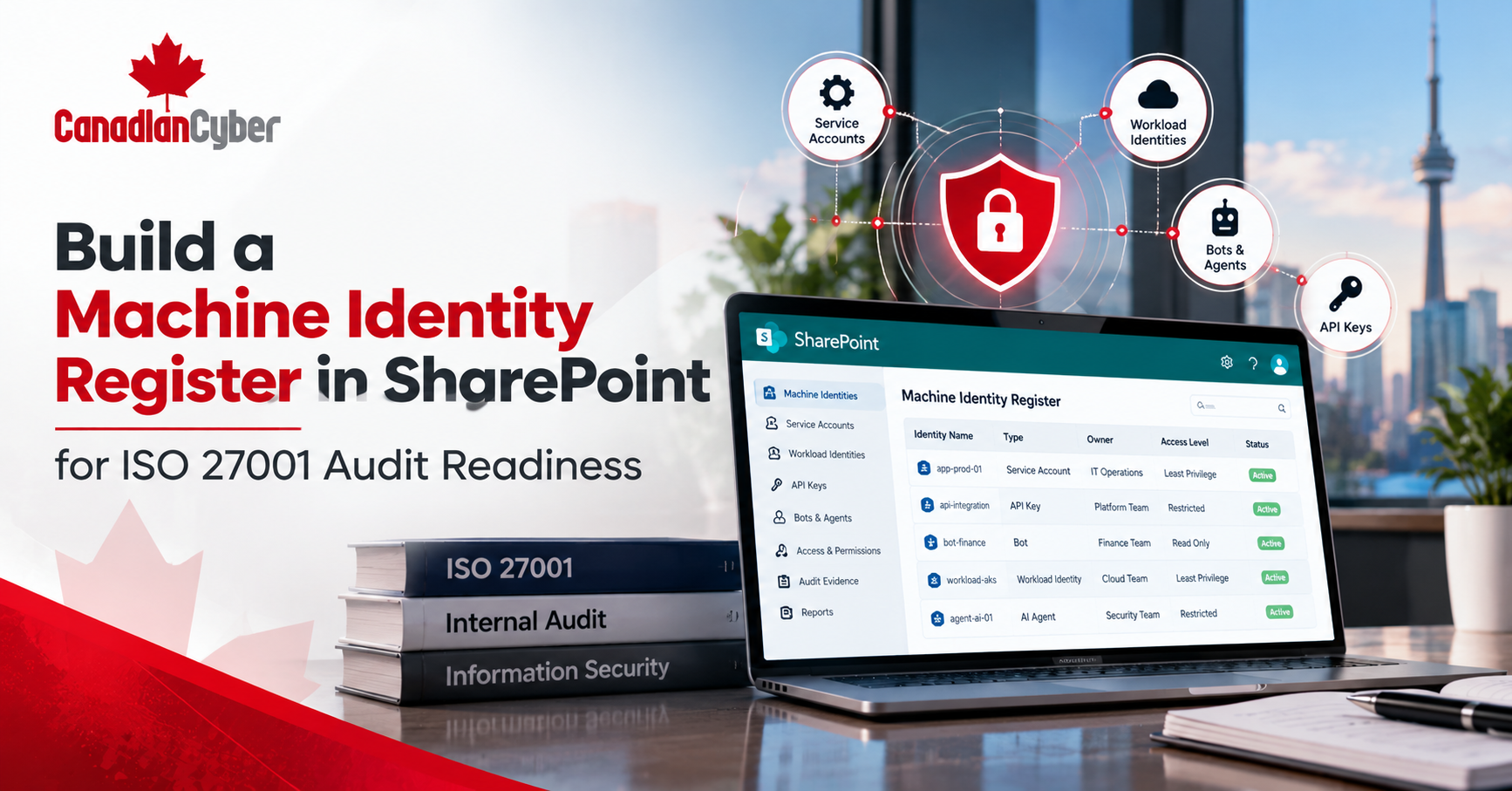
Build a Machine Identity Register in SharePoint for ISO 27001 Audit Readiness
Learn how to build a machine identity register in SharePoint that tracks ownership, access, reviews, credentials, risks, and ISO 27001 audit evidence.
What About the Accounts That Do Not Belong to Employees?
Your employee access list may be well maintained.
However, what about the accounts that do not belong to employees?
- Service accounts.
- Service principals.
- Managed identities.
- API integrations.
- Automation accounts.
- Bots.
- CI/CD identities.
- AI agents.
These machine identities may access important systems for years.
Yet many organizations lack one central record.
As a result, ownership can become unclear.
Access may also become difficult to review.
That creates a problem during an ISO 27001 internal audit.
Fortunately, the solution can be simple.
Build a machine identity register in SharePoint.
A structured SharePoint list can turn scattered identity data into one searchable and audit-ready record.
Quick Answer
What Should a Machine Identity Register in SharePoint Track?
A machine identity register in SharePoint should record every important non-human identity.
It should also connect each identity to:
- A named owner.
- A business purpose.
- The application or workload using it.
- The systems and data it can access.
- Its permissions and privilege level.
- Its authentication method.
- Credential expiry where needed.
- Its last known activity.
- Its last access review.
- Its next review date.
- Its risk rating.
- Its lifecycle status.
- Supporting audit evidence.
The goal is simple.
Every machine identity should have an owner, purpose, approved access, review date, and end-of-life process.
That gives internal audit stronger evidence than a spreadsheet created just before the audit.
Why Machine Identities Need Their Own Register
Modern identity environments include more than employees and contractors.
Microsoft uses the term workload identity for identities assigned to software.
For example, this software may include applications, services, scripts, and containers.
These identities allow workloads to authenticate and reach other resources.
Machine identities may support:
However, machine identities behave differently from human users.
They may not use MFA.
They may have no natural termination date.
Their credentials may also be stored elsewhere.
Therefore, a separate machine identity register makes sense.
What Should a Machine Identity Register Track?
Do not make the register too complicated.
Too many required fields can discourage users.
Instead, track information that helps answer audit questions.
| SharePoint Field | What to Record |
|---|---|
| Identity Name | Exact account or identity name. |
| Identity Type | Service account, service principal, managed identity, bot, API identity, or AI agent. |
| Business Purpose | Why the identity exists. |
| Application / Service | The workload using the identity. |
| Business Owner | The accountable owner. |
| Technical Owner | The team managing the identity. |
| Environment | Production, Test, or Development. |
| Systems Accessed | Systems or services the identity can reach. |
| Permission Level | Read, Write, Admin, or Custom. |
| Privileged | Yes or No. |
| Authentication Type | Managed identity, certificate, secret, token, or password. |
| Credential Expiry | Expiry date where needed. |
| Last Activity | Most recent known use. |
| Last Access Review | Date last reviewed. |
| Next Review | Next required review date. |
| Risk Rating | Low, Medium, High, or Critical. |
| Status | Active, Review Required, Disabled, or Retired. |
| Evidence Link | Link to supporting evidence. |
| Notes | Exceptions or useful context. |
This gives internal audit a clear trail without making SharePoint too complex.
1. Start With Identity Type
First, record the type of machine identity.
For example:
- Service Account.
- Service Principal.
- Managed Identity.
- API Identity.
- Automation Account.
- CI/CD Identity.
- Bot.
- AI Agent.
- Other.
This makes filtering easier.
For example, an auditor can show all service principals.
They can also show all AI agents with production access.
Recording identity type also helps distinguish stored credentials from managed identities.
2. Make Ownership Mandatory
Next, make the Business Owner field mandatory.
Do not make ownership optional.
The owner should be able to answer:
- Why does this identity exist?
- Is it still required?
- What happens if we disable it?
- Does it still need its current access?
You may also want a separate Technical Owner field.
Business Owner: Director of Finance
Technical Owner: Cloud Operations
This separates accountability from daily administration.
3. Record the Business Purpose
Avoid vague descriptions.
For example, this is weak:
Service account for application.
Instead, be specific.
Retrieves approved invoice data each night for automated reporting.
Now the auditor has something useful to test.
For example, the auditor can compare that purpose with actual permissions.
The audit logic becomes:
4. Record What the Identity Can Access
Next, record which resources the identity can reach.
Examples include:
Be specific where practical.
That makes access reviews much easier.
5. Track Permission Level
Add a simple choice field for permission level.
- Read.
- Write.
- Execute.
- Modify.
- Administrative.
- Custom.
Also add a Privileged Identity field.
Use a simple Yes or No value.
Then internal audit can create a privileged identity view.
Filter: Privileged = Yes
This helps auditors focus on higher-risk accounts first.
6. Track Authentication Type
Machine identities use different authentication methods.
Your register may include:
- Managed Identity.
- Certificate.
- Client Secret.
- API Key.
- Token.
- Password.
- Workload Identity Federation.
This field helps show credential risk.
For example, static secrets may need more attention.
A useful view could show:
Important: Do Not Store the Secret in the Register
The SharePoint register should record the credential type.
For example:
Credential Type: Client Secret
However, do not store the actual secret.
The register is a governance tool.
It is not a password vault.
Instead, reference the approved secret-management location where needed.
Need One Place to Manage Machine Identity Evidence?
Canadian Cyber’s ISMS SharePoint Platform can help centralize ownership, reviews, risks, audit evidence, and corrective actions.
That gives security, IT, management, and internal audit one consistent source of evidence.
7. Track Credential Expiry
If the identity uses a secret or certificate, track its expiry date.
Then create a view for credentials that are:
- Expiring within 30 days.
- Expiring within 60 days.
- Already expired.
You can also use Power Automate.
For example, notify the owner before expiry.
This replaces memory with a repeatable reminder process.
8. Add Last Review and Next Review Dates
An identity may be appropriate when it is created.
Two years later, that may no longer be true.
Applications change.
Permissions change.
Projects end.
Owners leave.
Therefore, add:
- Last Access Review
- Next Access Review
Then create useful SharePoint views.
Next Review Date is in the past.
Next review is due within 30 days.
Risk is High or Critical.
This makes the register operational.
It does not simply store information. It drives action.
9. Add a Lifecycle Status
Every machine identity should eventually reach the end of its lifecycle.
A useful Status field may include:
- Proposed.
- Active.
- Review Required.
- Disable Pending.
- Disabled.
- Retired.
The key question is simple:
Common retirement triggers include:
- Application retirement.
- Project closure.
- Integration replacement.
- Contract termination.
- Migration completion.
Without a retirement trigger, accounts may stay active forever.
10. Link Evidence to the Register
This is where SharePoint becomes especially useful for ISO 27001.
Do not only record the identity.
Also connect the record to evidence.
Identity Record
↓
Access Approval
↓
Permission Export
↓
Access Review
↓
Security Test
↓
Decommission Evidence
The Evidence Link field can point to your controlled ISMS evidence library.
As a result, auditors gain traceability.
They no longer need to search through disconnected folders.
This approach helps turn Microsoft 365 from document storage into an operational ISMS.
Build Useful SharePoint Views
The same register can support several audiences.
Therefore, you do not need separate spreadsheets.
Identity Owner View
Show each owner only the identities they need to review.
Internal Audit View
- Identity.
- Owner.
- Purpose.
- Privilege.
- Last Review.
- Next Review.
- Status.
- Evidence.
Privileged Identity View
Show only identities with elevated access.
Orphaned Identity View
- Missing owner.
- Invalid owner.
- Retired application.
- Overdue review.
Credentials Expiring View
Show secrets and certificates that are approaching expiry.
AI Agent View
Show only AI agent identities.
These views make the same data useful for IT, security, management, and internal audit.
Add Simple Workflow Automation
Once the register works manually, add automation.
However, do not automate everything at once.
Start with useful reminders.
30 days before access review
↓
Notify identity owner
↓
Owner reviews access
↓
Review date is updated
↓
Evidence is attached
You can build a similar workflow for credential expiry.
The goal is not automation for its own sake.
Instead, the goal is to stop important reviews from being missed.
Create an Auditor-Friendly Dashboard
Once the register contains structured data, useful metrics become easier.
286
34
7
18
9
12
5
Now management can see the control environment.
Internal audit can see it too.
Structured metadata, views, ownership, and workflows can make the process easier to maintain.
How This Supports ISO 27001
A machine identity register can support evidence across several ISO/IEC 27001:2022 controls.
| ISO 27001 Control | How the Register Helps |
|---|---|
| A.5.15 Access Control | Documents access and privilege. |
| A.5.16 Identity Management | Tracks machine identity lifecycle. |
| A.5.17 Authentication Information | Records authentication and credential type. |
| A.5.18 Access Rights | Supports approvals and access reviews. |
| A.8.2 Privileged Access Rights | Identifies privileged machine identities. |
| A.8.3 Information Access Restriction | Shows which resources identities can access. |
| A.8.15 Logging | Links identities to activity evidence. |
| A.8.16 Monitoring Activities | Supports monitoring and follow-up. |
The exact mapping should match your scope, risks, architecture, and Statement of Applicability.
What Should an Internal Auditor Test?
Do not simply confirm that the register contains rows.
Instead, test whether it reflects reality.
First, select a sample of identities.
For each sample, check:
- Does the identity exist?
- Is the listed owner correct?
- Does the workload still exist?
- Are the recorded permissions accurate?
- Is the identity more privileged than documented?
- Is the authentication method correct?
- Are credentials expired?
- Is the last review real?
- Does supporting evidence exist?
Then reverse the test.
Take identities from Microsoft Entra, Azure, or other platforms.
Next, confirm that each identity appears in the SharePoint register.
This second test can uncover shadow or orphaned identities.
Common Mistakes to Avoid
Turning the Register Into Another Spreadsheet
Use structured SharePoint columns. Do not simply upload an Excel file.
Using Too Many Fields
Keep required metadata practical. Otherwise, teams may stop using the register.
Having No Named Owner
Every important identity needs clear accountability.
Having No Review Dates
An inventory without recurring review will become stale.
Storing Passwords or API Keys
Do not turn the register into a secret vault.
Having No Evidence Links
The register should help prove the control, not only describe it.
Having No Decommissioning Status
Every machine identity needs an end-of-life process.
Quick Machine Identity Register Checklist
Before calling the register audit-ready, confirm:
- Machine identities are inventoried.
- Identity type is recorded.
- Every identity has a business owner.
- Technical ownership is clear.
- Business purpose is documented.
- Applications and workloads are linked.
- Systems accessed are recorded.
- Permission levels are documented.
- Privileged identities are identified.
- Authentication methods are recorded.
- Credential expiry is tracked where needed.
- Secrets are not stored in the register.
- Last access review is recorded.
- Next review date is defined.
- Risk rating is assigned where useful.
- Lifecycle status is tracked.
- Supporting evidence is linked.
- Overdue reviews can be identified.
- Orphaned identities can be filtered.
- Retired identities are removed.
Frequently Asked Questions
What is a machine identity register?
A machine identity register is an inventory of non-human identities.
It records ownership, purpose, access, reviews, and lifecycle information.
Can SharePoint be used for an ISO 27001 identity register?
Yes.
SharePoint Lists can manage structured records and controlled access.
Should API keys be stored in the register?
No.
Record the credential type, but do not store the secret itself.
Should AI agents appear in the machine identity register?
Yes, when they can access organizational resources.
Their ownership, permissions, tools, lifecycle, and reviews should be visible.
How often should machine identities be reviewed?
The frequency should be risk-based.
Privileged identities may need more frequent reviews.
Also review access after major changes, incidents, ownership changes, or retirement.
Can a machine identity register replace Microsoft Entra?
No.
Microsoft Entra remains a technical source for identity configuration and activity.
The SharePoint register provides a governance layer for ownership, purpose, risk, review, evidence, and lifecycle.
The Takeaway
Machine identities should not disappear into the background.
If an identity can access important systems, someone should be able to answer key questions.
A well-designed machine identity register in SharePoint puts these answers in one place.
More importantly, it turns them into a repeatable process.
That is what makes the register useful for ISO 27001.
It is not another spreadsheet.
It is not another document dump.
It is a working identity-governance process.
Build Your Machine Identity Register Inside Your SharePoint ISMS
Canadian Cyber helps organizations build structured SharePoint ISMS environments for ISO 27001 implementation and internal audit.
The same environment can support identity governance, access reviews, evidence management, and continuous compliance.
A Machine Identity Register can sit beside your risk register, controls, evidence library, internal audits, corrective actions, vendors, and management reviews.
Stay Connected With Canadian Cyber
Follow Canadian Cyber for practical guidance on ISO 27001, SharePoint ISMS, identity governance, internal audit, AI governance, and access control.