



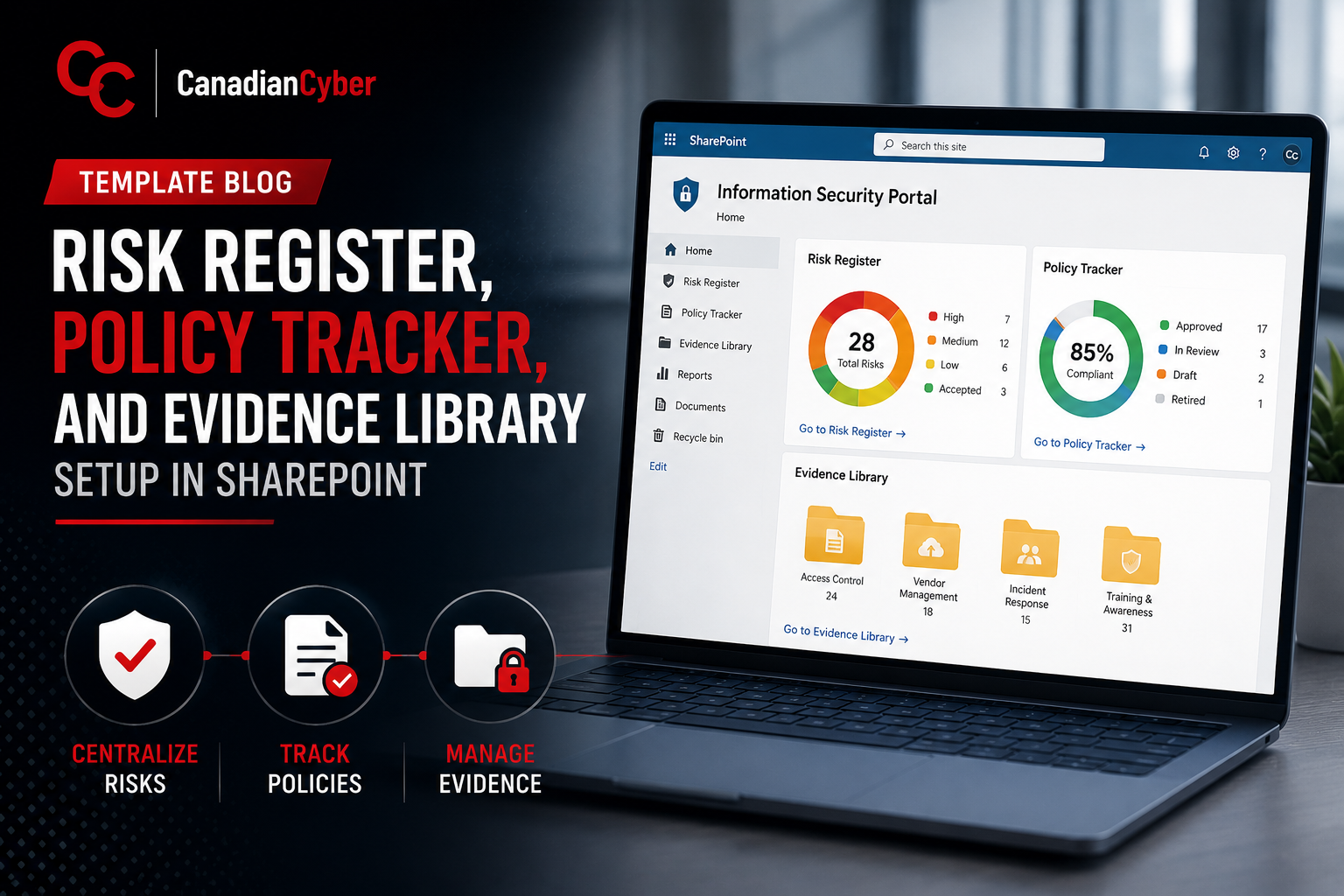
Template Blog • SharePoint ISMS • Risk, Policy & Evidence
Template Blog: Risk Register, Policy Tracker, and Evidence Library Setup in SharePoint
Turn SharePoint from a compliance document dump into a practical ISMS workspace for ISO 27001, SOC 2, internal audits, and customer reviews.
Quick Snapshot
| Template | What It Helps Manage |
|---|---|
| Risk Register | Risks, owners, treatment plans, residual risk, due dates, and review status. |
| Policy Tracker | Document ownership, approvals, versions, review dates, and control links. |
| Evidence Library | Audit proof, control mapping, evidence freshness, review status, and owner accountability. |
| Goal | Build a SharePoint ISMS your team can actually maintain. |
Introduction
SharePoint can be a powerful ISMS workspace.
But only if it is structured properly.
For many teams, SharePoint starts as a simple place to store compliance files. Then it slowly turns into a maze of folders, spreadsheets, outdated policies, screenshots, and audit evidence nobody can find quickly.
In simpler terms: these three templates turn SharePoint from a document dump into a practical compliance operating system.
A well-designed SharePoint ISMS usually needs three core building blocks:
- a risk register
- a policy tracker
- an evidence library
Need a Cleaner SharePoint ISMS?
Canadian Cyber helps organizations build SharePoint structures for ISO 27001, SOC 2, customer reviews, internal audits, and continuous compliance.
Why These Three Templates Matter
If your team is preparing for ISO 27001, SOC 2, internal audits, or customer security reviews, these three areas come up constantly.
They help answer questions like:
- What risks are you managing?
- Are policies approved and current?
- Can you prove controls are operating?
- Who owns each area?
- What evidence supports each requirement?
The goal is not just to store files. The goal is to make risk, policy, and evidence management visible, searchable, and accountable.
1. Risk Register Setup in SharePoint
A risk register should not be a static spreadsheet that gets updated once before audit.
It should be a live SharePoint List that supports ownership, due dates, review cycles, and treatment tracking.
Recommended Fields
| Field | Purpose |
|---|---|
| Risk ID | Unique tracking number |
| Risk Title | Short name of the risk |
| Risk Owner | Person accountable |
| Asset / Process | System, service, or process affected |
| Existing Controls | Controls already in place |
| Residual Risk | Risk remaining after controls |
| Treatment Decision | Mitigate, accept, transfer, or avoid |
| Due Date | Target date |
| Evidence Link | Link to supporting proof |
Useful Views
- high residual risks
- risks by owner
- overdue treatment actions
- risks due for review
- accepted risks
- closed risks
Need a Risk Register Your Team Will Actually Use?
We help build SharePoint risk registers with owners, treatment tracking, residual risk views, overdue actions, and evidence links.
2. Policy Tracker Setup in SharePoint
Policies should be managed in a document library with metadata.
Uploading a policy is not enough.
You need to know:
- who owns it
- when it was approved
- when it must be reviewed
- which version is current
- whether it is draft, approved, or archived
Recommended Metadata
| Field | Purpose |
|---|---|
| Document Title | Name of the policy |
| Document Owner | Person responsible |
| Document Type | Policy, procedure, standard, or template |
| Version | Current version |
| Approval Status | Draft, pending, approved, or archived |
| Approval Date | Governance record |
| Next Review Date | Prevents stale policies |
| Related Control | ISO, SOC 2, or internal control link |
Useful Views
- policies pending approval
- policies due for review
- approved policies
- archived policies
- policies by owner
- policies by control area
Policy governance should not be hidden inside filenames. Metadata makes ownership, approval, and review status visible.
3. Evidence Library Setup in SharePoint
The evidence library is where many teams lose time.
Files are uploaded, but without context.
A screenshot called “MFA proof final final.png” is not strong evidence if nobody knows what control it supports, what period it covers, who collected it, or whether it was reviewed.
Recommended Metadata
| Field | Purpose |
|---|---|
| Evidence ID | Unique tracking number |
| Evidence Title | Clear name |
| Control Area | Access, vendors, incidents, backups, and more |
| Control Reference | ISO clause, SOC 2 criterion, or internal control ID |
| Evidence Owner | Person responsible |
| Source System | Where evidence came from |
| Period Covered | Audit period supported |
| Review Status | Submitted, reviewed, accepted, or needs update |
Useful Views
- evidence by control area
- evidence by owner
- evidence needing review
- accepted evidence
- evidence for current audit period
- missing or outdated evidence
How the Three Templates Work Together
The real value comes when the templates connect.
Example:
- A risk identifies weak vendor oversight.
- The risk treatment action requires vendor reassessments.
- A vendor management policy defines the process.
- The evidence library stores completed vendor reviews.
- The risk register links to that evidence.
That creates a clear audit trail: risk → policy → action → evidence.
Simple SharePoint Structure
A clean ISMS site may look like this:
| Risk Register |
| Policy Library |
| Evidence Library |
| Corrective Actions |
| Vendor Register |
| Internal Audit |
| Management Review |
| Templates |
Keep the structure simple enough that people will actually use it.
Common Mistakes to Avoid
- Using folders only: Folders do not show owners, due dates, or review status.
- Keeping the risk register only in Excel: Excel works early, but SharePoint Lists are better for live ownership and reporting.
- Uploading evidence without metadata: Evidence without context creates audit confusion.
- Forgetting review dates: Policies, risks, and evidence all need review cycles.
- Making fields too complicated: Small teams need practical templates, not oversized forms.
Turn SharePoint Into a Compliance Operating System
Canadian Cyber helps organizations build practical SharePoint templates for risks, policies, evidence, corrective actions, vendors, audits, and management reviews.
Canadian Cyber’s Take
At Canadian Cyber, we often see organizations already using SharePoint but not getting full value from it.
The issue is usually not SharePoint.
The issue is structure.
A strong SharePoint ISMS starts with three practical templates:
- risk register
- policy tracker
- evidence library
Once those are standardized, the team can manage compliance with less searching, less duplication, and stronger audit readiness.
Takeaway
If you want SharePoint to support ISO 27001, SOC 2, or continuous compliance, start with these three templates:
- Risk Register to manage risk, owners, treatment, and review.
- Policy Tracker to manage approvals, versions, and review dates.
- Evidence Library to manage proof, control links, and audit readiness.
Compliance is not just about having documents. It is about being able to prove that risks are managed, policies are controlled, and evidence is ready when it matters.
How Canadian Cyber Can Help
At Canadian Cyber, we help organizations build practical SharePoint ISMS structures that support audits, customer reviews, and continuous compliance.
- SharePoint risk register setup
- policy tracker design
- evidence library metadata
- corrective action workflows
- ISO 27001 and SOC 2 evidence mapping
- internal audit preparation
- vCISO guidance for ISMS operations
Stay Connected With Canadian Cyber
Follow Canadian Cyber for practical guidance on SharePoint ISMS setup, ISO 27001, SOC 2, evidence management, internal audits, and vCISO support.










