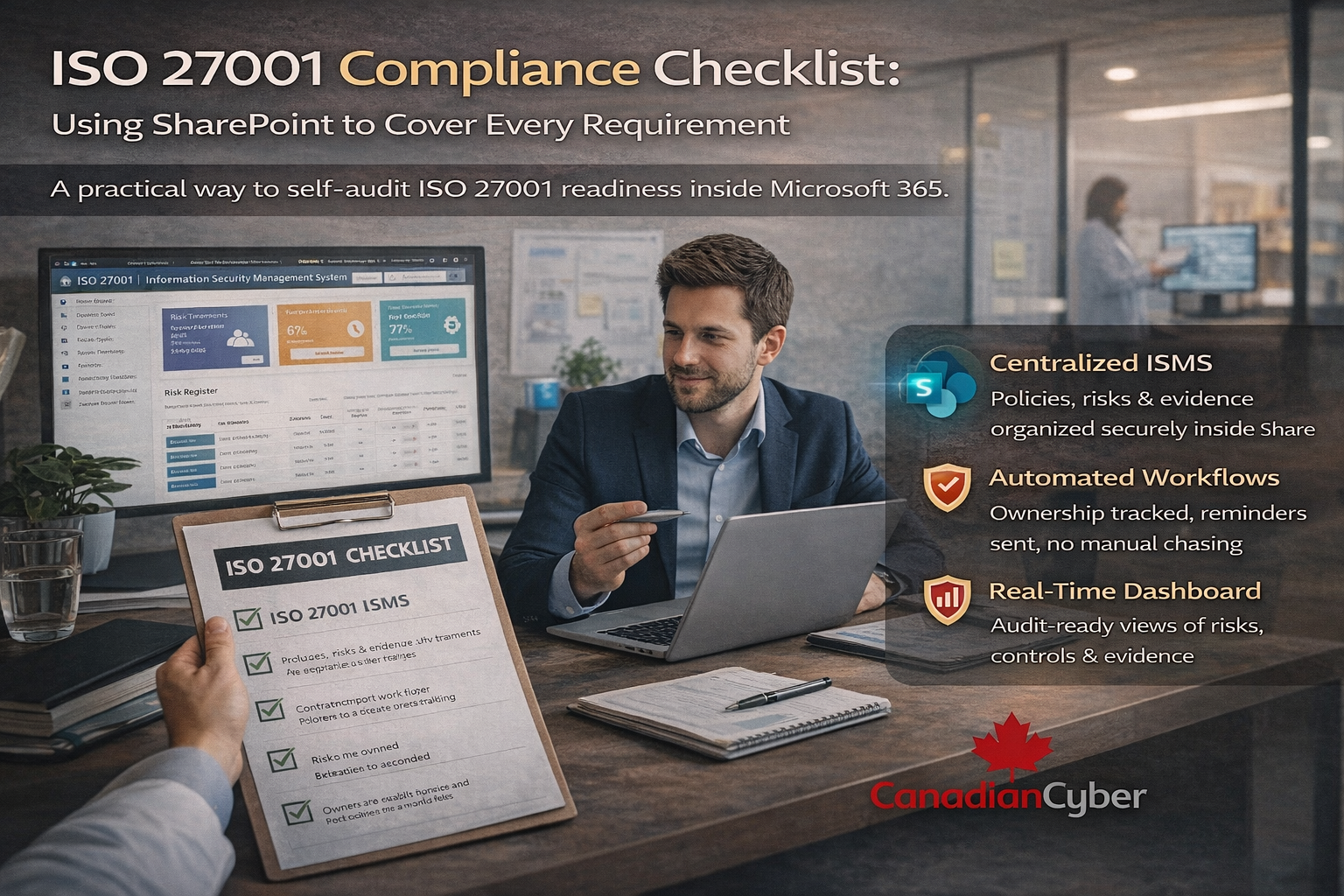
ISO 27001 Compliance Checklist: Using SharePoint to Cover Every Requirement
A practical way to self-audit ISO 27001 readiness inside Microsoft 365.
Most organizations don’t struggle with ISO 27001 because they lack policies or controls.
They struggle because their ISMS is scattered:
- Policies live in folders
- Risks live in spreadsheets
- Evidence is collected at the last minute
- Ownership is unclear
Auditors don’t fail organizations for missing intent. They fail them for missing structure, traceability, and evidence.
That’s exactly why Canadian Cyber built the ISMS SharePoint Solution a fully operational ISMS platform inside Microsoft 365 that maps every ISO 27001:2022 requirement to real, working features.
This blog walks you through an ISO 27001 compliance checklist, showing how SharePoint can be used to cover every requirement and how you can self-audit readiness before an auditor ever arrives.
Why ISO 27001 Compliance Breaks Down
ISO 27001 is not a documentation exercise. It is a management system. Compliance usually breaks when the ISMS is:
Fragmented
Work split across tools, folders, and email threads.
Manual
Spreadsheets and reminders replace system-driven workflows.
Hard to audit
No traceability between policies, risks, controls, and evidence.
When compliance lives in spreadsheets and emails, it becomes fragile.
ISO 27001 works best when it runs as a system not a collection of files.
Why SharePoint Is the Right Foundation for an ISMS
ISO 27001 does not require a third-party SaaS tool. It requires governance, ownership, evidence, and traceability.
What Microsoft 365 already gives you
- Secure document management
- Identity and access control
- Audit logging
- Workflow automation (Power Automate)
The ISMS SharePoint Solution organizes these capabilities into a ready-to-run ISMS aligned to ISO 27001:2022 clauses and Annex A controls inside your own tenant.
- No new vendors
- No new data risk
- No shadow IT
Want to see ISO 27001 running inside SharePoint?
If you’re tired of spreadsheets and last-minute evidence collection, a SharePoint-based ISMS can turn compliance into an operational system your team can actually maintain.
The ISO 27001 Compliance Checklist (SharePoint Edition)
Use the checklist below to self-audit your readiness.
If each section exists and is active in your SharePoint ISMS site, you are materially prepared for ISO 27001.
✅ Clause 4 & 5 — Governance, Scope, and Leadership
ISO 27001 requires
- Defined ISMS scope
- Approved information security policies
- Visible leadership involvement
Covered in SharePoint by
- Central Policies library
- Approval workflows via Teams / M365
- Version control + approval status tracking
✔ Policies are approved, not just written
✔ Leadership approval is visible
✔ No email-based approvals
✅ Clause 6 — Risk Assessment & Risk Treatment
ISO 27001 requires
- Risk identification and scoring
- Treatment decisions
- Approval and review
Covered in SharePoint by
- Structured Risk Register
- Likelihood × Impact scoring
- Treatment options (accept, modify, avoid, transfer)
- Post-treatment risk tracking
✔ Risks are owned
✔ Decisions are documented
✔ Changes are traceable
✅ Clause 7 — Competence, Awareness, and Documentation
ISO 27001 requires
- Policies and procedures
- Staff awareness
- Evidence of acknowledgment
Covered in SharePoint by
- Policies and Procedures libraries
- Microsoft Forms acknowledgment tracking
- Central archive of approved documents
✔ You know who acknowledged what
✔ Evidence is automatically recorded
✔ No screenshots required
✅ Clause 8 — Operational Controls
ISO 27001 requires
- Controls implemented and maintained
- Ongoing evidence collection
Covered in SharePoint by
- Evidence Tasks linked to controls
- Dedicated evidence folders
- Automated reminders via Power Automate
✔ Evidence is collected continuously
✔ Owners are assigned
✔ No last-minute audit panic
✅ Clause 9 — Monitoring, Measurement & Internal Audit
ISO 27001 requires
- Internal audits
- Monitoring ISMS performance
- Corrective actions
Covered in SharePoint by
- Action Items register
- Audit findings + nonconformity tracking
- Clear ownership and deadlines
✔ Findings don’t disappear
✔ Progress is visible
✔ Accountability is clear
✅ Clause 10 — Continuous Improvement
ISO 27001 requires
- Corrective actions
- Ongoing improvement
Covered in SharePoint by
- Action items linked to risks and controls
- Historical tracking of improvements
- Management review support
✔ Improvement is documented
✔ ISMS matures over time
Annex A Controls: Full Traceability
This is where many ISMS implementations fail. Auditors want to see that controls are linked end to end not floating in a spreadsheet.
SharePoint traceability (what auditors love)
The ISMS SharePoint Solution includes a control reference structure that links controls across:
Procedures
Risks
Evidence
Action Items
Result: end-to-end traceability exactly what ISO auditors expect.
More Than ISO 27001
The same SharePoint ISMS structure can support multiple frameworks because it’s control-driven, not document-driven.
| Framework | How SharePoint helps |
|---|---|
| ISO 27017 (Cloud Security) | Extend controls to cloud responsibilities and governance |
| ISO 27018 (PII Protection) | Map privacy commitments to controls and evidence |
| SOC 2 | Control owners, evidence tasks, and audit-ready traceability |
| NIST | Organize maturity work into governed, trackable activities |
| SWIFT | Maintain evidence and ownership for control expectations |
A Fictional Example: From Audit Chaos to Audit Control
(This example is fictional but reflects real-world patterns.)
An organization prepared for ISO 27001 using folders and spreadsheets. Two weeks before audit:
- Evidence was missing
- Ownership was unclear
- Risk decisions were undocumented
After deploying the ISMS SharePoint Solution: controls were mapped, evidence was collected continuously, and audits became
verification not interrogation.
The controls didn’t change. The system did.
Why Auditors Prefer a SharePoint-Based ISMS
Auditors look for structure, consistency, clear ownership, and traceable evidence.
A SharePoint ISMS provides transparency without needing constant explanation:
Consistency
Ownership
Traceability
Evidence
Everything is visible. Everything is linked. Nothing is hidden.
How Canadian Cyber Supports This Platform
The ISMS SharePoint Solution is not just a site. It is ISMS infrastructure, backed by expertise.
🔹 Platform Deployment
- ISO-aligned structure
- Secure Microsoft 365 configuration
- Tenant-friendly implementation
🔹 Optional Ongoing Support
- Evidence and risk guidance
- Surveillance audit readiness
- Practical improvements (no fluff)
🔹 vCISO Integration
- ISMS ownership
- Continuous improvement
- Executive reporting
ISO 27001 Works Best as a System
When your ISMS lives in emails and spreadsheets, compliance feels fragile.
When it lives inside SharePoint, compliance becomes operational.
Simple self-audit rule:
If each section above exists and works in your SharePoint ISMS site you’re ready.
Ready to See ISO 27001 Running Inside SharePoint?
Let us show you how ISO 27001, SOC 2, and more can live securely inside Microsoft 365 without spreadsheets, stress, or surprises.
Stay Connected With Canadian Cyber
Follow Canadian Cyber for ISO 27001, SOC 2, and Microsoft 365-ready ISMS insights: