email-svg
Get in touch
info@canadiancyber.ca

Control-to-Evidence Traceability in SharePoint

Audits fail when evidence isn’t traceable. Learn how to build control-to-evidence traceability in SharePoint that links requirements, controls, owners, and audit proof for ISO 27001 and SOC 2.
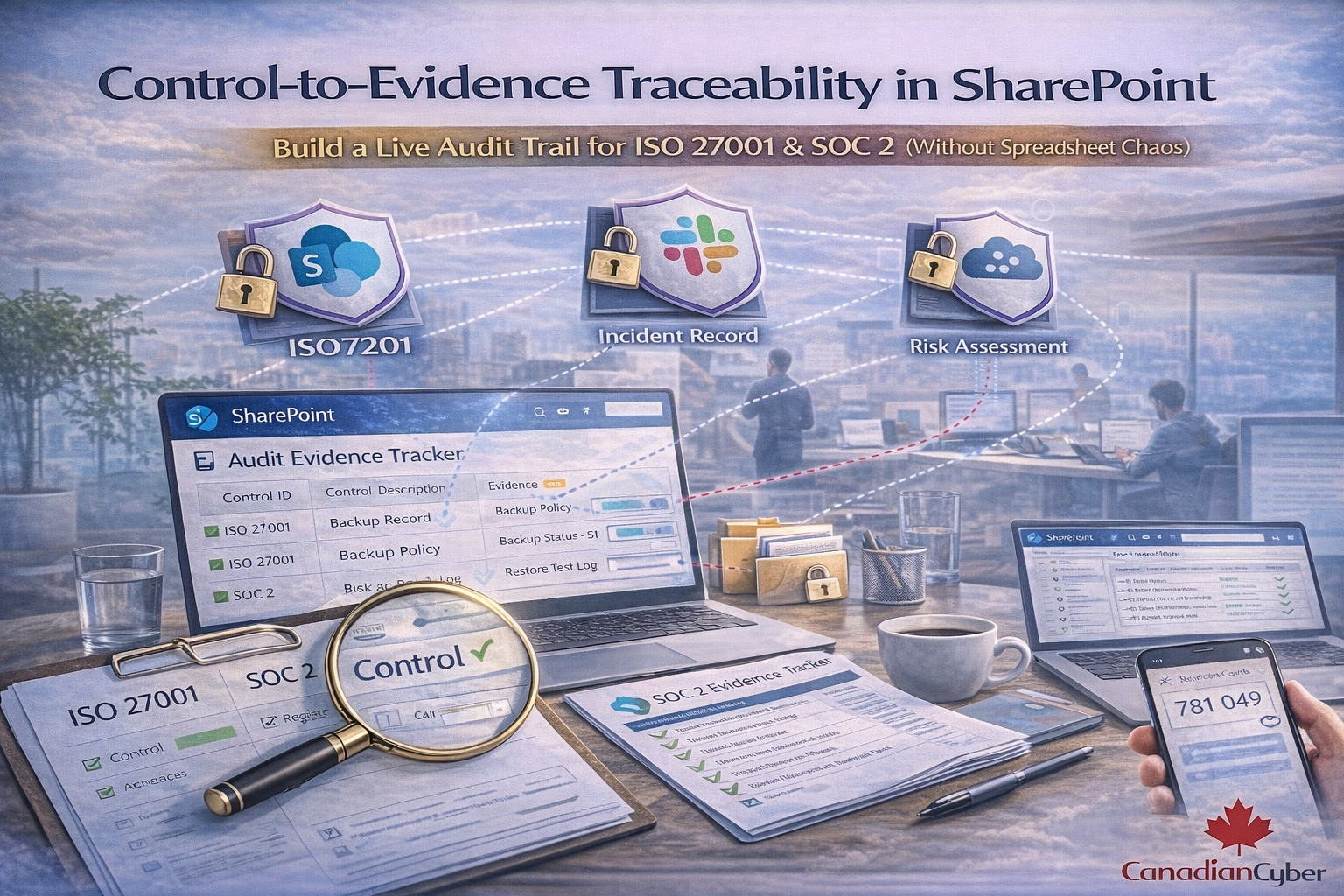
Main Hero Image
SharePoint ISMS • ISO 27001 • SOC 2 • Live Evidence Traceability

Control-to-Evidence Traceability in SharePoint

Build a Live Audit Trail for ISO 27001 & SOC 2 (Without Spreadsheet Chaos)

Audits don’t fail because you lack controls. They fail because you can’t prove controls operated consistently, over time, with traceable evidence.
This blog shows how to build a live audit trail in SharePoint that links Control → Requirement → Owner → Evidence → Test → Result for ISO 27001 and SOC 2.

Why audits fail
Evidence exists, but it isn’t traceable to controls and time periods.
What fixes it
A control register + evidence library + metadata + linking.
Outcome
Audits become repeatable. Evidence becomes routine.

Why control-to-evidence traceability is suddenly a big deal

Buyers and auditors have changed. They don’t just want a policy library and a pile of PDFs.

They want proof:

  • Who owned the control?
  • What evidence shows it worked?
  • Where is the record?
  • When was it last tested?
  • What changed since last quarter?
Modern shift
Teams are moving from “audit folders” to live evidence systems especially inside Microsoft 365.
If your ISMS lives in SharePoint, you already have the right platform. You just need the right structure.

The real audit pain: evidence exists, but it’s not traceable

What auditors commonly see
  • Evidence stored in random folders
  • File names like “final_final_policy_v7.pdf”
  • No mapping from evidence to controls
  • No proof of operating effectiveness (dates, samples, approvals)
  • No repeatability (each quarter becomes a scramble)

Result: internal audits take longer, findings increase, and surveillance audits feel like fire drills.

What “live audit trail” means (plain English)

A live audit trail means you can click through:

✅ Requirement (ISO clause / Annex A / SOC 2 CC)
→ ✅ Control statement (what you do)
→ ✅ Owner (who’s accountable)
→ ✅ Evidence (proof, with date)
→ ✅ Test method (how you verify)
→ ✅ Result (pass/fail/exception)
→ ✅ Follow-up (CAPA / action tracking)
This is what makes audits fast. Not more documents. Better traceability.

Why SharePoint is perfect for traceability (when configured correctly)

SharePoint becomes an audit system when you combine:

Structured tracking
  • Lists (control register)
  • Metadata (IDs, owners, periods)
  • Views (auditor-ready filters)
Evidence integrity
  • Document libraries
  • Versioning and approvals
  • Permissions and restricted deletion
Automation
  • Power Automate reminders
  • Task creation
  • Status dashboards
When implemented well, this reduces audit labour by 30–60% because evidence becomes routine and searchable.

The SharePoint traceability model (the one that works)

Step 1: Create a Control Register (SharePoint List)
Single source of truth for controls, owners, frequency, and testing.
Minimum fields to include

Field Example Why it matters
Control ID ISO-A.5.23, SOC2-CC6.1 Enables linking and audit filtering
Framework ISO / SOC 2 / Both Prevents duplicate work
Owner Name / role Auditors want accountability
Frequency Monthly / Quarterly Defines operating cadence
Evidence required Log review + sign-off Sets expectations upfront
Evidence link Link to library view/folder One-click traceability
Last collected / Next due 2026-03 / 2026-04 Shows operation over time
Testing method / Last tested Internal audit / 2026-Q1 Evidence of effectiveness checks
Why auditors like this:
it makes controls measurable and testable. They can see owner, frequency, and proof expectations in one view.

Step 2: Create an Evidence Library (SharePoint Document Library)
This is where proof lives, with versioning and permissions.
Simple naming convention
[ControlID]_[EvidenceType]_[YYYY-MM or YYYY-Q#]_[ShortDesc]
Examples
Example file name What it communicates
A.5.23_VendorReview_2026-02_M365_SecurityAddendum.pdf Control + evidence type + period + system
CC6.1_AccessReview_2026-Q1_AdminRoles.xlsx SOC 2 CC + quarterly operating evidence
A.5.15_LogReview_2026-03_SIEMAlertsSummary.pdf Monthly proof with clear time period
Why this matters:
audits are time-bound. Periods and dates matter more than “final” file names.

Step 3: Add Evidence Metadata (this is the magic)
Metadata turns a folder into a searchable evidence system.
Enable metadata columns in the Evidence Library:
  • Framework (ISO / SOC 2 / Both)
  • Control ID (lookup from Control Register if possible)
  • Evidence period (month/quarter/year)
  • Owner
  • System (M365, AWS, GitHub, HR, etc.)
  • Evidence category (access, change, incident, vendor, training)
  • Approved? (Yes/No) + approval date
Result:
you can filter instantly: “Show me all Q1 access evidence” or “Show me missing CC6 evidence.”
This replaces spreadsheet tracking
because the evidence library becomes the tracker.

Step 4: Link Control → Evidence (the click-through)
One rule creates traceability: every evidence file has a Control ID.
In your Control Register, include:
  • Evidence folder link (or filtered library view)
  • Required evidence list (what auditors expect)
  • Evidence cadence (monthly/quarterly)
Enforcement rule:
every evidence file must have a Control ID metadata tag.
That single rule creates a live audit trail.

Step 5: Add Operating Effectiveness (the missing piece)
Policies prove design. Auditors also want proof it operated.
Add “operating evidence” types per control:
  • Tickets (access changes, approvals)
  • Reports (patching, phishing, backups)
  • Logs (audit logs, admin logs)
  • Meeting minutes (management review)
  • Attestations (quarterly sign-offs)
  • Sampling sheets (audit samples)
Example:
Control: quarterly access review → evidence: review file + admin export + sign-off + remediation tickets (if any).
That is defensible.

ISO 27001 + SOC 2: map without duplicating work

Most teams overwork because they maintain ISO and SOC evidence separately. In SharePoint, the same evidence can satisfy both frameworks.

Example mappings
  • ISO 27001 clause 9.2 internal audit → SOC 2 monitoring evidence
  • ISO Annex A access control → SOC 2 CC6 series
  • ISO supplier controls → SOC 2 vendor management evidence
  • ISO incident management → SOC 2 incident response evidence
Best practice:
Add a “Framework coverage” field (ISO only / SOC 2 only / ISO + SOC 2). One evidence record can satisfy multiple controls.

Power Automate evidence collection (trendy and effective)

This is where SharePoint becomes a living ISMS. Evidence collection becomes routine.
Automations teams love
  • Monthly reminder to control owners: “Upload your log review evidence”
  • Quarterly access review task creation
  • Annual vendor review reminders
  • Overdue evidence dashboards
  • Auto-tagging evidence based on upload location
Audit effect
Evidence becomes routine. Audits become boring (in the best way).

What auditors will ask (and how SharePoint answers it fast)

Common audit questions → SharePoint answers
“Show me your top controls and evidence.”
Control Register view filtered by high-risk controls + evidence links.
“Show evidence for this control across the last 3 months.”
Evidence library view filtered by Control ID + evidence period.
“Who owns this control, and when was it last tested?”
Control Register fields: owner + last tested + testing method.
“How do you ensure evidence integrity?”
Permissions + versioning + approvals + restricted deletion.

Common failures (and how to avoid them)

Failure patterns
  • SharePoint becomes a folder dump
  • No dates or periods on evidence
  • Evidence exists but isn’t reviewed
  • Owners ignore reminders
Fixes that work
  • Use Lists + metadata + linking (not folders only)
  • Add “Evidence period” and enforce naming/metadata rules
  • Add “Approved” + sign-off workflow
  • Automate nudges + dashboards + escalation for overdue controls

Mid-CTA: See the SharePoint ISMS solution (built for traceability)
If you want ISO 27001 and SOC 2 evidence to feel controlled not chaotic Canadian Cyber’s SharePoint ISMS solution is built for control-to-evidence traceability.
We set up:
  • a live control register
  • evidence libraries with metadata
  • control-to-evidence linking
  • dashboards for overdue evidence
  • automation reminders via Teams/Email
  • internal audit-ready views

The 30-day rollout plan (realistic)

What “live audit trail” looks like in a month
  • Week 1: Control register + framework mapping + ownership
  • Week 2: Evidence library + metadata + folder structure
  • Week 3: Populate last 90 days evidence + fix gaps
  • Week 4: Automations + dashboards + internal audit dry run
Outcome:
audit readiness becomes ongoing, not seasonal.

Download the SharePoint Control-to-Evidence Starter Kit
Want the templates? Use this kit to design a traceability-first ISMS in SharePoint.
Includes:
  • Control Register (list column design + sample controls)
  • Evidence Library metadata design
  • Naming conventions and evidence period rules
  • ISO 27001 + SOC 2 crosswalk approach
  • Auditor-ready SharePoint views
Tip: Add your lead magnet URL to the “Get the Kit” button.

Follow Canadian Cyber
Practical cybersecurity + compliance guidance for Canadian teams:

© 2026 Canadian Cyber. All rights reserved.


Related Post







