



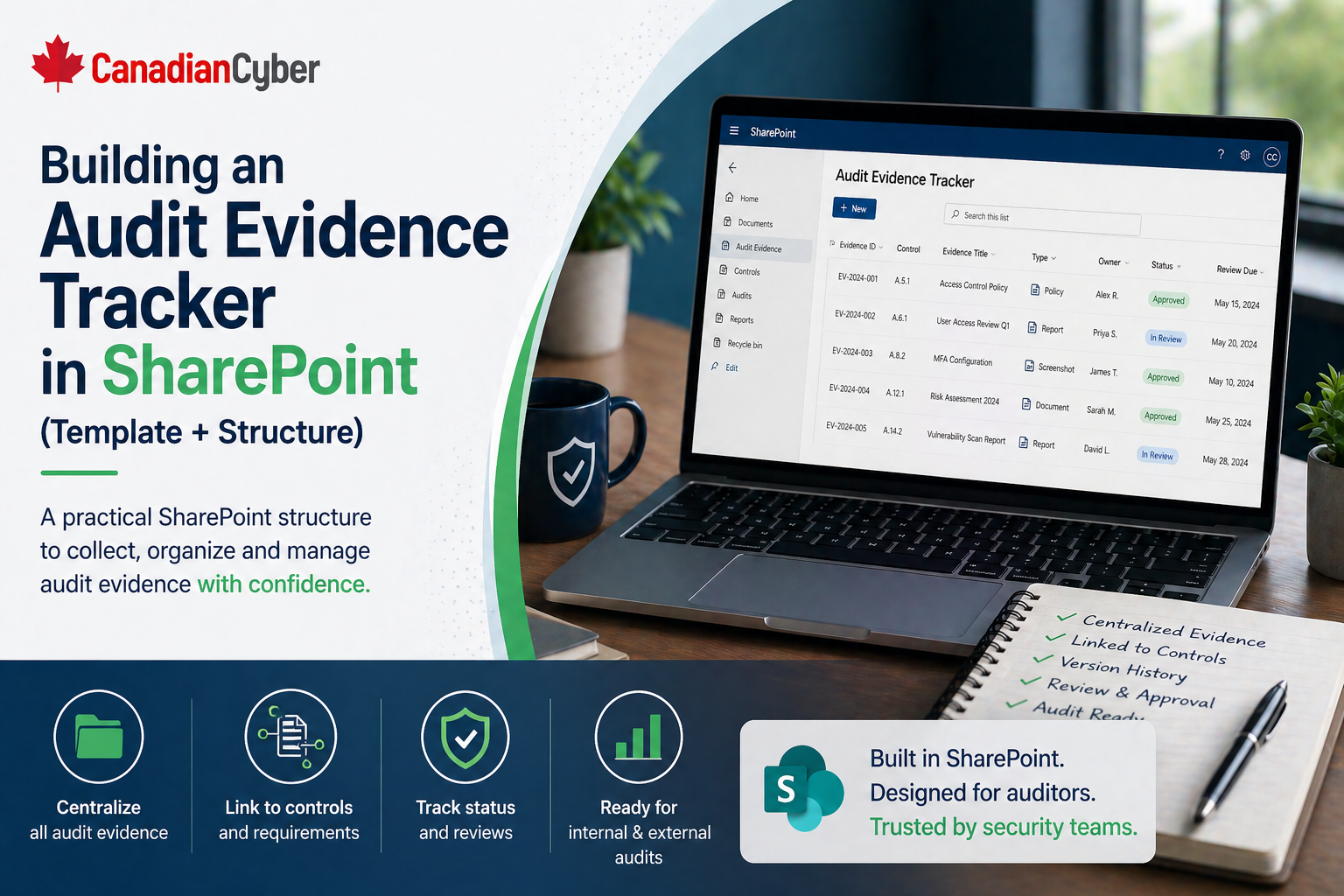
SharePoint ISMS • Audit Evidence • ISO 27001 & SOC 2
Building an Audit Evidence Tracker in SharePoint: Template + Structure
A SharePoint audit evidence tracker helps your team manage evidence requests, owners, due dates, control links, review status, and proof files in one clean workflow.
Quick Snapshot
| Tracker Area | Purpose |
|---|---|
| Evidence Requests | Tracks what auditors, customers, or internal reviewers are asking for |
| Ownership | Shows who must provide, review, or approve each evidence item |
| Control Links | Connects evidence to ISO 27001, SOC 2, internal controls, or customer requirements |
| Review Status | Shows whether evidence is missing, submitted, accepted, rejected, or tied to a gap |
Introduction
Audit evidence is easy to lose track of.
- A screenshot sits in one folder.
- A policy approval is buried in email.
- An access review is saved as Excel.
- A vendor report is uploaded without context.
- A control owner says, “I sent that last month,” but nobody can find it quickly.
The problem is usually not that evidence does not exist. The problem is that evidence is not tracked in a structured way.
A SharePoint audit evidence tracker fixes that by giving your team one place to manage evidence requests, owners, due dates, control links, review status, and proof files.
Tired of Searching for Audit Evidence?
Canadian Cyber helps teams build SharePoint evidence trackers that organize requests, owners, due dates, control links, and final proof.
Why You Need an Evidence Tracker
A folder full of audit files is not enough.
Auditors and customers usually need to know:
- what control the evidence supports
- who owns it
- what period it covers
- whether it is current
- whether it has been reviewed
- where the final proof is stored
- whether anything is still missing
Without a tracker, the compliance lead becomes the human search engine. That does not scale.
What the Tracker Should Do
A good SharePoint evidence tracker should help you answer:
- Which evidence is requested?
- Who owns each item?
- What is due soon?
- What is overdue?
- Which evidence has been submitted?
- Which evidence needs review?
- Which evidence has been accepted?
- Which controls still have gaps?
This turns evidence collection into a workflow, not a scramble.
Recommended SharePoint Structure
Create a dedicated audit evidence area inside your ISMS site.
| SharePoint Area | Purpose |
|---|---|
| Audit Evidence Tracker | SharePoint List for evidence requests, owners, due dates, and review status |
| Evidence Library | Document library for screenshots, reports, logs, policies, tickets, and certificates |
| Templates | Standard evidence request and review forms |
| Audit Reports | Final reports, summaries, and audit packages |
| Corrective Actions | Linked list for gaps found during evidence review |
Audit Evidence Tracker Template
Create a SharePoint List with these fields:
| Field | Type | Purpose |
|---|---|---|
| Evidence ID | Single line text | Unique tracking number |
| Audit / Review Name | Choice | ISO 27001, SOC 2, internal audit, customer review |
| Control Area | Choice | Access, vendors, incidents, backups, policies, and more |
| Evidence Owner | Person | Who must provide it |
| Due Date | Date | When it is needed |
| Status | Choice | Not started, requested, submitted, in review, accepted, rejected |
| Evidence Link | Hyperlink | Link to uploaded file |
| Corrective Action Link | Hyperlink | Link to remediation item if a gap is found |
Want This Tracker Built for Your Team?
We can help structure your SharePoint evidence tracker with fields, views, metadata, workflows, and corrective action links.
Evidence Library Metadata
Your document library should also use metadata. This makes evidence searchable instead of buried in folders.
| Metadata Field | Purpose |
|---|---|
| Evidence ID | Matches tracker item |
| Control Area | Helps filtering |
| Evidence Type | Screenshot, report, ticket, policy, log, certificate |
| Collection Date | Shows freshness |
| Period Covered | Supports audit period |
| Review Status | Draft, accepted, needs update |
Useful SharePoint Views
Create views that make audit prep easier:
- Evidence due this week
- Overdue evidence
- Evidence by owner
- Evidence in review
- Accepted evidence
- Rejected evidence
- Evidence by control area
- Gaps requiring corrective action
Good views save hours during audit preparation because the team can instantly see what is missing, overdue, accepted, or rejected.
Workflow Example
- Compliance lead adds evidence request.
- Owner receives notification.
- Owner uploads evidence to library.
- Owner adds evidence link to tracker.
- Reviewer checks completeness.
- Status changes to accepted or rejected.
- Any gaps become corrective actions.
- Final evidence package is ready for audit.
Turn Evidence Collection Into a Workflow
Canadian Cyber helps teams move from scattered uploads to structured evidence requests, review status, acceptance tracking, and remediation links.
Common Mistakes to Avoid
- Uploading files without context: A screenshot without date, source, or control link is weak evidence.
- Using folders only: Folders help storage, but they do not manage status or ownership.
- Not tracking review status: Submitted evidence is not always accepted evidence.
- Missing period covered: Auditors need to know which time period the evidence supports.
- No corrective action link: If evidence shows a gap, the gap must be tracked.
Canadian Cyber’s Take
At Canadian Cyber, we often see teams lose time because evidence is stored but not managed.
A strong SharePoint evidence tracker gives compliance teams one source of truth, clear ownership, better review visibility, stronger audit trails, faster evidence retrieval, and cleaner corrective action follow-up.
Takeaway
An audit evidence tracker in SharePoint should do more than store files.
It should manage:
- requests
- owners
- due dates
- control references
- evidence links
- review status
- gaps
- corrective actions
In audit prep, the real challenge is not only having evidence. It is proving the right evidence, at the right time, for the right control.
How Canadian Cyber Can Help
We help organizations build SharePoint-based audit evidence trackers for ISO 27001, SOC 2, internal audits, and customer security reviews.
- evidence tracker setup
- SharePoint metadata design
- audit evidence library structure
- corrective action workflows
- ISO 27001 and SOC 2 evidence mapping
- vCISO guidance for audit readiness
Stay Connected With Canadian Cyber
Follow Canadian Cyber for practical guidance on SharePoint ISMS, audit evidence, ISO 27001, SOC 2, corrective actions, and vCISO support.










