email-svg
Get in touch
info@canadiancyber.ca

How a vCISO Builds a 12-Month Third-Party Security Calendar

A practical guide showing how a vCISO builds a vendor risk management calendar and board-ready vendor risk pack to govern third-party security for ISO 27001 and SOC 2.
Main Hero Image
Vendor Risk • Board Reporting • Calendar Governance • Evidence-Ready

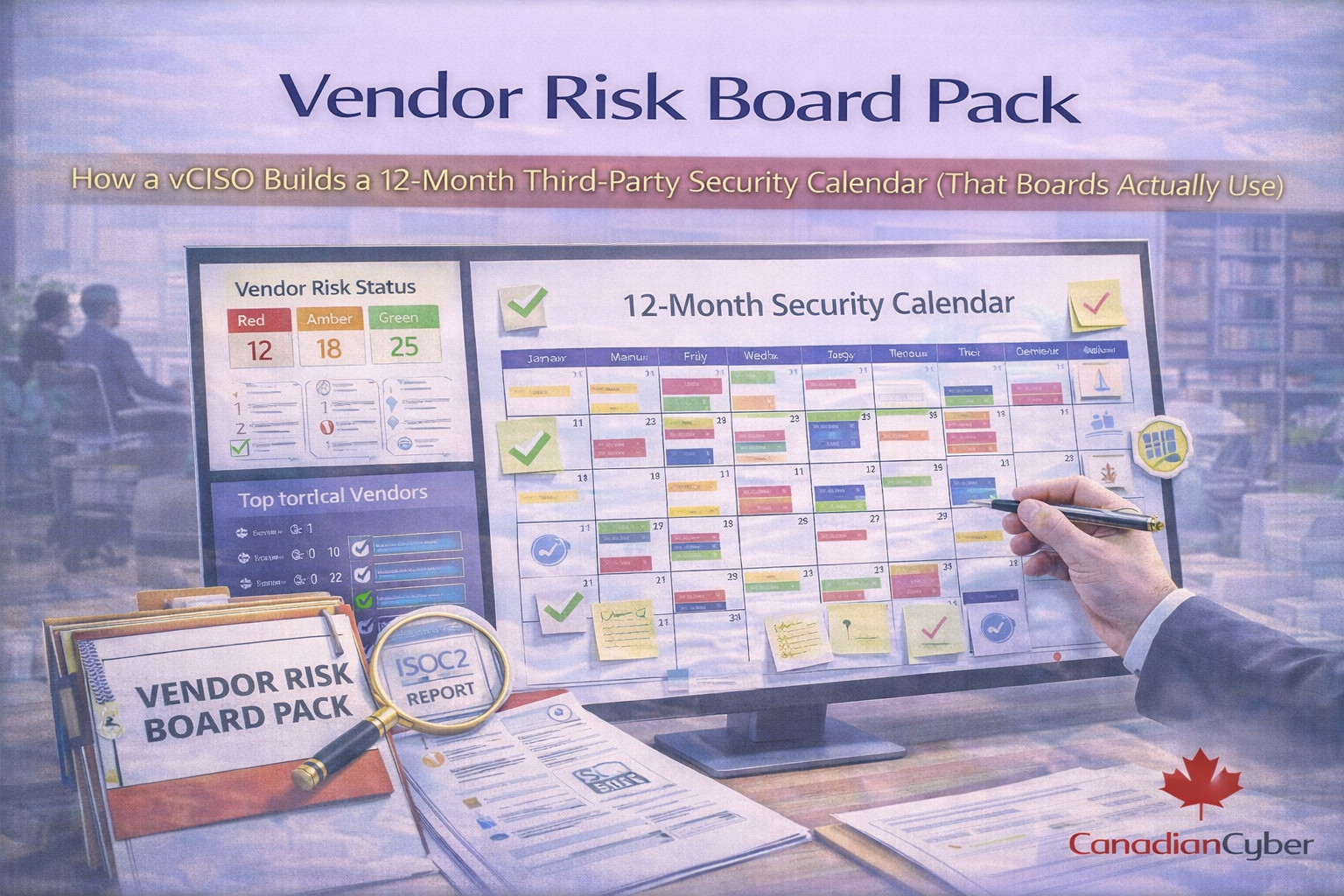
Vendor Risk Board Pack

How a vCISO Builds a 12-Month Third-Party Security Calendar (That Boards Actually Use)

Vendor risk doesn’t fail because you didn’t send a questionnaire. It fails because reviews are random, owners are unclear, and critical vendors go stale for 18 months. This guide shows how a vCISO builds a board-ready Vendor Risk Pack and a 12-month third-party security calendar so reviews happen on time, exceptions are controlled, and you can prove governance for ISO 27001 and SOC 2.

Board question
“How do we govern third-party security?”
Program killer
Random reviews + unclear owners + no decisions.
vCISO fix
Tiering + calendar + evidence + expiring exceptions.

Why vendor risk is now a board issue (not a procurement task)

Your security posture is the sum of your controls and your vendors’ controls. Boards care because third parties can cause breaches,
outages, regulatory exposure, failed audits, and real customer churn.

If a customer asks “How do you govern third-party security?” a spreadsheet won’t pass.
They want cadence, decisions, and proof.

The vendor risk problem most companies have (and don’t admit)

What it looks like in real life
  • onboarding check happens once
  • SOC 2 reports sit in inboxes
  • questionnaires are answered inconsistently
  • critical vendors aren’t re-reviewed
  • exceptions are granted in email
  • board sees vendor risk only after an incident
A vCISO fixes this by turning vendor risk into calendar governance.

What a Vendor Risk Board Pack includes

A board pack isn’t a vendor database. It’s a decision tool.

  • vendor risk posture snapshot (Red/Amber/Green)
  • critical vendor list (top 10–25 only)
  • 12-month security review calendar (who reviews what and when)
  • top vendor risks + mitigations (3–5 key issues)
  • exceptions and expiring risk acceptances
  • major changes (new vendors, new subprocessors, vendor incidents)
  • actions required from leadership (approvals, budget, policy decisions)

The vCISO method: build the 12-month third-party security calendar

Step 1: Define vendor tiers (so you don’t over-review everything)

A calendar only works when vendors are categorized by risk.

Tier Definition Examples Cadence
Tier 1 — Critical High impact + high access / core dependency Cloud hosting, identity provider, payment processor, MSP, core security tooling Quarterly touchpoints + annual deep review
Tier 2 — High Meaningful data or operational dependency Support platform, CRM, monitoring/logging, HRIS with employee data Annual review + quarterly monitoring (optional)
Tier 3 — Medium Limited data, low dependency Non-core SaaS, productivity tools with limited data Every 18–24 months or on change
Tier 4 — Low No sensitive data / replaceable Basic utilities with minimal risk Onboarding only (minimal oversight)
Board tip: boards do not want 200 vendors. They want the Tier 1 list.

Step 2: Set review events (repeatable checkpoints)

A calendar is built from repeatable events. A vCISO standardizes three review types.

Annual Deep Review (Tier 1 + Tier 2)
  • latest SOC 2 / ISO certificates
  • security questionnaire refresh (as needed)
  • contract clause check (incident notification, subprocessors, data handling)
  • access validation (SSO/SCIM/admin accounts)
  • risk assessment update + decision (approved / conditional / exit plan)
Quarterly Monitoring Check (Tier 1; optional Tier 2)
  • vendor incident/news check
  • change notifications and subprocessor changes
  • SLA performance (uptime, support)
  • open security issues + remediation status
  • update risk rating if needed
Triggered Review (All tiers)
Triggered by incidents, new subprocessors, major product changes (data location, encryption, auth model), contract renewal, new customer requirements, or changes in your own data classification/use case.

Step 3: Build the calendar around contract renewals (secret leverage)

The best vendor governance happens before renewal. That’s when you can negotiate stronger security clauses, incident timelines, assurance access, subprocessor notifications, and deletion/retention commitments.

Step 4: Assign owners (so reviews actually happen)

  • Business owner: service owner
  • Security owner: risk assessment reviewer
  • Procurement/legal owner: contract oversight
Audit value: proves governance and accountability.

Step 5: Define evidence expectations (so reviews are auditable)

Annual deep review evidence (minimum)
  • SOC 2 Type II report or ISO certificate (or equivalent)
  • completed vendor risk review checklist
  • contract clause verification (incident, subprocessors, data handling)
  • risk decision recorded (approve/conditional/accept risk)
  • remediation tickets for gaps (if any)
Quarterly monitoring evidence (minimum)
  • monitoring notes (incidents/changes)
  • open issues tracker
  • confirmation of no material changes (or list of changes)
Key rule: don’t just store PDFs. Store review notes + the decision.

Example: a 12-month vendor security calendar (board-friendly view)

You don’t need to review everything every month. You need predictable governance over what matters most.
Month Focus Tier 1 Deep Reviews Quarterly Monitoring Board Notes
Jan Year kickoff Cloud hosting + Identity Tier 1 monitoring Confirm top vendor risk themes
Feb Data processors Support platform, CRM Tier 1 monitoring Any vendor incidents?
Mar Finance + payments Payment processor Tier 1 monitoring Review exceptions expiring
Apr Security tooling SIEM/EDR vendor Tier 1 monitoring Budget requests?
May HR + internal HRIS vendor Tier 1 monitoring Workforce data risk
Jun Mid-year deep dive MSP / key integrator Tier 1 monitoring Renewal negotiations
Jul Summer check Tier 1 monitoring Reduced change period
Aug Subprocessor sweep Critical vendors’ subprocessors Tier 1 monitoring Material changes summary
Sep Continuity focus DR / backup vendors Tier 1 monitoring Resilience posture
Oct Contract season Vendors renewing Q4/Q1 Tier 1 monitoring Negotiation leverage
Nov Audit readiness Evidence pack check Tier 1 monitoring ISO/SOC alignment
Dec Year-end wrap High-risk exceptions review Tier 1 monitoring Board summary + plan

What goes into the board pack (the slides that win trust)

1) Vendor risk posture dashboard (one slide)
  • Tier 1 count / Tier 2 count
  • Amber/Red vendors
  • vendor incidents this quarter
  • expiring risk acceptances
2) Critical vendor list (top 10–25)
For each: service name, data type (PII/confidential), dependency (availability/security), renewal month, assurance (SOC2/ISO), risk rating.
3) Top vendor risks (3–5)
Examples: SOC 2 exceptions, weak incident clause, data residency change, MFA evidence missing, subprocessor sprawl.
4) Decisions needed from leadership
Accept residual risk until date X, approve budget for replacement, approve stronger clauses, approve exit plan.

Turn vendor risk into a working system (not a spreadsheet)
Canadian Cyber’s vCISO + ISMS SharePoint solution can tier vendors, build your 12-month calendar, and produce board-ready evidence.
We can help you:
  • tier vendors correctly and define cadence
  • build a 12-month third-party security calendar
  • automate reminders and escalations in Microsoft 365
  • track risk acceptances with expiry dates
  • create a board-ready vendor risk pack with evidence

How our ISMS SharePoint solution makes the calendar work (without chaos)

  • Vendor Register (List): tiers, owners, renewal dates, data types
  • Review Calendar (List): monthly/quarterly/annual review tasks linked to vendors
  • Evidence Library: tagged by vendor + period + control mapping
  • Teams Approvals: conditional approvals + risk acceptances
  • Dashboards: reviews due, overdue, expiring acceptances, missing SOC updates

Common mistakes (and how a vCISO avoids them)

  • reviewing every vendor equally → tiering fixes this
  • only annual reviews → add quarterly monitoring for Tier 1
  • no owner → assign business + security + contract owners
  • no decision record → store review notes + approval outcome
  • risk acceptance with no expiry → enforce expiry and reminders
  • no leverage at renewal → align review timing to renewals

Download the Vendor Risk Board Pack Template
Want the exact templates? Use this toolkit to operationalize vendor governance with a calendar boards will actually use.
Includes:
  • vendor tiering model
  • critical vendor board dashboard layout
  • 12-month calendar template
  • annual deep review checklist
  • quarterly monitoring checklist
  • risk acceptance template with expiry
  • SharePoint list field designs (Vendor Register + Review Calendar)

Follow Canadian Cyber
Practical cybersecurity + compliance guidance:

© 2026 Canadian Cyber. All rights reserved.


Related Post