Checklist • SharePoint ISMS • ISO 27001 Evidence
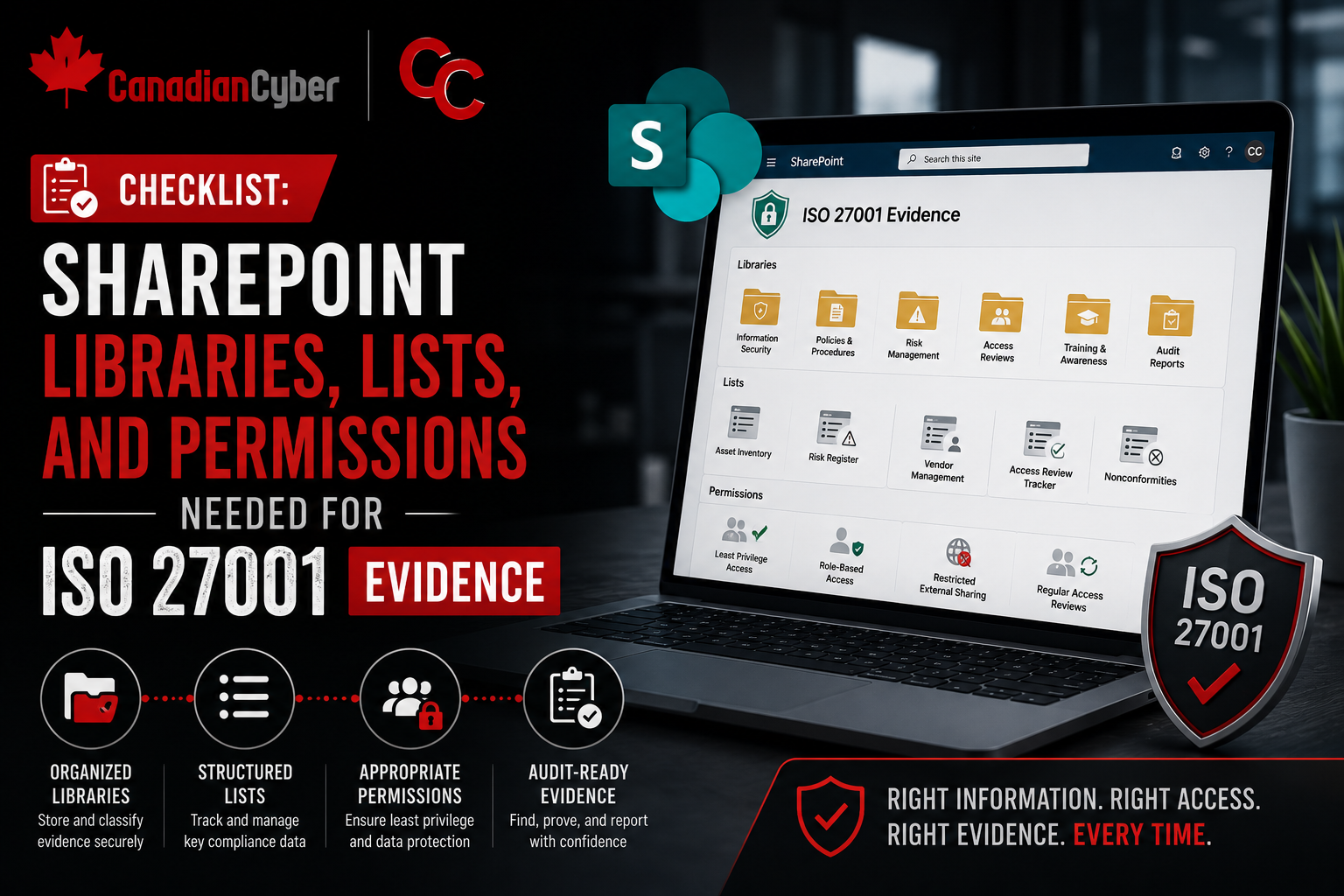
Checklist: SharePoint Libraries, Lists, and Permissions Needed for ISO 27001 Evidence
A strong SharePoint ISO 27001 evidence setup needs the right libraries, the right lists, and the right permissions before audit pressure begins.
Quick Snapshot
| SharePoint Area | ISO 27001 Purpose |
|---|---|
| Libraries | Store policies, audit evidence, internal audit files, management review records, and templates. |
| Lists | Track risks, SoA controls, corrective actions, vendors, access reviews, incidents, and evidence requests. |
| Permissions | Protect sensitive evidence while enabling control owners and auditors to do their work. |
| Views | Surface overdue evidence, policies due for review, high risks, vendor reviews, and open findings. |
Introduction
ISO 27001 evidence gets messy fast when SharePoint is not structured properly.
- Policies sit in one folder.
- Risk registers live in Excel.
- Vendor reviews are scattered.
- Corrective actions are tracked in email.
- Access review evidence is saved without context.
- Audit files are copied into multiple places.
The problem is not whether the control exists. The problem is whether the team can find the right evidence, show who owns it, prove it is current, and explain how permissions are controlled.
In simpler terms: a strong SharePoint ISO 27001 evidence setup needs the right libraries, the right lists, and the right permissions before audit pressure begins.
Is Your ISO 27001 Evidence Scattered?
Canadian Cyber helps organizations design SharePoint ISMS environments that make evidence easier to manage, secure, and retrieve during audits.
Why SharePoint Structure Matters for ISO 27001
SharePoint can be an excellent ISO 27001 evidence workspace. But only if it is designed as an ISMS operating environment, not just a document dump.
A good SharePoint setup helps the team manage:
- controlled policies
- risk records
- Statement of Applicability evidence
- access reviews
- vendor reviews
- incident records
- corrective actions
- internal audits
- management reviews
- monthly evidence collection
The key is structure. You need libraries for documents, lists for tracking, and permissions that prevent sensitive evidence from being exposed too broadly.
Part 1: SharePoint Libraries You Need
1. Policy and Procedure Library
This library should store controlled documents such as:
- information security policy
- access control policy
- risk management procedure
- incident response plan
- vendor management policy
- acceptable use policy
- backup and recovery procedure
- secure development policy
- data classification policy
| Recommended Metadata | Purpose |
|---|---|
| Document Owner | Shows accountability |
| Document Type | Policy, procedure, standard, template |
| Version | Supports document control |
| Approval Status | Draft, pending approval, approved, archived |
| Approver | Records sign-off |
| Approval Date | Shows governance |
| Next Review Date | Prevents stale documents |
| Related ISO Control | Links to ISO 27001 requirement |
2. Audit Evidence Library
This is the main evidence storage area. It should hold:
- screenshots
- system reports
- access review exports
- training reports
- backup test records
- vendor evidence
- incident records
- change management samples
- meeting minutes
| Recommended Metadata | Purpose |
|---|---|
| Evidence ID | Unique tracking number |
| Control Area | Access, vendors, incidents, backup, and more |
| ISO Control Reference | Maps evidence to requirement |
| Evidence Type | Screenshot, report, log, ticket, minutes |
| Evidence Owner | Person responsible |
| Period Covered | Shows audit relevance |
| Collection Date | Shows freshness |
| Review Status | Submitted, reviewed, accepted, needs update |
3. Internal Audit Library
Use this library for:
- audit plans
- audit checklists
- interview notes
- evidence request files
- internal audit reports
- audit schedules
4. Management Review Library
Use this library for:
- meeting agendas
- management review presentations
- minutes
- risk summaries
- corrective action summaries
- incident summaries
- improvement plans
5. Templates Library
Create one controlled library for standard templates:
- risk assessment template
- risk treatment plan
- access review template
- vendor review template
- incident record template
- corrective action template
- internal audit checklist
- management review agenda
- evidence request form
Part 2: SharePoint Lists You Need
1. Risk Register
Use a SharePoint List instead of a static spreadsheet.
| Recommended Field | Purpose |
|---|---|
| Risk ID | Unique risk record |
| Risk Owner | Accountable person |
| Asset / Process | What the risk affects |
| Existing Controls | Current safeguards |
| Residual Risk | Remaining risk |
| Treatment Decision | Mitigate, accept, transfer, avoid |
| Review Date | Next risk review |
| Evidence Link | Supporting evidence |
2. Statement of Applicability Tracker
The SoA should be structured and easy to update.
- control ID
- control name
- applicability
- justification
- implementation status
- control owner
- related policy
- evidence link
3. Corrective Action Tracker
Use this for audit findings, incidents, risk treatment actions, and improvement items.
- action ID
- source
- issue description
- root cause
- owner
- priority
- due date
- status
- evidence link
Need SharePoint Lists for ISO 27001?
Canadian Cyber helps build risk registers, SoA trackers, corrective action trackers, vendor registers, access review trackers, and incident registers.
4. Vendor Register
Use this list to manage supplier risk. Recommended fields include:
- vendor name
- service provided
- business owner
- data handled
- criticality
- security evidence reviewed
- contract or DPA status
- last review date
- next review date
5. Access Review Tracker
Use this list to track access reviews across key systems. Recommended fields include:
- system name
- review period
- reviewer
- user list link
- changes required
- removal evidence
- approval date
- status
6. Incident Register
Track incidents and near misses with fields such as:
- incident ID
- date detected
- reported by
- incident type
- severity
- owner
- affected systems
- response actions
- closure summary
- corrective action link
7. Evidence Request Tracker
Use this during audits and monthly evidence collection. Recommended fields include:
- request ID
- audit or review name
- control area
- evidence requested
- evidence owner
- due date
- status
- evidence link
- reviewer notes
Part 3: Permissions You Need
1. Use Least Privilege
Not everyone needs access to all ISO 27001 evidence.
Restrict sensitive areas such as:
- incident records
- vulnerability reports
- audit findings
- risk register
- management review materials
- vendor weaknesses
- access review evidence
2. Create Permission Groups
| Group | Access Level |
|---|---|
| ISMS Owners | Full control |
| Compliance Team | Edit |
| Control Owners | Contribute to assigned areas |
| Internal Auditors | Read or limited edit |
| Leadership | Read management review and dashboards |
| External Auditors | Time-limited read access |
| General Employees | Read approved policies only |
Evidence often contains sensitive internal security information. Treat it accordingly.
3. Separate Sensitive Libraries
Do not store everything in one open site. Create tighter permissions for:
- incident records
- internal audit findings
- vulnerability evidence
- access reviews
- executive management review
4. Control External Sharing
External auditor or consultant access should be:
- time-limited
- read-only where possible
- restricted to relevant folders or libraries
- reviewed and removed after use
5. Review Permissions Regularly
Create a quarterly permission review for the ISMS site. Check:
- who has access
- guest users
- broken inheritance
- direct permissions
- group membership
- inactive users
- external links
Are Your SharePoint Permissions Audit-Ready?
Canadian Cyber helps review SharePoint permissions, guest access, external sharing, broken inheritance, and evidence library exposure.
Part 4: Useful SharePoint Views
Create filtered views to reduce manual work.
| Evidence due this month |
| Overdue evidence requests |
| Policies due for review |
| High residual risks |
| Overdue corrective actions |
| Vendors due for review |
| Access reviews pending |
| Incidents awaiting closure |
| SoA controls missing evidence |
| Audit findings pending verification |
Common Mistakes to Avoid
- Using folders only: Folders do not track status, owners, due dates, or control mapping.
- Giving everyone access to everything: Oversharing creates audit and data exposure risk.
- Keeping risk and corrective actions in Excel forever: Lists are better for live tracking and accountability.
- Uploading evidence without metadata: Evidence without context is hard to defend.
- Forgetting permission reviews: An ISMS site can become risky if access is not reviewed.
- Not linking evidence to controls: Auditors need to see what each file proves.
Canadian Cyber’s Take
At Canadian Cyber, we often see organizations using SharePoint for ISO 27001 but missing the structure needed to make it audit-ready.
The best SharePoint ISMS setups combine:
- controlled libraries
- structured lists
- metadata
- filtered views
- tight permissions
That combination turns SharePoint into an ISMS engine instead of a document dump.
Takeaway
For ISO 27001 evidence, SharePoint should be built around three things:
- Libraries for controlled documents and evidence.
- Lists for live tracking of risks, vendors, actions, incidents, and audits.
- Permissions that protect sensitive records while enabling collaboration.
ISO 27001 evidence is not just about storing proof. It is about managing it securely, finding it quickly, and showing clearly how it supports the ISMS.
How Canadian Cyber Can Help
At Canadian Cyber, we help organizations design SharePoint ISMS environments that support ISO 27001 evidence, audit readiness, and continuous compliance.
- SharePoint library and list setup
- evidence metadata design
- permission governance
- risk and SoA trackers
- corrective action workflows
- internal audit workspaces
- vCISO guidance for ISO 27001 readiness
Stay Connected With Canadian Cyber
Follow Canadian Cyber for practical guidance on SharePoint ISMS setup, ISO 27001 evidence, audit readiness, permission governance, and vCISO support.