



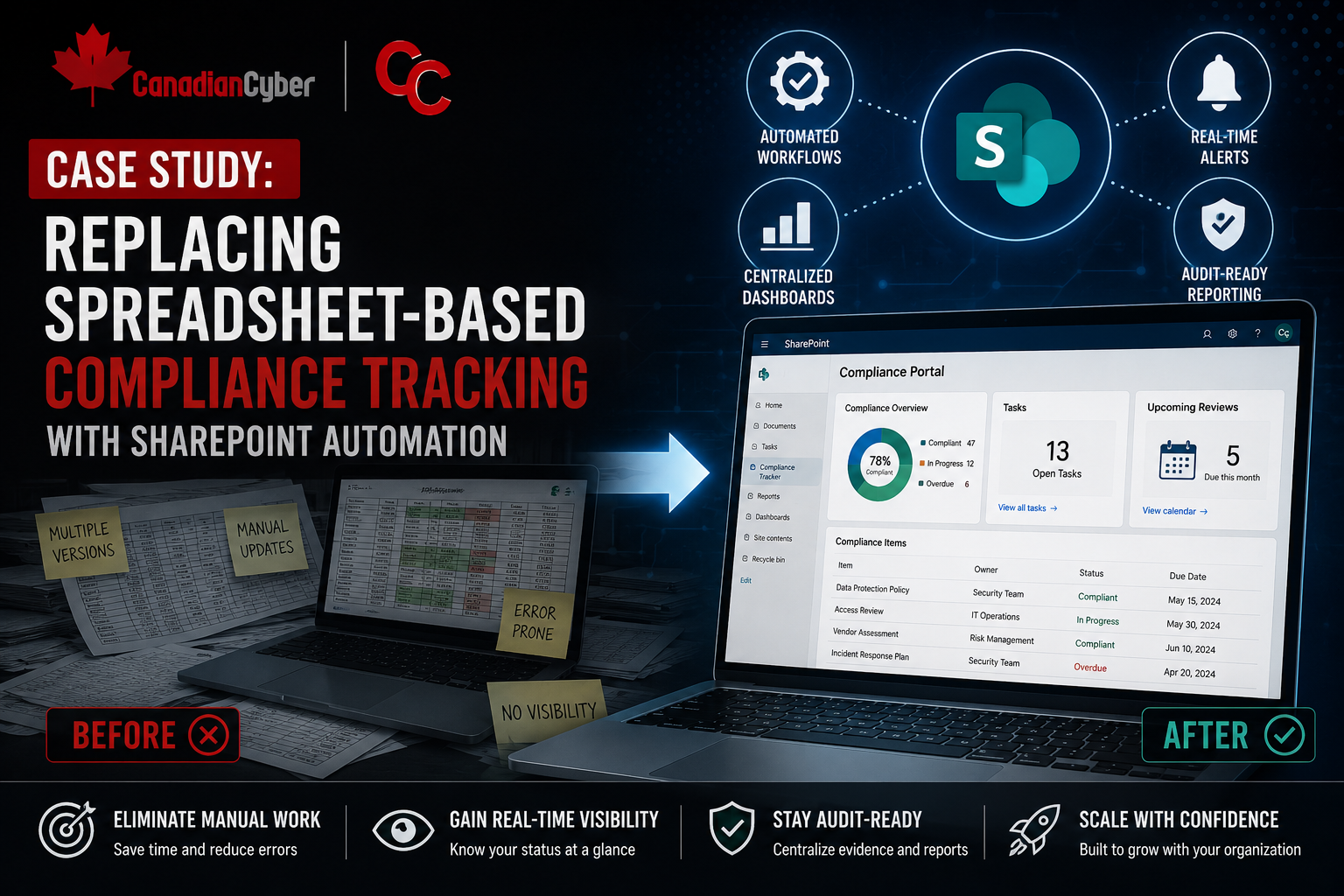
Case Study • SharePoint Automation • Compliance Tracking
Case Study: Replacing Spreadsheet-Based Compliance Tracking with SharePoint Automation
A growing compliance program replaced manual spreadsheet tracking with SharePoint Lists, reminders, dashboards, and evidence workflows.
Quick Snapshot
| Old Method | SharePoint Improvement |
|---|---|
| Excel trackers | Live SharePoint Lists with owners, due dates, statuses, and evidence links. |
| Manual reminders | Automated reminders for overdue actions, policy reviews, vendor reassessments, and evidence requests. |
| Monthly report rebuilding | Dashboard views for leadership reporting and audit readiness. |
| Scattered evidence | Evidence requests linked to controls, owners, review status, and reviewer notes. |
Introduction
Spreadsheets are often where compliance programs begin.
But as audits, risks, vendors, policies, and corrective actions grow, spreadsheets start creating friction.
The problem was not lack of effort. The problem was that the compliance process had outgrown spreadsheets.
This case study shows how a fictional company replaced spreadsheet-based compliance tracking with SharePoint automation and built a cleaner, faster, more audit-ready system.
Still Running Compliance From Spreadsheets?
Canadian Cyber helps organizations replace spreadsheet-heavy compliance tracking with practical SharePoint automation, dashboards, and evidence workflows.
The Company
Let’s call the company NorthBridge SaaS.
NorthBridge was preparing for ISO 27001 and SOC 2 readiness.
The team tracked compliance through spreadsheets for:
- risks
- corrective actions
- vendor reviews
- evidence requests
- policy reviews
- access reviews
- internal audit findings
At first, this worked. But as more owners and controls were added, the system became harder to manage.
The Problem
The compliance lead was spending too much time on manual follow-up.
Common issues included:
- multiple versions of trackers
- overdue actions missed
- evidence links broken or outdated
- policy review dates forgotten
- vendor reviews not reassessed on time
- owners unsure what they needed to update
- leadership reports rebuilt manually every month
The spreadsheet was no longer helping the ISMS run. It was slowing it down.
The Turning Point
During audit preparation, the team needed to answer important questions quickly.
- Which corrective actions are overdue?
- Which risks need review?
- Which vendors are missing evidence?
- Which policies are due this quarter?
- Which evidence requests are still open?
The answers existed somewhere. But finding them took too long.
That is when leadership approved the move to SharePoint automation.
The Solution
NorthBridge replaced key spreadsheets with SharePoint Lists, metadata, automated reminders, and dashboard views.
The goal was simple: make compliance work visible, assigned, and easier to follow up.
1. Risk Register Automation
The risk register became a SharePoint List.
It included:
- risk owner
- residual risk
- treatment action
- due date
- review date
- status
- evidence link
Automation sent reminders before review dates and flagged overdue treatment actions.
Need a Risk Register That Sends Reminders?
Canadian Cyber helps build SharePoint risk registers with owners, due dates, review reminders, evidence links, and dashboard views.
2. Corrective Action Tracking
Corrective actions were moved into a live tracker.
Each action included:
- owner
- priority
- due date
- status
- evidence of completion
- verification status
Automated reminders went to owners before due dates. Overdue actions were visible in a dashboard.
3. Vendor Review Workflow
The vendor spreadsheet became a vendor register.
The team tracked:
- vendor criticality
- data handled
- security evidence reviewed
- owner
- last review date
- next review date
SharePoint reminders helped ensure critical vendors were reassessed on time.
4. Policy Review Automation
Policies were moved into a controlled SharePoint library with metadata.
Metadata included:
- document owner
- approval status
- version
- approval date
- next review date
Policy owners received automated reminders when reviews were due. This reduced stale policy risk.
5. Evidence Request Tracker
Audit evidence requests were tracked in SharePoint.
Each request included:
- control area
- evidence owner
- due date
- evidence link
- review status
- reviewer notes
This made audit preparation much easier. The compliance lead could quickly see what was submitted, accepted, or missing.
The Results
Within a few months, NorthBridge saw major improvements.
| Improvement | Impact |
|---|---|
| Manual follow-up decreased | Owners received reminders automatically. |
| Audit prep became faster | Evidence status was visible in one place. |
| Leadership reporting improved | Dashboards replaced manual spreadsheet summaries. |
| Corrective actions closed faster | Overdue items were easier to see and escalate. |
| Policy reviews stopped slipping | Review dates were tracked directly in SharePoint. |
| Vendor oversight became consistent | Critical vendors had clear reassessment cycles. |
Time Saved
The team estimated meaningful time savings across recurring compliance work.
| Activity | Before | After |
|---|---|---|
| Monthly corrective action follow-up | 8 hours | 2 hours |
| Evidence request tracking | 10 hours | 4 hours |
| Vendor review reporting | 6 hours | 2 hours |
| Policy review tracking | 5 hours | 1 hour |
| Leadership status reporting | 7 hours | 2 hours |
The biggest benefit was not just saved time. It was reduced uncertainty.
What Made the Project Work
The company succeeded because it did not overcomplicate the system.
It focused first on:
- risks
- corrective actions
- vendors
- policies
- evidence requests
Each tracker had owners, dates, statuses, and links. Automation was used for reminders and visibility, not to replace human judgment.
Lessons Learned
- Spreadsheets are fine early: But they become risky when compliance becomes recurring and multi-owner.
- Automation works best with clean fields: Owners, due dates, and statuses must be standardized.
- Evidence needs context: A file link is stronger when tied to a control, owner, and review period.
- Dashboards reduce meeting time: Leadership can review status faster when data is structured.
- Start small: Automate the highest-friction workflows first.
Turn SharePoint Into a Compliance Engine
Canadian Cyber helps teams set up SharePoint trackers, automated reminders, dashboards, evidence libraries, and vCISO-supported compliance workflows.
Canadian Cyber’s Take
At Canadian Cyber, we often see teams using spreadsheets long after the compliance program has outgrown them.
The issue is not Excel itself.
The issue is using Excel as the operating system for risks, evidence, vendors, policies, and corrective actions.
A SharePoint-based system works better when compliance needs:
- ownership
- reminders
- review cycles
- evidence links
- dashboards
- audit trails
That is how SharePoint becomes a compliance engine instead of just another storage location.
Takeaway
Replacing spreadsheet-based compliance tracking with SharePoint automation can save time, reduce audit stress, and improve accountability.
The best place to start is usually:
- risk reviews
- corrective actions
- vendor reassessments
- policy approvals
- evidence requests
Compliance tracking should not depend on one person manually updating spreadsheets. It should be structured enough that the system helps the team stay ready.
How Canadian Cyber Can Help
At Canadian Cyber, we help organizations replace spreadsheet-heavy compliance tracking with practical SharePoint automation.
- SharePoint compliance tracker setup
- risk and corrective action workflows
- vendor review automation
- policy approval tracking
- audit evidence libraries
- dashboard and reporting views
- vCISO support for continuous compliance
Stay Connected With Canadian Cyber
Follow Canadian Cyber for practical guidance on SharePoint automation, ISO 27001, SOC 2, audit readiness, evidence tracking, and vCISO support.










