SOC 2 • Audit Automation • API Evidence • Compliance Ops • SaaS Audit Readiness
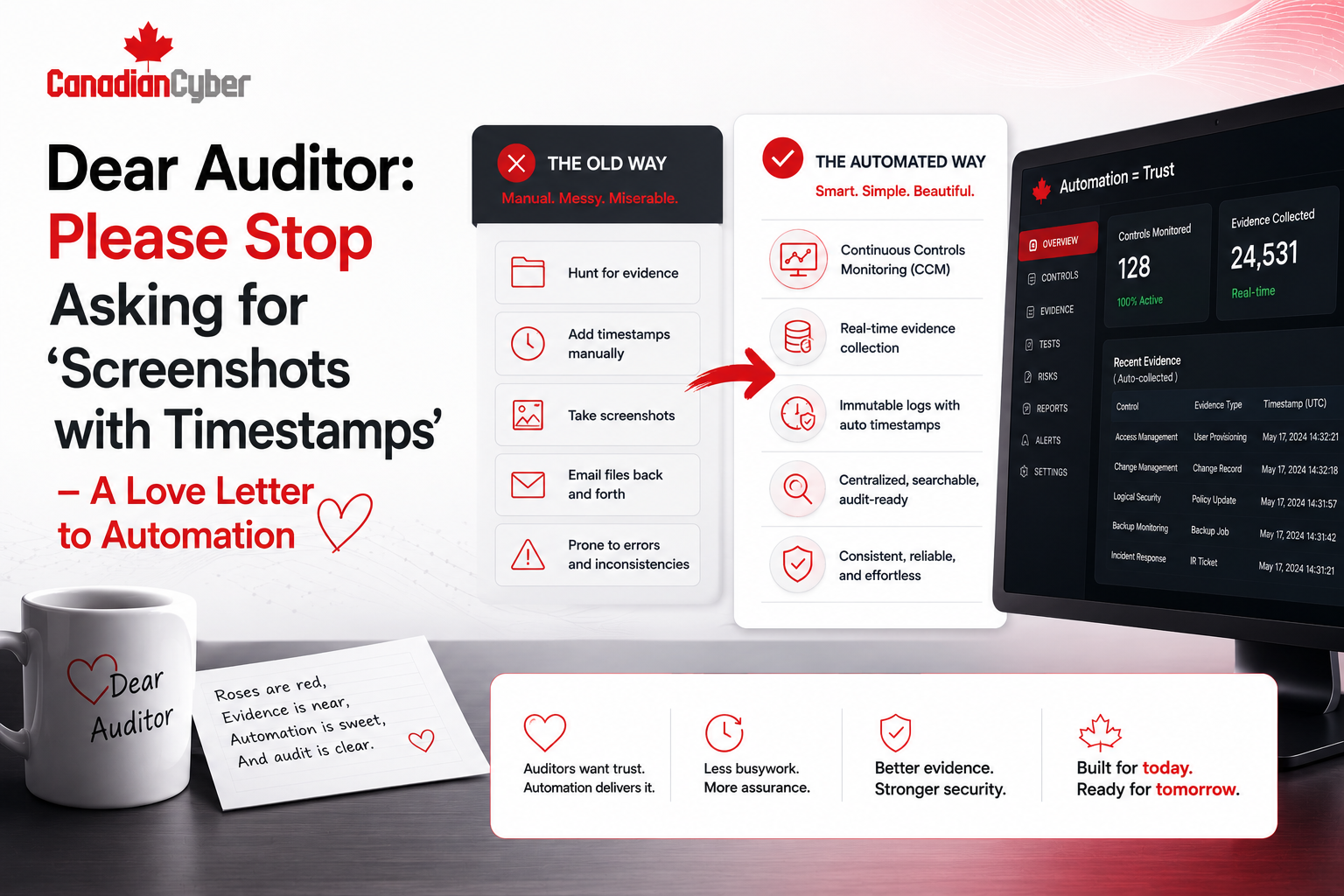
Dear Auditor: Please Stop Asking for “Screenshots with Timestamps” — A Love Letter to Automation
Screenshots still have a place. But when systems can provide reliable, time-stamped, read-only evidence through APIs, SaaS teams should not build audit packages like it is 2011.
Quick Snapshot
| Audit Evidence Problem | Better Approach |
|---|---|
| Manual screenshots | Read-only API access or automated exports. |
| Evidence collected once | Evidence collected continuously or on schedule. |
| Engineer time wasted | Compliance evidence pulled from source systems. |
| Auditor follow-up questions | Evidence mapped clearly to controls. |
| Outcome | Faster audits, fewer interruptions, and stronger evidence integrity. |
Introduction
Dear auditor,
We respect the work.
We know you need evidence. We know you need timestamps. We know you need proof that controls operated during the audit period. We know screenshots are familiar.
But please.
No more asking engineers to open five admin portals, filter audit logs, zoom in on the timestamp, take screenshots, paste them into a document, label them manually, and upload them into a folder called SOC2_Evidence_Final_v3.
There is a better way.
Modern SaaS teams live in systems that already produce evidence:
- Entra ID and Okta
- AWS, Azure, and GCP
- GitHub and GitLab
- Jira and ticketing systems
- Datadog and Sentinel
- Vanta, Drata, and Secureframe
- MDM tools and HRIS platforms
- cloud backup and logging tools
These systems already know who logged in, who approved access, who changed code, which device is encrypted, which vendor review is due, and which control failed. The issue is not whether evidence exists. The issue is how we collect it.
This is a love letter to audit automation: fewer screenshots, better evidence, cleaner audits.
Why Screenshots Became the Default
Screenshots became common because they are easy to understand.
The process seems simple:
- an auditor asks for proof
- the team opens the system
- someone takes a screenshot
- the screenshot shows the setting, log, user list, or report
- the auditor reviews it
Simple in theory. Painful in practice.
| Screenshot Issue | Why It Hurts |
|---|---|
| Manual collection | Engineers and IT teams waste hours gathering proof. |
| Weak repeatability | Different people capture evidence differently. |
| Missing context | A screenshot may not show filters, scope, or full data. |
| Timestamp disputes | The image may not prove the full period reviewed. |
| Audit fatigue | Teams repeat the same work every audit cycle. |
Screenshots are not always bad. But they are a poor default when a system can produce better evidence.
No More Login Audit Log Screenshots
Here is a familiar audit request:
“Please provide screenshots showing login audit logs for the audit period.”
The compliance lead forwards it to engineering.
Engineering opens the admin portal, filters the date range, takes screenshots, realizes the screenshot only shows one page, takes more screenshots, adds timestamps, uploads them, and waits.
Then the auditor asks for another sample.
Repeat.
This is not a control test. This is screenshot archaeology.
Better Approach
Give the auditor structured evidence from the source system, such as:
- read-only API export
- scheduled audit log export
- CSV or JSON report
- compliance platform evidence pull
- SIEM query export
- ticketing system report
- access review record with metadata
| Instead of 12 Screenshots | Use a Cleaner Evidence Set |
|---|---|
| Login audit log screenshots. | AccessControl-EntraID-LoginAuditLogExport-2026-Q1.csv |
| Manual explanation in email. | AccessControl-EntraID-ExportMethodology-2026-Q1.pdf |
| Unclear evidence ownership. | AccessControl-EntraID-ReadOnlyAuditAccessApproval-2026-Q1.pdf |
What API-Based Evidence Means
API-based evidence means collecting audit proof directly from the system of record using a controlled, repeatable method.
It may be pulled by:
- a compliance automation platform
- a custom script
- a cloud-native export
- a SIEM integration
- a read-only auditor account
- a scheduled report
- a SharePoint workflow
| Control Area | API-Based Evidence |
|---|---|
| MFA | Identity provider report showing MFA status. |
| Access Reviews | User list export, review status, approvals, and exceptions. |
| Change Management | GitHub pull request and approval data. |
| Vulnerability Management | Scanner export showing findings and SLA status. |
| Offboarding | HRIS termination record matched to account removal. |
The best evidence comes from the system that operates the control, not from a screenshot of someone looking at the system.
Why Auditors Should Like Automation Too
Automated evidence is not only better for the company being audited.
It can also be better for auditors because it is often more consistent, complete, and easier to retest.
| Benefit | Why It Matters |
|---|---|
| Repeatability | The same method can be used across the audit period. |
| Completeness | Exports can include full populations, not partial screenshots. |
| Metadata | Evidence can include time ranges, IDs, owners, and status. |
| Traceability | Data can link to controls, tickets, users, and approvals. |
| Sampling | Auditors can select samples from complete data sets. |
Auditor Concerns Are Still Valid
Auditors may still ask:
- How do we know the export is complete?
- Who had access to pull it?
- Was the data changed after export?
- Does the export cover the full audit period?
- Is the API source reliable?
- Was the query accurate?
Automation does not remove the need for evidence discipline. It raises the standard.
The Evidence Automation Model
A good automated evidence model has five parts.
| Part | What It Means |
|---|---|
| 1. Source System | Where the evidence comes from, such as Okta, Entra ID, AWS, GitHub, Jira, MDM, HRIS, GRC platform, or SIEM. |
| 2. Control Mapping | Which control the evidence supports, such as access, logging, vendor review, or change management. |
| 3. Access Method | How evidence is collected, such as API token, scheduled export, SIEM query, or read-only role. |
| 4. Evidence Storage | Where evidence is stored, such as a SharePoint Evidence Vault, GRC platform, audit workspace, or secure data room. |
| 5. Review and Sign-Off | Who confirms the evidence is valid, such as the control owner, ISMS owner, vCISO, or system owner. |
Simple Evidence Automation Table
| Field | Example |
| Control | MFA Enforcement |
| Source System | Entra ID |
| Access Method | Read-only report export |
| Frequency | Monthly |
| Storage | SharePoint Evidence Vault |
| Evidence Name | AccessControl-EntraID-MFAStatusExport-2026-04.csv |
Read-Only API Access: The Cleaner Path
The dream is simple: give the auditor controlled read-only access to evidence sources where appropriate.
Not admin access. Not broad access. Not access to customer data. Not permanent access with no monitoring.
Read-only auditor access can work for:
- identity reports
- audit logs
- access review records
- ticket status
- change approval evidence
- device compliance reports
- training completion reports
- control dashboards
| Guardrail | Why It Matters |
|---|---|
| Least privilege | Auditor sees only what is needed. |
| Time-bound access | Access expires after the audit window. |
| Read-only permissions | Auditor cannot change systems. |
| Logging enabled | Auditor access is monitored. |
| Data minimization | Avoid exposing unnecessary customer data. |
Auditor access should be easier than screenshots, but not looser than your normal access controls.
When Screenshots Still Make Sense
This is not a war on all screenshots.
Screenshots are still useful when:
- the system has no export function
- an auditor needs proof of a configuration screen
- a control setting is simple and static
- API access is not available
- the evidence is low-risk
- a screenshot is paired with supporting metadata
| Bad Screenshot Name | Better Screenshot Name |
|---|---|
| Screenshot_1.png | AccessControl-EntraID-MFAEnforcement-Screenshot-2026-04-15.png |
| image.png | LoggingMonitoring-Sentinel-RetentionSetting-Screenshot-2026-04-15.png |
| finalproof.jpg | BackupRecovery-AWSBackupPolicy-Screenshot-2026-04-15.png |
Screenshots are acceptable as supporting evidence. They should not be your entire evidence strategy.
How to Move From Screenshots to Automated Evidence
Start small.
Do not automate everything at once. Pick the controls that create the most manual audit pain.
| Phase | What to Do |
|---|---|
| Phase 1 | Identify screenshot-heavy controls like MFA, user access, device compliance, vendor reviews, change approvals, and backup status. |
| Phase 2 | Map each control to a source system such as Entra ID, Okta, Intune, GitHub, Jira, HRIS, SIEM, or vendor register. |
| Phase 3 | Choose the collection method: API pull, scheduled export, GRC integration, SIEM report, SharePoint export, or read-only auditor account. |
| Phase 4 | Store evidence in a controlled vault such as SharePoint, a GRC platform, or an audit workspace. |
| Phase 5 | Document the method, including source system, frequency, owner, storage location, integrity protection, and exception handling. |
Example: Replacing MFA Screenshots
Old method:
- open Entra ID
- filter users
- check MFA status
- take screenshots
- paste into document
New method:
- pull MFA status report from Entra ID
- export full user population
- save report to SharePoint Evidence Vault
- control owner reviews exceptions
- exceptions are tracked in a register
| Evidence | Purpose |
|---|---|
| AccessControl-EntraID-MFAStatusExport-2026-04.csv | Full report. |
| AccessControl-EntraID-MFAExceptions-2026-04.xlsx | Exceptions. |
| AccessControl-EntraID-MFAReviewSignoff-2026-04.pdf | Human review. |
| AccessControl-EntraID-MFACollectionMethod-2026.pdf | Methodology. |
Example: Replacing Change Management Screenshots
Instead of opening GitHub, finding each pull request, screenshotting approval, screenshotting the merge, screenshotting the linked ticket, and pasting everything into a document, export pull request data for sampled changes.
Include:
- pull request ID
- author
- reviewer
- approval timestamp
- merge timestamp
- linked issue or ticket
- repository and deployment reference
| Evidence | Purpose |
|---|---|
| ChangeManagement-GitHub-PRExport-2026-Q1.csv | Population of changes. |
| ChangeManagement-GitHub-SampledPRs-2026-Q1.xlsx | Auditor sample. |
| ChangeManagement-ReviewMethod-2026.pdf | Procedure. |
The SharePoint Evidence Vault Angle
If you do not use a GRC platform, SharePoint can still support strong automated evidence workflows.
A well-built SharePoint Evidence Vault can store:
- API exports
- scheduled reports
- review sign-offs
- exception registers
- control mappings
- audit requests
- approval records
- evidence collection procedures
| SharePoint Metadata Field | Purpose |
|---|---|
| Control Area | Access, vendor, change, logging, backup. |
| Control ID | SOC 2 or ISO control reference. |
| Evidence Type | Export, report, screenshot, approval, or review. |
| Source System | Entra ID, GitHub, AWS, Jira, or other system. |
| Review Status | Pending, reviewed, or approved. |
Build a Better SharePoint Evidence Vault
Canadian Cyber helps teams build SharePoint Evidence Vaults that support API exports, automated evidence collection, review workflows, audit request tracking, and clean auditor access.
The Auditor Access Model
If you want to give auditors read-only access, design it carefully.
| Auditor Access Checklist | Yes / No |
|---|---|
| Is access read-only? | |
| Is access limited to required evidence? | |
| Is access time-bound? | |
| Is access approved by the ISMS or security owner? | |
| Is auditor activity logged? | |
| Is customer data minimized or redacted? | |
| Is access removed after fieldwork? |
Read-only auditor access should reduce friction. It should not create a new security risk.
Evidence Automation Checklist
Use this checklist to start replacing manual screenshots.
| Question | Yes / No |
|---|---|
| Have we listed our most painful screenshot-based evidence requests? | |
| Have we mapped each request to a source system? | |
| Does the system support API access or export? | |
| Is the export complete for the audit period? | |
| Is the collection method documented? | |
| Is the evidence mapped to a control? | |
| Is the evidence reviewed by a human owner? | |
| Are exceptions tracked? | |
| Can auditors understand the evidence without a meeting? |
Common Mistakes to Avoid
- Mistake 1: Replacing screenshots with messy exports. A raw export without context is not always better. Add methodology, control mapping, and owner review.
- Mistake 2: Giving auditors too much access. Read-only does not mean unlimited. Limit access to what is needed.
- Mistake 3: Forgetting human review. Automation can collect evidence. Humans still need to review exceptions and approve conclusions.
- Mistake 4: Not documenting the query or export method. Auditors may ask how the data was pulled.
- Mistake 5: Letting evidence live only in tools. Store audit-ready copies or summaries in a controlled evidence vault.
- Mistake 6: Ignoring data sensitivity. Audit logs may contain personal data, IP addresses, emails, or customer identifiers.
- Mistake 7: Automating before controls are defined. Know the control first. Then automate evidence collection.
What Good Looks Like
A strong automated evidence program has:
- control inventory
- evidence source map
- read-only access model
- documented export procedures
- API or scheduled evidence collection
- control owner review
- exception tracking
- SharePoint or GRC evidence vault
- auditor-ready naming rules
- clean metadata
- time-bound auditor access where appropriate
The result is less scrambling, less engineering interruption, less screenshot fatigue, and better evidence.
Canadian Cyber’s Take
At Canadian Cyber, we see the same audit pain again and again.
The control exists. The system has the evidence. The team knows where to find it.
But the audit process still depends on manual screenshots.
That wastes time.
Modern SaaS teams should move toward API-based evidence where it makes sense. Not because screenshots are always wrong, but because automated evidence is often more complete, repeatable, and scalable.
APIs provide the data. Control owners review the exceptions. SharePoint or a GRC platform stores the proof. Auditors get clean, traceable evidence.
Takeaway
Screenshots are familiar.
But they are not always the best evidence.
For modern SaaS teams, audit evidence should be more automated, more repeatable, and closer to the system of record.
Start with the controls that create the most screenshot pain:
- map them to source systems
- use APIs or scheduled exports where possible
- give auditors read-only access when safe
- store evidence in a controlled vault
- document the method
- keep human review in the loop
- track exceptions
The goal is not to avoid evidence. The goal is to make evidence better.
How Canadian Cyber Can Help
Canadian Cyber helps SaaS teams reduce audit friction with practical evidence automation and audit readiness support.
- SOC 2 evidence automation
- ISO 27001 evidence automation
- API-based evidence workflow design
- SharePoint Evidence Vault setup
- read-only auditor access models
- control-to-evidence mapping
- Vanta, Drata, and Secureframe support
- evidence naming standards
- audit request trackers
- exception registers
- control owner review workflows
- Power Automate evidence reminders
- vCISO support for audit readiness
Stay Connected With Canadian Cyber
Follow Canadian Cyber for practical guidance on SOC 2, audit automation, SharePoint ISMS, API evidence, ISO 27001, audit readiness, and vCISO support.