



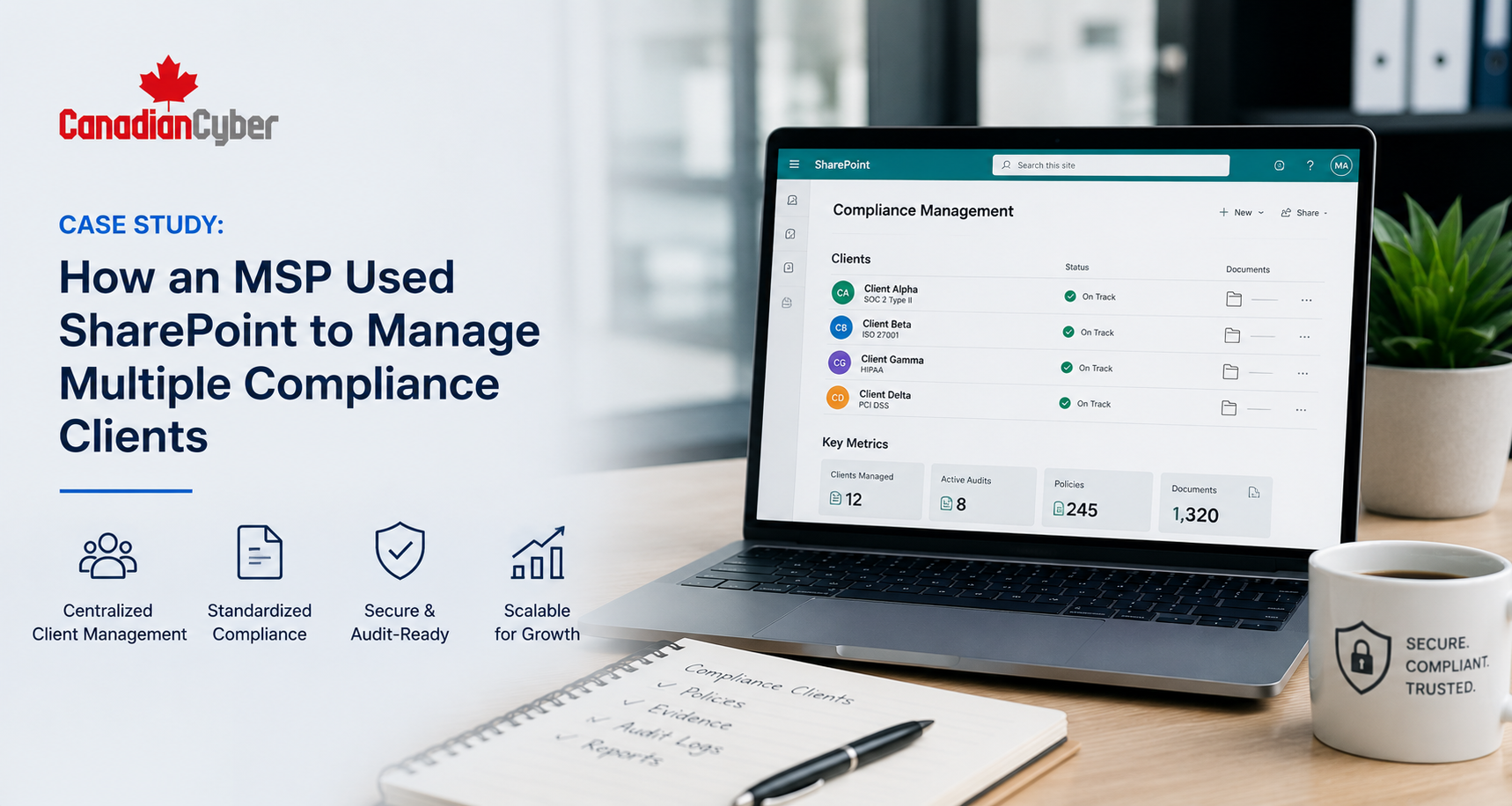
MSP Compliance • SharePoint ISMS • Client Portals • Audit Readiness • vCISO Support
Case Study: How an MSP Used SharePoint to Manage Multiple Compliance Clients
Managing compliance for one client is hard. Managing ISO 27001, SOC 2, evidence, policies, risks, audits, and corrective actions across many clients needs a repeatable system.
Quick Snapshot
| Case Study Area | What Changed |
|---|---|
| Business Context | An MSP supported several clients with ISO 27001, SOC 2, cyber insurance, and security evidence needs. |
| Main Challenge | Evidence was scattered across emails, folders, spreadsheets, tickets, and client portals. |
| SharePoint Solution | Client-specific ISMS workspaces with policies, risks, evidence, audits, corrective actions, and dashboards. |
| Key Outcome | The MSP created a repeatable compliance delivery model instead of starting from scratch for every client. |
| Main Lesson | SharePoint can become a practical compliance operating system when it is built with structure, metadata, workflows, and evidence discipline. |
Introduction
MSPs are often asked to do more than IT support.
Clients need help with:
- security evidence
- ISO 27001 readiness
- SOC 2 support
- cyber insurance answers
- vendor questionnaires
- access reviews
- backup and policy review evidence
At first, this work may feel manageable.
Then the volume grows.
Suddenly, evidence lives in emails, Teams chats, ticket notes, spreadsheets, SharePoint folders, vendor portals, and screenshots saved on someone’s desktop. That is when compliance delivery becomes hard to manage.
Meet the MSP
Let’s call the company NorthStar Managed Services.
NorthStar provides managed IT, Microsoft 365 support, endpoint management, backup monitoring, cloud administration, security tooling, and help desk support for small and mid-sized businesses.
Over time, its clients began asking for more security and compliance support. These clients included:
- accounting firms
- SaaS companies
- healthcare service providers
- professional services firms
- financial service companies
- manufacturing suppliers
Many clients were under pressure from customers, insurers, regulators, or enterprise buyers. They needed help proving that security controls were operating.
NorthStar already managed many technical systems. But compliance support required more structure.
The Starting Point
NorthStar had good technical knowledge.
The team could provide Microsoft 365 reports, MFA screenshots, device encryption status, backup job reports, endpoint security alerts, patching summaries, user lists, offboarding tickets, and security tool exports. But the compliance process was messy.
| Initial Problem | What It Looked Like |
|---|---|
| Evidence scattered everywhere | Screenshots, exports, and tickets were stored in different places. |
| No standard client structure | Each client had a different folder setup. |
| Repeated evidence requests | The team collected the same proof again and again. |
| Weak audit traceability | Evidence was not linked to controls, risks, or audit requests. |
| Corrective actions hard to track | Findings were buried in emails and meeting notes. |
The MSP was doing valuable work. But the operating model did not scale.
Why the MSP Needed a SharePoint ISMS Solution
NorthStar already worked heavily in Microsoft 365.
Most clients used Microsoft 365. Many clients already had SharePoint. Teams was part of daily work. Files, policies, and evidence were already being stored somewhere in Microsoft 365.
The problem was not the platform. The problem was structure.
| SharePoint Capability | Why It Helped the MSP |
|---|---|
| Document libraries | Store policies, evidence, reports, approvals, and audit records. |
| Lists | Track risks, vendors, findings, tasks, and corrective actions. |
| Metadata | Make evidence searchable by control, client, owner, period, and status. |
| Power Automate | Send reminders, route approvals, and escalate overdue actions. |
| Dashboards | Give clients and MSP leadership better visibility. |
The goal was not just to create folders. The goal was to build a repeatable compliance delivery system.
The SharePoint ISMS Model
Canadian Cyber helped NorthStar design a SharePoint ISMS model that could be reused across clients.
Each client received its own controlled workspace. The structure was consistent, but flexible enough to match each client’s scope, framework, and maturity.
| Workspace Area | Purpose |
|---|---|
| ISMS Home Page | Client dashboard, key links, status summary, and upcoming reviews. |
| Policy Library | Controlled policies, approval status, owners, and review dates. |
| Risk Register | Client risks, owners, treatment plans, residual risk, and evidence links. |
| Evidence Vault | Audit evidence organized by control area and period. |
| Corrective Action Register | Findings, owners, due dates, and closure evidence. |
| Compliance Dashboard | Overdue items, evidence gaps, audit readiness, and task status. |
Workstream 1: Standardizing the Evidence Vault
Evidence was the first major problem to solve.
Before the SharePoint ISMS solution, every client had a different evidence structure. NorthStar needed one standard approach.
| Evidence Area | Examples |
|---|---|
| Access Control | MFA reports, access reviews, offboarding records. |
| Vendor Management | Vendor register, SOC 2 reviews, approval decisions. |
| Backup and Recovery | Backup settings, restore test evidence. |
| Incident Response | Incident plan, tabletop records, incident logs. |
| Governance | Management review minutes and leadership decisions. |
Each evidence item included metadata such as:
- client name
- control area
- control ID
- evidence type
- period covered
- system
- owner and approval status
NorthStar adopted a simple naming rule: ControlArea-System-EvidenceType-Period-Version.
Workstream 2: Creating Client Dashboards
Clients wanted visibility.
They did not want to ask the MSP every week:
- What is overdue?
- What evidence is missing?
- Which policies need review?
- Which risks are high?
- Which audit findings remain open?
| Dashboard Section | What It Showed |
|---|---|
| Open Tasks | Current client and MSP actions. |
| Overdue Evidence | Missing or late evidence items. |
| Policy Review Status | Policies due, pending approval, or overdue. |
| Audit Readiness | Evidence progress by control area. |
| Corrective Actions | Open findings, owners, and due dates. |
Instead of building a new report every week, the dashboard pulled status from SharePoint lists and libraries.
Workstream 3: Automating Policy Reviews
Policy reviews were a recurring pain point.
Clients often had policies, but review evidence was weak. Some policies had no owner, no approval date, no next review date, and no evidence of review.
| Workflow Step | Automation |
|---|---|
| Review date approaching | Reminder sent to policy owner. |
| Policy updated | Status changes to Pending Approval. |
| Approval needed | Approver receives approval request. |
| Approved | Status updates to Approved. |
| Overdue | Escalation sent to ISMS owner. |
Workstream 4: Building Risk Registers Clients Could Actually Use
Many clients had no formal risk register.
Others had one that looked complete but was not useful. NorthStar needed a simple risk register model that worked across clients.
| Risk Register Field | Purpose |
|---|---|
| Risk ID | Tracks each risk clearly. |
| Risk Owner | Assigns accountability. |
| Treatment Decision | Mitigate, accept, transfer, or avoid. |
| Due Date | Prevents drift. |
| Evidence Link | Connects risk treatment to proof. |
The risk register became a living SharePoint list that clients could filter by owner, rating, due date, treatment status, and evidence.
Workstream 5: Tracking Corrective Actions Across Clients
Corrective actions were another major issue.
Findings came from internal audits, customer reviews, cyber insurance questionnaires, security assessments, access reviews, vendor reviews, incident tabletops, and external audits.
| Corrective Action Field | Purpose |
|---|---|
| Finding ID | Tracks the issue. |
| Source | Audit, review, incident, assessment, or questionnaire. |
| Owner | Assigns responsibility. |
| Closure Evidence | Proves completion. |
| Verification | Confirms the fix worked. |
Clients could see open findings clearly. The MSP could track work across accounts. Auditors could trace findings to closure evidence.
Workstream 6: Managing Access Reviews
Access reviews are common across ISO 27001, SOC 2, cyber insurance, and customer due diligence.
NorthStar helped clients manage access reviews through SharePoint.
| Access Review Tracker Field | Purpose |
|---|---|
| System | Microsoft 365, Entra ID, SharePoint, GitHub, or SaaS app. |
| Review Period | Month or quarter. |
| User Export | Link to evidence. |
| Review Sign-Off | Link to approval. |
| Exceptions | Access retained with reason. |
The MSP already had access to many reports. The SharePoint tracker turned those reports into structured audit evidence.
Workstream 7: Creating a Repeatable Client Onboarding Model
The SharePoint ISMS solution also improved client onboarding.
Before, compliance onboarding was informal. After the solution, NorthStar had a repeatable process.
| Onboarding Step | Output |
|---|---|
| Confirm compliance goals | ISO 27001, SOC 2, cyber insurance, or customer review. |
| Define scope | Systems, teams, data, and vendors. |
| Create client workspace | SharePoint ISMS site. |
| Load starter libraries | Policies, evidence vault, risks, vendors, and CAPA. |
| Agree 90-day plan | Prioritized actions. |
Results After the SharePoint ISMS Rollout
The MSP saw clear improvements.
The SharePoint ISMS solution made compliance work easier to deliver, easier to track, and easier to explain to clients.
| Before SharePoint ISMS | After SharePoint ISMS |
|---|---|
| Evidence scattered across tools. | Evidence organized by control area. |
| Client status updates manual. | Dashboards showed current status. |
| Policy reviews missed. | Automated reminders and approvals. |
| Risk registers inconsistent. | Standard SharePoint risk register. |
| Client onboarding slow. | Repeatable workspace template. |
Business Impact for the MSP
- serve more compliance clients
- reduce repeated admin work
- improve audit readiness
- standardize service delivery
- create clearer client reporting
- support premium compliance services
The MSP was no longer only responding to tickets. It was helping clients manage risk, evidence, policies, audits, vendors, access reviews, corrective actions, and compliance readiness.
Common Mistakes MSPs Should Avoid
- Mistake 1: Treating compliance as one-off evidence requests. Compliance is recurring. Build a system, not a scramble.
- Mistake 2: Using different structures for every client. Custom work does not scale well.
- Mistake 3: Saving evidence without metadata. Folders alone are not enough.
- Mistake 4: Forgetting client ownership. The MSP can support controls, but clients still need owners and decisions.
- Mistake 5: Mixing all clients in one workspace. Keep client environments separated with clear permissions.
- Mistake 6: Not tracking corrective actions. Findings need owners, due dates, closure evidence, and verification.
- Mistake 7: Over-automating too early. Start with clean process design. Then automate reminders, approvals, and escalations.
What Good Looks Like
An MSP-ready SharePoint ISMS solution should include:
- client-specific workspaces
- controlled policy libraries
- evidence vaults
- risk registers
- vendor registers
- access review trackers
- internal audit trackers
- corrective action registers
- dashboards
- Power Automate reminders
- approval workflows
- metadata and naming rules
The goal is not just to store documents. The goal is to manage compliance work.
Canadian Cyber’s Take
At Canadian Cyber, we often see MSPs doing more compliance work than they realize.
They already provide the reports, exports, screenshots, access lists, backup evidence, and technical support that clients need for audits.
But without a structured ISMS workspace, that work becomes reactive and hard to scale.
SharePoint is a strong fit because many MSPs and clients already use Microsoft 365. With the right design, SharePoint can become a practical compliance management workspace.
For MSPs, this creates a real opportunity: better client outcomes, less manual effort, and higher-value compliance services.
Takeaway
MSPs are increasingly expected to support client compliance.
That work becomes difficult when evidence, risks, policies, vendors, audits, and corrective actions are scattered across tools.
A SharePoint ISMS solution gives MSPs a repeatable way to:
- organize evidence
- track risks
- review vendors
- automate policy reviews
- manage access reviews
- prepare audits
- close findings
- show dashboards
The result is better audit readiness for clients and a stronger compliance service model for the MSP.
How Canadian Cyber Can Help
Canadian Cyber helps MSPs, MSSPs, and service providers build SharePoint ISMS solutions for managing multiple compliance clients.
- SharePoint ISMS client workspace design
- reusable compliance client templates
- evidence vault setup
- policy library configuration
- Power Automate policy workflows
- risk register setup
- vendor register setup
- access review trackers
- internal audit trackers
- corrective action registers
- client dashboards
- vCISO support for MSP client delivery
Stay Connected With Canadian Cyber
Follow Canadian Cyber for practical guidance on SharePoint ISMS, MSP compliance, ISO 27001, SOC 2, audit readiness, evidence management, and vCISO support.










