



ISMS SharePoint • Audit Evidence • Naming Rules • ISO 27001 • SOC 2
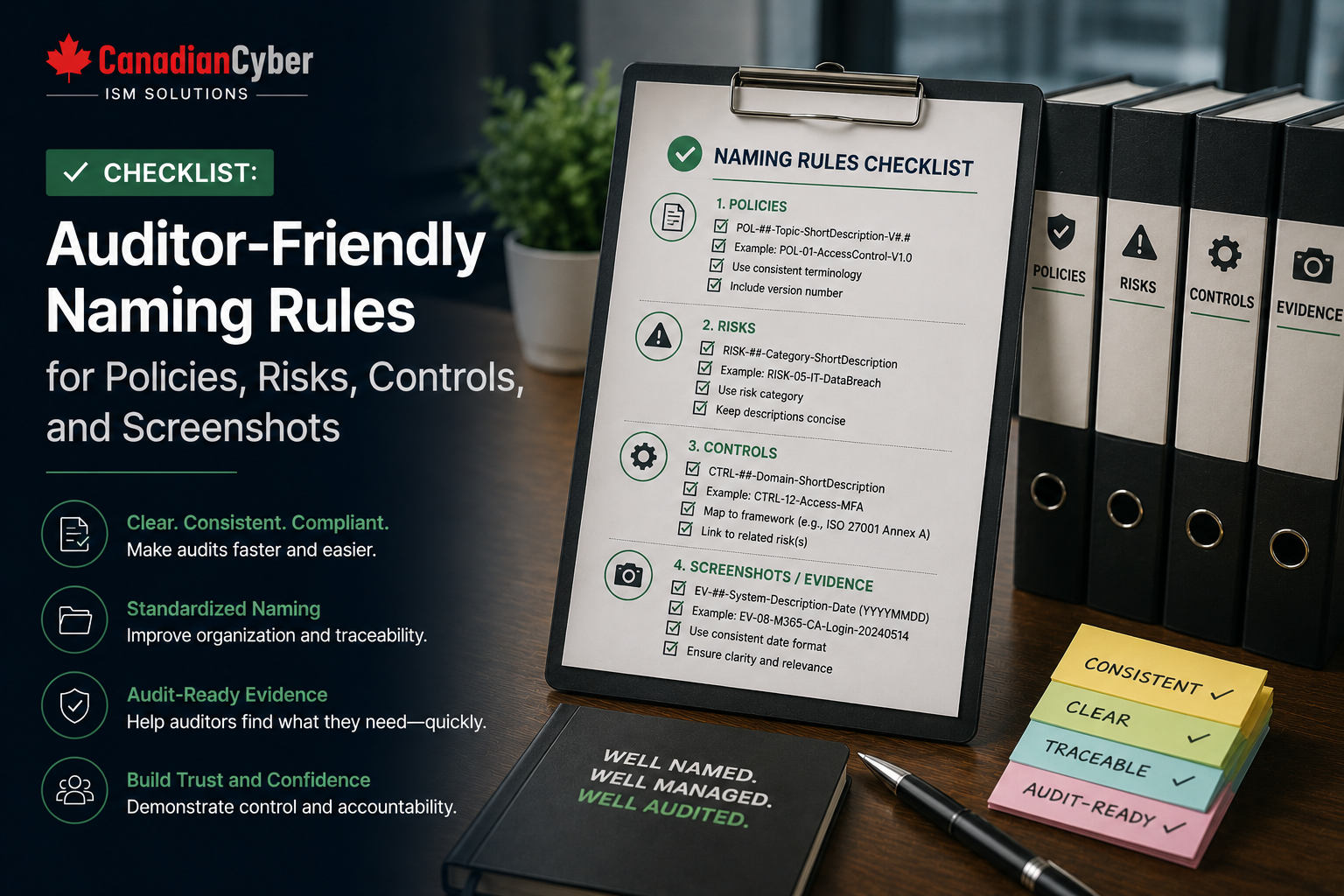
Checklist: Auditor-Friendly Naming Rules for Policies, Risks, Controls, and Screenshots
Good naming rules make audit evidence easier to find, review, approve, and trust. In an ISMS SharePoint evidence room, clear file names help teams organize policies, risks, controls, screenshots, vendor records, access reviews, and auditor-ready evidence.
Canadian Cyber ISMS SharePoint Solution
Make Audit Evidence Easy to Find Before the Auditor Asks
Canadian Cyber helps organizations build auditor-friendly SharePoint evidence rooms for ISO 27001, SOC 2, ISO 42001, client security reviews, internal audits, vendor evidence, management reviews, and corrective actions.
Quick Snapshot
| Evidence Type | Why Naming Rules Matter |
|---|---|
| Policies | Shows the topic, owner, version, and approval status. |
| Risks | Makes risk records easier to track, review, and update. |
| Controls | Links evidence to ISO 27001, SOC 2, ISO 42001, or client requirements. |
| Screenshots | Explains what the screenshot proves before anyone opens it. |
| Client Evidence | Reduces confusion during client security reviews. |
| Audit Evidence | Saves time and avoids repeated auditor questions. |
Why File Naming Matters in Audit Evidence
Auditors review many files. Client reviewers do the same.
If evidence is named poorly, people waste time. They open the wrong files. They ask extra questions. They doubt whether the evidence is current, approved, or relevant.
Weak file names often look like this:
Screenshot1.pngPolicy_final_FINAL.docxRisk Register New.xlsxAccess Review Updated.pdfAudit Evidence.png
These names do not tell the auditor what the file proves. They also do not show the period, owner, status, or control area.
A good file name should answer four questions: what is it, what control does it support, what period does it cover, and is it approved?
That is why Canadian Cyber’s ISMS SharePoint solution uses structured naming rules for evidence libraries, policy folders, risk registers, control records, screenshots, and auditor-ready evidence rooms.
Need Better Naming Rules for Your Audit Evidence?
Canadian Cyber helps teams organize ISMS SharePoint evidence rooms with practical naming rules, metadata, control mapping, audit views, client-ready evidence packs, and auditor-friendly permission structures.
The Master Naming Format for Audit Evidence
Use one simple naming structure across the evidence room. Keep it clear. Keep it consistent.
Recommended format:
Framework_ControlArea_EvidenceType_Period_Owner_Status
Example:
ISO27001_AccessControl_MFAReport_Q2-2026_IT_Approved
This name tells the auditor:
- the framework is ISO 27001
- the control area is access control
- the evidence type is an MFA report
- the period is Q2 2026
- the owner is IT
- the status is approved
Simple Naming Rules to Follow
| Rule | Why It Helps |
|---|---|
| Use clear words | Makes evidence easy to understand. |
| Avoid vague labels | Removes confusion caused by “final,” “new,” or “latest.” |
| Use dates as YYYY-MM-DD | Keeps dates consistent and sortable. |
| Include the framework when useful | Helps with ISO 27001, SOC 2, and ISO 42001 mapping. |
| Include the control area | Shows what requirement the evidence supports. |
| Include the evidence period | Shows the time period covered. |
| Include the owner | Improves accountability. |
| Include approval status | Shows whether the evidence is ready for audit or review. |
Naming Rules for Policies
Policies should show the topic, version, owner, and approval status. This helps auditors confirm that the document is current and controlled.
Recommended format:
Policy_Topic_Version_Owner_Status
| Weak Name | Auditor-Friendly Name |
|---|---|
Security Policy.docx |
Policy_InformationSecurity_v1.2_ISMSOwner_Approved |
Password Policy Final.docx |
Policy_AccessControl_v2.0_IT_Approved |
Vendor Policy New.docx |
Policy_SupplierSecurity_v1.1_Compliance_Approved |
Policy Naming Checklist
| Question | Yes / No |
|---|---|
| Does the name include the policy topic? | |
| Does it include the version? | |
| Does it show the owner? | |
| Does it show approval status? | |
| Does it avoid “final final” language? |
Turn Policy Libraries Into Auditor-Ready Evidence
Canadian Cyber helps structure SharePoint policy libraries with naming rules, version control, review dates, owners, approval status, and auditor-ready metadata.
Naming Rules for Risks
Risk records need clear IDs. This helps teams track risk treatment, ownership, review status, and audit evidence.
Recommended format:
Risk_RiskID_Topic_Owner_Status
| Weak Name | Auditor-Friendly Name |
|---|---|
Risk Register.xlsx |
RiskRegister_ISMS_2026-Q2_Compliance_Approved |
Vendor Risk.docx |
Risk_R-014_VendorAccess_Compliance_Open |
AI Risk.xlsx |
RiskRegister_ISO42001_AI_2026-Q2_Governance_Approved |
Risk Naming Checklist
| Question | Yes / No |
|---|---|
| Does the risk have a unique ID? | |
| Is the topic clear? | |
| Is the owner included? | |
| Is the status clear? | |
| Is the file linked to the risk register? |
Naming Rules for Controls
Control evidence should show the control ID, control name, evidence type, period, and approval status.
Recommended format:
Control_ControlID_ControlName_EvidenceType_Status
| Weak Name | Auditor-Friendly Name |
|---|---|
Access Evidence.pdf |
Control_AC-01_UserAccessReview_Q2-2026_Approved |
Backup Proof.pdf |
Control_BCR-02_RestoreTest_May-2026_Approved |
Vendor Review.pdf |
Control_SUP-03_VendorAssessment_DMSProvider_Approved |
Control Naming Checklist
| Question | Yes / No |
|---|---|
| Is the control ID included? | |
| Is the control name clear? | |
| Is the evidence type included? | |
| Is the period included where needed? | |
| Is approval status clear? |
Naming Rules for Screenshots
Screenshots are common audit evidence. They are also easy to misunderstand.
A screenshot name should show the system, control area, date, and purpose.
Recommended format:
Screenshot_System_ControlArea_Date_Purpose
| Weak Name | Auditor-Friendly Name |
|---|---|
Screenshot 2026-06-17.png |
Screenshot_EntraID_MFASettings_2026-06-17_ControlEvidence |
image.png |
Screenshot_SharePoint_ExternalSharing_2026-06-17_AuditEvidence |
backup.png |
Screenshot_BackupConsole_SuccessReport_2026-06-17_Q2Evidence |
Screenshot Naming Checklist
| Question | Yes / No |
|---|---|
| Does the name include the system? | |
| Does it include the control area? | |
| Does it include the date? | |
| Does it explain the purpose? | |
| Is the screenshot stored with supporting context? |
Stop Losing Time on Unclear Screenshots
Canadian Cyber helps teams create screenshot naming rules, evidence metadata, system labels, control mapping, and auditor-ready SharePoint views.
Recommended Status Labels
Status labels help auditors and reviewers understand whether a file is ready to use.
| Status | Meaning |
|---|---|
| Draft | Not ready for audit. |
| UnderReview | Waiting for review. |
| Approved | Ready for use. |
| Submitted | Sent to auditor or client. |
| Expired | Needs refresh. |
| Archived | Retained but not current. |
SharePoint Tip: Use Metadata Too
File names help with quick recognition. Metadata helps with filtering, reporting, dashboards, and audit views.
Canadian Cyber’s ISMS SharePoint solution can use metadata fields such as:
Control ID
Risk ID
Evidence owner
Review date
Expiry date
Audit period
Client-ready status
Auditor-ready status
Confidentiality level
Use file names for quick recognition. Use metadata for filtering, reporting, and audit views.
Auditor-Friendly Naming Checklist
| Question | Yes / No |
|---|---|
| Can an auditor understand the file before opening it? | |
| Does the name avoid vague words like “final” or “latest”? | |
| Is the evidence period clear? | |
| Is the control or risk reference clear? | |
| Is the owner or source clear? | |
| Is approval status visible? | |
| Is the naming format used consistently? | |
| Is metadata added in SharePoint? |
Common Naming Mistakes to Avoid
- Using “final” in file names. Version numbers and approval status are clearer.
- Using dates in different formats. Standardize dates as YYYY-MM-DD.
- Leaving out the control area. Auditors need to know what the evidence supports.
- Leaving out the owner. Evidence should have accountability.
- Naming screenshots too vaguely. Screenshots need system, date, and purpose.
- Using file names instead of metadata. Use both for stronger audit views.
- Changing naming rules every quarter. Consistency matters more than complexity.
What Good Looks Like
A strong naming system inside an ISMS SharePoint evidence room can show:
- clear policy names
- consistent version labels
- unique risk IDs
- control IDs in evidence names
- clear screenshot purpose
- evidence owner visibility
- approval status in names or metadata
- audit period tagging
- client-ready status
- auditor-ready status
- framework mapping
- metadata-driven SharePoint views
Good naming is a small habit with a big audit impact.
Canadian Cyber’s Take
At Canadian Cyber, we often see audit teams lose time because evidence is poorly named.
The problem is not always missing evidence. Often, the evidence exists. It just cannot be found quickly.
A structured naming convention inside an ISMS SharePoint workspace helps teams reduce audit stress. It also helps them respond faster to client reviews and maintain stronger control ownership.
When naming rules, metadata, permissions, and views work together, SharePoint becomes more than a document library. It becomes a practical audit evidence room.
Takeaway
Auditor-friendly naming rules make evidence easier to find, review, and trust.
Use naming rules for:
- policies
- risks
- controls
- screenshots
- access reviews
- vendor records
- client evidence
- audit evidence
Keep the structure simple. Make the control area clear. Use status labels. Add metadata. Avoid vague words. This helps your ISMS SharePoint evidence room stay audit-ready throughout the year.
How Canadian Cyber Can Help
Canadian Cyber helps organizations build ISMS SharePoint evidence rooms that are structured, searchable, and auditor-friendly.
- SharePoint evidence room setup
- ISO 27001 evidence libraries
- SOC 2 evidence organization
- ISO 42001 evidence tracking
- policy libraries
- risk registers
- control registers
- screenshot naming rules
- metadata design
- auditor evidence rooms
- client review packs
- corrective action trackers
- management review dashboards
Stay Connected With Canadian Cyber
Follow Canadian Cyber for practical guidance on ISMS SharePoint, ISO 27001 evidence rooms, SOC 2 readiness, ISO 42001 governance, audit evidence, naming conventions, client security reviews, and vCISO support.










