SOC 2 • Microsoft 365 • SaaS Compliance • Audit Evidence • Security Controls
SOC 2 for Companies Using Microsoft 365: Controls You Can Prove Without Buying More Tools
Many companies already have useful SOC 2 evidence inside Microsoft 365. The key is to organize it, map it, assign owners, and make it audit-ready.
Canadian Cyber Microsoft 365 SOC 2 Support
Turn Microsoft 365 Into a SOC 2 Evidence Foundation
Canadian Cyber helps Microsoft 365-first companies prepare for SOC 2 without unnecessary tool complexity.
We help map controls to Microsoft 365 evidence, build SharePoint workspaces, organize access reviews, track vendors, manage corrective actions, and prepare client-ready evidence rooms.
Quick Answer
Companies using Microsoft 365 can support many SOC 2 controls without buying more tools.
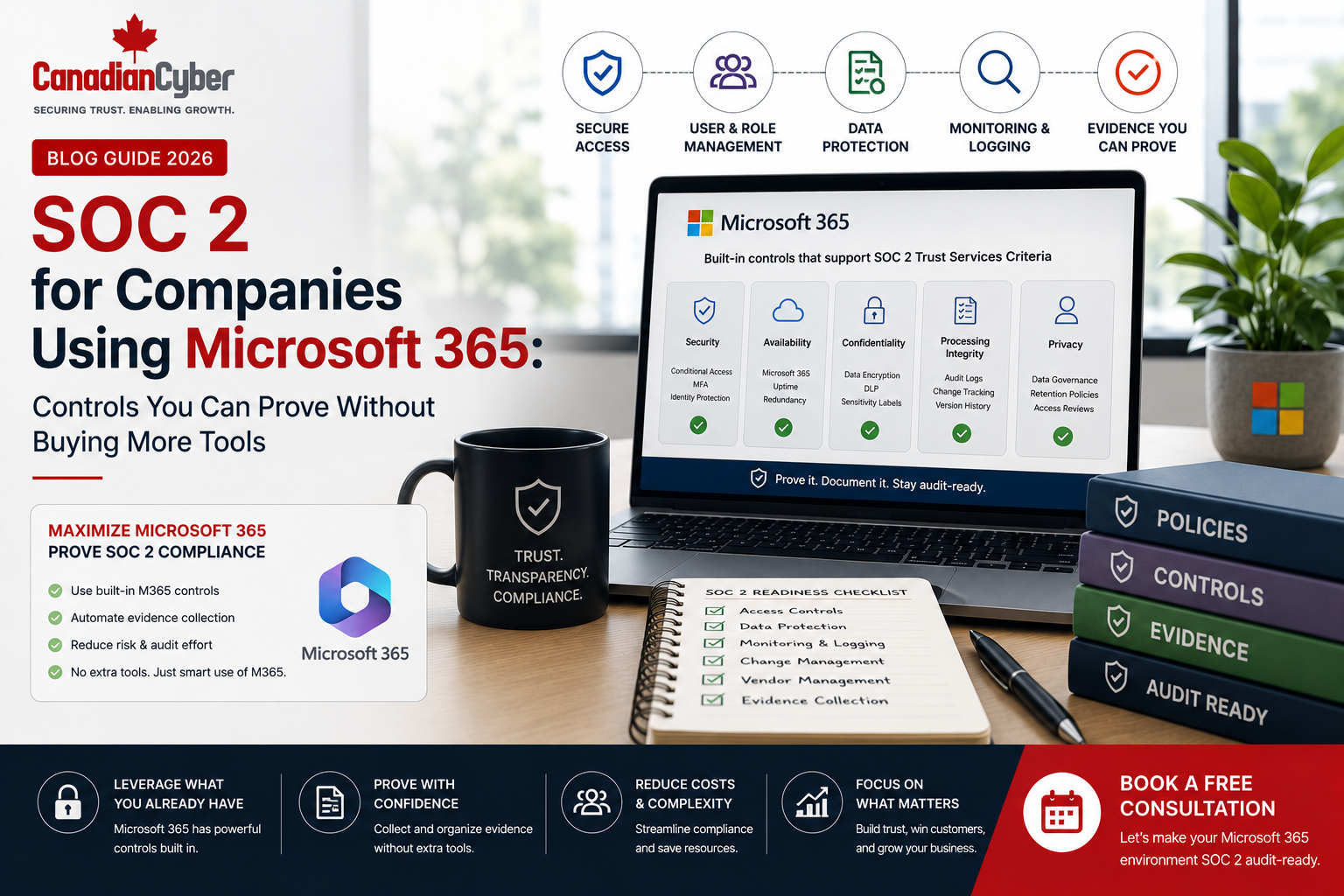
Entra ID can support access evidence. SharePoint can support policies and evidence libraries. Teams can support approvals and notifications. Defender can support endpoint and security monitoring evidence. Purview can support data protection and retention evidence.
Practical takeaway: Microsoft 365 becomes valuable for SOC 2 when controls are mapped, owned, evidenced, and stored in one audit-ready workspace.
Quick Snapshot
| SOC 2 Area | Microsoft 365 Evidence Example |
|---|---|
| Access Control | Entra ID user lists, MFA reports, admin role reviews, and sign-in logs. |
| Policy Management | SharePoint policy library, approvals, version history, and review dates. |
| Training | Completion reports, Forms acknowledgments, Teams reminders, and SharePoint records. |
| Vendor Risk | Vendor register, DPAs, SOC 2 reports, ISO certificates, and risk reviews. |
| Corrective Actions | Microsoft Lists tracker with owners, due dates, evidence links, and closure status. |
| Evidence Management | Central SharePoint evidence library with control mapping and audit-ready views. |
Why Microsoft 365 Matters for SOC 2
SOC 2 buyers and auditors want proof.
They want evidence that controls are not only written in policies. They want proof that controls are actually operating.
Many companies already use Microsoft 365 every day. That creates a practical opportunity.
Instead of building compliance outside daily work, companies can use Microsoft 365 to collect evidence where work already happens.
For SOC 2, Microsoft 365 becomes valuable when it is configured as an evidence system, not just a productivity suite.
Who This Blog Is For
- SaaS companies preparing for SOC 2.
- Microsoft 365-first organizations.
- Startups trying to avoid unnecessary tool spend.
- Remote-first companies.
- CTOs, IT managers, and compliance leads.
- Founders preparing for enterprise buyers.
- SOC 2 Type I and Type II readiness teams.
- Companies replacing spreadsheets with SharePoint.
SOC 2 Does Not Require Fancy Tools
SOC 2 does not require a specific GRC platform.
Auditors care about whether the company can prove its controls.
That proof can come from many places. Microsoft 365 can support several of them.
For example:
- MFA evidence can come from Entra ID.
- Policy approval evidence can come from SharePoint version history.
- Training acknowledgment can come from Forms or SharePoint.
- Corrective actions can be tracked in Microsoft Lists.
- Vendor reviews can be tracked in Lists.
- Audit requests can be managed through a SharePoint evidence library.
Practical rule: SOC 2 evidence does not need to be expensive. It needs to be complete, reliable, organized, and reviewable.
Control Area 1: Identity and Access Management
Access control is one of the most important SOC 2 areas.
Microsoft 365 can support access evidence through Entra ID, admin center records, groups, conditional access, MFA reports, and sign-in logs.
SOC 2 questions to answer:
- Who has access to Microsoft 365?
- Is MFA enforced?
- Are admin accounts limited?
- Are user accounts reviewed?
- Are terminated employees removed?
- Are guest users and privileged roles reviewed?
Microsoft 365 evidence you can use:
- MFA status report.
- Conditional access policy screenshots.
- User export from Entra ID.
- Admin role assignment list.
- Guest user review.
- Terminated user removal evidence.
Access control evidence should show who had access, who reviewed it, what exceptions were found, and what was removed.
Control Area 2: MFA and Conditional Access
MFA is one of the easiest controls to claim.
It is also one of the most important controls to prove.
Evidence to prepare:
- MFA enforcement screenshots.
- Conditional access policy settings.
- Admin MFA status.
- User MFA status.
- Exception list.
- Approved MFA exclusions and policy change records.
Common gap: The company says MFA is enforced. But some users, admins, contractors, service accounts, or legacy authentication paths are excluded without documented approval.
Practical rule: MFA exceptions should be documented, approved, reviewed, and time-limited where possible.
Control Area 3: Policy Management
SOC 2 auditors may ask for security policies.
They may also ask for proof that policies are approved, reviewed, communicated, and current.
Policies you can manage in SharePoint:
- Information Security Policy.
- Access Control Policy.
- Acceptable Use Policy.
- Incident Response Plan.
- Vendor Management Policy.
- Change Management Policy.
- Secure Development Policy.
- AI Acceptable Use Policy.
SharePoint evidence you can use:
- Document version history.
- Approval workflow records.
- Review date metadata.
- Policy owner metadata.
- Published PDF copy.
- Teams communication and annual review evidence.
A policy library should show the current approved version, owner, review date, approval history, and communication evidence.
Control Area 4: Employee Policy Acknowledgment
SOC 2 often requires proof that employees understand security responsibilities.
Microsoft Forms, SharePoint, or Lists can help collect acknowledgments.
What to track:
- Employee name and department.
- Policy acknowledged.
- Policy version.
- Acknowledgment date.
- New hire status.
- Overdue acknowledgment and reminder record.
Evidence you can use:
- Forms response export.
- SharePoint acknowledgment list.
- Teams announcement.
- Power Automate reminders.
- Completion dashboard and exception report.
Practical rule: Policy acknowledgment is stronger when it links to the exact policy version employees acknowledged.
Control Area 5: Security Awareness Training Evidence
Microsoft 365 can help organize training evidence.
This is true even when training is delivered through another platform.
Evidence to store:
- Training policy and schedule.
- Training completion report.
- New hire training records.
- Policy acknowledgment records.
- Role-based training evidence.
- Overdue training follow-up and manager reminders.
Microsoft 365 components:
- SharePoint evidence library.
- Microsoft Lists training tracker.
- Power Automate reminders.
- Teams notifications.
- Forms for quizzes or acknowledgments.
Control Area 6: Evidence Library and Audit Request Management
SOC 2 evidence becomes difficult when files are scattered.
SharePoint can act as a central evidence library.
An evidence library should include:
- Control area and evidence owner.
- Evidence name and frequency.
- Due date and review date.
- Status and approval.
- Audit period and evidence link.
- Exception notes and auditor request reference.
Example evidence categories:
- Access reviews and MFA reports.
- Policies and training records.
- Vendor reviews and incident records.
- Backup evidence and change approvals.
- Management review records and corrective actions.
An evidence library should answer two questions quickly: what evidence exists, and which control does it support?
Control Area 7: Vendor Risk Management
Many companies already use Microsoft 365 to store vendor contracts, DPAs, SOC 2 reports, ISO certificates, and risk reviews.
A structured vendor register in Microsoft Lists or SharePoint can support SOC 2 vendor evidence.
Vendor register fields:
- Vendor name and service provided.
- Data processed and criticality.
- Risk rating and owner.
- Contract and DPA links.
- SOC 2 report or ISO certificate link.
- Review date, AI vendor status, and approval status.
Evidence to store:
- Vendor risk assessment.
- Signed contract and DPA.
- SOC 2 report or ISO certificate.
- Vendor security questionnaire.
- Vendor review approval and renewal review record.
Practical rule: Vendor evidence should show not only who the vendor is, but why the vendor is trusted.
Control Area 8: Incident Response Records
Incident response evidence can be managed inside Microsoft 365.
A company can store the plan in SharePoint, coordinate through Teams, track incidents in Lists, and manage actions in Planner or Lists.
Evidence to prepare:
- Incident response plan and severity matrix.
- Escalation contact list.
- Incident register and meeting notes.
- Teams channel records.
- Timeline of actions.
- Lessons learned report.
- Corrective action tracker and tabletop exercise report.
Incident response evidence should show what happened, who responded, what decisions were made, and what improved afterward.
Control Area 9: Corrective Actions and Audit Findings
SOC 2 readiness often creates findings and improvement actions.
Microsoft Lists can help manage corrective actions.
Corrective action tracker fields:
- Finding ID and source.
- Description and risk rating.
- Root cause and action plan.
- Owner and due date.
- Status and evidence required.
- Evidence link, verification owner, and closure date.
Sources of corrective actions:
- SOC 2 readiness assessment.
- Internal audit or incident review.
- Vendor issue or access review exception.
- Management review.
- Customer security questionnaire or risk assessment.
Practical rule: A corrective action is not closed until evidence proves the issue was fixed.
Control Area 10: Management Review and Security Metrics
Even though SOC 2 is not ISO 27001, leadership review still matters.
Enterprise buyers want to know security is governed.
Metrics to review:
- Open risks and corrective actions.
- Overdue evidence.
- Access review status.
- Vendor review status.
- Training completion.
- Incident trends and backup restore status.
- Policy review and AI governance status.
Evidence to store:
- Management review agenda.
- Dashboard screenshot.
- Meeting minutes.
- Decision log.
- Action tracker and follow-up evidence.
Management review evidence should show decisions, not just discussion.
Control Area 11: Change Management Evidence
Your company may use GitHub, Azure DevOps, Jira, or another development platform.
Microsoft 365 can still help organize the final evidence.
Evidence to store:
- Change management policy.
- Pull request approval exports.
- Release notes and deployment records.
- Emergency change approvals.
- Security review records.
- Rollback plans and change tickets.
Practical rule: SOC 2 auditors need traceable change evidence, not scattered screenshots with no context.
Control Area 12: Backup and Recovery Evidence
Microsoft 365 can help store and track backup evidence.
This is useful even when backups are performed in cloud platforms or other systems.
Evidence to prepare:
- Backup policy and schedule.
- Backup job reports.
- Backup failure records.
- Restore test report.
- Disaster recovery plan.
- Critical systems list and recovery owner assignment.
Microsoft 365 use:
- SharePoint evidence folder.
- Lists backup evidence tracker.
- Power Automate reminders for restore testing.
- Teams notifications to backup owners.
Control Area 13: Data Protection and Retention
Microsoft 365 can support data protection evidence through retention labels, sensitivity labels, DLP policies, file permissions, and audit records.
This depends on configuration and licensing.
Areas to review:
- File sharing settings.
- External sharing permissions.
- Sensitivity labels and retention policies.
- Data loss prevention rules.
- Audit logs and guest user access.
- OneDrive sharing and SharePoint permissions.
Evidence to prepare:
- Retention policy screenshots.
- Sensitivity label configuration.
- External sharing settings.
- DLP policy evidence.
- Permission review evidence and guest access review.
Data protection evidence should show how sensitive information is classified, shared, retained, and controlled.
Control Area 14: Security Monitoring and Endpoint Evidence
Microsoft Defender and related Microsoft security tools can support SOC 2 evidence when they are configured and reviewed.
Evidence to prepare:
- Endpoint protection status.
- Device compliance report.
- Security alert summaries.
- Incident tickets.
- Vulnerability reports and patch status.
- Device inventory and malware protection report.
Practical rule: Security tools help with SOC 2 only when reports are reviewed, exceptions are tracked, and evidence is retained.
Control Area 15: Remote Work and Device Controls
Remote-first companies using Microsoft 365 can support device, access, and remote work controls.
Evidence to prepare:
- Remote work policy and acceptable use policy.
- Device inventory.
- Device compliance reports.
- Encryption status.
- Endpoint protection status.
- Conditional access settings.
- Lost device procedure and offboarding device evidence.
Remote work controls should prove that company data is protected beyond the office.
SOC 2 Evidence You Can Organize in Microsoft 365
| SOC 2 Area | Microsoft 365 Evidence Example |
|---|---|
| Access Control | Entra ID user lists, MFA reports, admin role reviews. |
| Policy Management | SharePoint policy library, approvals, version history. |
| Training | Completion reports, Forms acknowledgments, Teams reminders. |
| Vendor Risk | Vendor register, DPAs, SOC 2 reports. |
| Incident Response | Incident register, Teams records, lessons learned. |
| Corrective Actions | Microsoft Lists tracker and evidence links. |
| Management Review | Dashboard, minutes, decision log. |
| Data Protection | Retention, DLP, sharing, and sensitivity label evidence. |
| Endpoint Security | Defender reports and device compliance records. |
Common Mistakes Companies Make
- Using Microsoft 365 without structure. Files exist, but nobody knows which control they support.
- Storing evidence in personal OneDrive folders. Evidence should be in a controlled workspace.
- No evidence owners. Each recurring evidence item should have an owner.
- No review dates. Policies, vendors, access reviews, and evidence tasks need review cycles.
- Screenshots without context. A screenshot should include date, system, owner, and control purpose where possible.
- Teams approvals not retained. If approvals happen in Teams, preserve the record in the audit workspace.
- Assuming Microsoft 365 automatically means compliance. Microsoft 365 provides tools. The company must design and operate controls.
How to Build a SOC 2 Evidence Workspace in SharePoint
A practical SharePoint SOC 2 workspace should be simple and useful.
It should help the company, auditor, and buyer find trusted evidence quickly.
A practical workspace may include:
- Policy library.
- Evidence library.
- Access review tracker.
- Vendor register.
- Incident register.
- Corrective action tracker.
- Management review dashboard.
- Client-ready evidence room.
Practical rule: A SharePoint evidence workspace should make SOC 2 easier for the company, auditor, and buyer.
How Canadian Cyber Helps
Canadian Cyber helps Microsoft 365-first companies prepare for SOC 2 without unnecessary tool sprawl.
We help organizations map controls to Microsoft 365 evidence, build SharePoint evidence workspaces, create audit-ready policy libraries, organize access reviews, track vendors, manage corrective actions, and prepare client-ready evidence rooms.
Canadian Cyber can support:
- SOC 2 readiness assessments.
- SOC 2 Type I and Type II preparation.
- Microsoft 365 control mapping.
- SharePoint evidence workspace setup.
- Policy library setup.
- Access review tracker setup.
- Vendor register development.
- Corrective action tracker setup.
- Security questionnaire evidence packs.
- vCISO services and ISO 27001 alignment.
Canadian Cyber’s ISMS SharePoint Solution
Canadian Cyber’s ISMS SharePoint Solution is designed for companies that want to manage SOC 2 and ISO evidence inside Microsoft 365.
It can include:
- Policy and procedure libraries.
- Risk register and control register.
- SOC 2 evidence workspace.
- Access review tracker and vendor register.
- Incident register and training evidence tracker.
- Corrective action tracker.
- Management review dashboard.
- Auditor-ready views and client-ready evidence rooms.
Microsoft 365 SOC 2 Readiness Checklist
| Readiness Question | Ready? |
|---|---|
| Do we have a central SharePoint SOC 2 evidence workspace? | |
| Are policies approved, version-controlled, and reviewed? | |
| Are policy acknowledgments tracked? | |
| Is MFA enforced and evidenced? | |
| Are admin accounts reviewed? | |
| Are user access reviews documented? | |
| Are guest users reviewed? | |
| Is offboarding evidence retained? | |
| Are vendors tracked in a register? | |
| Are corrective actions assigned and evidenced? | |
| Are evidence owners assigned? | |
| Is there a client-ready evidence room? |
Frequently Asked Questions
Can Microsoft 365 help with SOC 2?
Yes. Microsoft 365 can support SOC 2 evidence for access control, MFA, policy management, training acknowledgment, vendor tracking, incident response, corrective actions, management review, evidence storage, and security monitoring.
Do we need to buy a GRC tool for SOC 2?
Not always. Many companies can begin with Microsoft 365 and SharePoint if controls are mapped, evidence is organized, owners are assigned, and records are retained.
What Microsoft tools help with SOC 2 evidence?
Useful tools may include SharePoint, Teams, Entra ID, Microsoft Defender, Purview, OneDrive, Outlook, Forms, Planner, Lists, and Power Automate.
Can SharePoint be used as a SOC 2 evidence room?
Yes. SharePoint can be used to create a SOC 2 evidence workspace with policies, evidence libraries, access reviews, vendor records, incident records, corrective actions, and client-ready evidence.
What is the biggest risk of using Microsoft 365 for SOC 2?
The biggest risk is poor organization. If evidence is scattered across personal folders, chats, emails, and unmanaged libraries, it may not be audit-ready.
Can Canadian Cyber build a Microsoft 365 SOC 2 evidence workspace?
Yes. Canadian Cyber can design and implement a SharePoint-based SOC 2 evidence workspace, access review trackers, vendor registers, policy libraries, corrective action trackers, and client-ready evidence rooms.
Takeaway
SOC 2 does not always require buying more tools.
If your company already uses Microsoft 365, you may already have many tools needed to support audit evidence.
The key is structure. Use Entra ID for access evidence. Use SharePoint for policies and evidence. Use Teams for coordination. Use Forms or Lists for acknowledgments and trackers. Use Power Automate for reminders.
Microsoft 365 is not automatically a compliance program. But with the right setup, it can become a practical SOC 2 evidence foundation.
Using Microsoft 365 and Preparing for SOC 2?
Canadian Cyber can help you prepare for SOC 2 without buying unnecessary tools.
We provide SOC 2 readiness assessments, Microsoft 365 control mapping, SharePoint evidence workspace setup, access review tracker design, vendor register development, policy library setup, corrective action tracking, vCISO services, cybersecurity assessments, ISO 27001 alignment, ISO 42001 AI governance, ISO 27017, and ISO 27018 support. You can also learn more through Waqar Mehboob’s profile.
Stay Connected With Canadian Cyber
Follow Canadian Cyber for practical guidance on SOC 2, Microsoft 365 security, SharePoint evidence workspaces, ISO 27001, ISO 42001, ISO 27017, ISO 27018, cybersecurity assessments, audit evidence, and vCISO support.