Microsoft 365
Power Automate
SharePoint ISMS
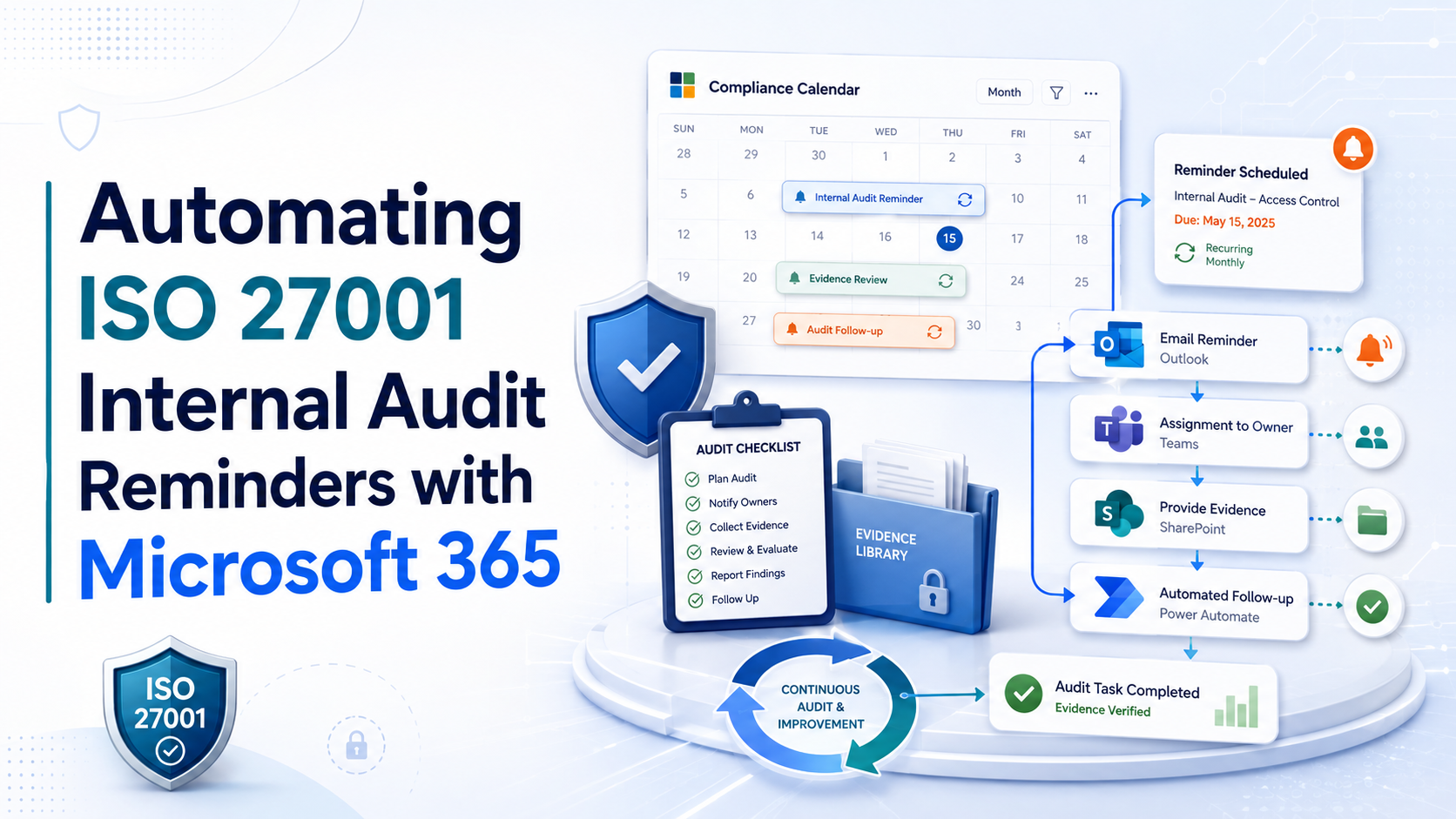
Automating ISO 27001 Internal Audit Reminders with Microsoft 365
ISO 27001 internal audit follow-up often fails because people forget. Microsoft 365 can turn reminders, due dates, evidence requests, corrective actions, and verification into a controlled workflow.
Quick Answer
Can ISO 27001 internal audit reminders be automated with Microsoft 365?
Yes. ISO 27001 internal audit reminders can be automated with SharePoint, Power Automate, Teams, Outlook, Planner, and Microsoft Lists.
The practical model is simple. Track audit items in SharePoint, add owners and due dates, then use Power Automate to send reminders, escalations, and verification alerts.
Bottom line: Automated reminders reduce missed evidence, overdue corrective actions, weak audit follow-up, and last-minute certification stress.
Canadian Cyber Microsoft 365 ISMS Automation Support
Stop Chasing Audit Evidence Manually
Canadian Cyber helps organizations automate ISO 27001 internal audit reminders using Microsoft 365, SharePoint, Teams, Outlook, and Power Automate.
We can design your audit tracker, build reminder workflows, create escalation rules, connect evidence libraries, and develop management dashboards for audit readiness.
Quick Snapshot
| Reminder Type | Microsoft 365 Automation Example |
|---|---|
| Evidence Due Soon | Notify owner 7 days before evidence due date. |
| Overdue Evidence | Send Teams alert and email escalation. |
| Corrective Action Due | Remind finding owner before target date. |
| High-Risk Finding | Notify ISMS manager immediately. |
| Pending Verification | Alert reviewer when evidence is submitted. |
| Access Review Due | Notify IT owner quarterly. |
| Vendor Review Due | Notify vendor owner before annual review. |
| Management Review Inputs | Remind owners to submit reports. |
Why Manual ISO 27001 Audit Reminders Fail
Manual reminders work at first.
Then the ISMS grows.
More controls are added. More owners are assigned. More evidence is required. More corrective actions are created.
Soon the ISMS manager becomes the reminder system.
If the ISMS depends on one person manually chasing every owner, the audit process is not scalable.
Who This Blog Is For
- ISO 27001 implementation teams.
- ISMS managers and compliance leads.
- Internal auditors and security managers.
- IT managers, risk owners, and control owners.
- vCISO teams.
- Organizations using Microsoft 365.
- Companies using SharePoint for ISMS evidence.
- Canadian businesses preparing for ISO 27001 certification.
- SaaS, MSP, FinTech, HealthTech, AI, and technology companies.
- Organizations tired of chasing audit evidence manually.
Why Microsoft 365 Is a Strong Fit for ISO 27001 Reminders
Many organizations already use Microsoft 365 every day.
That makes it easier to place ISO 27001 reminders inside tools people already understand.
The workflow becomes familiar, visible, and easier to maintain.
Audit trackers and evidence libraries.
Reminders, escalations, and verification alerts.
Owner notifications and quick alerts.
Formal reminder emails and audit trail.
Task visibility and owner tracking.
Structured tracking for findings and tasks.
Evidence requests or update submissions.
Dashboards where deeper reporting is needed.
Practical rule: The best ISO 27001 workflow is the one control owners will actually use.
The Core Microsoft 365 Automation Model
A practical audit reminder system does not need to start complex.
Start with a structured SharePoint tracker, then automate the actions around it.
- Create a SharePoint list for audit items.
- Add metadata fields for owner, due date, status, risk, and evidence link.
- Use Power Automate to monitor due dates and status changes.
- Send reminders before deadlines.
- Send escalation alerts after deadlines.
- Notify reviewers when evidence is submitted.
- Update dashboards for management review.
Example Workflow
Finding is assigned to IT Manager.
Due date is September 15.
Power Automate sends a reminder on September 8.
If status is not closed by September 15, an overdue alert is sent.
If still open after 7 days, the ISMS manager is notified.
If high-risk and overdue, leadership receives an escalation summary.
What to Track Before Automating Reminders
Automation only works when the tracker is structured.
Do not automate a messy tracker. Clean the data structure first.
| Recommended SharePoint Field | Purpose |
|---|---|
| Finding ID | Unique tracking number. |
| Audit Source | Internal audit, surveillance, readiness review. |
| ISO Reference | Clause or Annex A control. |
| Finding Type | NCR, OFI, observation, evidence gap. |
| Risk Level | High, medium, low. |
| Owner | Named accountable person. |
| Backup Owner | Secondary contact. |
| Due Date | Target completion date. |
| Status | Not started, in progress, pending verification, closed. |
| Evidence Required | Proof needed for closure. |
| Evidence Link | Link to SharePoint evidence. |
| Verification Owner | Reviewer responsible for closure validation. |
10 ISO 27001 Audit Reminder Automations to Build
1. Evidence Due Soon Reminder
Send reminders 14 days, 7 days, and 2 days before evidence is due.
Best for: audit evidence, access reviews, vendor records, and policy approvals.
2. Overdue Evidence Escalation
Escalate when a due date has passed and status is not closed or pending verification.
Best for: overdue findings and high-risk audit blockers.
3. Corrective Action Reminder
Remind owners to update root cause, action status, closure evidence, and verification readiness.
Best for: NCRs, OFIs, repeat findings, and certification blockers.
4. Pending Verification Alert
Notify the verification owner when evidence is uploaded or status changes to Pending Verification.
Best for: independent closure review.
5. High-Risk Finding Notification
Alert the ISMS manager, security lead, executive sponsor, vCISO, and control owner.
Best for: high-risk findings and certification blockers.
6. Access Review Reminder
Send recurring reminders for quarterly user, privileged, cloud admin, guest, contractor, and support access reviews.
Best for: recurring access governance.
7. Vendor Review Reminder
Notify vendor owners before annual or risk-based review dates.
Best for: critical vendors, DPAs, SOC 2 reports, ISO certificates, and AI vendors.
8. Policy Review Reminder
Notify policy owners before policy review dates and approval deadlines.
Best for: current, approved, and communicated policies.
9. Management Review Input Reminder
Remind owners to submit risk, incident, vendor, training, backup, and corrective action inputs.
Best for: stronger management review evidence.
10. Certification Readiness Reminder
Escalate open NCRs, missing evidence, unverified corrective actions, and Stage 2 blockers.
Best for: certification and surveillance readiness.
Need ISO 27001 Audit Reminders Built in Microsoft 365?
Canadian Cyber can design your SharePoint audit tracker, Power Automate reminders, Teams alerts, Outlook notifications, and management dashboards.
Evidence Due Soon Reminder
Evidence due soon reminders help prevent last-minute audit panic.
The reminder should be short, direct, and action-oriented.
| Reminder Timing | Purpose |
|---|---|
| 14 days before due date | Give owner time to prepare evidence. |
| 7 days before due date | Confirm evidence is being prepared. |
| 2 days before due date | Push final action before escalation. |
Example Reminder Message
Your ISO 27001 audit evidence item IA-2026-014 is due in 7 days. Please upload the required privileged access review evidence and update the status in SharePoint.
Overdue Evidence Escalation
Overdue evidence should not disappear.
Escalation should depend on risk and delay.
| Overdue Period | Suggested Action |
|---|---|
| 1 Day Overdue | Reminder to owner. |
| 7 Days Overdue | Notify owner and ISMS manager. |
| 14 Days Overdue | Notify department leader. |
| 30 Days Overdue | Add to management review dashboard. |
| High-Risk Overdue | Immediate escalation. |
Overdue high-risk audit items should be escalated quickly, not discovered during review week.
Corrective Action Reminder
Corrective actions often need stronger tracking than simple findings.
They may include root cause, correction, long-term action, evidence, and verification.
Corrective Action Reminder Should Track
- Root cause due date.
- Corrective action due date.
- Evidence submission deadline.
- Verification date.
- Recurrence check date.
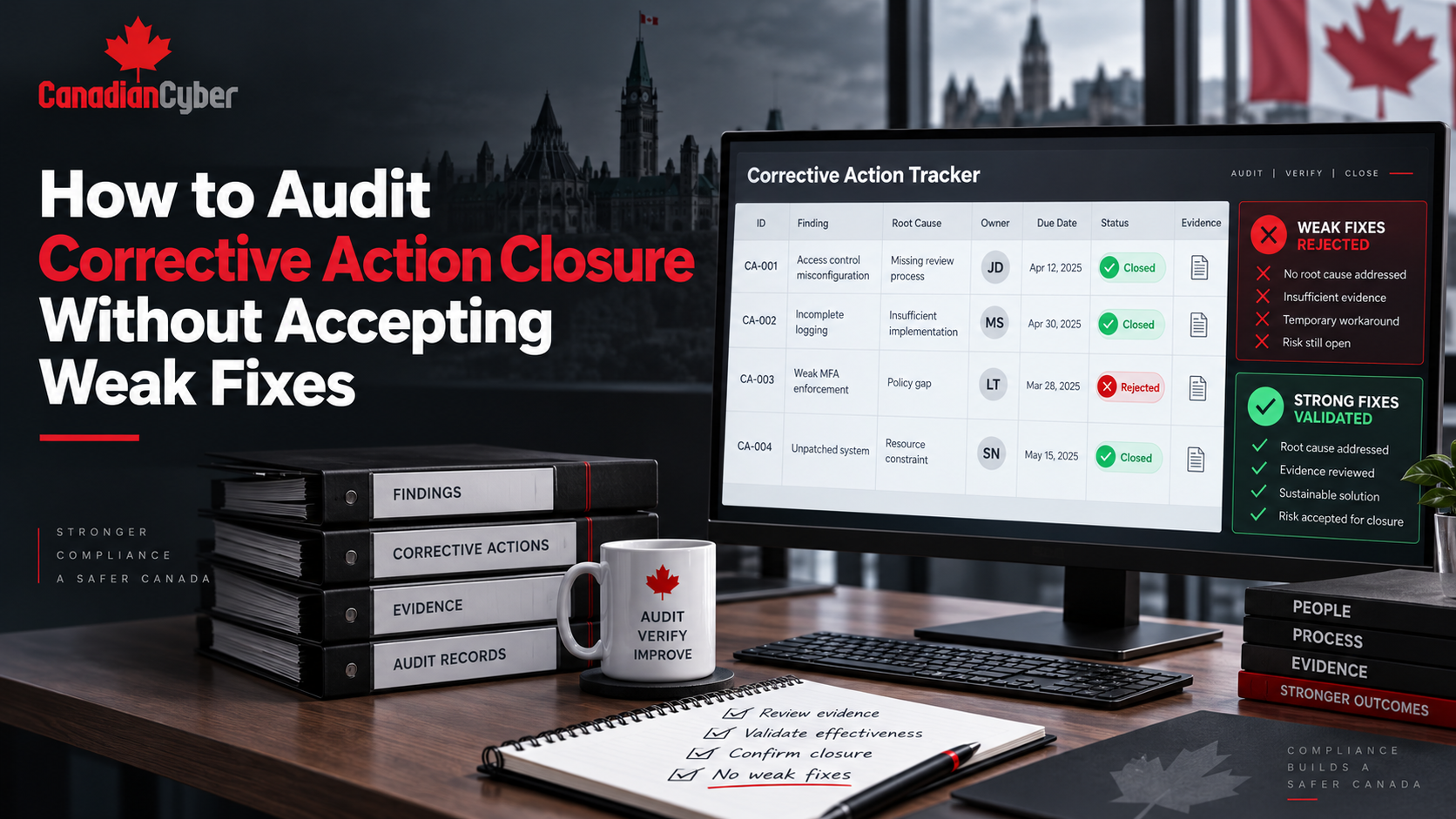
Practical rule: Corrective action automation should remind owners to fix the cause, not only close the task.
Pending Verification Alert
A common mistake is letting owners close their own findings.
A better workflow uses a Pending Verification status.
| Verification Alert Should Include | Why It Matters |
|---|---|
| Finding ID | Keeps the review traceable. |
| Corrective action summary | Shows what should be verified. |
| Evidence link | Saves reviewer time. |
| Owner comments | Explains what was done. |
| Verification deadline | Prevents review delays. |
Recurring ISO 27001 Reminders to Automate
Access Review Reminders
Use recurring reminders for user, privileged, cloud admin, guest, contractor, shared mailbox, and support access reviews.
Suggested timing: 30, 14, and 7 days before due date.
Vendor Review Reminders
Automate reminders for critical vendor reviews, DPAs, SOC 2 reports, ISO certificates, subprocessor reviews, and AI vendors.
Key field: next review date.
Policy Review Reminders
Notify policy owners before annual reviews, approvals, acknowledgments, exception reviews, and publishing updates.
Goal: current, approved, communicated, and evidenced policies.
Management Review Input Reminders
Remind owners to submit risk, audit, incident, vendor, training, access review, backup, AI governance, and resource updates.
Suggested timing: 30, 14, 7, and 2 days before management review.
Example Microsoft 365 Audit Reminder Workflow
| Step | Workflow Action |
|---|---|
| 1 | SharePoint finding is created. |
| 2 | Owner is assigned. |
| 3 | Due date is entered. |
| 4 | Power Automate sends owner notification. |
| 5 | Reminder is sent 7 days before due date. |
| 6 | Owner uploads evidence. |
| 7 | Status changes to Pending Verification. |
| 8 | Verification owner receives Teams alert. |
| 9 | Evidence is reviewed. |
| 10 | Finding is marked Closed and Verified. |
| 11 | Dashboard updates automatically. |
| 12 | Summary is included in management review. |
Dashboard Views to Support Automation
Automation works best when paired with dashboard views.
The dashboard should show what automation is trying to move forward.
Reminder Message Best Practices
Automated reminders should be clear, short, and action-oriented.
A reminder should reduce confusion, not create another email to interpret.
| Include | Avoid |
|---|---|
|
What is due. Who owns it. When it is due. Why it matters. Where to upload evidence. What status to update. Who to contact. |
Long policy text. Unclear instructions. Generic “please update” messages. Missing links. No due date. No owner. No escalation path. |
ISO 27001 Audit Reminder Automation Checklist
| Automation Step | Ready? |
|---|---|
| Create a SharePoint findings register. | |
| Create a corrective action tracker. | |
| Create a closure evidence library. | |
| Add owner, due date, status, risk level, evidence link, and verification owner fields. | |
| Define status values clearly. | |
| Create due-soon reminder workflow. | |
| Create overdue escalation workflow. | |
| Create high-risk finding notification workflow. | |
| Create pending verification workflow. | |
| Create access review reminder workflow. | |
| Create vendor review reminder workflow. | |
| Create policy review reminder workflow. | |
| Create management review input reminders. | |
| Create certification readiness views. | |
| Verify closure evidence before marking items closed. |
Common Mistakes When Automating Audit Reminders
Define owners, statuses, evidence rules, and due dates first.
Reminder overload causes owners to ignore alerts.
A reminder without escalation may not change behavior.
Evidence submission should trigger review before closure.
High-risk findings should get stronger escalation.
Overdue and high-risk items should feed leadership reporting.
How SharePoint and Power Automate Support ISO 27001 Readiness
A structured SharePoint ISMS with Power Automate reminders helps keep ISO 27001 tasks moving throughout the year.
It turns internal audit follow-up from a manual burden into a controlled workflow.
How Canadian Cyber Helps
Canadian Cyber helps organizations automate ISO 27001 internal audit reminders and build practical ISMS workflows inside Microsoft 365.
We help teams move from manual audit tracking to structured SharePoint and Power Automate workflows.
Canadian Cyber can support:
- SharePoint ISMS workflow design.
- ISO 27001 audit reminder automation.
- Power Automate reminder setup.
- Teams notification workflows.
- Outlook reminder workflows.
- Audit findings tracker setup.
- Corrective action tracker setup.
- Evidence library design.
- Owner dashboard creation.
- Overdue escalation workflows.
- Management review dashboards.
- Certification readiness dashboards, ISO 27001 internal audits, vCISO services, SOC 2 readiness, ISO 42001 AI governance, and cybersecurity assessments.
Canadian Cyber’s ISMS SharePoint Solution
Canadian Cyber’s ISMS SharePoint Solution helps organizations manage ISO 27001 evidence, audit findings, reminders, owners, and dashboards inside Microsoft 365.
It can include:
- Policy library and risk register.
- Statement of Applicability tracker and control register.
- Internal audit workspace and audit findings register.
- NCR tracker, OFI tracker, and corrective action tracker.
- Evidence library and owner dashboard.
- Management review dashboard.
- Power Automate reminders and Teams notifications.
- Audit request tracker and client-ready evidence room.
Frequently Asked Questions
Can Microsoft 365 automate ISO 27001 internal audit reminders?
Yes. Microsoft 365 can support internal audit reminders using SharePoint lists, Power Automate workflows, Teams notifications, Outlook reminders, and dashboards.
What ISO 27001 reminders should be automated?
Organizations can automate reminders for evidence due dates, corrective actions, access reviews, vendor reviews, policy reviews, management review inputs, pending verification, overdue findings, and certification blockers.
Can SharePoint track audit findings and due dates?
Yes. SharePoint can track findings, owners, due dates, status, risk level, evidence links, corrective actions, verification, and management review items.
Why use Power Automate for ISO 27001 reminders?
Power Automate helps reduce manual follow-up by sending reminders, alerts, escalations, and verification notifications based on SharePoint list data and due dates.
Should audit reminders go to Teams or email?
Both can work. Teams notifications are useful for quick action, while email is helpful for formal reminders and audit trails. Many organizations use both.
Can Canadian Cyber build ISO 27001 reminder workflows in SharePoint?
Yes. Canadian Cyber can design and implement SharePoint ISMS workflows, Power Automate reminders, audit trackers, corrective action dashboards, and management review reporting.
Takeaway
ISO 27001 internal audit reminders should not depend on memory.
They should be built into the ISMS workflow.
With Microsoft 365, organizations can use SharePoint, Power Automate, Teams, Outlook, Planner, and dashboards to automate reminders for audit findings, evidence due dates, corrective actions, access reviews, vendor reviews, policy reviews, management review inputs, pending verification, overdue actions, and certification blockers.
The result is fewer missed deadlines, stronger evidence, better owner accountability, and more confident certification readiness.
Stop chasing audit tasks manually. Build the reminders into the system.
Ready to Automate ISO 27001 Audit Reminders?
Canadian Cyber can help you automate audit reminders, corrective action follow-up, evidence requests, and management review workflows inside Microsoft 365.
We provide SharePoint ISMS workflow design, Power Automate reminders, audit findings trackers, corrective action dashboards, evidence libraries, Teams notifications, management review dashboards, ISO 27001 internal audits, vCISO services, SOC 2 readiness alignment, ISO 42001 AI governance readiness, and cybersecurity assessments.
Stay Connected With Canadian Cyber
Follow Canadian Cyber for practical guidance on ISO 27001 internal audits, Microsoft 365 automation, SharePoint ISMS, Power Automate reminders, corrective actions, SOC 2, ISO 42001, vCISO services, cybersecurity assessments, and certification readiness.