



Internal Audit
Client Trust
AI Governance
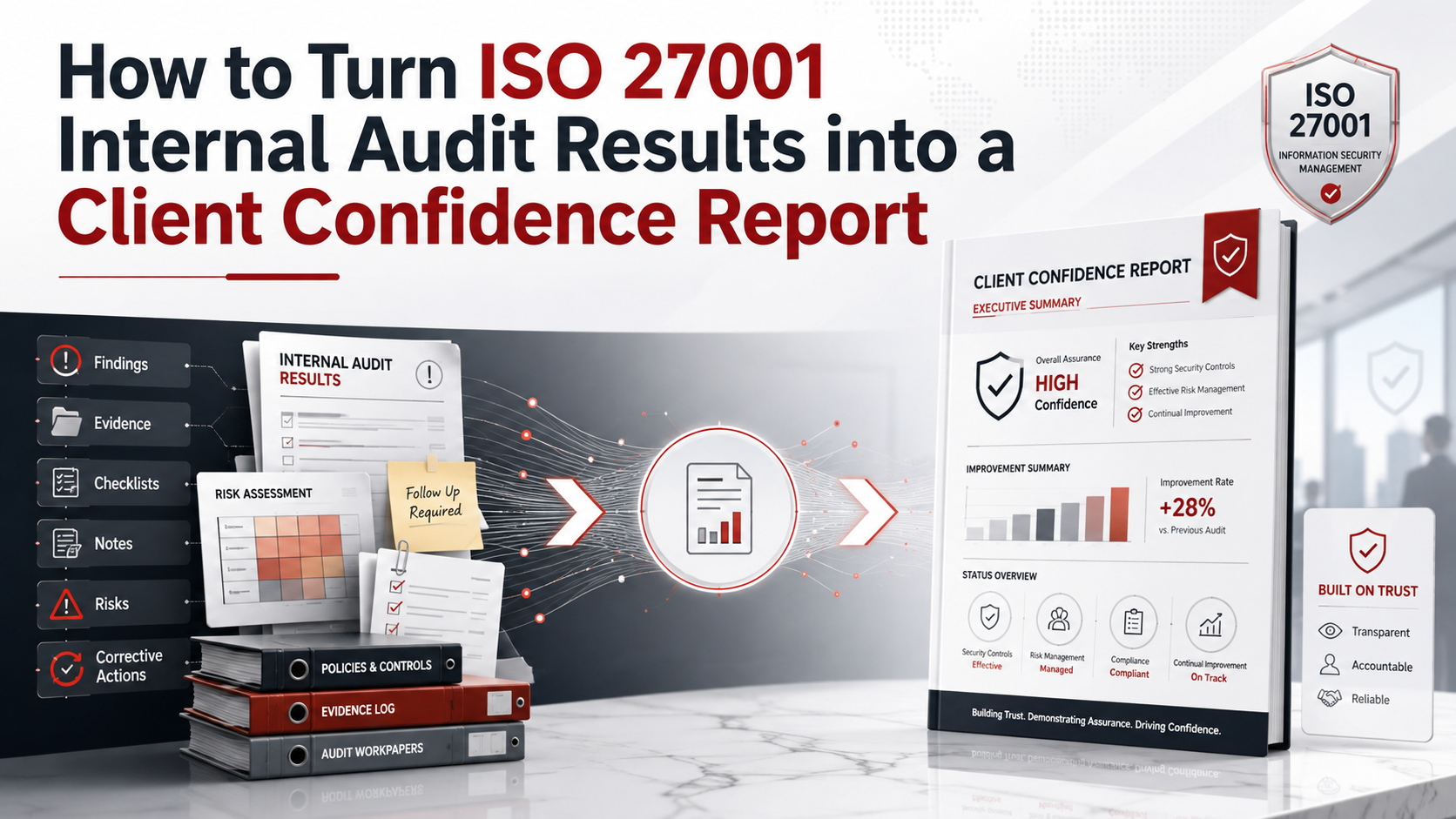
How to Turn ISO 27001 Internal Audit Results into a Client Confidence Report
ISO 27001 internal audit results should not stay hidden in a folder. They can help sales teams, security teams, and executives build client trust.
Quick Answer
What is a Client Confidence Report?
A Client Confidence Report is a client-safe summary of ISO 27001 internal audit results.
It explains what was reviewed, what improved, how findings are tracked, and how leadership oversees security.
It should also cover AI governance when the business uses AI tools.
Bottom line: the report helps clients see that your security program is tested, reviewed, and improving.
Canadian Cyber Client Trust Support
Turn Audit Results into a Trust Asset
Canadian Cyber helps organizations turn ISO 27001 internal audit results into clear client confidence reports.
We help summarize audit scope, control areas, strengths, findings, corrective actions, risk management, AI governance, and evidence readiness.
Quick Snapshot
| Report Section | What It Shows Clients |
|---|---|
| Audit Scope | What areas were reviewed. |
| Audit Method | How the review was performed. |
| Control Areas | Which security controls were tested. |
| Strengths | Where the program is working well. |
| Improvement Themes | What the organization is improving. |
| Corrective Actions | How findings are assigned and tracked. |
| AI Governance | How AI tools and AI risks are controlled. |
| Management Oversight | How leadership reviews security progress. |
Why Internal Audit Results Should Support Client Trust
Internal audit results should improve security.
However, they can also support client trust.
Enterprise clients want proof that controls are tested. They also want proof that gaps are fixed.
A Client Confidence Report helps explain that process in plain language.
The goal is not to share every internal detail. The goal is to show that security is reviewed, managed, and improving.
Who This Blog Is For
- SaaS companies preparing for enterprise reviews.
- MSPs handling client data and client environments.
- FinTech and HealthTech companies.
- AI platforms answering customer trust questions.
- ISMS managers, internal auditors, and vCISO teams.
- Sales and customer success teams that need approved security messaging.
What a Client Confidence Report Should Do
A Client Confidence Report should answer client trust questions.
It should not expose internal weaknesses.
So, the report must balance transparency with security.
It Should Include
- Audit scope.
- Audit method.
- Control areas reviewed.
- Strengths and improvement themes.
- Corrective action status.
- Management oversight.
It Should Avoid
- Sensitive technical findings.
- Admin account names.
- Internal screenshots.
- Private evidence links.
- Detailed vulnerabilities.
- Confidential client names.
Practical rule: give clients confidence, not your internal attack surface.
Client Confidence Report vs Full Internal Audit Report
These two reports are not the same.
The full audit report supports internal improvement. The Client Confidence Report supports client trust.
| Full Internal Audit Report | Client Confidence Report |
|---|---|
| Used internally. | Shared with approved clients or prospects. |
| Includes detailed findings. | Summarizes themes safely. |
| May include evidence links. | Excludes private evidence links. |
| Uses audit detail. | Uses business-friendly language. |
| Supports corrective action. | Supports customer assurance. |
Step 1: Define the Report Audience
First, decide who will read the report.
The audience changes the level of detail.
Common Audiences
Step 2: Write a Plain Executive Summary
Next, explain why the audit was performed.
Keep this section short.
Clients need confidence, not audit jargon.
Example Executive Summary
“The organization completed an ISO 27001 internal audit to review selected information security controls and ISMS processes.”
“The audit reviewed governance, risk management, access control, vendor management, incident response, cloud security, backup and recovery, evidence readiness, and AI governance where applicable.”
“Findings are tracked through a corrective action process and reviewed through management oversight.”
Step 3: Explain the Audit Scope
Clients want to know what was included.
However, do not share sensitive system details.
Scope Areas to Mention
Need a Client-Safe Audit Summary?
Canadian Cyber can help turn internal audit results into a client-ready report.
For senior advisory support, view Waqar Mehboob’s profile.
Step 4: Summarize the Audit Method
Then, explain how the audit was performed.
This helps clients trust the process.
| Method Area | Client-Friendly Description |
|---|---|
| Document Review | Policies, procedures, and ISMS records were reviewed. |
| Evidence Sampling | Selected controls were tested using sample evidence. |
| Control Interviews | Control owners explained how processes operate. |
| Corrective Action Review | Findings and actions were reviewed for ownership and progress. |
Step 5: Show the Control Areas Reviewed
Clients need a clear view of audit coverage.
A simple table works well.
| Control Area | What Was Reviewed |
|---|---|
| Access Control | User access, admin roles, MFA, and offboarding. |
| Cloud Security | Cloud access, backups, logs, and configuration evidence. |
| Vendor Management | Vendor register, risk ratings, and security reviews. |
| Incident Response | Incident plan, escalation, and lessons learned. |
| AI Governance | AI policy, approved tools, vendors, and data rules. |
| Management Review | Leadership review, decisions, and action tracking. |
Step 6: Highlight Strengths
The report should not only discuss gaps.
It should also show where the security program is working.
Possible Strength Areas
Step 7: Summarize Findings by Theme
Do not publish every finding.
Instead, summarize findings by safe governance themes.
This shows improvement without exposing sensitive detail.
Example Finding Summary
“The internal audit identified improvement opportunities related to evidence consistency, review documentation, and control owner follow-up.”
“Corrective actions were assigned to owners and are tracked through the ISMS improvement process.”
Step 8: Add Corrective Action Status
Clients do not expect zero findings.
They expect a strong improvement process.
| Status | Client-Safe Meaning |
|---|---|
| Open | Action assigned and in progress. |
| Pending Evidence | Owner is preparing closure evidence. |
| Pending Verification | Evidence is under review. |
| Closed and Verified | Closure evidence was reviewed. |
Practical rule: corrective action status builds trust when it shows ownership and verification.
Step 9: Add AI Governance Content
Modern clients ask more AI questions.
They want to know how you control AI tools, data, vendors, and outputs.
So, add a short AI governance section when AI tools are used.
AI Governance Topics to Mention
Step 10: Add Risk Management and Evidence Readiness
ISO 27001 is risk-based.
Therefore, the report should show that risks are tracked.
It should also show that evidence is organized.
Risk Summary Should Cover
- Risk ownership.
- Risk treatment.
- Accepted risk approvals.
- Cloud risks.
- AI risks.
Evidence Summary Should Cover
- Evidence libraries.
- Evidence owners.
- Review dates.
- Control mapping.
- Client-ready evidence views.
Client Confidence Report Template
Use this structure as a starting point.
Then, adjust it for the client, sector, and NDA requirements.
| Section | Purpose |
|---|---|
| 1. Report Title | Name the report clearly. |
| 2. Executive Summary | Explain the audit purpose. |
| 3. Audit Scope | Show what was reviewed. |
| 4. Audit Method | Show how the audit was performed. |
| 5. Control Areas | List reviewed control themes. |
| 6. Strengths | Highlight what is working. |
| 7. Improvement Themes | Summarize gaps safely. |
| 8. Corrective Actions | Show tracking and verification. |
| 9. AI Governance | Address modern AI questions. |
| 10. Next Steps | Show ongoing improvement. |
Common Mistakes to Avoid
This may expose sensitive details.
Clients trust honest improvement more than perfection claims.
Clients need clear business language.
Clients now ask more AI questions.
Clients want to know gaps are managed.
Do not claim zero risk or certification if that is not accurate.
Internal Audit to Client Confidence Checklist
| Checklist Item | Ready? |
|---|---|
| Review the full internal audit report. | |
| Remove sensitive internal details. | |
| Summarize audit scope. | |
| Summarize audit method. | |
| List control themes reviewed. | |
| Highlight strengths. | |
| Summarize findings by theme. | |
| Add corrective action status. | |
| Add AI governance summary. | |
| Add risk management summary. | |
| Add limitations and confidentiality note. | |
| Review with security, compliance, legal, and leadership. |
How SharePoint Can Support the Report
A SharePoint ISMS workspace can make the report easier to build.
It keeps evidence, findings, actions, and approvals in one controlled place.
SharePoint Can Track
How Canadian Cyber Helps
Canadian Cyber helps organizations turn internal audit findings into client trust assets.
We help make the report clear, safe, practical, and useful for business teams.
Frequently Asked Questions
What is a Client Confidence Report?
It is a client-safe summary of internal audit results, control areas, improvement actions, risks, and leadership oversight.
Is it the same as an ISO 27001 certificate?
No. It does not replace certification. It supports client trust by showing internal audit and improvement activity.
Should we share the full internal audit report?
Usually, no. A client-safe summary is often safer and more useful.
What AI content should we include?
Include approved AI tools, AI acceptable use, data restrictions, vendor review, Shadow AI review, and human oversight.
How does this help sales?
It gives sales and customer success teams an approved trust document for security reviews.
Can Canadian Cyber help create this report?
Yes. Canadian Cyber can review audit results, remove sensitive detail, summarize themes, and draft the client-ready report.
Takeaway
ISO 27001 internal audit results should not disappear into a folder.
They should improve security.
They should also help clients understand your security maturity.
A Client Confidence Report turns audit results into a clear and safe trust document.
It shows that controls are reviewed, findings are managed, risks are tracked, AI use is governed, and leadership is involved.
The strongest message is simple: we audit our controls, manage our risks, fix our gaps, govern our AI use, and improve our security program.
Ready to Build a Client Confidence Report?
Canadian Cyber can help turn your ISO 27001 internal audit results into a client-ready trust report.
We provide ISO 27001 internal audit services, Client Confidence Reports, corrective action reviews, SharePoint ISMS evidence workspaces, AI governance content, SOC 2 alignment, ISO 42001 readiness, vCISO services, ISO 27017 readiness, ISO 27018 support, and cybersecurity assessments.
Stay Connected With Canadian Cyber
Follow Canadian Cyber for practical guidance on ISO 27001 internal audits, client confidence reports, AI governance, SharePoint ISMS, SOC 2, ISO 42001, ISO 27017, ISO 27018, vCISO services, cybersecurity assessments, and certification readiness.










