



Healthcare
PHI Evidence
Shared Drives
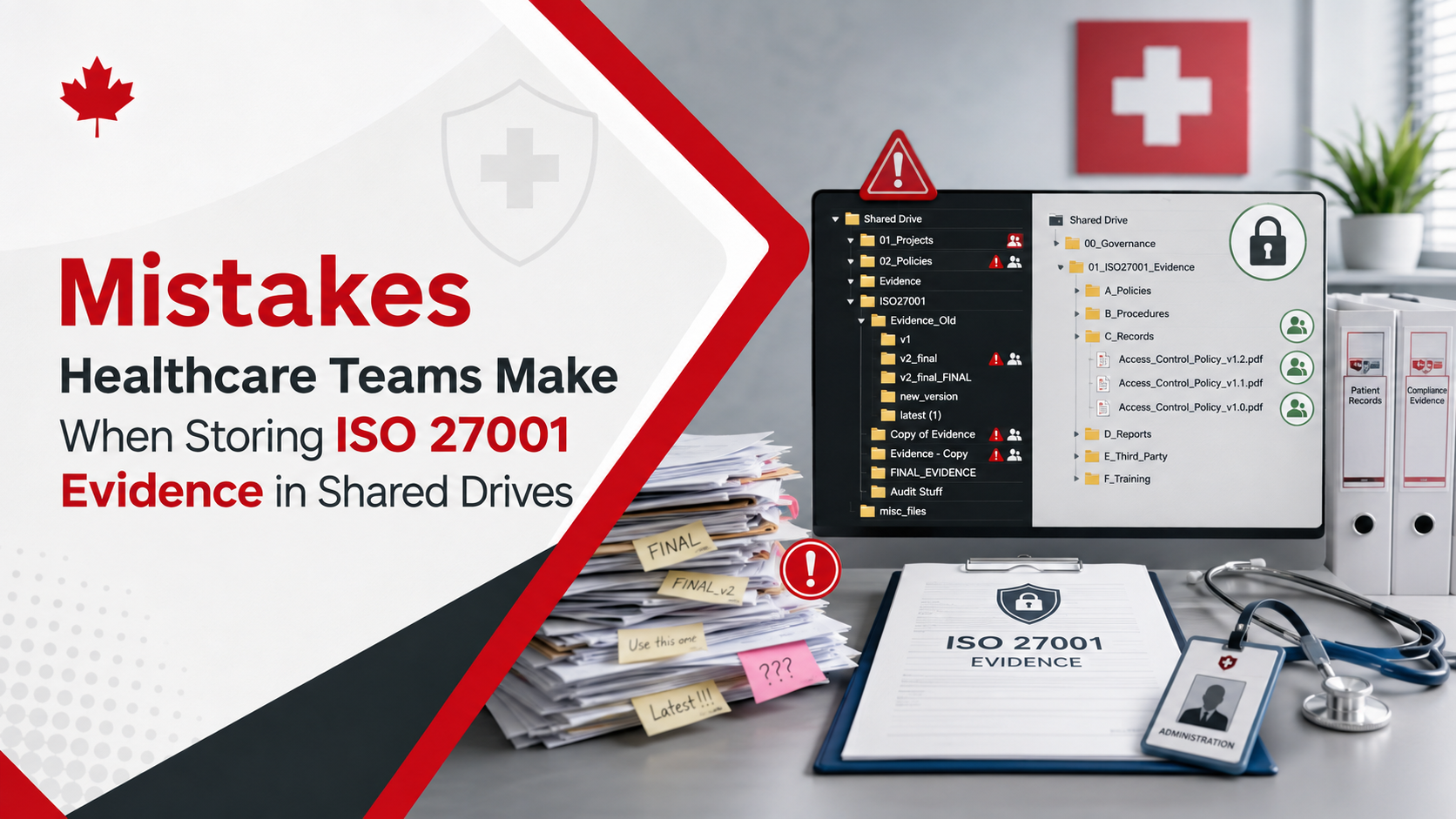
Mistakes Healthcare Teams Make When Storing ISO 27001 Evidence in Shared Drives
Shared drives feel simple at first. But for healthcare ISO 27001 evidence, they can create audit delays, version confusion, weak permissions, and PHI-related evidence risks.
Quick Answer
Why is ISO 27001 evidence in shared drives risky for healthcare teams?
Healthcare teams often store ISO 27001 evidence in shared drives without clear ownership, metadata, version control, access restrictions, review dates, approval status, or control mapping.
This creates audit delays. It can also expose PHI-related evidence, old policies, duplicate files, vendor reports, screenshots, access exports, and corrective action records.
Bottom line: a shared drive stores documents. A SharePoint ISMS or Microsoft 365 evidence workspace manages accountability.
Canadian Cyber Evidence Cleanup Support
Move ISO 27001 Evidence Out of Shared-Drive Confusion
Canadian Cyber helps healthcare and HealthTech organizations clean up ISO 27001 evidence and build structured SharePoint ISMS workspaces.
We organize policies, PHI-related evidence, vendor reviews, access reviews, AI governance records, corrective actions, dashboards, and client-ready evidence rooms.
Quick Snapshot
| Shared Drive Mistake | Why It Hurts Internal Audit | Better Approach |
|---|---|---|
| No evidence owner | Nobody knows who is responsible for updates. | Assign evidence owners. |
| Duplicate files | Auditors cannot tell which version is current. | Use version control and published libraries. |
| Weak permissions | PHI-related evidence may be exposed. | Use role-based access groups. |
| No metadata | Evidence cannot be filtered by control, risk, or owner. | Add evidence metadata. |
| PHI in screenshots | Sensitive patient details may be exposed. | Redact and classify evidence. |
| Corrective actions closed without proof | Findings may remain unresolved. | Require closure evidence and verification. |
Why Shared Drives Become a Problem During Healthcare Audits
Shared drives are easy.
That is why healthcare teams use them.
At first, folders feel organized. There may be one folder for policies, one for access reviews, one for vendor documents, and one for audit evidence.
Then the ISO 27001 internal audit begins.
The auditor asks which version is approved, who owns the file, whether PHI is involved, and where closure evidence is stored.
For healthcare and HealthTech organizations, ISO 27001 evidence is not just a collection of files. It may include PHI-related records, access exports, vendor reports, incident records, patient portal logs, AI tool reviews, backup evidence, and corrective action documentation.
Who This Blog Is For
- Healthcare providers, clinic networks, and telehealth providers.
- HealthTech companies and Healthcare SaaS companies.
- Patient portal providers, medical billing platforms, and AI health platforms.
- Privacy officers, security managers, IT managers, ISMS managers, internal auditors, and vCISO teams.
- Organizations using shared drives, OneDrive, Google Drive, SharePoint, or Microsoft 365 for ISO evidence.
What Internal Audit Needs to Prove
ISO 27001 evidence management needs more than storage.
Internal audit needs accountability.
Audit Evidence Should Show
Practical rule: a shared drive stores documents. An ISMS evidence system manages accountability.
Mistake 1: Storing Evidence Without an Owner
One of the biggest shared-drive problems is unclear ownership.
A file exists, but no one knows who owns it, updates it, reviews it, or approves it.
Common Examples
- Access review export with no reviewer name.
- Backup report with no system owner.
- Vendor report with no review notes.
- Policy uploaded with no document owner.
- AI tool approval screenshot with no business owner.
- Incident evidence with no closure responsibility.
How to Fix It
Add an owner field to every evidence record.
Track evidence owner, reviewer, control owner, date collected, next review date, related system, related control, and PHI status.
Mistake 2: Keeping Too Many Versions of the Same Document
Shared drives often become version chaos.
Files named “final,” “latest,” “approved,” and “final final” create audit confusion.
| Audit Question | Better Evidence Design |
|---|---|
| Which version is approved? | Use a published approved document library. |
| Which version was active during the audit period? | Track effective date and version history. |
| Who approved it? | Track approver and approval date. |
| When is the next review? | Add next review date and owner reminders. |
Mistake 3: Weak Folder Permissions
Healthcare audit evidence can contain sensitive details.
Even when a file does not contain patient records directly, it may reveal patient systems, access paths, vendors, vulnerabilities, or PHI workflows.
Evidence That May Need Restricted Access
Mistake 4: Mixing Internal Evidence With Client-Ready Evidence
Healthcare and HealthTech vendors often need to share evidence with hospitals, clients, auditors, insurers, and procurement teams.
But not all internal evidence should be shared externally.
Keep Internal
- Detailed audit findings.
- Open corrective actions.
- Admin account names.
- System screenshots.
- Vulnerability details.
- Incident investigation records.
Client-Ready Evidence
- Security overview.
- Approved policy summaries.
- Access control summary.
- Vendor risk summary.
- AI governance summary.
- Client confidence report.
Need to Fix Shared-Drive Audit Evidence Gaps?
Canadian Cyber helps healthcare and HealthTech teams move ISO 27001 evidence into structured SharePoint ISMS workspaces.
For senior advisory support, view Waqar Mehboob’s profile.
Mistake 5: Storing PHI-Related Evidence Without Classification
Healthcare evidence may contain PHI directly or indirectly.
Screenshots, logs, exports, and support records can contain sensitive details.
| Classification Value | Meaning |
|---|---|
| No PHI | No patient information is present. |
| PHI involved | Sensitive patient information may be present. |
| PHI redacted | Patient information has been removed or masked. |
| Internal restricted | Evidence is not approved for client sharing. |
| Client-ready | Evidence is approved for external review. |
Mistake 6: No Metadata
Shared drives usually depend on folder names.
That is not enough for ISO 27001 evidence.
Useful Metadata Fields
Mistake 7: Vendor Reports Are Stored But Not Reviewed
Healthcare teams often store vendor SOC 2 reports, ISO certificates, penetration test summaries, and questionnaires.
But internal audit may still raise a finding if no one reviewed them.
Vendor Review Form Should Track
Mistake 8: Access Reviews Are Uploaded Without Decisions
Access review exports are common in shared drives.
But an export alone does not prove review.
| Weak Evidence | Strong Evidence |
|---|---|
| User list export. | Export plus reviewer sign-off. |
| Admin role export. | Admin review with exceptions and decisions. |
| MFA screenshot. | MFA report with review date and owner. |
| Inactive user report. | Removal evidence and next review date. |
Mistake 9: AI Governance Evidence Is Missing or Informal
Healthcare teams are increasingly using AI tools.
But AI approvals may be hidden in emails, Teams chats, or verbal decisions.
AI Governance Register Should Track
Mistake 10: Corrective Actions Are Stored as Separate Files
Audit findings need active tracking.
Separate spreadsheets and documents create confusion.
| Suggested Status | Meaning |
|---|---|
| Open | Finding is logged. |
| Assigned | Owner is responsible. |
| In Progress | Work is underway. |
| Pending Evidence | Closure proof is needed. |
| Pending Verification | Evidence is ready for review. |
| Closed and Verified | Closure evidence has been accepted. |
Mistake 11: No Evidence Calendar
Healthcare evidence gets stale.
Access reviews, vendor reviews, policy reviews, backup tests, AI reviews, and risk reviews all need a schedule.
Evidence Activities to Schedule
Mistake 12: No Audit Trail for Approvals and Changes
Shared drives often do not clearly show who approved, changed, or reviewed evidence.
That weakens audit confidence.
Better Evidence History Can Include
Mistake 13: No Dashboard for Management Review
Management review needs visibility.
Shared drives usually do not provide leadership dashboards.
Management Needs to See
Shared Drive Evidence Cleanup Checklist
| Checklist Item | Ready? |
|---|---|
| Remove duplicate evidence files. | |
| Identify current approved policy versions. | |
| Separate drafts from published documents. | |
| Assign evidence owners. | |
| Add review dates. | |
| Identify PHI-related evidence. | |
| Restrict sensitive evidence folders. | |
| Separate internal and client-ready evidence. | |
| Add vendor review notes. | |
| Add access review decisions. | |
| Create AI governance evidence records. | |
| Create a corrective action tracker. | |
| Build an audit calendar. | |
| Create management dashboards. |
Better Structure: From Shared Drive to SharePoint ISMS
A better approach is to move from basic shared folders to a structured SharePoint ISMS workspace.
Libraries store documents. Lists manage ownership, status, risk, due dates, and audit relationships.
Recommended Libraries
- Policies and Procedures.
- Published Documents.
- PHI Evidence.
- Access Review Evidence.
- Vendor Evidence.
- AI Governance Evidence.
- Internal Audit Evidence.
- Client-Ready Evidence Room.
Recommended Lists
- Risk Register.
- Statement of Applicability.
- Vendor Register.
- AI Tool Register.
- Access Review Tracker.
- Corrective Action Tracker.
- Audit Calendar.
- Evidence Task Register.
How Canadian Cyber Helps
Canadian Cyber helps healthcare and HealthTech organizations fix messy ISO 27001 evidence management and build structured SharePoint ISMS workspaces.
We help teams move from shared-drive confusion to audit-ready evidence.
Senior Advisory Support
Canadian Cyber also provides senior advisory support for ISO 27001 evidence cleanup, healthcare audit readiness, SharePoint ISMS design, PHI evidence management, AI governance, corrective actions, and vCISO oversight.
Frequently Asked Questions
Can healthcare teams store ISO 27001 evidence in shared drives?
They can, but shared drives often create problems with version control, ownership, permissions, metadata, review dates, PHI classification, and audit readiness.
What is the biggest shared-drive mistake for healthcare ISO 27001 evidence?
One major mistake is storing sensitive evidence without ownership, classification, or access restrictions. Another common mistake is mixing internal audit evidence with client-ready evidence.
Why is PHI classification important for audit evidence?
PHI classification helps prevent sensitive patient information from being exposed through screenshots, logs, support tickets, exports, incident records, or evidence samples.
Are screenshots safe to use as audit evidence?
Screenshots can be useful, but they should be reviewed and redacted before storage or sharing. Healthcare screenshots may contain patient names, identifiers, clinical details, or system information.
Why are vendor reports not enough?
Vendor reports must be reviewed. Internal audit may ask who reviewed the report, whether the scope matched the service used, whether exceptions were noted, and whether follow-up actions were created.
Should AI governance evidence be included?
Yes. Healthcare organizations using AI should track approved AI tools, AI vendors, use cases, PHI restrictions, human review requirements, AI risks, incidents, and training.
Can SharePoint help fix shared-drive evidence problems?
Yes. SharePoint can support metadata, version control, permissions, evidence owners, review dates, workflows, dashboards, and client-ready evidence rooms.
Takeaway
Shared drives are easy to start with.
But healthcare ISO 27001 evidence needs more structure.
Healthcare teams need to know which evidence is current, who owns it, which control it supports, which risk it links to, and whether PHI is involved.
They also need to know whether the evidence is approved, client-ready, due for review, or linked to a finding.
The goal is not just better folders. The goal is stronger trust, stronger audit readiness, and better protection of patient information.
Ready to Clean Up Your ISO 27001 Evidence Folders?
Canadian Cyber can help your healthcare or HealthTech organization move from messy shared drives to audit-ready evidence.
We provide shared-drive evidence cleanup, SharePoint ISMS implementation, PHI evidence classification, risk register design, SoA tracking, vendor evidence trackers, access review trackers, AI governance registers, corrective action dashboards, audit calendars, client-ready evidence rooms, vCISO services, ISO 27001 internal audit readiness, SOC 2 alignment, ISO 42001 readiness, ISO 27017, ISO 27018, and cybersecurity assessments.
Stay Connected With Canadian Cyber
Follow Canadian Cyber for practical guidance on ISO 27001 internal audits, healthcare cybersecurity, HealthTech security, PHI evidence management, SharePoint ISMS, AI governance, vendor risk, SOC 2, ISO 42001, vCISO services, and certification readiness.










