ISO 27001
Microsoft 365
SharePoint
AI Internal Audit
Can Your AI Read SharePoint and Send Email? Audit the Data-to-Action Path Before It Becomes an Incident
AI assistants are becoming more useful inside Microsoft 365.
They can search SharePoint, summarize documents, review business information, and support automated workflows.
Some AI agents can also use tools and connectors to perform actions such as sending email, updating records, or posting messages. Microsoft Copilot Studio, for example, supports SharePoint as a knowledge source and tools such as the Office 365 Outlook connector for sending email.
That creates an important internal audit question:
What happens when an AI system can both read sensitive information and take action with it?
The risk is no longer limited to an inaccurate AI response.
It becomes a data-to-action risk.
Quick Answer
How Should Internal Audit Test the Data-to-Action Path?
If an AI workflow can read SharePoint and also send email, internal audit should test the entire path:
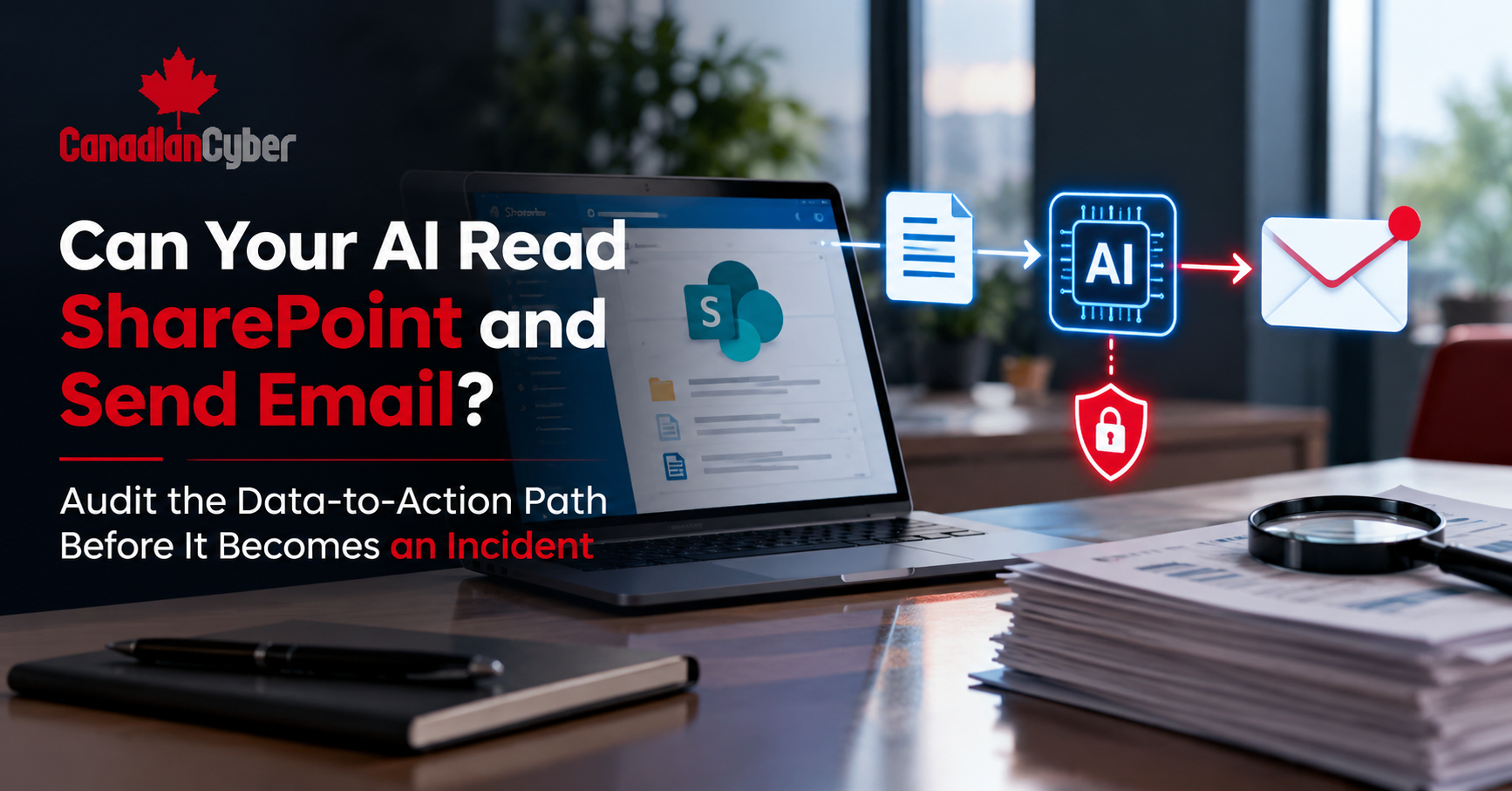
Data → AI → Decision → Tool → Action
Auditors should verify:
- What SharePoint data the AI can access.
- Which identity and permissions it uses.
- Which tools or connectors it can call.
- Whether sensitive actions require approval.
- Whether data can leave the organization.
- Whether every important action is logged.
- Whether the AI can be disabled quickly.
Bottom line: audit what the AI can do with the information it reads, not only whether it can read it.
Why This Risk Is Growing
Traditional AI assistants mainly answered questions.
AI agents can go further.
A modern workflow may:
A SharePoint document
Its contents
What should happen
Another system
Send email or update a record
Microsoft’s current Copilot Studio workflows can pass AI-generated outputs into later actions, including email, Teams messages, SharePoint records, and other connected systems.
That is useful automation.
It also creates a new audit boundary.
Start With the Data-to-Action Map
Before testing controls, draw the workflow.
For example:
SharePoint
→
AI Agent
→
Decision
→
Outlook Connector
→
External Email
Now ask one question at every step:
What prevents unauthorized information from moving to the next stage?
That simple exercise can reveal major control gaps.
1. Check What SharePoint Data the AI Can Read
Start with permissions.
Which SharePoint sites can the AI reach?
Can it access:
For standard Microsoft 365 scenarios, agents respect existing Microsoft 365 permissions. If a user cannot access specific SharePoint content, an agent operating under that user’s access should not surface it.
However, not every agent architecture works the same way.
Some agent models can operate using their own identity and assigned access scope.
Internal audit should therefore confirm the actual identity model.
Evidence to Request
- SharePoint permissions.
- Agent identity.
- Group membership.
- Site access.
- Sensitivity labels.
- Restricted sites.
- Access reviews.
2. Check the AI Identity
Ask:
Who is actually accessing the data?
It could be:
- The employee.
- A service account.
- An application identity.
- A dedicated AI agent identity.
- A connector using delegated access.
The answer matters.
Microsoft recommends treating agents as identifiable principals with tightly scoped roles and permissions.
Avoid broad permissions simply because they make deployment easier.
If an agent only needs one SharePoint library, why can it access twenty sites?
3. Audit the Action Tools
Next, move beyond data access.
Ask:
What can the AI do after reading the information?
An agent may have tools that allow it to:
Copilot Studio connectors can provide agents with both read and write capabilities across systems such as SharePoint and Outlook.
Internal audit should challenge every action.
If the AI only needs to draft an email, it may not need permission to send it automatically.
If it only needs to summarize documents, it may not need write access at all.
4. Test the Dangerous Combination
The highest-risk scenario is often:
Sensitive Data Access + Powerful Action
Consider this example.
An AI assistant can read confidential SharePoint files.
It can also send email.
A document contains misleading or malicious instructions.
The AI interprets those instructions and prepares information for an external recipient.
The question is not only whether the model makes a mistake.
The real audit question is:
What technical control stops the email?
This is why AI audits should test complete workflows.
Do not test SharePoint permissions and email controls as unrelated systems.
Test the connection between them.
Can Your AI Turn SharePoint Data Into an External Action?
Canadian Cyber can review your Microsoft 365 AI workflows, SharePoint access, agent identities, connectors, approval points, logs, and ISO 27001 evidence before a control gap becomes an incident.
The goal is to test the complete path from sensitive information to business action.
5. Put Approval Before High-Risk Actions
Human approval can reduce risk.
But timing matters.
Strong Workflow
AI reads
→
AI drafts
→
Human reviews
→
Human approves
→
Email sends
Weaker Workflow
AI reads
→
AI sends
→
Human reviews later
The second approach is monitoring.
It is not approval.
For sensitive information, external communication, financial actions, access changes, or other high-impact tasks, organizations should consider an enforced approval step.
Microsoft’s current agent security guidance also recommends separating read and write capabilities and placing stronger controls around high-impact operations.
6. Test What Happens When the AI Is Wrong
Do not audit only the happy path.
Give the workflow unusual or misleading input.
Test what happens if the AI:
The safest design assumes that AI can make mistakes.
Security controls should limit the impact.
7. Review the Logs
Can you reconstruct the workflow after an incident?
You should be able to determine:
- Who started the request.
- Which identity accessed SharePoint.
- Which files were retrieved.
- Which tool was called.
- What action was attempted.
- Who approved it.
- Who received the information.
- Whether the action succeeded or failed.
Logging only the conversation is not enough.
Internal audit should also review system actions.
ISO 27001 Controls to Consider
Several ISO/IEC 27001:2022 controls may be relevant.
| Control | Audit Focus |
|---|---|
| A.5.15 Access Control | Who can access data and AI capabilities? |
| A.5.16 Identity Management | Which identity does the agent use? |
| A.5.18 Access Rights | Are AI permissions reviewed? |
| A.8.2 Privileged Access | Does the AI have elevated rights? |
| A.8.3 Information Access Restriction | Can the AI reach unnecessary SharePoint data? |
| A.8.15 Logging | Are AI and tool actions recorded? |
| A.8.16 Monitoring | Can abnormal activity be detected? |
| A.8.26 Application Security | Are AI workflow risks addressed? |
| A.8.29 Security Testing | Has the complete workflow been tested? |
| A.8.32 Change Management | Are new tools and permissions controlled? |
The exact controls should depend on the organization’s risk assessment and Statement of Applicability.
Common Internal Audit Red Flags
Watch for these warning signs:
The AI can search more information than its use case requires.
The AI can send sensitive content without approval.
Multiple AI workflows use one powerful identity.
Unused tools remain available to the agent.
Teams test the AI response but not the final action.
Prompts are recorded, but tool calls are not.
The organization relies on “do not send confidential information” inside the prompt instead of technical controls.
A prompt should not replace access control.
Quick AI Data-to-Action Audit Checklist
Before closing the audit, confirm:
- The AI workflow has a documented owner.
- SharePoint data sources are known.
- AI identities are documented.
- Access follows least privilege.
- Sensitive SharePoint sites are restricted.
- Unnecessary tools are disabled.
- Read and write permissions are separated.
- External email actions are controlled.
- High-risk actions require approval.
- Data loss prevention controls are considered.
- AI and connector actions are logged.
- Abnormal activity can be detected.
- Agent access can be revoked quickly.
- The complete workflow has been security tested.
Why This Matters for Microsoft 365 Governance
AI does not necessarily create new data permissions by itself.
However, it can make existing access faster and easier to use.
That means old SharePoint permission problems can become AI problems.
Microsoft’s Zero Trust guidance for Copilot recommends reviewing oversharing and applying least privilege across files, folders, Teams, email, and connected resources.
Internal audit should therefore ask two questions:
Does the user need this access?
Does the AI need this access?
Those answers may not always be the same.
Centralize AI Governance Evidence in Your ISMS
Canadian Cyber’s ISMS SharePoint Solution can help organizations structure policies, risks, controls, evidence, audit findings, corrective actions, and approvals inside Microsoft 365.
AI Risk → Control → Evidence → Audit → Finding → Corrective Action
Frequently Asked Questions
Can Microsoft Copilot read everything in SharePoint?
No. Standard Microsoft 365 agent experiences generally respect the user’s existing SharePoint permissions. However, organizations should review the specific identity, agent configuration, connectors, and permissions used in their environment.
Can an AI agent send email?
Yes, if the workflow is configured with tools or connectors that provide that capability. Copilot Studio, for example, supports email actions through Microsoft 365 connectors.
Should AI be allowed to send email automatically?
It depends on the risk.
Low-risk notifications may justify automation. Sensitive or externally facing communications may require approval.
What should internal audit test first?
Start with the complete workflow.
Identify the data source, identity, permissions, AI decision, available tools, final action, and approval point.
Is this relevant to ISO 27001?
Yes.
AI-enabled workflows can affect access control, identity, logging, monitoring, application security, security testing, supplier management, and risk management within an ISMS.
The Takeaway
Do not audit an AI assistant only as a chatbot.
If it can read SharePoint and call business tools, audit it as a workflow.
Follow the information from start to finish:
What can it read?
Who is it acting as?
What can it do?
What stops an unsafe action?
Who approves sensitive actions?
Can you prove what happened afterward?
The most important control may not be inside the AI model.
It may be the permission, approval, or authorization boundary that prevents a bad AI decision from becoming a real incident.
Need to Audit AI Workflows in Microsoft 365?
Canadian Cyber helps organizations review AI governance, Microsoft 365 permissions, ISO 27001 controls, AI-enabled workflows, access risks, internal audit evidence, and corrective actions.
Our team can also help organizations structure policies, risks, controls, evidence, audit findings, and approvals through Canadian Cyber’s ISMS SharePoint Solution.
Stay Connected With Canadian Cyber
Follow Canadian Cyber for practical guidance on ISO 27001 internal audits, Microsoft 365 security, SharePoint governance, AI agents, AI security, and cybersecurity risk management.