



SOC 2 • ISO 27018 • ISO 27001 • Cloud Privacy • Remote SaaS
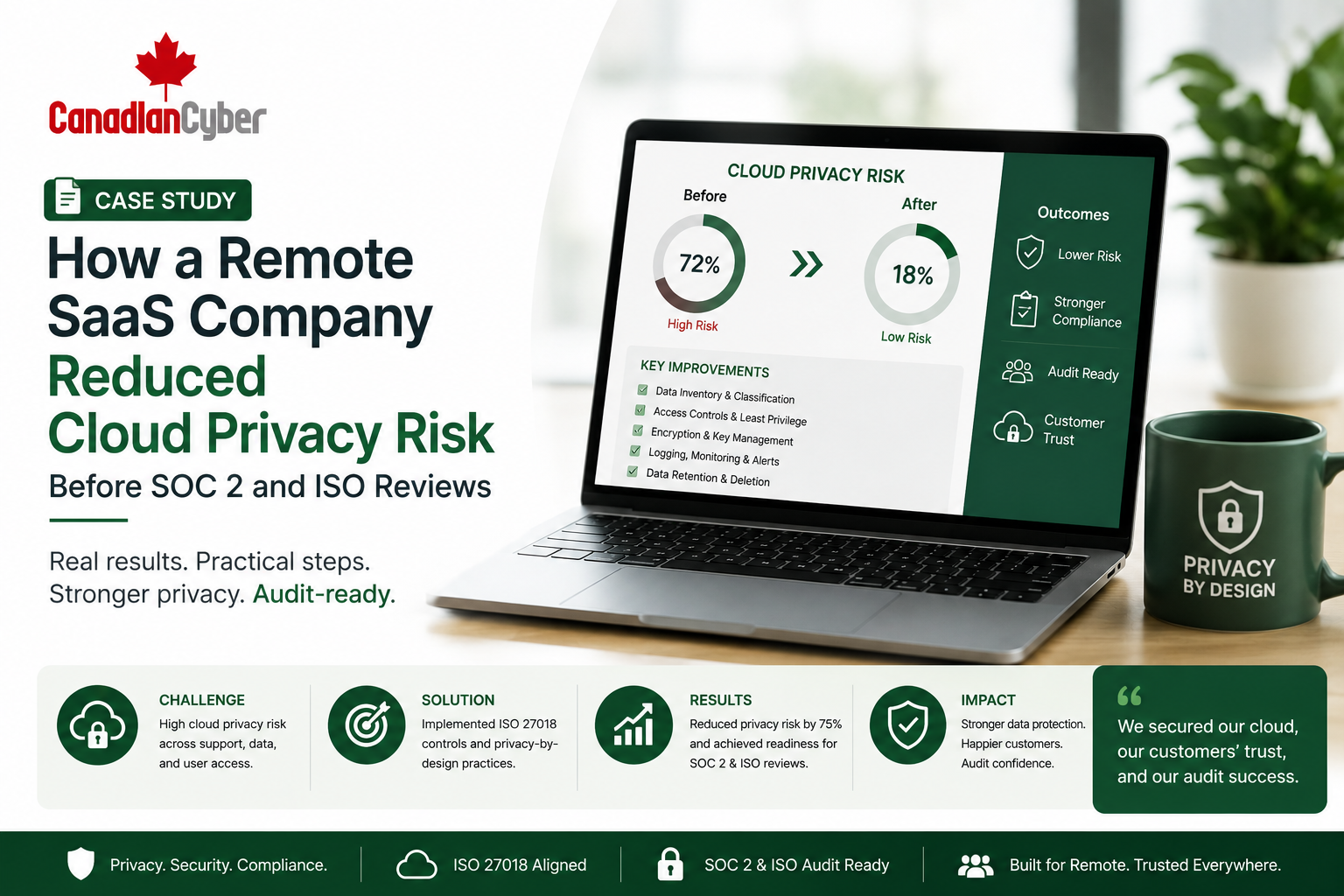
Case Study: How a Remote SaaS Company Reduced Cloud Privacy Risk Before SOC 2 and ISO Reviews
Remote SaaS companies process customer data across cloud platforms, support tools, logs, screenshots, metadata, AI tools, and vendors. Before SOC 2 and ISO reviews, privacy risk increases when customer data appears in unexpected places.
Canadian Cyber Cloud Privacy Readiness Support
Reduce Cloud Privacy Risk Before SOC 2, ISO 27001, and ISO 27018 Reviews
Canadian Cyber helps remote SaaS companies map customer data flows, review support privacy risks, control user metadata, assess vendors, govern AI tool use, define retention rules, and build SharePoint privacy evidence workspaces.
Quick Snapshot
| Case Study Area | What Improved |
|---|---|
| Business Context | Remote SaaS company preparing for SOC 2 and ISO reviews. |
| Main Risk | Customer data was spread across support tools, logs, screenshots, metadata, AI tools, and vendors. |
| Frameworks | SOC 2, ISO 27001, ISO 27018, and cloud privacy readiness. |
| Solution | Data mapping, support privacy controls, vendor reviews, retention rules, access reviews, and evidence tracking. |
| Business Outcome | Lower privacy risk, stronger audit evidence, faster client responses, and clearer cloud data governance. |
Introduction
Remote SaaS companies are built on cloud systems. They often use cloud platforms for hosting, identity management, customer support, ticketing, monitoring, logging, analytics, file storage, billing, communication, development, AI assistance, and vendor integrations.
This creates flexibility, but it also creates privacy risk. Customer data may appear outside the main product in support tickets, screenshots, log files, analytics events, metadata exports, CRM notes, support chat transcripts, AI summaries, vendor dashboards, attachments, monitoring alerts, backup systems, and developer troubleshooting records.
During SOC 2 and ISO reviews, auditors and clients may ask:
- Where does customer data go?
- Who can access it?
- Which vendors process it?
- How long is it retained?
- Are screenshots redacted?
- Are logs and metadata controlled?
- Is customer data used in AI tools?
- Can the company prove these controls operate?
Cloud privacy risk is not limited to the main application database. It includes every system where customer data appears.
Need to Reduce Cloud Privacy Risk Before SOC 2 or ISO Reviews?
Canadian Cyber helps remote SaaS companies map data flows, review support tools, control metadata, assess vendors, define retention, and prepare SOC 2, ISO 27001, and ISO 27018 evidence.
Meet the Remote SaaS Company
Let’s call the company ClearPath Cloud.
ClearPath Cloud was a fully remote SaaS company serving business customers through a cloud-based workflow platform. The team included remote engineers, customer support, operations, and distributed leadership. The company used cloud-hosted infrastructure, SaaS support tools, SaaS monitoring tools, cloud file storage, third-party integrations, and customer portal features.
Customer data processed included:
business emails
account roles
portal activity
uploaded files
workflow records
billing metadata
support ticket content
screenshots
system logs
IP addresses
device metadata
The Starting Problem
ClearPath Cloud had strong product growth, but privacy evidence was immature. The company had policies and basic security controls, but customer data was spread across multiple tools.
| Gap Found | Why It Created Risk |
|---|---|
| No complete data flow map | The team could not clearly show where customer data went. |
| Support tickets contained screenshots | Some screenshots included unnecessary personal data. |
| Logs included user metadata | Metadata access and retention were not fully documented. |
| Vendor reviews were incomplete | Some tools processed customer data but were not reviewed. |
| Retention rules were unclear | Old tickets and attachments were kept longer than needed. |
| AI tool use was informal | Customer data could be entered into unapproved tools. |
| Evidence was scattered | Audit preparation was slow and stressful. |
Privacy risk increases when customer data moves faster than governance.
Why This Mattered Before SOC 2 and ISO Reviews
SOC 2 and ISO reviews do not only look at technical security. They also look at governance, controls, evidence, access, vendors, incidents, and privacy-related commitments.
| Framework / Review Area | Privacy Relevance |
|---|---|
| SOC 2 Security | Access control, vendor management, incident response, and logging. |
| SOC 2 Confidentiality | Protection of confidential customer data. |
| SOC 2 Privacy | Personal data handling, retention, rights, and notices. |
| ISO 27001 | Risk management, supplier security, access control, and evidence. |
| ISO 27018 | Cloud privacy controls for personally identifiable information. |
| Client Security Reviews | Customer-facing proof of data protection practices. |
Step 1: Mapping Customer Data Flows
The first step was to map where customer data appeared. The team reviewed product workflows, support workflows, integrations, logs, AI tools, and vendors.
Data flow areas reviewed included:
application database
support ticket platform
chat support tool
monitoring logs
analytics platform
CRM
billing system
AI assistant tools
backup system
| Data Flow Map Field | Purpose |
|---|---|
| Data Type | Name, email, file, metadata, log, or screenshot. |
| Source System | Where data starts. |
| Destination System | Where data goes. |
| Purpose | Why data is processed. |
| Vendor Involved | Third party processing the data. |
| Retention Period | How long data is kept. |
| Control Evidence | Supporting proof. |
You cannot reduce cloud privacy risk until you know where customer data flows.
Map Customer Data Before the Review Starts
Canadian Cyber helps SaaS teams map product, support, logging, analytics, AI, vendor, and backup data flows so privacy risk is visible before SOC 2 and ISO reviews.
Step 2: Reviewing Support Tickets and Screenshots
Support tickets were one of the biggest privacy exposure points. Customers often uploaded screenshots to explain issues. Some screenshots showed names, emails, account IDs, billing details, workflow records, browser tabs, URLs, file names, and other users’ details.
| Controls Added | Evidence Created |
|---|---|
| Customer screenshot guidance, support data handling procedure, redaction instructions, restricted sensitive ticket categories, attachment retention rules, ticket export approval process, support staff privacy training, and privacy escalation process. | Support ticket handling procedure, screenshot redaction guidance, support training record, ticket retention settings, sensitive ticket access review, sample redacted screenshot process, and privacy issue escalation record. |
Step 3: Controlling User Metadata
The team realized that user metadata was spread across logs, monitoring tools, analytics, and support records. Metadata included login timestamps, IP addresses, user IDs, role names, tenant IDs, browser information, device information, session events, API activity, file upload events, admin actions, and support activity.
| Metadata Controls Added | Evidence Created |
|---|---|
| Metadata inventory, access restrictions, log retention settings, export approval rules, masking where appropriate, monitoring vendor review, analytics data minimization, metadata access review, and incident escalation for metadata exposure. | Metadata register, log retention evidence, analytics configuration review, monitoring tool access review, metadata access procedure, and vendor review records. |
Step 4: Reviewing Support and Operations Access
ClearPath Cloud reviewed who could access support systems, logs, screenshots, attachments, and customer metadata.
Access reviewed included:
support managers
engineering escalations
operations users
contractors
vendor support accounts
admin users
AI tool users
analytics users
The company reduced broad access and created clearer support roles, user exports, reviewer sign-offs, permission matrices, removed user evidence, privileged access reviews, contractor access reviews, ticket export permission reviews, and log access reviews.
Step 5: Strengthening Vendor Reviews
The company used many SaaS vendors. Some processed customer data directly. Others processed logs, metadata, screenshots, support content, or AI summaries.
| Vendor Review Field | Purpose |
|---|---|
| Vendor Name | Supplier. |
| Service Provided | What the vendor does. |
| Data Processed | Customer data, metadata, logs, screenshots, or support content. |
| Criticality | High, medium, or low. |
| Assurance Evidence | SOC 2, ISO 27001, or privacy documentation. |
| Contract / DPA | Legal evidence. |
| Retention Terms | Data lifecycle. |
| Review Status | Approved, pending, or overdue. |
A vendor that processes customer screenshots, tickets, logs, or metadata belongs in the privacy risk program.
Step 6: Creating AI Tool Rules
Some employees used AI tools to summarize tickets, draft replies, and troubleshoot issues. This created a privacy concern because customer data, screenshots, ticket content, and metadata could enter tools without approval.
Controls added:
- approved AI tool list
- AI use policy
- customer data restrictions
- human review requirement
- AI vendor review
- AI issue reporting
- prohibition on uploading sensitive screenshots to unapproved tools
Step 7: Defining Retention and Deletion Rules
The company had old tickets, screenshots, logs, exports, attachments, and AI-generated summaries. Retention was not always clear, so the team reviewed ticket retention, attachment deletion, log retention, metadata exports, customer deletion requests, legal hold exceptions, and vendor retention terms.
Data that is no longer needed still creates privacy risk.
Step 8: Updating Privacy Incident Response
The incident response process was updated to include privacy scenarios such as tickets shared with the wrong customer, screenshots exposing personal data, unauthorized downloads, metadata sent to the wrong recipient, AI tools receiving sensitive data, vendor platform incidents, log exposure, and attachments retained too long.
| Privacy Incident Evidence | Purpose |
|---|---|
| Privacy incident procedure | Defines how privacy events are handled. |
| Severity classification | Supports consistent triage. |
| Incident register | Tracks privacy events. |
| Notification decision process | Documents whether notification is required. |
| Root cause template | Supports investigation. |
| Corrective action tracker | Tracks improvement actions. |
AI Tools, Retention, and Privacy Incidents Need Governance
Canadian Cyber helps remote SaaS teams define approved AI use, retention schedules, deletion workflows, privacy incident processes, and evidence tracking for SOC 2 and ISO reviews.
Step 9: Building a SharePoint Privacy Evidence Workspace
Before the project, evidence was scattered. Canadian Cyber helped the company build a SharePoint evidence workspace for SOC 2, ISO 27001, ISO 27018, vendor reviews, support privacy, metadata governance, and client-ready evidence.
| SharePoint Workspace Section | Purpose |
|---|---|
| Privacy Control Register | Tracks privacy controls and owners. |
| Data Flow Register | Maps customer data across systems. |
| Support Ticket Evidence | Stores support data handling evidence. |
| Screenshot Handling Evidence | Stores redaction guidance and procedures. |
| Metadata Register | Tracks metadata types, access, retention, and vendors. |
| Vendor Register | Tracks vendors and privacy evidence. |
| AI Governance Register | Tracks approved AI tools and risks. |
| Retention Evidence | Stores retention and deletion records. |
| Incident Register | Tracks privacy incidents and corrective actions. |
| Management Review Dashboard | Shows privacy risk status and overdue actions. |
Recommended Metadata
control ID
data type
evidence owner
system owner
vendor
review status
privacy sensitivity
next review date
auditor ready
client ready
Build a Cloud Privacy Evidence Workspace in SharePoint
Canadian Cyber helps remote SaaS companies build SharePoint privacy evidence workspaces for SOC 2, ISO 27001, ISO 27018, vendor reviews, support privacy, metadata governance, AI controls, and client-ready evidence.
Results
ClearPath Cloud reduced privacy risk before its SOC 2 and ISO reviews.
| Before | After |
|---|---|
| Data flows were unclear | Customer data flow map created. |
| Support screenshots were unmanaged | Screenshot redaction and handling guidance added. |
| Metadata access was not fully reviewed | Metadata register and access review created. |
| Vendor reviews were incomplete | Vendor privacy reviews completed. |
| AI tool use was informal | AI use policy and approved tool list created. |
| Retention rules were unclear | Retention schedule and deletion process created. |
| Privacy incidents were not clearly classified | Privacy incident procedure added. |
| Evidence was scattered | SharePoint evidence workspace created. |
The company improved:
ISO 27001 evidence quality
ISO 27018 privacy readiness
client security review responses
vendor governance
metadata control
AI tool governance
management visibility
Lessons for Remote SaaS Teams
| Lesson | Why It Matters |
|---|---|
| Customer data appears outside the product. | Support tickets, logs, screenshots, metadata, and vendors matter. |
| Privacy risk is operational. | Support, engineering, customer success, vendors, and AI tools all affect privacy. |
| Metadata needs governance. | Metadata can identify users and reveal behavior. |
| AI tools need clear rules. | Support teams should not paste customer data into unapproved AI tools. |
| Evidence should be centralized. | A SharePoint evidence workspace helps prove privacy controls are operating. |
Cloud Privacy Risk Checklist
Use this checklist before SOC 2 and ISO reviews.
| Checklist Area | Questions to Confirm | Yes / No |
|---|---|---|
| Data Mapping | Have customer data flows been mapped? Are support tools, logs, metadata, vendors, and AI tools included? | |
| Support Privacy | Is there support ticket data handling guidance? Are screenshots redacted where needed? Are sensitive tickets restricted? Are support agents trained? | |
| Metadata and Vendors | Is user metadata inventoried? Is metadata access reviewed? Are retention settings defined? Are vendors reviewed for privacy risk? | |
| Evidence | Is privacy evidence stored centrally? Are evidence owners assigned? Are corrective actions tracked? Is client-ready evidence prepared? Is management review documented? |
Common Mistakes to Avoid
- Only reviewing the main application. Customer data may also appear in support, logs, analytics, and vendors.
- Ignoring screenshots. Screenshots can expose personal, financial, or confidential information.
- Treating metadata as non-sensitive. Metadata can identify users and behavior.
- No AI tool rules. Unapproved AI tools can create privacy exposure.
- Undefined retention. Old tickets and logs increase risk.
- Weak vendor reviews. Support, analytics, monitoring, and AI vendors may process customer data.
- No evidence workspace. Scattered evidence slows SOC 2 and ISO readiness.
What Good Looks Like
A remote SaaS company with stronger cloud privacy readiness can show:
- customer data flow map
- support ticket handling procedure
- screenshot redaction guidance
- metadata inventory
- support access review
- vendor privacy reviews
- AI tool policy
- approved AI tool list
- retention schedule
- deletion process
- privacy incident procedure
- privacy incident register
- corrective action tracker
- SharePoint evidence workspace
- client-ready privacy summary
- management review dashboard
This helps customers, auditors, and leadership trust how personal information is managed.
Canadian Cyber’s Take
Canadian Cyber often sees remote SaaS companies focus heavily on the product environment while missing privacy risk in operational systems.
Support tickets, screenshots, user metadata, analytics tools, monitoring logs, AI tools, and vendors can all become part of the customer data environment. Before SOC 2 and ISO reviews, those areas should be mapped, reviewed, controlled, and evidenced.
The goal is not to slow down support or engineering. The goal is to help teams handle customer data safely while staying audit-ready.
Canadian Cyber’s ISMS SharePoint solution helps make privacy governance practical by organizing data flows, evidence, vendors, risks, incidents, and owner actions in one workspace.
Takeaway
A remote SaaS company can reduce cloud privacy risk before SOC 2 and ISO reviews by focusing on data flow mapping, support ticket privacy, screenshot redaction, user metadata governance, support access reviews, vendor privacy reviews, AI tool governance, retention and deletion, privacy incident response, and SharePoint evidence management.
Cloud privacy risk is manageable when teams know where customer data goes, who can access it, how long it is retained, and what evidence proves control.
How Canadian Cyber Can Help
Canadian Cyber helps remote SaaS companies and cloud service providers reduce privacy risk and prepare for SOC 2, ISO 27001, and ISO 27018 reviews.
- cloud privacy readiness assessments
- SOC 2 privacy evidence planning
- ISO 27018 readiness reviews
- customer data flow mapping
- support ticket privacy reviews
- screenshot handling procedures
- user metadata governance
- support access reviews
- vendor privacy reviews
- AI tool governance reviews
- retention and deletion control design
- privacy incident response preparation
- SharePoint privacy evidence workspace setup
- client-ready privacy evidence packs
- management review dashboards
- vCISO and privacy governance support
Stay Connected With Canadian Cyber
Follow Canadian Cyber for practical guidance on cloud privacy, SOC 2, ISO 27018, ISO 27001, support ticket privacy, user metadata, SharePoint ISMS, audit evidence, and vCISO support.










