



ISMS SharePoint • Control Ownership • Compliance Trackers • Audit Evidence • Accountability
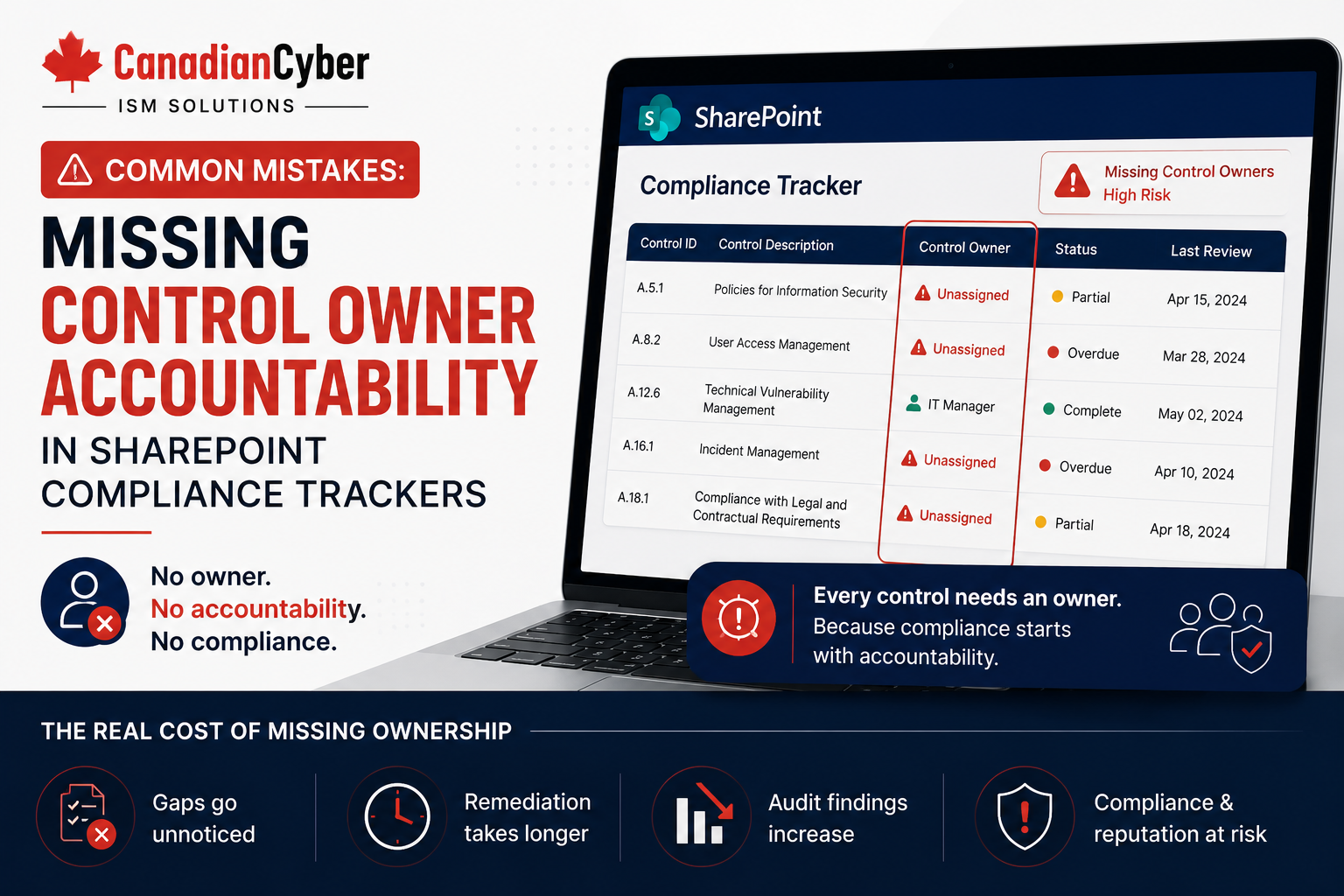
Common Mistakes: Missing Control Owner Accountability in SharePoint Compliance Trackers
A SharePoint compliance tracker can organize risks, controls, evidence, vendors, corrective actions, and audit readiness. But if control owner accountability is missing, the tracker becomes a passive list instead of a working compliance system.
Canadian Cyber ISMS SharePoint Solution
Make Control Ownership Visible, Trackable, and Audit-Ready
Canadian Cyber helps organizations build ISMS SharePoint workspaces that connect controls, risks, evidence, owners, due dates, corrective actions, escalation paths, and management dashboards.
Quick Snapshot
| Accountability Gap | Why It Creates Risk |
|---|---|
| No Control Owner | No one is clearly accountable for whether the control works. |
| No Evidence Owner | Evidence is not collected, refreshed, reviewed, or approved on time. |
| No Due Date | Tasks drift without urgency, especially during busy audit periods. |
| No Escalation Path | Overdue or high-risk items remain unresolved. |
| No Status Tracking | Leadership cannot see what is ready, delayed, missing, or failing. |
| No Closure Evidence | Findings appear complete but cannot be proven during audit review. |
Introduction
Many organizations use SharePoint to manage compliance. That is a good start. SharePoint can support risk registers, control registers, policy libraries, audit evidence libraries, access review records, vendor registers, incident records, corrective actions, management review dashboards, and client-ready evidence packs.
But a SharePoint tracker is only useful when accountability is clear.
A control may be listed. A policy may be uploaded. An evidence folder may exist. A risk may be logged. A due date may be added. But if no one owns the control, the tracker becomes passive.
Auditors and leadership need more than a list. They need to know who is responsible.
A strong SharePoint compliance tracker should answer:
- Who owns this control?
- Who collects the evidence?
- Who reviews it?
- Who approves it?
- Who fixes the gap?
- Who verifies closure?
- Who reports status to management?
Need Clearer Control Ownership in SharePoint?
Canadian Cyber helps organizations build control ownership models, evidence owner tracking, escalation fields, corrective action trackers, and management review dashboards inside SharePoint.
Why Control Owner Accountability Matters
Control ownership is the difference between documentation and operation. A control owner is accountable for making sure the control is designed, operating, reviewed, and evidenced.
| Control Owner Responsibility | What It Means |
|---|---|
| Understand the Control | Know what the control is supposed to achieve. |
| Maintain the Control | Make sure the control operates as expected. |
| Provide Evidence | Ensure proof is collected on schedule. |
| Review Exceptions | Identify issues and gaps. |
| Support Audits | Answer auditor questions with evidence and context. |
| Track Remediation | Fix control failures and assign corrective actions. |
| Report Status | Provide updates to leadership and management review. |
A control without an owner is a control that may not operate when needed.
Mistake 1: Listing Controls Without Assigning Owners
The most common mistake is creating a control register with no owner column. The tracker may include control ID, control name, framework mapping, evidence required, and status, but not the person accountable.
This creates problems quickly:
- Evidence requests are ignored.
- Auditors ask questions no one can answer.
- Control failures are not investigated.
- Review dates pass unnoticed.
- Leadership cannot assign responsibility.
| Better SharePoint Field | Purpose |
|---|---|
| Control Owner | Accountable person. |
| Evidence Owner | Person collecting proof. |
| Review Owner | Person validating control operation. |
| Backup Owner | Alternate owner. |
| Department | Business area responsible. |
| Escalation Owner | Manager or leadership sponsor. |
Mistake 2: Confusing Control Owner and Evidence Owner
The control owner and evidence owner may not always be the same person. For example, the CTO may own the access control process, while an IT administrator collects the export and an operations lead uploads the evidence.
| Role | Responsibility |
|---|---|
| Control Owner | Accountable for control design and operation. |
| Evidence Owner | Collects or uploads supporting evidence. |
| Reviewer | Confirms the evidence is accurate. |
| Approver | Marks evidence as audit-ready. |
| Remediation Owner | Fixes gaps or exceptions. |
Mistake 3: Assigning Owners by Department Only
Some trackers use broad labels like IT, HR, Operations, Finance, Security, or Legal. This is not enough. A department cannot respond to an audit question. A person must.
| Weak Ownership | Strong Ownership |
|---|---|
| Access Review — IT | Access Review — IT Manager |
| Security Training — HR | Security Training — HR Lead |
| Vendor Review — Operations | Vendor Review — Operations Manager |
| Backup Testing — Engineering | Backup Testing — Engineering Lead |
Practical rule: Use named individuals for accountability and departments for grouping.
Stop Tracking Controls Without Named Owners
Canadian Cyber helps teams redesign SharePoint compliance trackers with named owners, backup owners, evidence owners, review owners, escalation contacts, and management review flags.
Mistake 4: No Backup Owner
People leave, change roles, go on vacation, or become unavailable. If only one person understands a control, evidence may be delayed.
| Ownership Field | Purpose |
|---|---|
| Primary Owner | Main accountable person. |
| Backup Owner | Alternate person. |
| Escalation Contact | Manager or sponsor. |
| Last Owner Review | Confirms ownership is still current. |
Mistake 5: No Due Dates or Review Frequency
A control owner needs more than a name. They need a schedule. Ownership without due dates still creates drift.
| Control Area | Suggested Frequency |
|---|---|
| User Access Review | Quarterly |
| Privileged Access Review | Quarterly |
| Vendor Review | Annual or risk-based |
| Policy Review | Annual |
| Backup Monitoring | Monthly |
| Restore Testing | Semi-annual or annual |
| Security Training | Annual |
| AI System Review | Quarterly or risk-based |
Mistake 6: No Status Workflow
Without status labels, leadership cannot tell whether a control is ready, delayed, failing, or missing evidence.
| Recommended Status | Meaning |
|---|---|
| Not Started | Control is not yet implemented. |
| In Progress | Work is underway. |
| Operating | Control is working. |
| Evidence Missing | Proof is not available. |
| Gap Identified | Issue found. |
| Remediation In Progress | Fix is underway. |
| Ready for Audit | Evidence approved. |
Mistake 7: No Evidence Link
A control tracker should link directly to supporting evidence. If evidence is stored somewhere else with no link, audit prep becomes manual.
MFA configuration screenshot
Vendor SOC 2 report
Backup report
Restore test record
Training completion report
Incident tabletop notes
AI impact assessment
Mistake 8: No Escalation for Overdue Items
Overdue controls should not sit quietly in the tracker. A good SharePoint compliance tracker should make overdue items visible.
| Escalation Field | Purpose |
|---|---|
| Due Date | Deadline. |
| Days Overdue | Shows urgency. |
| Escalation Owner | Manager or sponsor. |
| Risk Level | Prioritizes attention. |
| Blocker Notes | Explains delay. |
| Management Review Flag | Shows leadership attention required. |
Make Overdue Controls Visible Before Audit Week
Canadian Cyber helps organizations build overdue item views, escalation workflows, risk flags, and management review dashboards in SharePoint.
Mistake 9: No Corrective Action Ownership
When a control fails, the remediation needs an owner. Many trackers show the gap but do not assign the fix.
| Corrective Action Field | Purpose |
|---|---|
| Action ID | Unique reference. |
| Related Control | Control affected. |
| Issue Description | What failed. |
| Remediation Owner | Person responsible. |
| Due Date | Target date. |
| Closure Evidence | Proof of fix. |
| Verification Owner | Confirms closure. |
Mistake 10: No Management Review View
Leadership should not need to open every tracker row. A management review view should show exceptions and decisions.
A management review view should include:
- high-risk controls
- overdue controls
- controls missing evidence
- open corrective actions
- controls with repeated failures
- vendor reviews overdue
- access reviews incomplete
- policy reviews overdue
- AI governance actions overdue
- audit-ready evidence status
Mistake 11: Owner Names Are Not Maintained
Ownership changes over time. If the tracker is not updated, it becomes unreliable.
| Ownership Review Question | Yes / No |
|---|---|
| Are control owners still current? | |
| Are backup owners assigned? | |
| Have role changes been reflected? | |
| Are departed employees removed as owners? | |
| Are new systems assigned owners? | |
| Are vendor and AI system owners current? |
Mistake 12: No Link Between Risks, Controls, and Owners
A control owner should understand which risks the control reduces. Without that link, the control becomes a checklist item instead of a risk treatment.
| Risk | Control | Owner | Evidence |
|---|---|---|---|
| Unauthorized access to customer data | Quarterly access review | IT Manager | Q2 access review sign-off |
| Vendor exposes client data | Annual vendor review | Operations Lead | Vendor risk assessment |
| Backup failure affects availability | Restore testing | Engineering Lead | Restore test report |
| AI tool produces inaccurate output | Human review process | AI Governance Owner | Review checklist |
Recommended SharePoint Control Tracker Template
Use a structure that makes accountability visible and audit-ready.
| Field | Description |
|---|---|
| Control ID | Unique control reference. |
| Control Name | Clear control title. |
| Framework | ISO 27001, SOC 2, or ISO 42001. |
| Related Risk | Risk reduced by the control. |
| Control Owner | Accountable person. |
| Evidence Owner | Person collecting proof. |
| Backup Owner | Alternate owner. |
| Review Frequency | Monthly, quarterly, or annual. |
| Evidence Status | Missing, draft, approved, or expired. |
| Control Status | Implemented, operating, or gap. |
| Corrective Action Link | Open remediation. |
| Management Review Flag | Yes or no. |
Control Owner Accountability Checklist
| Question | Yes / No |
|---|---|
| Does every control have a named owner? | |
| Does every evidence item have an owner? | |
| Are backup owners assigned? | |
| Are owners reviewed regularly? | |
| Are due dates visible? | |
| Is review frequency defined? | |
| Are overdue controls flagged? | |
| Are evidence links included? | |
| Are corrective actions assigned to owners? | |
| Are high-risk overdue items visible to management? | |
| Are risks, controls, evidence, and owners linked? |
What Good Looks Like
A strong SharePoint compliance tracker can show:
- control owner
- evidence owner
- backup owner
- review frequency
- due date
- status
- related risk
- related evidence
- related corrective action
- escalation owner
- approval status
- management review flag
- framework mapping
- audit-ready evidence link
This helps teams avoid confusion and shows auditors that the compliance program is actively managed.
Canadian Cyber’s Take
Canadian Cyber’s ISMS SharePoint solution is built around a simple idea: compliance needs accountability.
A tracker with no owners is just a list. A tracker with owners, due dates, evidence links, statuses, views, and dashboards becomes a management system.
For ISO 27001, SOC 2, ISO 42001, client reviews, and cyber insurance evidence, organizations need to prove more than documentation. They need to prove that people are responsible for operating controls, reviewing evidence, closing gaps, and reporting status.
That is what good SharePoint compliance design should support.
Takeaway
Missing control owner accountability is one of the most common weaknesses in SharePoint compliance trackers.
Avoid:
- unnamed owners
- department-only ownership
- missing evidence owners
- no backup owner
- no due dates
- no status workflow
- no corrective action owner
- no management dashboard
- no link between risks, controls, and evidence
A good tracker should make accountability visible. That visibility helps teams prepare for audits, respond to clients, and manage security risk more effectively.
How Canadian Cyber Can Help
Canadian Cyber helps organizations build practical ISMS SharePoint workspaces that connect risks, controls, evidence, owners, vendors, actions, and dashboards.
- SharePoint compliance tracker design
- control ownership model setup
- risk-to-control mapping
- evidence owner tracking
- audit evidence libraries
- corrective action trackers
- management review dashboards
- ISO 27001 evidence tracking
- SOC 2 evidence tracking
- ISO 42001 AI governance tracking
- vendor ownership registers
- access review trackers
- policy review workflows
- client-ready evidence packs
- vCISO support
Stay Connected With Canadian Cyber
Follow Canadian Cyber for practical guidance on ISMS SharePoint, compliance trackers, control ownership, ISO 27001, SOC 2, ISO 42001, audit evidence, management dashboards, and vCISO support.










