



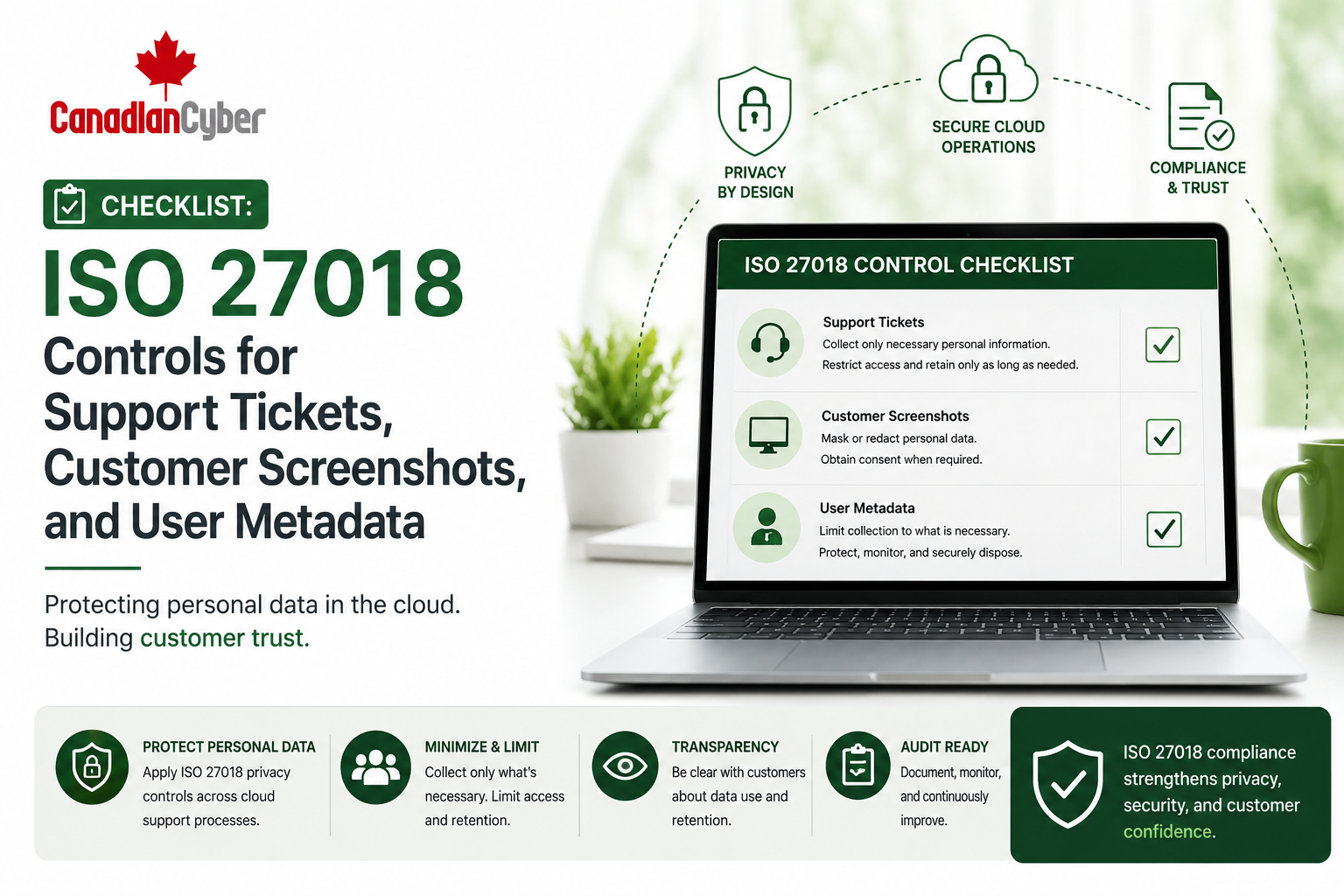
ISO 27018 • Cloud Privacy • Support Tickets • Customer Screenshots • User Metadata
Checklist: ISO 27018 Controls for Support Tickets, Customer Screenshots, and User Metadata
Support tickets, screenshots, attachments, logs, and user metadata can quietly become privacy risks. ISO 27018 helps SaaS companies and cloud service providers strengthen privacy controls for personal information handled in cloud support operations.
Canadian Cyber ISO 27018 Privacy Readiness Support
Protect Personal Information Across Support Workflows
Canadian Cyber helps SaaS companies and cloud service providers strengthen ISO 27018-aligned privacy controls for support tickets, screenshots, metadata, support access, vendor tools, AI support workflows, retention, deletion, privacy incidents, and SharePoint evidence libraries.
Quick Snapshot
| Data Area | Why It Matters |
|---|---|
| Support Tickets | Customers may submit names, emails, logs, account details, payroll data, tax files, screenshots, or financial records. |
| Customer Screenshots | Screenshots may expose personal data, account IDs, invoices, addresses, portal records, or confidential workflows. |
| User Metadata | Metadata may include login history, IP addresses, device details, roles, timestamps, and activity logs. |
| Support Access | Support agents may view tickets, attachments, logs, customer accounts, and portal activity. |
| Retention | Old tickets, screenshots, logs, and attachments may keep personal data longer than needed. |
| ISO 27018 Evidence | Policies, procedures, access reviews, retention settings, vendor reviews, training, and privacy incident records support readiness. |
Introduction
Support teams help customers solve problems. But support workflows can quietly become a privacy risk.
Customers may send screenshots. Users may attach files. Support agents may access logs. System metadata may be exported. Tickets may include personal information. Debug files may contain user IDs or emails. Customer portals may show employee records. Billing screens may show financial data. Tax or payroll platforms may show sensitive personal details.
The issue is not only whether the main SaaS platform is secure. The issue is whether support operations protect the personal information that appears during troubleshooting.
Support workflows are part of the privacy control environment. Treat them that way before a client, auditor, or incident forces the conversation.
Need Help Preparing ISO 27018 Privacy Evidence?
Canadian Cyber helps SaaS companies and cloud service providers strengthen ISO 27018-aligned privacy controls, support ticket procedures, metadata handling, vendor reviews, access controls, retention rules, and SharePoint evidence libraries.
What Is ISO 27018?
ISO 27018 provides guidance for protecting personally identifiable information in public cloud services. It helps cloud service providers and cloud-based organizations demonstrate stronger privacy practices for customer data.
For SaaS teams, ISO 27018 is useful when customer personal information appears in:
screenshots
logs
metadata
customer portals
attachments
exports
analytics tools
AI support tools
third-party integrations
ISO 27018 helps SaaS teams manage privacy risk in the places where personal data actually appears during operations.
Why Support Tickets Create Privacy Risk
Support tickets are often treated as operational records. But they may contain personal information, customer files, screenshots, logs, exports, billing details, or account data.
| Risk | Example |
|---|---|
| Oversharing | Customer uploads more personal data than needed. |
| Excessive Access | Too many support staff can view sensitive tickets. |
| Long Retention | Old attachments remain stored for years. |
| Vendor Exposure | Support platform provider processes ticket data. |
| Poor Redaction | Screenshots reveal personal or financial details. |
| Weak Logging | Access to sensitive tickets is not traceable. |
A support ticket system should be treated as a customer data system.
Checklist 1: Support Ticket Data Handling Controls
Support teams need clear rules for handling customer data. The goal is to collect only what is needed to resolve the issue.
| Support Ticket Control | Ready? |
|---|---|
| Support ticket data handling procedure | |
| Guidance for customers on what not to upload | |
| Internal guidance on minimizing personal data | |
| Ticket classification for sensitive requests | |
| Restricted access for sensitive tickets | |
| Attachment handling rules | |
| Ticket retention rules | |
| Ticket deletion or redaction procedure | |
| Escalation path for privacy concerns | |
| Incident reporting process for misdirected or exposed tickets |
Support Tickets Can Become Privacy Evidence Gaps
Canadian Cyber helps SaaS teams design support data handling procedures, customer upload guidance, sensitive ticket classification, retention rules, access reviews, and privacy incident workflows.
Checklist 2: Customer Screenshot Controls
Screenshots are helpful, but they can expose names, emails, payment details, tax information, invoice numbers, portal records, access permissions, internal comments, client data, case notes, browser tabs, URLs, or tokens.
| Screenshot Handling Control | Ready? |
|---|---|
| Screenshot submission guidance for customers | |
| Redaction instructions before upload | |
| Internal redaction procedure | |
| Secure screenshot storage | |
| Restricted access for sensitive screenshots | |
| Retention rules for screenshot attachments | |
| Screenshot review before sharing internally | |
| Prohibition on sharing screenshots in public chats | |
| Deletion process for unnecessary screenshots |
Example customer guidance: Before uploading screenshots, remove or blur unnecessary personal data, financial data, authentication details, browser tabs, tokens, account numbers, and unrelated customer records.
Checklist 3: User Metadata Controls
User metadata can be personal information. It may not look sensitive at first, but it can reveal identity, behavior, location, device details, permissions, and account activity.
Common metadata includes:
IP addresses
device identifiers
browser type
user roles
account IDs
session IDs
activity logs
API activity
customer tenant IDs
| Metadata Control | Ready? |
|---|---|
| Metadata inventory | |
| Purpose for metadata collection | |
| Metadata minimization review | |
| Access restrictions for metadata | |
| Log retention settings | |
| Metadata export controls | |
| Pseudonymization or masking where appropriate | |
| Vendor review for tools processing metadata | |
| Deletion or retention procedure |
Metadata can identify people and behavior, so it should be governed like personal information.
Checklist 4: Support Access Controls
Support agents may need access to customer data to troubleshoot. But support access should be limited, approved, logged, and reviewed.
| Support Access Control | Ready? |
|---|---|
| Support role matrix | |
| Least privilege support permissions | |
| Approval for elevated support access | |
| Time-bound access where possible | |
| Support access review | |
| Support impersonation controls | |
| Logging of support actions | |
| Restrictions on downloading customer data | |
| Offboarding removal for support users |
Support Access Review Questions
| Question | Yes / No |
|---|---|
| Who can view customer tickets? | |
| Who can view attachments? | |
| Who can access customer accounts? | |
| Who can export ticket data? | |
| Who can view logs and metadata? | |
| Are former support users removed quickly? |
Checklist 5: Retention and Deletion Controls
Support records should not be kept forever without a reason. Old tickets, screenshots, attachments, and logs can create privacy risk.
| Retention Control | Ready? |
|---|---|
| Ticket retention schedule | |
| Attachment retention rules | |
| Screenshot deletion process | |
| Log and metadata retention settings | |
| Customer deletion request process | |
| Legal hold exception process | |
| Archived ticket access restrictions | |
| Evidence of deletion or redaction where applicable |
The longer personal data is retained, the longer the organization must protect it.
Checklist 6: Vendor and Support Tool Controls
Many support operations rely on third-party tools. These tools may process tickets, screenshots, metadata, chat logs, call recordings, attachments, and customer data.
Vendors to review include:
chat support tool
screen recording tool
CRM
logging provider
monitoring tool
AI support assistant
analytics platform
file sharing tool
call recording tool
| Vendor Evidence | Ready? |
|---|---|
| Vendor register entry | |
| Data processed by vendor | |
| Contract or DPA | |
| SOC 2 or ISO 27001 report | |
| Privacy documentation | |
| Subprocessor list | |
| Retention and deletion terms | |
| Incident notification terms |
Checklist 7: AI Support Tool Controls
Many SaaS teams are adding AI to support workflows. AI may summarize tickets, suggest responses, classify issues, translate messages, detect sentiment, or search knowledge bases. If AI tools process customer tickets, screenshots, or metadata, additional controls are needed.
| AI Support Tool Question | Yes / No |
|---|---|
| Is the AI tool approved for support use? | |
| Does the AI tool process customer personal data? | |
| Is customer data used for model training? | |
| Are screenshots or attachments sent to the AI tool? | |
| Are AI-generated responses reviewed before sending? | |
| Are incorrect AI responses tracked? | |
| Are AI vendors reviewed? |
AI support tools should not receive customer personal data unless the data use, vendor terms, and human review controls are approved.
Checklist 8: Incident and Privacy Event Controls
Support ticket privacy issues should be handled through incident procedures. Privacy events should be tracked, investigated, corrected, and reviewed.
| Example Privacy Event | Evidence to Prepare |
|---|---|
| Ticket sent to wrong customer | Incident register, root cause, corrective action. |
| Screenshot shared in wrong channel | Privacy incident record and training follow-up. |
| Customer uploads sensitive file unnecessarily | Redaction or deletion evidence. |
| AI support tool exposes customer information | AI incident review and vendor assessment. |
| Metadata export sent to the wrong person | Incident record, containment, lessons learned. |
AI, Vendors, and Retention Need Privacy Governance
Canadian Cyber helps teams review support vendors, AI support tools, retention settings, privacy incident workflows, and ISO 27018 evidence readiness.
ISO 27018 Evidence Checklist
Use this checklist to prepare audit-ready evidence for support privacy controls.
| Evidence Category | Evidence to Prepare | Ready? |
|---|---|---|
| Policies and Procedures | Privacy policy, support data handling procedure, screenshot handling guidance, metadata handling procedure, retention and deletion procedure, incident response procedure, vendor risk procedure, and AI use policy where applicable. | |
| Access and Training | Support role matrix, support access review, sensitive ticket access review, support staff training, privacy training, and support user offboarding evidence. | |
| Vendor and Tool Evidence | Support tool vendor review, monitoring/logging vendor review, AI support tool vendor review, contracts, DPAs, subprocessor lists, retention settings, and vendor incident terms. | |
| Operational Evidence | Ticket retention settings, screenshot redaction examples, ticket deletion or redaction records, metadata retention settings, ticket export approvals, privacy incident logs, and corrective action records. |
How to Organize ISO 27018 Evidence in SharePoint
Canadian Cyber’s ISMS SharePoint solution helps SaaS teams organize privacy evidence in one controlled workspace with owners, review status, approval dates, sensitivity labels, and auditor-ready views.
| Recommended SharePoint Section | Purpose |
|---|---|
| ISO 27018 Control Register | Tracks privacy controls and owners. |
| Support Ticket Evidence | Stores procedures, access reviews, and ticket handling evidence. |
| Screenshot Handling Evidence | Stores redaction guidance and examples. |
| Metadata Register | Tracks metadata types, owners, retention, and access. |
| Support Access Reviews | Stores support permission reviews. |
| Vendor Register | Tracks support, AI, logging, and monitoring vendors. |
| Retention and Deletion Evidence | Stores deletion records and retention settings. |
| Privacy Incident Register | Tracks privacy events and corrective actions. |
| Management Review Dashboard | Shows overdue privacy actions and high-risk issues. |
Recommended Metadata
control ID
evidence type
evidence owner
data type
review status
privacy sensitivity
auditor ready
client ready
Build an ISO 27018 Evidence Library in SharePoint
Canadian Cyber helps SaaS companies build SharePoint ISO 27018 evidence libraries for support ticket privacy, screenshot handling, metadata controls, vendor reviews, access reviews, and privacy incident tracking.
Client-Ready Privacy Evidence Pack
Clients may ask how you protect personal information in support workflows. Prepare a safe summary pack instead of sharing raw internal tickets or sensitive screenshots.
| Client-Ready Evidence | Purpose |
|---|---|
| Support data handling summary | Explains how support data is protected. |
| Screenshot redaction guidance | Shows minimization practices. |
| Support access control summary | Shows role-based access and review. |
| Support vendor review summary | Shows vendor privacy oversight. |
| Retention summary | Shows records are not kept without reason. |
| ISO 27018 readiness statement | Summarizes cloud privacy readiness. |
Common Mistakes to Avoid
- Treating support tickets as low-risk. Tickets can contain highly sensitive customer data.
- No screenshot redaction guidance. Customers and staff may expose more information than needed.
- Metadata is ignored. User metadata can reveal identity, activity, location, and behavior.
- Too many support users have access. Support access should be role-based and reviewed.
- Retention is undefined. Old tickets and screenshots can create long-term privacy risk.
- Vendor reviews do not include support tools. Support platforms often process personal data.
- AI support tools are used without approval. AI tools can create privacy and confidentiality risks if not governed.
What Good Looks Like
A strong ISO 27018-ready support privacy program can show:
- support data handling procedure
- customer upload guidance
- screenshot redaction guidance
- metadata inventory
- support role matrix
- support access review
- ticket retention settings
- attachment retention rules
- vendor reviews
- AI support tool review
- privacy training completion
- privacy incident register
- corrective action tracker
- SharePoint evidence library
- client-ready privacy summary
- management review dashboard
This helps SaaS companies demonstrate stronger privacy governance.
Canadian Cyber’s Take
Support operations are often overlooked in privacy readiness. The main SaaS platform may have strong access controls, encryption, and monitoring, but personal information can still appear in support tickets, screenshots, attachments, logs, and metadata.
That is why ISO 27018 is valuable. It helps organizations look beyond the application and govern how personal information is handled across cloud support operations.
Canadian Cyber helps SaaS companies make this practical by building control registers, support privacy procedures, vendor reviews, retention workflows, incident trackers, training evidence, and SharePoint evidence libraries.
The goal is simple: help customers confidently trust how their personal information is handled.
Takeaway
ISO 27018 controls for support tickets, customer screenshots, and user metadata should focus on data minimization, support access control, screenshot redaction, metadata governance, retention and deletion, vendor reviews, AI support tool governance, privacy incident response, training, and SharePoint evidence management.
Support workflows are not separate from privacy. They are part of how customer personal information is handled every day.
How Canadian Cyber Can Help
Canadian Cyber helps SaaS companies and cloud service providers strengthen ISO 27018-aligned privacy controls.
- ISO 27018 readiness assessments
- support ticket privacy reviews
- customer screenshot handling procedures
- user metadata governance reviews
- support access review programs
- support tool vendor reviews
- AI support tool privacy reviews
- retention and deletion control design
- privacy incident response preparation
- SharePoint ISO 27018 evidence library setup
- client-ready privacy evidence packs
- ISO 27001 and ISO 27018 alignment
- SOC 2 privacy evidence support
- vCISO and privacy governance support
Stay Connected With Canadian Cyber
Follow Canadian Cyber for practical guidance on ISO 27018, cloud privacy, support ticket security, customer screenshots, user metadata, ISO 27001, SOC 2, SharePoint ISMS, audit evidence, and vCISO support.










