



ISMS SharePoint • Management Review • ISO 27001 • SOC 2 • ISO 42001
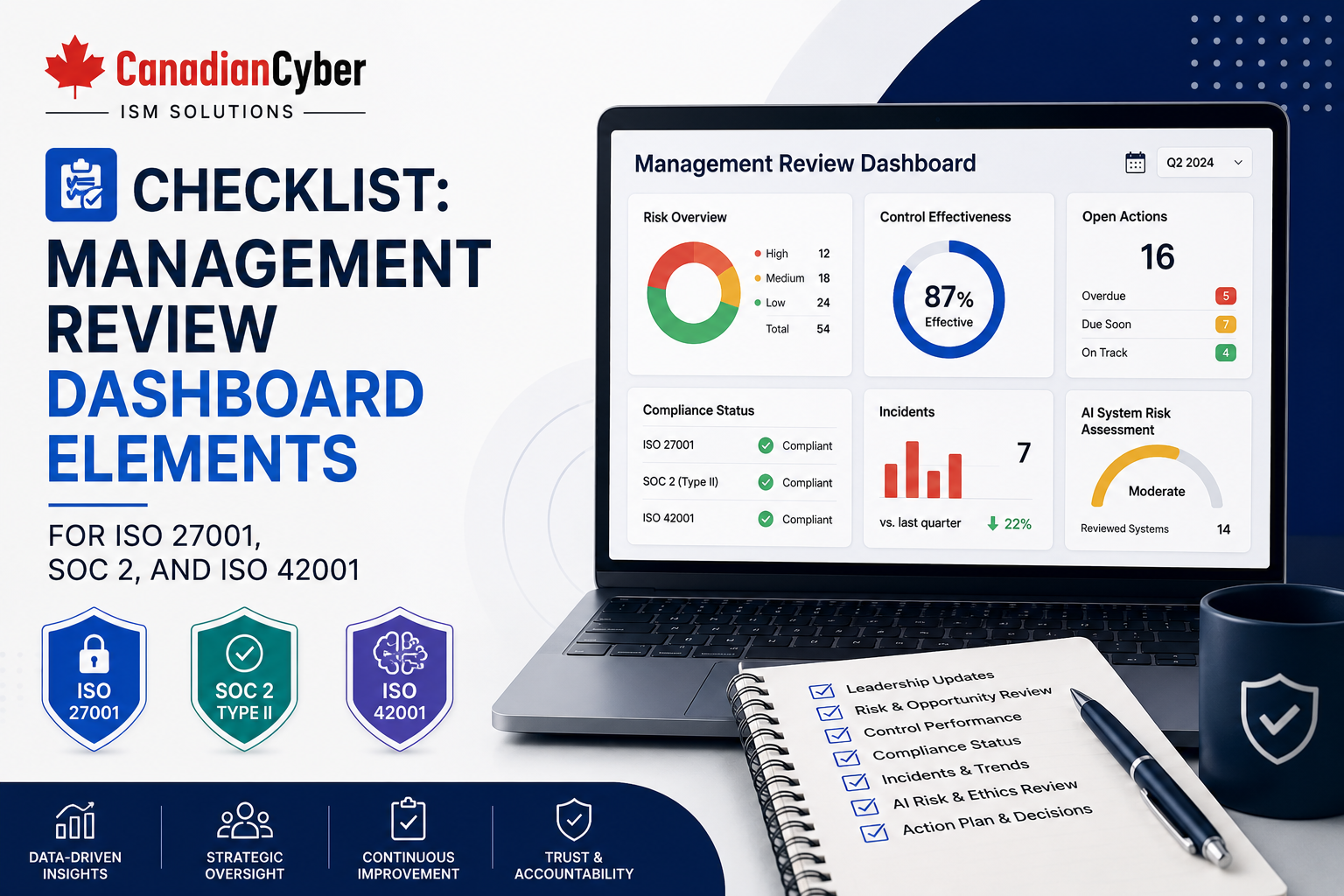
Checklist: Management Review Dashboard Elements for ISO 27001, SOC 2, and ISO 42001
Management review is where security, compliance, AI governance, and business leadership connect. A well-designed SharePoint dashboard helps leaders see risks, controls, evidence, vendors, incidents, corrective actions, and overdue items before they become audit problems.
Canadian Cyber ISMS SharePoint Solution
Build Management Review Dashboards That Leadership Can Actually Use
Canadian Cyber helps organizations build SharePoint-based ISMS dashboards for ISO 27001, SOC 2, ISO 42001, AI governance, vendor risk, audit evidence, corrective actions, and vCISO management reporting.
Quick Snapshot
| Dashboard Area | Why It Matters |
|---|---|
| Risk Status | Shows top information security, SaaS, supplier, privacy, availability, and AI risks. |
| Control Performance | Shows whether controls are implemented, operating, reviewed, and evidenced. |
| Evidence Readiness | Shows which audit evidence is approved, missing, expired, overdue, client-ready, or auditor-ready. |
| Corrective Actions | Tracks open findings, owners, deadlines, closure evidence, and verification status. |
| Vendor Risk | Shows supplier reviews, critical vendors, assurance evidence, data processed, and open vendor issues. |
| AI Governance | Supports ISO 42001 by tracking AI systems, AI risks, impact assessments, vendors, incidents, and human oversight. |
Introduction
Management review should not be a last-minute meeting before an audit. It should be a structured leadership review of the security, compliance, and AI governance program.
For ISO 27001, management review supports the Information Security Management System. For SOC 2, management oversight helps show that controls are monitored, risks are reviewed, and issues are addressed. For ISO 42001, management review helps leadership oversee AI systems, AI risks, human oversight, and responsible use.
The challenge is that leadership often receives fragmented information. Risks are in one spreadsheet. Controls are in another file. Evidence is in folders. Vendor reviews are in emails. AI tools are tracked informally. Incidents are in tickets. Corrective actions are buried in meeting notes.
A good management review dashboard turns compliance data into leadership decisions.
Canadian Cyber’s ISMS SharePoint solution helps organizations create dashboard-style views that connect risks, controls, evidence, owners, vendors, corrective actions, incidents, and AI governance records in one Microsoft 365 workspace.
Need a Management Review Dashboard for Audit Readiness?
Canadian Cyber helps organizations design SharePoint ISMS dashboards for ISO 27001, SOC 2, ISO 42001, AI governance, corrective actions, vendor risk, and leadership reporting.
Why Management Review Dashboards Matter
Leadership does not need to read every evidence file. Leadership needs clear answers.
Dashboard Element 1: Top Risk Summary
The dashboard should show top risks across ISO 27001, SOC 2, and ISO 42001. Management should review high risks first.
| Risk Dashboard Field | Purpose |
|---|---|
| Risk ID and Title | Creates a short, traceable risk reference. |
| Risk Owner | Shows accountability. |
| Risk Area | Security, privacy, vendor, availability, access, or AI. |
| Risk Rating | High, medium, or low priority. |
| Treatment Status | Open, in progress, accepted, or closed. |
| Related Controls and Actions | Shows what is reducing the risk and what remains open. |
Dashboard Element 2: Control Status Overview
Controls are the actions the organization uses to reduce risk. A dashboard should show whether controls are implemented, operating, and evidenced.
| Control Dashboard Field | Purpose |
|---|---|
| Control ID and Name | Identifies the control clearly. |
| Framework Mapping | ISO 27001, SOC 2, ISO 42001, or client requirement. |
| Control Owner | Shows who is accountable. |
| Implementation Status | Implemented, partial, or missing. |
| Operating Status | Working, needs review, or failed. |
| Evidence Status | Approved, missing, expired, or overdue. |
A control is not management-ready if leadership cannot see its owner, status, and evidence.
Dashboard Element 3: Audit Evidence Readiness
Audit evidence is one of the most important dashboard areas. Leadership should see whether evidence is ready before the auditor asks.
| Evidence View | What It Shows |
|---|---|
| Approved Evidence | Files ready for audit. |
| Missing Evidence | Evidence not yet uploaded. |
| Expired Evidence | Evidence that needs refresh. |
| Evidence Due This Month | Upcoming owner tasks. |
| Evidence by Framework | ISO 27001, SOC 2, or ISO 42001. |
| Auditor-Ready and Client-Ready Evidence | Files approved for external sharing. |
Make Evidence Readiness Visible Before the Audit
Canadian Cyber helps organizations build SharePoint evidence dashboards with framework mapping, control IDs, owners, due dates, approval status, auditor-ready flags, and client-ready flags.
Dashboard Elements 4 to 8: Actions, Access, Vendors, Incidents, and Policies
A management review dashboard should not stop at risks and evidence. It should also show the operating health of the compliance program.
| Dashboard Element | What to Track |
|---|---|
| Corrective Action Tracker | Source, issue description, related risk, related control, owner, due date, status, closure evidence, and verification owner. |
| Access Review Status | User reviews, privileged access reviews, vendor access reviews, service accounts, AI system access, overdue reviews, and remediation status. |
| Vendor and Supplier Risk | Vendor owner, criticality, data processed, assurance evidence, review status, next review date, open issues, and related risks. |
| Incident and Event Summary | Open incidents, closed incidents, high severity events, vendor incidents, AI incidents, lessons learned, corrective actions, and evidence links. |
| Policy Review Status | Policy owner, version, approval status, approval date, next review date, related framework, and related controls. |
Dashboard Element 9: SOC 2 Readiness View
SOC 2 management dashboards should show audit readiness across key control areas and audit periods.
| SOC 2 Area | What to Show |
|---|---|
| Security | Access, monitoring, incident response, change management, and vendor controls. |
| Availability | Uptime, backups, restore tests, capacity, and service incidents. |
| Confidentiality | Data protection, encryption, access controls, and customer data handling. |
| Processing Integrity | Workflow controls, exceptions, reconciliations, and processing evidence. |
| Privacy | Data handling, privacy requests, retention, deletion, and subprocessor evidence. |
Dashboard Element 10: ISO 27001 ISMS Health View
ISO 27001 requires management system visibility. The dashboard should show whether the ISMS is operating, reviewed, and improving.
| ISO 27001 Area | What to Show |
|---|---|
| ISMS Scope | Scope status, scope changes, and business changes affecting the ISMS. |
| Risk Assessment | Top risks and risk treatment status. |
| Statement of Applicability | Control applicability, justification, and evidence status. |
| Internal Audit | Audit findings, nonconformities, and corrective actions. |
| Continual Improvement | Improvement actions, closure evidence, and management decisions. |
Dashboard Element 11: ISO 42001 AI Governance View
ISO 42001 adds AI-specific governance needs. Leadership cannot govern AI systems that are not inventoried, assessed, and reviewed.
| AI Governance Area | What to Show |
|---|---|
| AI Inventory | Approved AI systems, business owners, use cases, and data types. |
| AI Risk Register | High AI risks, treatment status, and accountable owners. |
| AI Impact Assessments | Completed, missing, overdue, and high-impact assessments. |
| AI Vendor Reviews | AI supplier status, data use terms, subprocessors, and assurance evidence. |
| Human Oversight | Review requirements, approval evidence, and exception records. |
| AI Incidents and Issues | Hallucinations, bias, misuse, model errors, complaints, and corrective actions. |
Using AI Tools? Add ISO 42001 Views to Management Review
Canadian Cyber helps organizations build AI governance dashboards that track AI inventories, AI risks, impact assessments, vendor reviews, human oversight, AI incidents, and ISO 42001 evidence.
Dashboard Elements 12 and 13: Training, Decisions, and Actions
Training supports ISO 27001, SOC 2, and ISO 42001. Management review should also produce decisions, not just discussion.
| Dashboard Area | Fields to Include |
|---|---|
| Training and Awareness | Training type, audience, completion rate, overdue users, training owner, evidence link, and next training date. |
| Management Decisions | Decision topic, decision made, decision owner, action required, due date, status, and meeting minutes link. |
Management review is not complete if decisions and actions are not recorded.
Recommended SharePoint Dashboard Views
Different users need different dashboard views, not one crowded screen.
| View | Audience |
|---|---|
| Executive Summary | Leadership. |
| High Risks | Management and risk owners. |
| Overdue Items | Control owners. |
| Evidence Readiness | Compliance and audit teams. |
| SOC 2 Readiness | SaaS leadership and auditors. |
| ISO 27001 ISMS Health | ISMS owner and management. |
| ISO 42001 AI Governance | AI governance owners. |
| Vendor Risk | Procurement, security, operations, and leadership. |
| Auditor-Ready / Client-Ready Evidence | Audit teams and customer review teams. |
Management Review Dashboard Checklist
| Dashboard Element | Included? |
|---|---|
| Top risks by rating and owner | |
| Control implementation status | |
| Evidence readiness status | |
| Overdue evidence items | |
| Corrective action tracker | |
| Access review completion | |
| Vendor review status | |
| Incident summary | |
| Policy review status | |
| SOC 2 readiness view | |
| ISO 27001 ISMS health view | |
| ISO 42001 AI governance view | |
| Training completion | |
| Management decisions and actions | |
| Auditor-ready and client-ready evidence views |
Common Mistakes to Avoid
- Showing too much detail. Leadership needs trends, risks, blockers, and decisions, not every file.
- No owner column. A dashboard without owners does not drive action.
- No due dates. Without due dates, overdue items are hard to manage.
- Mixing draft and approved evidence. Auditor-ready evidence should be separate from drafts.
- Ignoring AI governance. If the organization uses AI tools, ISO 42001 dashboard elements should be included.
- No corrective action follow-up. Findings should remain visible until verified closed.
- Dashboard not linked to evidence. Dashboard items should link to supporting records.
What Good Looks Like
A strong management review dashboard can show:
- top security risks
- top AI risks
- control status
- evidence readiness
- access review completion
- vendor review status
- incident summary
- policy review dates
- training completion
- open corrective actions
- overdue items
- management decisions
- SOC 2 readiness
- ISO 27001 ISMS health
- ISO 42001 AI governance
- auditor-ready evidence
- client-ready evidence
This gives leadership a clear view of the compliance program without turning management review into a document hunt.
Canadian Cyber’s Take
Management review is often treated as a meeting. It should be treated as a governance control.
For ISO 27001, SOC 2, and ISO 42001, leadership needs reliable visibility into risks, controls, evidence, vendors, incidents, corrective actions, and AI governance.
The dashboard should help leadership answer:
- What are our top risks?
- Which controls need attention?
- What evidence is missing?
- Which findings are overdue?
- Which vendors need review?
- Which AI systems create risk?
- What decisions are needed today?
The goal is not to create a complex reporting system. The goal is to help leadership make better security and compliance decisions.
Takeaway
A management review dashboard helps organizations prepare for ISO 27001, SOC 2, and ISO 42001 with stronger visibility and accountability.
Focus on:
- risks
- controls
- evidence
- owners
- due dates
- vendors
- incidents
- policies
- training
- AI systems
- corrective actions
- management decisions
A good dashboard does not replace governance. It makes governance easier to perform.
How Canadian Cyber Can Help
Canadian Cyber helps organizations build SharePoint-based ISMS dashboards for ISO 27001, SOC 2, ISO 42001, client reviews, and leadership reporting.
- management review dashboard design
- ISMS SharePoint solution setup
- risk register dashboards
- control register dashboards
- evidence readiness views
- corrective action trackers
- vendor risk dashboards
- access review tracking
- SOC 2 readiness views
- ISO 27001 ISMS health views
- ISO 42001 AI governance dashboards
- client-ready evidence packs
- auditor-ready evidence rooms
- vCISO management reporting
- AI governance reporting
Stay Connected With Canadian Cyber
Follow Canadian Cyber for practical guidance on ISMS SharePoint, ISO 27001, SOC 2, ISO 42001, management review, AI governance, audit evidence, risk registers, and vCISO support.










