



SharePoint ISMS • MSP Compliance • Access Risk • Client Evidence • Permission Design
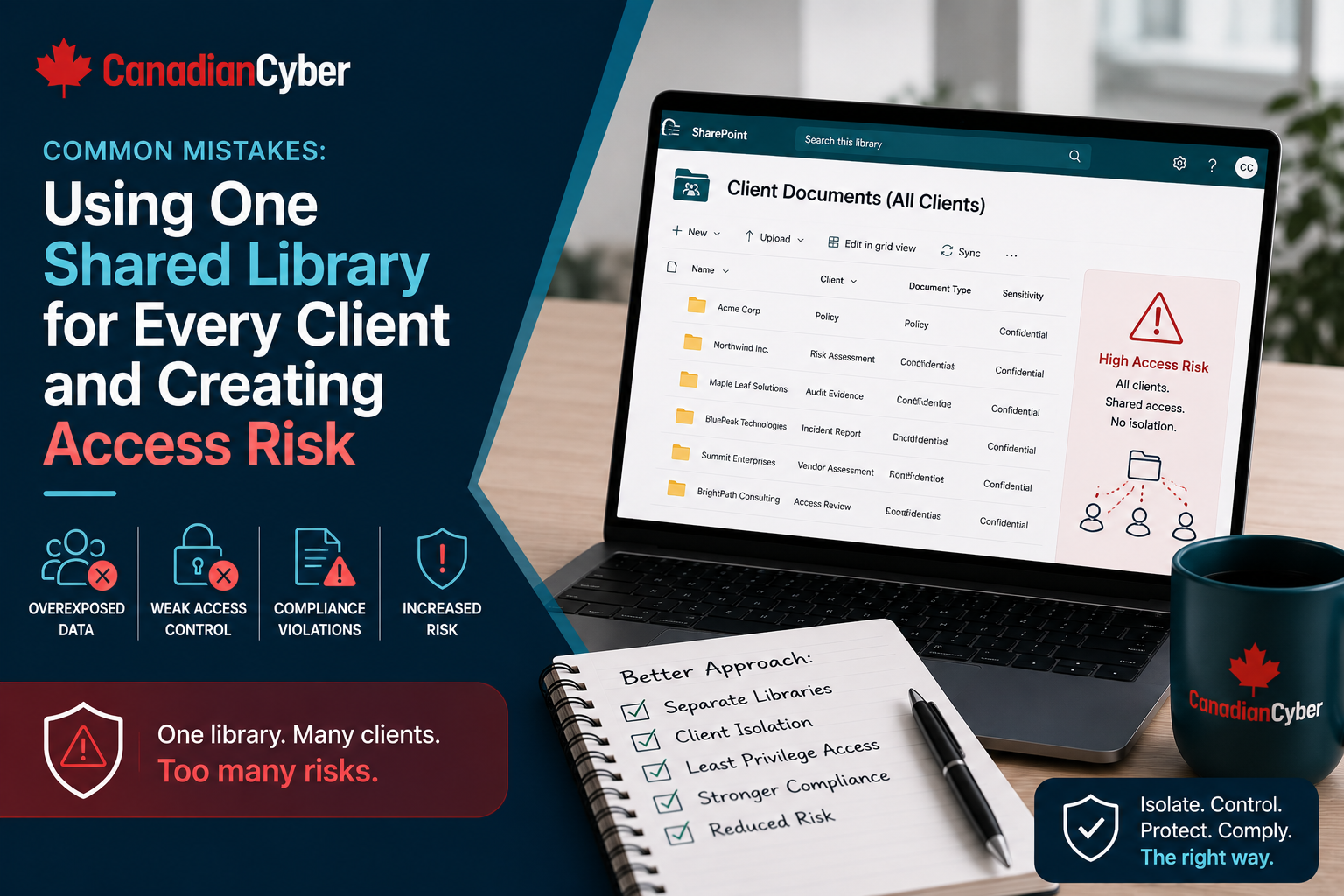
Common Mistakes: Using One Shared Library for Every Client and Creating Access Risk
Using one shared SharePoint library for every client may look simple at first. But for MSPs managing compliance evidence, policies, risks, audit records, ISO 27001 evidence, and SOC 2 evidence across multiple clients, one shared library can create serious access risk.
Quick Snapshot
| Shared Library Risk | Why It Matters |
|---|---|
| Cross-Client Exposure | One permission mistake may expose one client’s evidence to another client. |
| Permission Confusion | Folder-level permissions become hard to manage, review, and prove. |
| Auditor Access Risk | External reviewers may see more client evidence than they should. |
| Restricted Evidence Risk | Incident records, vendor reports, contracts, and access reviews may be overexposed. |
| Weak Audit Trail | It becomes harder to prove who had access to what. |
| Better Approach | Use separate client workspaces, permission groups, restricted libraries, and quarterly access reviews. |
Introduction
Many MSPs start their SharePoint compliance workspace with one shared library.
It usually looks clean at first: one document library, one folder per client, one place for evidence, one place for policies, one place for reports, and one place for audit files.
It feels efficient.
But as the MSP adds more clients, more users, more auditors, more vCISO reports, more policies, more SOC 2 evidence, more ISO 27001 evidence, and more security questionnaire records, the shared library becomes risky.
For MSPs delivering compliance advisory, vCISO services, ISO 27001 readiness, SOC 2 readiness, cyber insurance evidence support, or SharePoint ISMS services, permission design is not optional. It is part of the security service.
This article explains why one shared library can create access risk and what MSPs should use instead.
Need a Safer SharePoint ISMS for MSP Clients?
Canadian Cyber helps MSPs design SharePoint ISMS workspaces with client separation, permission groups, restricted evidence libraries, auditor access workflows, evidence vaults, risk registers, and compliance dashboards.
Why MSPs Use One Shared Library
The mistake usually starts with convenience. The MSP wants to move quickly, and a shared library feels simple.
| Reason | Why MSPs Choose It |
|---|---|
| Fast setup | One library is easier than multiple workspaces. |
| Simple navigation | Teams know where to upload files. |
| Lower admin effort | Fewer sites to manage at the start. |
| Easy internal search | MSP staff can search across client folders. |
| Familiar structure | Looks like a normal shared drive. |
| Quick pilot | Useful for early testing. |
Practical rule: A simple folder structure can become a complex permission problem.
Mistake 1: Assuming Folder Names Create Security
A folder name is not a security boundary. A folder called “Client A” does not protect Client A unless permissions are designed properly.
| Scenario | Risk |
|---|---|
| Library permissions inherited by all folders. | Users may see every client folder. |
| Folder permissions manually broken. | Access becomes hard to track and review. |
| New folder created with wrong inheritance. | Client evidence may be exposed. |
| File moved to wrong folder. | Sensitive evidence becomes visible to the wrong users. |
| Auditor added at library level. | Auditor may see all clients. |
| MSP user shares a folder link. | Access may spread beyond intended users. |
Practical rule: Do not rely on folder names to protect client data. Use proper permission boundaries.
Mistake 2: Breaking Permissions at Too Many Folder Levels
Some MSPs try to fix the shared library problem by breaking inheritance on many folders. That creates another problem: permissions become hard to understand.
| Issue | Impact |
|---|---|
| Too many unique permissions. | Admins lose visibility. |
| Folder-level exceptions. | Access reviews become harder. |
| Manual changes. | Mistakes increase. |
| No consistent naming. | Groups become confusing. |
| Auditor access added temporarily. | May not be removed. |
| Old client users remain. | Former contacts retain access. |
Example: One library contains Client A, Client B, Client C, audit subfolders, restricted evidence subfolders, SOC 2 folders, ISO 27001 folders, and auditor folders. Each folder has different permissions. After six months, nobody is fully sure who can see what.
Review Your SharePoint Client Access Design
Canadian Cyber helps MSPs review SharePoint ISMS permissions, folder inheritance, client separation, auditor access, restricted libraries, and quarterly access review evidence.
Mistake 3: Giving MSP Staff Too Much Access
MSP staff often need access to client evidence. But not every staff member needs access to every client library.
| Role | Risky Access Pattern |
|---|---|
| Helpdesk technician | Full access to all client evidence. |
| Backup engineer | Access to executive risk reports. |
| vCISO | Full site admin instead of advisory access. |
| Sales team | Access to raw evidence and incident records. |
| Account manager | Access to restricted audit findings. |
| Temporary contractor | Broad multi-client library access. |
| Role | Better Access |
|---|---|
| Helpdesk technician | Limited access to assigned technical evidence. |
| Backup engineer | Backup evidence only. |
| vCISO | Edit access to assigned client governance areas. |
| Account manager | Read access to approved client summaries. |
| Compliance analyst | Evidence review access for assigned clients. |
| SharePoint admin | Admin access, reviewed quarterly. |
Practical rule: Internal MSP users should also follow least privilege.
Mistake 4: Letting Client Users Into the Main Library
Client users should not be added to a shared multi-client library unless the structure is extremely controlled. Even then, it is usually safer to separate client workspaces.
| Client Access Risk | Example |
|---|---|
| Cross-client visibility | Client A sees Client B folder name or files. |
| Wrong upload location | Client uploads evidence into another client folder. |
| Over-editing | Client changes audit evidence or risk notes. |
| Link sharing | Client shares a file link externally. |
| Inheritance error | Client gets access to broader library. |
| Former user access | Old contact remains in the group. |
Practical rule: Client users should only access their own client workspace, not a shared MSP library.
Mistake 5: Auditor Access at the Wrong Level
Auditor access is often temporary. But if it is granted at the library level, it can expose too much.
Bad auditor access example:
“Add the auditor to the main compliance evidence library.”
| Control | Good Practice |
|---|---|
| Scope | Client-specific only. |
| Access Level | Read-only. |
| Duration | Time-limited. |
| Evidence | Approved evidence only. |
| Restricted Files | Excluded unless approved. |
| Removal | Scheduled immediately after review. |
| Documentation | Access decision recorded. |
Create Safer Auditor Access Workflows
Canadian Cyber helps MSPs create client-specific auditor access workflows with read-only permissions, expiry dates, restricted evidence rules, access records, and removal evidence.
Mistake 6: No Restricted Evidence Library
Not all compliance evidence has the same sensitivity. Some documents need tighter access.
Restricted evidence examples include:
Legal letters
Cyber insurance claim details
Vendor SOC 2 reports
Penetration test reports
Vulnerability scan exports
Privileged access exports
Executive risk acceptance notes
| Better Control | Why It Helps |
|---|---|
| Restricted evidence library or restricted site. | Separates high-risk files from normal evidence. |
| Limited group membership. | Only approved users can access sensitive records. |
| Read-only access where possible. | Reduces accidental edits or evidence integrity issues. |
| Approval workflow before sharing. | Protects sensitive files before external review. |
| Sensitivity labels where available. | Adds classification and handling controls. |
| Quarterly permission review. | Keeps restricted access current. |
Mistake 7: No Client Offboarding Process
Clients leave. Users change. Auditors finish reviews. Contractors complete projects. If access is not removed, the shared library becomes more exposed over time.
| Offboarding Question | Yes / No |
|---|---|
| Were client users removed from SharePoint groups? | |
| Were guest users removed? | |
| Were auditor accounts removed? | |
| Were temporary links disabled? | |
| Were sharing links reviewed? | |
| Was restricted evidence access reviewed? | |
| Was access removal documented? | |
| Was the client workspace archived securely? |
Practical rule: Access removal should be part of client offboarding, not an afterthought.
Mistake 8: No Quarterly Permission Review
Permissions change over time. Without review, access risk grows quietly.
| Quarterly Review Question | Yes / No |
|---|---|
| Are all users still authorized? | |
| Are MSP users assigned only to relevant clients? | |
| Are client users current? | |
| Are former contacts removed? | |
| Are auditors removed after review? | |
| Are restricted evidence groups accurate? | |
| Are guest users reviewed? | |
| Are sharing links reviewed? | |
| Are admin users reviewed? | |
| Are permission exceptions documented? |
Evidence to keep:
- permission export
- review sign-off
- removed user list
- exception log
- admin access review
- guest access review
- corrective action records
Build a Quarterly Permission Review Process
Canadian Cyber helps MSPs design quarterly access reviews, guest access reviews, admin access reviews, sharing link reviews, exception logs, and access removal evidence for SharePoint ISMS workspaces.
Safer SharePoint Structures for MSPs
Instead of one shared library, MSPs should consider safer structures.
| Structure Option | Best For | Key Benefit |
|---|---|---|
| Separate Site Per Client | Sensitive evidence, external access, ISO 27001 readiness, SOC 2 readiness, client-facing portals. | Strong client separation and cleaner permissions. |
| Hub Site With Separate Client Sites | MSPs delivering recurring vCISO or compliance advisory services. | Central navigation with client-specific separation. |
| Separate Libraries Per Client | MSPs that cannot create separate sites yet. | Better permission boundaries than folders, but still requires strong governance. |
Practical rule: For multi-client compliance delivery, separate client workspaces are usually safer than one shared library.
Recommended Permission Groups
Use groups instead of individual permissions. Group names should make the client, role, and access level obvious.
MSP Groups
| Group | Purpose |
|---|---|
| MSP-ISMS-Admins-FullControl | Small admin group. |
| MSP-ISMS-vCISO-Edit | Advisory team access. |
| MSP-ISMS-Compliance-Edit | Evidence and audit support. |
| MSP-ISMS-Technical-Limited | Assigned technical evidence only. |
| MSP-ISMS-Management-Read | Internal leadership summaries. |
Client Groups
| Group | Purpose |
|---|---|
| ClientA-ISMS-Owners | Client decision-makers. |
| ClientA-ISMS-Contributors | Evidence uploaders. |
| ClientA-ISMS-Viewers | Read-only stakeholders. |
| ClientA-ISMS-Auditors | Temporary read-only audit access. |
| ClientA-ISMS-RestrictedEvidence | Sensitive evidence access. |
Shared Library Risk Checklist
Use this checklist to assess your current SharePoint setup.
| Question | Yes / No |
|---|---|
| Are multiple clients stored in one document library? | |
| Are permissions broken at several folder levels? | |
| Can MSP users access all client folders by default? | |
| Are client users added to the main library? | |
| Are auditors added at the library level? | |
| Is restricted evidence stored with general evidence? | |
| Are former client users still present? | |
| Are guest users not reviewed quarterly? | |
| Are sharing links unmanaged? | |
| Is there no permission review evidence? | |
| Are client folders used as the main security boundary? |
If several answers are “yes,” your shared library may be creating access risk.
Better Workspace Checklist
A safer MSP compliance workspace should include:
- separate client sites or libraries
- clear permission groups
- least privilege access
- restricted evidence area
- auditor read-only access
- time-limited external access
- client-specific dashboards
- evidence metadata
- permission review process
- guest access review
- client offboarding checklist
- access removal evidence
- admin access review
Practical rule: The goal is not only organization. The goal is safe client evidence management.
Common Warning Signs
Your shared library may be risky if:
- clients are separated only by folders
- permissions are manually broken everywhere
- no one can explain who has access
- auditors are added to broad groups
- technicians can see all client evidence
- restricted files sit in normal folders
- guest users are not reviewed
- sharing links are not controlled
- former client contacts remain active
- there is no access review record
What Good Looks Like
A strong MSP SharePoint compliance workspace can show:
- separate client workspaces
- client-specific permission groups
- MSP role-based access
- restricted evidence library
- auditor read-only group
- external access expiry process
- quarterly permission review
- guest access review
- sharing link controls
- client offboarding process
- permission review evidence
- least privilege design
Canadian Cyber’s Take
At Canadian Cyber, we often see MSPs start with one shared library because it feels simple.
But simple storage is not the same as secure governance.
When an MSP manages compliance evidence for multiple clients, access design matters. A single library with folders can quickly become risky as more users, clients, auditors, and sensitive evidence are added.
The safer path is to design the workspace properly from the beginning: separate clients, use groups, restrict sensitive evidence, time-limit auditor access, review permissions quarterly, and document access decisions.
That is how SharePoint becomes a trusted ISMS and compliance workspace — not just another shared drive.
Takeaway
Using one shared library for every client may seem efficient, but it can create access risk.
MSPs should avoid relying on folders as security boundaries. Instead, build:
- separate client workspaces
- clear permission groups
- restricted evidence libraries
- auditor access controls
- quarterly permission reviews
- client offboarding workflows
- least privilege access
- permission evidence
The goal is simple: each client should only see their own information, each MSP user should only access what they need, and each auditor should only see approved evidence for the right client.
How Canadian Cyber Can Help
Canadian Cyber helps MSPs design secure SharePoint ISMS and compliance workspaces for multi-client delivery.
- SharePoint ISMS workspace design
- multi-client permission architecture
- client site templates
- restricted evidence libraries
- auditor access workflows
- quarterly permission review process
- guest access review process
- client offboarding workflows
- risk register setup
- evidence vault design
- ISO 27001 evidence portals
- SOC 2 evidence portals
- vCISO reporting workspaces
- MSP compliance advisory packaging
Stay Connected With Canadian Cyber
Follow Canadian Cyber for practical guidance on SharePoint ISMS, MSP compliance workspaces, client access risk, ISO 27001, SOC 2, GRC tools, evidence management, and vCISO services.










