



SharePoint ISMS • ISO 27001 • SOC 2 • Evidence Management • Audit Readiness
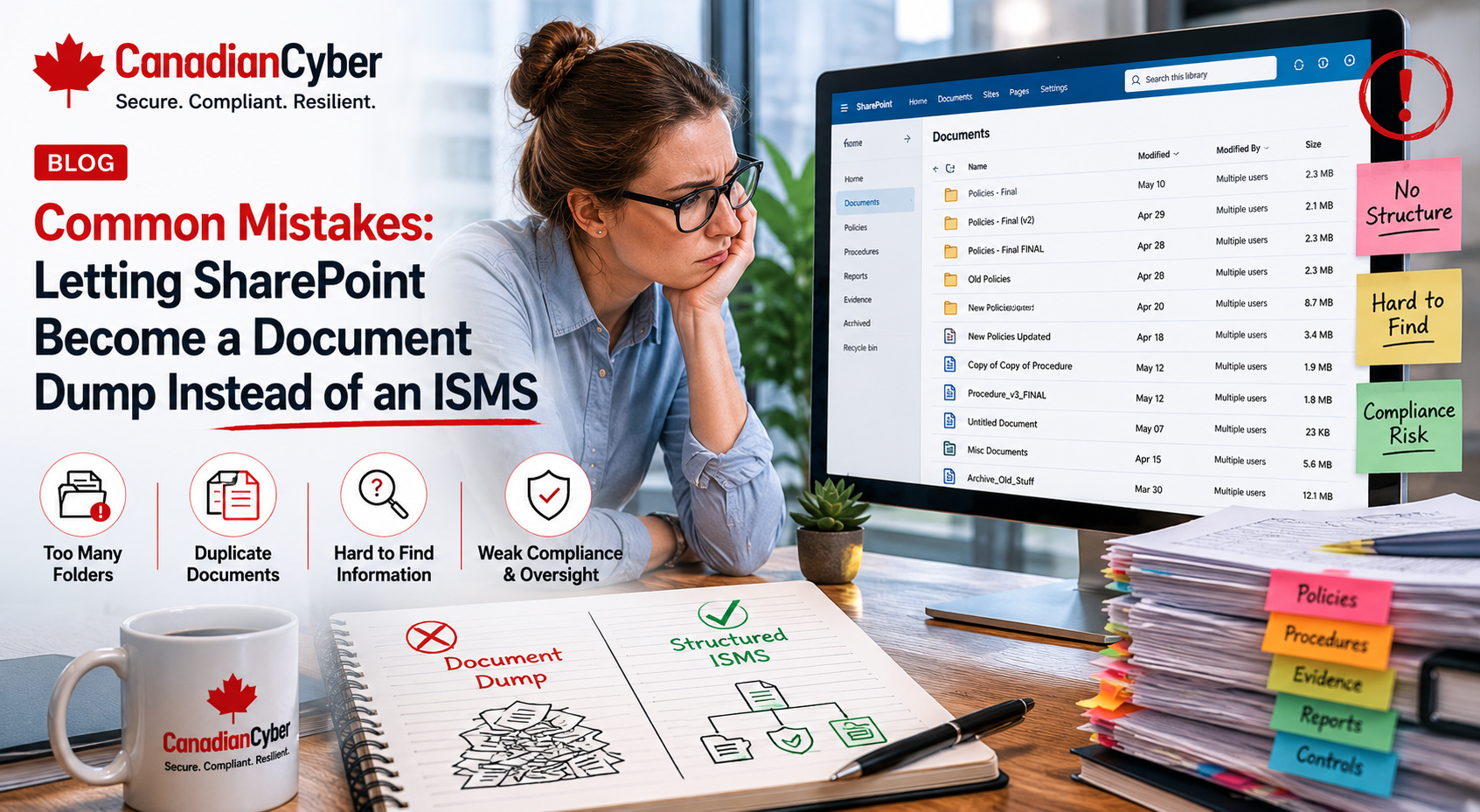
Common Mistakes: Letting SharePoint Become a Document Dump Instead of an ISMS
SharePoint can be a powerful ISMS workspace. But if it is used like a shared drive, it quickly becomes a document dump full of old policies, duplicate evidence, unclear versions, missing owners, and folders nobody trusts during audit time.
Quick Snapshot
| SharePoint Problem | What Goes Wrong |
|---|---|
| Random folders | Evidence becomes hard to find, verify, reuse, and defend during audit. |
| No metadata | Files cannot be filtered by control, framework, owner, status, or audit period. |
| No owners | Nobody is accountable for updates, reviews, evidence, or corrective actions. |
| No workflow | Policies, risks, vendors, audit requests, and corrective actions stall. |
| Better Outcome | A structured SharePoint ISMS with registers, metadata, evidence links, owners, views, and review cycles. |
Introduction
Many organizations say they have a SharePoint ISMS.
But when you open it, it often looks like this:
- Policies folder
- Evidence folder
- Old evidence folder
- Audit 2024 folder
- Audit 2025 final folder
- Risk register latest.xlsx
- Risk register final final.xlsx
- Screenshots folder
- Random PDFs and duplicate spreadsheets
That is not an ISMS. That is a document dump.
SharePoint is a strong tool when it is designed properly. It can support ISO 27001, SOC 2, ISO 42001, cyber insurance evidence, customer security reviews, internal audits, corrective actions, vendor risk, and management review.
But it needs structure. This blog explains the common mistakes organizations make when SharePoint becomes file storage instead of a working ISMS, and how Canadian Cyber’s ISMS SharePoint solution helps fix the problem.
Is Your SharePoint ISMS Becoming a Document Dump?
Canadian Cyber’s ISMS SharePoint solution helps organizations manage risks, controls, policies, evidence, vendors, audits, corrective actions, and management review in one structured Microsoft 365 workspace.
Why SharePoint Becomes a Document Dump
SharePoint usually becomes messy for one simple reason: teams start uploading files before designing the system.
At first, that feels productive. The team creates folders. People upload policies. Evidence gets added. Audit files are saved. Screenshots are collected. Vendor reports are stored.
But without structure, the site becomes harder to use every month.
| Early Stage | Later Problem |
|---|---|
| “Just upload the evidence here.” | Nobody knows which evidence is approved. |
| “Create a folder for the audit.” | Evidence is duplicated across audit folders. |
| “Put policies in this library.” | Old policies sit beside current policies. |
| “Save screenshots here.” | Files have no control mapping. |
| “We will clean it later.” | Cleanup never happens before audit time. |
SharePoint does not become an ISMS because files are stored there. It becomes an ISMS when risks, controls, owners, evidence, and reviews are connected.
Mistake 1: Using Folders Instead of Metadata
Folders are useful, but they are not enough. A folder tells you where a document is stored. Metadata tells you what the document means.
An evidence file may be stored under Audit Evidence > 2026 > Access Control > Screenshots. But that folder may not tell you which control it supports, which framework it maps to, who owns it, which audit period it covers, whether it was reviewed, or whether it was approved.
| Metadata Field | Why It Matters |
|---|---|
| Control ID | Maps evidence to a control. |
| Framework | ISO 27001, SOC 2, ISO 42001, cyber insurance. |
| Evidence Owner | Shows accountability. |
| Period Covered | Shows audit period. |
| Review Status | Shows whether evidence is approved. |
| Sensitivity | Controls access to sensitive proof. |
Use folders for navigation. Use metadata for audit readiness.
Mistake 2: No Control Library
A SharePoint ISMS needs a control library. Without it, evidence floats around without context.
| Control Library Column | Purpose |
|---|---|
| Control ID | Unique control reference. |
| Control Name | Clear control title. |
| Framework Mapping | ISO 27001, SOC 2, ISO 42001. |
| Control Owner | Person responsible. |
| Evidence Required | What proof is needed. |
| Related Risk | Explains why the control exists. |
Practical rule: If evidence is not linked to a control, auditors and owners will struggle to understand why it exists.
Mistake 3: Treating the Policy Library Like a File Folder
Policies are not just documents. They are controlled information. They need owners, review dates, approval status, version history, and archive rules.
| Strong Policy Library Column | Purpose |
|---|---|
| Policy Name | Document title. |
| Policy Owner | Person responsible. |
| Approver | Approval authority. |
| Version | Current version. |
| Approval Status | Draft, pending, approved, archived. |
| Next Review Date | Future review date. |
| Related Control | Control mapping. |
If you cannot identify the current approved version in 10 seconds, your policy library needs work.
Turn SharePoint Folders Into an Operating ISMS
Canadian Cyber can help redesign your SharePoint workspace with a risk register, control library, evidence vault, policy library, vendor register, audit tracker, corrective action register, and management review views.
Mistake 4: Evidence Has No Review Status
Uploading evidence is not the same as approving evidence. Evidence should be reviewed before it is used for audit, customer review, or cyber insurance.
| Review Status | What It Means |
|---|---|
| Requested | Evidence has been requested from the owner. |
| Uploaded | Evidence has been uploaded but not validated. |
| Under Review | Compliance or ISMS owner is checking it. |
| Approved | Evidence is ready for use. |
| Rejected | Evidence needs correction. |
| Expired | Evidence is outdated and needs refresh. |
Practical rule: Evidence is not audit-ready until it has been reviewed.
Mistake 5: No Risk Register Integration
An ISMS is risk-based. If your SharePoint site stores evidence but does not connect to risks, it is missing a core ISMS function.
| Risk | Related Control | Evidence |
|---|---|---|
| Former employees retain access | Access review | Quarterly access review report. |
| Critical vendor breach | Vendor risk review | Vendor assessment and approval. |
| Ransomware recovery failure | Restore testing | Restore test evidence. |
| Customer data in unapproved AI tool | AI vendor review | Approved AI tool list and AI policy. |
A risk register that does not link to controls and evidence becomes a spreadsheet, not an ISMS tool.
Mistake 6: Vendor Reviews Are Stored as Random PDFs
Vendor risk is a major audit and customer trust area. But many SharePoint sites treat vendor evidence as random reports.
A SOC 2 report in one folder, a DPA somewhere else, a contract in another folder, and an approval decision in email is not enough.
| Vendor Register Column | Purpose |
|---|---|
| Vendor Name | Supplier identification. |
| Service Provided | Business purpose. |
| Data Handled | Customer, employee, confidential, personal. |
| Criticality | High, medium, low. |
| Review Status | Pending, approved, overdue. |
| Evidence Link | Links to reports, contracts, DPAs, and reviews. |
Practical rule: Vendor evidence should show review and approval, not just file storage.
Mistake 7: Corrective Actions Are Not Tracked
Findings and gaps should not disappear into email or meeting notes. They need a corrective action register.
| Corrective Action Column | Purpose |
|---|---|
| Finding ID | Unique reference. |
| Source | Internal audit, external audit, incident, risk review. |
| Action Owner | Person responsible. |
| Corrective Action | What will be fixed. |
| Due Date | Timeline. |
| Closure Evidence | Proof of completion. |
| Verified By | Confirms the fix worked. |
A finding is not closed until closure evidence is linked.
Need Audit-Ready Registers, Not Random Folders?
Canadian Cyber’s ISMS SharePoint solution helps organizations move from scattered folders to a structured ISMS with registers, metadata, owners, evidence links, dashboards, and governance workflows.
Mistake 8: No Internal Audit Tracker
Internal audit creates evidence requests, findings, owner actions, due dates, and corrective actions. If those are managed through email, the audit becomes painful.
| Internal Audit Tracker Column | Purpose |
|---|---|
| Audit Request ID | Unique request. |
| Control Area | Access, vendor, cloud, policy, incident. |
| Evidence Required | What is needed. |
| Evidence Link | Direct link to proof. |
| Owner | Responsible person. |
| Related Finding | Links to corrective action. |
Practical rule: Internal audit should be managed like a process, not a folder.
Mistake 9: Management Review Is Rebuilt Manually
Management review is a key part of ISO 27001 and strong governance. But many teams rebuild the management review pack from scratch every time.
| Management Review Input | SharePoint Source |
|---|---|
| Top risks | Risk register. |
| Evidence gaps | Evidence vault. |
| Audit findings | Internal audit tracker. |
| Corrective actions | CAPA register. |
| Vendor issues | Vendor register. |
| Policy review status | Policy library. |
If your SharePoint ISMS is structured properly, management review becomes easier to prepare.
Mistake 10: No Dashboard Views
A document dump has files. An ISMS has views. Views help different users see what matters to them.
| Useful SharePoint View | Audience |
|---|---|
| Evidence Missing | ISMS owner. |
| Evidence by Owner | Control owners. |
| Evidence Under Review | Compliance team. |
| High Risks | Leadership. |
| Vendor Reviews Due | Operations / procurement. |
| Policies Due for Review | Policy owners. |
| Management Review Required | Leadership. |
Practical rule: If users cannot see what they own, SharePoint will become passive storage.
Mistake 11: Permissions Are Too Open
ISMS evidence can include sensitive information such as admin access exports, cloud configuration evidence, security findings, incident records, vendor contracts, SOC 2 reports, risk acceptance decisions, backup details, and vulnerability reports.
| Area | Suggested Access |
|---|---|
| Approved Policies | Broad internal read access. |
| Draft Policies | Policy owners and approvers. |
| Evidence Vault | Control owners, ISMS team, auditors as needed. |
| Risk Register | ISMS team, leadership, risk owners. |
| Incident Records | Restricted access. |
| Management Review | Leadership and ISMS owner. |
Audit-ready does not mean everyone-readable. Control sensitive evidence carefully.
Mistake 12: No Workflow or Reminders
A SharePoint ISMS should not depend on someone remembering every due date manually. Use workflows and reminders once the process is clear.
| Trigger | Action |
|---|---|
| Policy review due in 30 days | Notify policy owner. |
| Evidence overdue | Notify evidence owner. |
| Vendor review overdue | Notify vendor owner. |
| Corrective action overdue | Escalate to ISMS owner. |
| Risk acceptance expiring | Notify risk owner. |
| Internal audit evidence rejected | Notify owner. |
Practical rule: Do not automate chaos. Define the process first, then automate reminders.
What a Real SharePoint ISMS Should Include
A working SharePoint ISMS should include more than folders.
| Component | Purpose |
|---|---|
| Risk Register | Tracks risks, owners, scoring, treatment, and evidence. |
| Control Library | Maps controls to frameworks, owners, and evidence. |
| Evidence Vault | Stores proof with metadata and review status. |
| Policy Library | Tracks approvals, versions, owners, and review dates. |
| Vendor Register | Tracks vendors, criticality, reviews, and evidence. |
| Internal Audit Tracker | Tracks requests, evidence, findings, and status. |
| Corrective Action Register | Tracks findings, owners, due dates, and closure evidence. |
| Dashboard Views | Shows overdue items, evidence gaps, risks, and audit status. |
Build a SharePoint ISMS That Auditors Can Trust
Canadian Cyber can help you configure risk registers, control libraries, evidence vaults, policy libraries, vendor registers, internal audit trackers, corrective action registers, and management review dashboards.
SharePoint ISMS Health Checklist
Use this to check if your SharePoint site is an ISMS or just a document dump.
| Question | Yes / No |
|---|---|
| Is there a risk register? | |
| Is there a control library? | |
| Is evidence mapped to controls? | |
| Is evidence mapped to frameworks? | |
| Does every key control have an owner? | |
| Does evidence have review status? | |
| Is there a policy library with version control? | |
| Are policy review dates tracked? | |
| Is there a vendor register? | |
| Are corrective actions tracked? | |
| Is internal audit tracked in SharePoint? | |
| Is management review supported by SharePoint data? | |
| Are permissions designed for sensitive evidence? | |
| Are owner-specific views available? |
If several answers are “no,” your SharePoint site may be storing documents but not operating as an ISMS.
Common Warning Signs
Your SharePoint may have become a document dump if:
- folders are named “final,” “old,” or “latest”
- evidence is duplicated across audit folders
- policies have no owners or review dates
- the risk register lives in a disconnected spreadsheet
- vendor reports are saved without approval notes
- audit evidence has no control mapping
- corrective actions are tracked in email
- management review is rebuilt manually
- owners cannot see what they owe
- leadership has no dashboard view
These signs do not mean SharePoint has failed. They mean SharePoint needs ISMS design.
What Good Looks Like
A strong SharePoint ISMS has:
- structured registers
- clear metadata
- control mapping
- framework mapping
- risk links
- evidence links
- owner fields
- review status
- policy version control
- vendor review tracking
- audit request tracking
- corrective action tracking
- management review inputs
- dashboard views, permission design, and Power Automate reminders
It should help the organization operate the ISMS, not just store files.
Canadian Cyber’s Take
At Canadian Cyber, we often see organizations already using SharePoint for compliance. That is a good start.
But SharePoint only becomes powerful when it is designed as a management system.
A folder full of policies does not prove ISO 27001 readiness. A folder full of screenshots does not prove SOC 2 maturity. A folder full of vendor reports does not prove supplier governance. A folder full of AI documents does not prove ISO 42001 readiness.
The value comes from structure: risks connected to controls, controls connected to owners, owners connected to evidence, evidence connected to audits, findings connected to corrective actions, and results connected to management review.
That is an ISMS.
Takeaway
SharePoint can be either a document dump or a working ISMS.
The difference is design.
Do not stop at folders. Build:
- risk register
- control library
- evidence vault
- policy library
- vendor register
- audit tracker
- corrective action register
- management review library
- owner views
- metadata
- permissions
- workflow reminders
That is how SharePoint becomes a real ISMS for ISO 27001, SOC 2, ISO 42001, cyber insurance, and customer trust.
How Canadian Cyber Can Help
Canadian Cyber helps organizations turn SharePoint from a document dump into a structured ISMS.
- SharePoint ISMS implementation
- ISMS site redesign
- risk register setup
- control library configuration
- evidence vault setup
- policy library design
- vendor register setup
- internal audit tracker setup
- corrective action register setup
- management review dashboards
- ISO 27001 evidence mapping
- SOC 2 evidence mapping
- ISO 42001 AI governance tracking
- Power Automate reminders and vCISO support for ISMS governance
Stay Connected With Canadian Cyber
Follow Canadian Cyber for practical guidance on SharePoint ISMS, ISO 27001, SOC 2, ISO 42001, evidence management, internal audits, risk registers, and vCISO support.










