



SharePoint ISMS • Microsoft 365 Compliance • ISO 27001 • SOC 2 • Audit Evidence
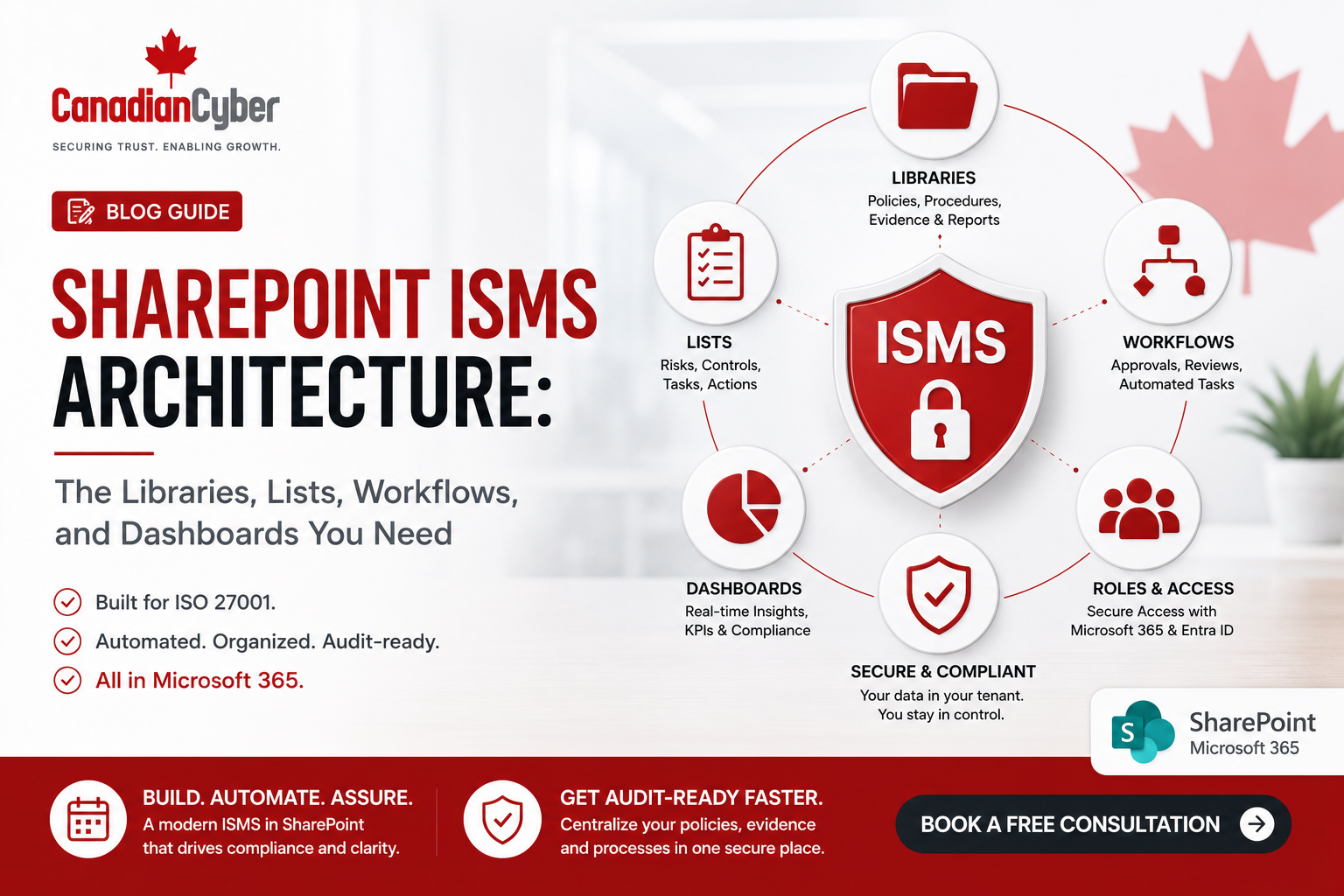
SharePoint ISMS Architecture: The Libraries, Lists, Workflows, and Dashboards You Need
A SharePoint ISMS can turn Microsoft 365 into a practical compliance and audit-readiness system — but only when it is designed with the right structure, ownership, metadata, workflows, and dashboards.
Canadian Cyber ISMS SharePoint Solution
Build an Audit-Ready ISMS Inside Microsoft 365
Canadian Cyber helps organizations design and implement SharePoint ISMS architecture for ISO 27001, SOC 2, ISO 42001, ISO 27017, ISO 27018, internal audits, cybersecurity assessments, incident response, vendor reviews, and vCISO reporting.
Quick Answer
A strong SharePoint ISMS architecture should include structured document libraries for policies, procedures, evidence, audit records, and management review; Microsoft Lists for risks, controls, vendors, assets, access reviews, incidents, and corrective actions; Power Automate workflows for approvals, reminders, escalations, and review dates; and dashboards for audit readiness, overdue evidence, open risks, and management oversight.
Practical takeaway: The goal is to turn SharePoint from a file storage location into an operational compliance system.
Quick Snapshot
| SharePoint ISMS Component | Purpose |
|---|---|
| Policy Library | Stores approved policies, procedures, standards, and templates. |
| Evidence Library | Stores audit evidence mapped to frameworks, controls, owners, and periods. |
| Risk Register | Tracks security risks, owners, ratings, treatments, and status. |
| Control Register | Maps ISO 27001, SOC 2, ISO 42001, ISO 27017, and ISO 27018 controls. |
| Corrective Action Tracker | Tracks findings, gaps, remediation plans, owners, and closure evidence. |
| Dashboards | Show audit readiness, risks, overdue evidence, open actions, and leadership decisions. |
Why SharePoint ISMS Architecture Matters
A SharePoint ISMS can become one of the most practical ways for growing companies to manage ISO 27001, SOC 2, ISO 42001, ISO 27017, ISO 27018, cybersecurity assessments, internal audits, vendor reviews, incident response records, and audit evidence inside Microsoft 365.
But only if it is designed properly. A random SharePoint site with folders is not an ISMS. A document dump is not audit-ready. A folder called “Compliance” is not evidence management. A spreadsheet risk register with no owners is not governance.
SharePoint becomes an ISMS only when it connects documents, controls, owners, evidence, workflows, and reporting.
Who This Guide Is For
- SaaS companies preparing for ISO 27001 or SOC 2.
- Canadian SMBs building a practical ISMS inside Microsoft 365.
- MSPs managing compliance evidence for clients.
- Founders and CEOs who need security governance visibility.
- Compliance leads tired of scattered spreadsheets and folders.
- AI startups building ISO 42001 governance evidence.
- Organizations comparing SharePoint ISMS, GRC platforms, and compliance automation tools.
What Is a SharePoint ISMS?
A SharePoint ISMS is an Information Security Management System built inside Microsoft 365 using SharePoint, Microsoft Lists, Teams, Power Automate, permissions, metadata, and dashboards.
It can support:
ISO 27001 internal audits
SOC 2 readiness
ISO 42001 AI governance
ISO 27017 cloud controls
ISO 27018 privacy controls
vendor risk management
incident response planning
vCISO reporting
security questionnaire responses
The Foundation: SharePoint Site Structure
Before building libraries and lists, define the site structure. For most growing companies, a single dedicated ISMS SharePoint site is better than spreading evidence across multiple department sites.
| Site Area | Purpose |
|---|---|
| Governance | Scope, policies, roles, objectives, and management review. |
| Risk Management | Risk register, risk treatment plan, and risk reviews. |
| Controls and SoA | Control register, Statement of Applicability, and framework mapping. |
| Evidence | Control evidence, audit evidence, and recurring proof. |
| Vendors | Supplier reviews, contracts, DPAs, and assurance evidence. |
| Audits | Internal audit, external audit, findings, and corrective actions. |
| AI Governance | AI inventory, AI risk assessments, and ISO 42001 evidence. |
| Dashboards | Audit readiness, overdue items, risk views, and management summaries. |
Practical rule: Your SharePoint ISMS should mirror how auditors, customers, and leadership ask for evidence.
Library 1: Policy and Procedure Library
The policy library is the controlled home for approved ISMS documents, including policies, procedures, standards, guidelines, templates, published versions, and archived versions.
| Metadata Field | Purpose |
|---|---|
| Document Type | Policy, procedure, standard, guideline, or template. |
| Owner | Person responsible for review and updates. |
| Framework | ISO 27001, SOC 2, ISO 42001, ISO 27017, or ISO 27018. |
| Status | Draft, under review, approved, published, or archived. |
| Approval Date | Shows governance approval. |
| Next Review Date | Supports recurring review. |
| Related Control | Links documents to control requirements. |
Library 2: Evidence Library
The evidence library is the heart of the SharePoint ISMS. This is where audit proof is stored, reviewed, mapped, and prepared for auditors, customers, leadership, and internal control owners.
Common evidence examples include:
access reviews
training reports
backup reports
restore test evidence
vendor SOC 2 reports
policy approvals
incident tabletop records
AI vendor reviews
| Required Metadata | Why It Matters |
|---|---|
| Framework | Shows whether evidence supports ISO 27001, SOC 2, ISO 42001, ISO 27017, or ISO 27018. |
| Control ID | Links evidence to a control. |
| Evidence Owner | Creates accountability. |
| Period | Shows month, quarter, year, or event. |
| Status | Missing, submitted, reviewed, approved, or expired. |
| Confidentiality | Internal, restricted, auditor-ready, or client-ready. |
Practical rule: Evidence should be searchable by control, framework, owner, period, and status.
Need a SharePoint ISMS Architecture That Auditors Can Follow?
Canadian Cyber helps organizations design SharePoint libraries, Microsoft Lists, Power Automate workflows, dashboards, permissions, metadata, and auditor-ready views inside Microsoft 365.
Core Microsoft Lists You Need
A strong SharePoint ISMS uses Microsoft Lists to create structure, ownership, status tracking, and audit visibility. These lists turn compliance from a document collection into a working governance system.
| List | Key Fields | Practical Rule |
|---|---|---|
| Risk Register | Risk ID, title, owner, likelihood, impact, rating, treatment plan, status, review date, evidence link. | A risk register should support decision-making, not just satisfy an audit request. |
| Control Register | Control ID, framework, owner, applicability, status, evidence required, frequency, next review date. | Control ownership should be visible before the audit starts. |
| SoA Tracker | Annex A control, theme, applicability, justification, status, related risk, evidence link, owner. | The SoA should always match the real control environment. |
| Vendor Register | Vendor name, service, owner, data processed, criticality, risk rating, DPA status, assurance evidence. | If a vendor touches customer data or production systems, it belongs in the vendor register. |
| Asset Register | Asset name, type, owner, classification, location, criticality, vendor, risk, backup requirement. | You cannot protect, assess, or audit what you do not know exists. |
| Access Review Tracker | System name, owner, review period, user list evidence, exceptions, remediation, sign-off, next review date. | Access reviews should show who reviewed what, when, and what was fixed. |
| Incident Register | Incident ID, date, type, severity, owner, status, impact, root cause, actions, lessons learned. | Even small incidents and near misses can create useful improvement evidence. |
| Corrective Action Tracker | Action ID, source, finding type, description, root cause, action plan, owner, due date, closure evidence. | A corrective action is not closed until evidence proves it was completed. |
Workflows You Need in a SharePoint ISMS
Power Automate can turn SharePoint from storage into an operating system. It helps control owners remember evidence due dates, review tasks, approvals, and escalations.
| Workflow | Purpose |
|---|---|
| Policy Approval Workflow | Routes policies for review and approval. |
| Policy Review Reminder | Alerts owners before review dates. |
| Evidence Due Reminder | Reminds control owners to upload evidence. |
| Overdue Evidence Escalation | Notifies managers when evidence is late. |
| Vendor Review Reminder | Triggers supplier review before due date. |
| Access Review Reminder | Prompts system owners to complete access reviews. |
| Corrective Action Follow-Up | Tracks findings until closure. |
| Management Review Prep | Sends dashboard summary before leadership review. |
| Audit Request Workflow | Tracks auditor requests and response status. |
Practical rule: Automate reminders and approvals, but keep accountability with named owners.
Dashboards You Need in a SharePoint ISMS
Dashboards make the ISMS visible. They help leadership, control owners, internal auditors, and vCISO teams understand what needs attention.
| Dashboard | What It Shows |
|---|---|
| Audit Readiness Dashboard | Evidence complete, missing, overdue, or expired. |
| Risk Dashboard | High risks, overdue treatments, and accepted risks. |
| Control Dashboard | Control status by framework and owner. |
| Vendor Dashboard | Critical vendors, overdue reviews, and missing assurance evidence. |
| Corrective Action Dashboard | Open findings, overdue actions, and closure evidence. |
| Management Review Dashboard | Risks, incidents, audit findings, objectives, and decisions. |
| AI Governance Dashboard | AI features, vendors, risks, issues, and approvals. |
| Cloud Controls Dashboard | ISO 27017 admin access, backups, and monitoring evidence. |
Permissions and Access Design
A SharePoint ISMS contains sensitive information. Permissions should be carefully designed using least privilege.
| Group | Access Level |
|---|---|
| ISMS Administrators | Full control. |
| Compliance Owners | Edit access to ISMS records. |
| Control Owners | Edit access to assigned evidence and tasks. |
| Leadership | Read access to dashboards and management review. |
| Internal Auditors | Read or limited edit access to audit workspace. |
| External Auditors | Restricted read access to auditor-ready evidence. |
| General Staff | Read access to published policies only. |
Practical Checklist: Build Your SharePoint ISMS Architecture
| Action Item | Done? |
|---|---|
| Create a dedicated ISMS SharePoint site. | |
| Build a controlled policy and procedure library. | |
| Build an evidence library with metadata. | |
| Create a risk register and control register. | |
| Create a Statement of Applicability tracker. | |
| Create vendor, asset, access review, incident, and corrective action trackers. | |
| Add Power Automate reminders and approvals. | |
| Create Teams channels for control owners. | |
| Build audit readiness dashboards. | |
| Design permissions for least privilege. | |
| Create auditor-ready and client-ready views. |
Common Mistakes to Avoid
- Creating too many folders. Folders alone do not create audit readiness. Use metadata, views, and control mapping.
- No control register. Without a control register, evidence cannot be tied clearly to ISO 27001, SOC 2, ISO 42001, ISO 27017, or ISO 27018.
- No owners. Every risk, control, policy, vendor, asset, evidence item, and corrective action needs an owner.
- No review dates. Policies, risks, vendors, assets, controls, and evidence become stale without review dates.
- Weak permissions. Security evidence can include sensitive information, so access must be restricted.
- No dashboards. If leadership cannot see risks, evidence gaps, and overdue actions, the ISMS becomes invisible.
- Treating SharePoint as a one-time setup. An ISMS must support ongoing reviews, audits, and improvements.
How Canadian Cyber Helps
Canadian Cyber helps organizations move from scattered documents, spreadsheets, and last-minute audit preparation to a structured SharePoint ISMS inside Microsoft 365.
Canadian Cyber can support:
Canadian Cyber’s ISMS SharePoint Solution Can Include
Frequently Asked Questions
What is a SharePoint ISMS?
A SharePoint ISMS is an Information Security Management System built inside Microsoft 365 using SharePoint libraries, Microsoft Lists, metadata, workflows, permissions, Teams collaboration, and dashboards to manage security governance and audit evidence.
Can SharePoint support ISO 27001?
Yes. SharePoint can support ISO 27001 by organizing the ISMS scope, policies, risk register, Statement of Applicability, control evidence, internal audit records, management review, corrective actions, and auditor-ready evidence.
Can SharePoint replace a GRC platform?
For many growing companies, SharePoint can act as a practical GRC alternative when it is structured properly. Larger organizations with advanced automated control testing and enterprise risk reporting may still need a dedicated GRC platform.
What lists should be included in a SharePoint ISMS?
Common SharePoint ISMS lists include a risk register, control register, vendor register, asset register, access review tracker, incident register, corrective action tracker, audit request tracker, and Statement of Applicability tracker.
What libraries should be included in a SharePoint ISMS?
Common libraries include a policy and procedure library, evidence library, internal audit library, management review library, vendor evidence library, incident response library, training evidence library, and client-ready evidence library.
Can Power Automate improve audit readiness?
Yes. Power Automate can send evidence reminders, route policy approvals, trigger vendor reviews, escalate overdue tasks, notify control owners, and support recurring review workflows.
Takeaway
A strong SharePoint ISMS architecture can turn Microsoft 365 into a practical compliance and audit readiness platform.
The key is structure. You need the right libraries, lists, workflows, permissions, metadata, dashboards, and owners.
A SharePoint ISMS should not be a document dump. It should be the operating system for your security governance.
Want to Build a SharePoint ISMS Inside Microsoft 365?
Canadian Cyber can design and implement the libraries, lists, workflows, dashboards, permissions, evidence views, and governance structure needed to support ISO 27001, SOC 2, ISO 42001, ISO 27017, ISO 27018, internal audits, cybersecurity assessments, incident response, and vCISO reporting.
Stay Connected With Canadian Cyber
Follow Canadian Cyber for practical guidance on SharePoint ISMS architecture, ISO 27001, SOC 2, ISO 42001, ISO 27017, ISO 27018, Microsoft 365 compliance, audit evidence, cybersecurity assessments, and vCISO support.










