



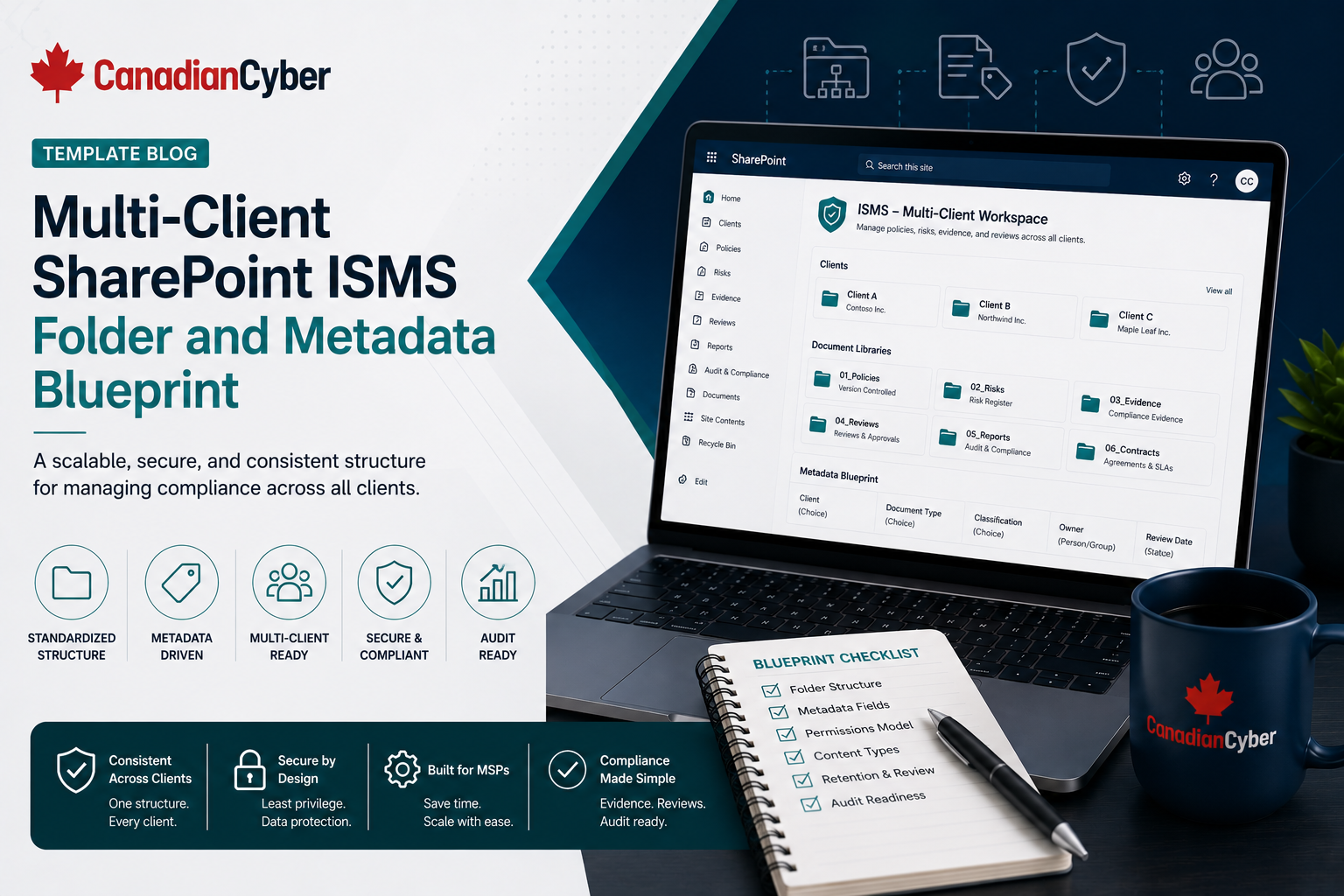
SharePoint ISMS • MSP Compliance • Metadata Blueprint • Client Evidence • GRC Workspace
Template Blog: Multi-Client SharePoint ISMS Folder and Metadata Blueprint
A multi-client SharePoint ISMS needs more than folders. MSPs managing client policies, risks, evidence, audits, and reviews need a clear workspace blueprint, metadata model, permission structure, evidence naming standard, and client-ready views.
Quick Snapshot
| Blueprint Area | What It Defines |
|---|---|
| Workspace Structure | How client sites, libraries, lists, and folders are organized. |
| Metadata | How evidence is tagged by client, framework, control, owner, status, and period. |
| Permissions | How MSP, client, auditor, and restricted evidence access is controlled. |
| Views | How users filter evidence by framework, client, owner, due date, or audit status. |
| Evidence Naming | How documents are named consistently for audits and reviews. |
| Outcome | A scalable SharePoint ISMS that supports ISO 27001, SOC 2, cyber insurance, vCISO services, and client trust. |
Introduction
Many MSPs start using SharePoint for compliance because it is already available.
That is a good starting point. Most clients already use Microsoft 365, teams know how to open SharePoint links, documents can be version-controlled, lists can track risks and actions, libraries can store evidence, and views can filter by owner or status.
But SharePoint only works as an ISMS if it is designed properly.
If an MSP creates one big library with random folders, the portal will quickly become messy:
- evidence will be hard to find
- clients may be mixed together
- auditor access may become risky
- control mapping may be unclear
- policies may not have owners
- risks may not link to evidence
- quarterly reviews may take too long to prepare
A good SharePoint ISMS needs a blueprint — not just folders.
This template gives MSPs a practical multi-client SharePoint ISMS folder and metadata blueprint for managing client policies, risks, evidence, vendors, audits, reviews, and compliance readiness in one structured portal.
Need a Multi-Client SharePoint ISMS Blueprint?
Canadian Cyber helps MSPs design SharePoint ISMS portals with client workspaces, evidence vaults, risk registers, policy libraries, metadata, permission groups, audit trackers, and vCISO reporting templates.
What This Blueprint Is For
This blueprint is designed for MSPs that support clients with:
SOC 2 readiness
Cyber insurance evidence
Security questionnaires
Client trust packs
Vendor risk reviews
Access reviews
Risk registers
vCISO reporting
Practical rule: The goal is not to copy a generic folder tree. The goal is to build a workspace that helps MSPs manage governance, evidence, and client trust at scale.
Recommended Multi-Client Site Model
For multi-client delivery, separate client workspaces are usually safer than one shared document library.
Preferred Model: MSP Hub + Separate Client Sites
| Component | Purpose |
|---|---|
| MSP Compliance Hub | Internal MSP navigation, templates, methodology, and reporting standards. |
| Client Site A | Client-specific policies, risks, evidence, reviews, and audit records. |
| Client Site B | Separate workspace for another client. |
| Restricted Evidence Area | Sensitive files with tighter permissions. |
| Template Site | Reusable structure for new client onboarding. |
Why this model works:
- supports client separation
- reduces cross-client access risk
- makes auditor access cleaner
- helps permission reviews
- supports reusable templates
- scales better than one shared library
Practical rule: Use one client workspace per client where possible. Folders are not a strong security boundary.
Recommended Client Site Structure
Each client site should have a consistent structure. Numbered sections make navigation easier and keep every client workspace aligned.
| Section | Purpose |
|---|---|
| 01 Dashboard | Shows open risks, evidence status, overdue actions, and review dates. |
| 02 Policies | Stores approved policies, drafts, reviews, and version history. |
| 03 Risk Register | Tracks risks, treatment actions, owners, and decisions. |
| 04 Evidence Vault | Stores audit and compliance evidence. |
| 05 Vendor Register | Tracks suppliers, reviews, contracts, and assurance evidence. |
| 06 Access Reviews | Tracks user, admin, privileged, and vendor access reviews. |
| 07 Incidents and Tabletop | Stores incident plans, tabletop records, and lessons learned. |
| 08 Audit Requests | Tracks auditor, buyer, insurer, or internal audit requests. |
| 09 Corrective Actions | Tracks findings, remediation, and closure evidence. |
| 10 Quarterly Reviews | Stores vCISO reports, meeting notes, and management decisions. |
| 11 Questionnaires | Stores approved answers and supporting evidence. |
| 12 Trust Pack | Stores approved client-facing security summaries. |
Create a Repeatable Client Workspace Template
Canadian Cyber helps MSPs create reusable SharePoint ISMS templates for client onboarding, evidence collection, risk tracking, quarterly reviews, and compliance readiness.
Folder Blueprint for Each Client Workspace
Use SharePoint libraries and lists where possible. Use folders only when they help users navigate.
01 Dashboard
Client overview, open risk dashboard, evidence status dashboard, overdue action view, quarterly summary, audit readiness, and framework readiness.
02 Policies
Draft policies, approved policies, retired policies, policy review evidence, and policy exceptions.
03 Risk Register
Use a SharePoint List to track risk ID, title, owner, rating, treatment plan, status, decision notes, and evidence links.
04 Evidence Vault
Access control, backup, vendor risk, incident response, change management, cloud security, policy governance, training, risk management, and restricted evidence.
05 Vendor Register
Use a SharePoint List for vendors, with supporting folders for reviews, contracts, DPAs, assurance reports, incidents, and review evidence.
06 Access Reviews
User access reviews, admin reviews, privileged access reviews, vendor access reviews, service account reviews, offboarding samples, and access exceptions.
07 Incidents and Tabletop
Incident response plan, runbooks, tabletop exercises, lessons learned, incident records, communication templates, and corrective actions.
08 Audit Requests
Use a SharePoint List, with folders for auditor evidence packages, buyer requests, cyber insurance evidence, internal audit evidence, submitted evidence, and accepted evidence.
09 Corrective Actions
Use a SharePoint List for finding ID, source, description, risk rating, owner, due date, status, closure evidence, and verification notes.
10 Quarterly Reviews
Quarterly security reports, executive summaries, meeting notes, decision logs, roadmaps, budget requests, and management review inputs.
11 Questionnaires
Approved answer library, customer questionnaires, cyber insurance questionnaires, SOC 2 questionnaires, ISO 27001 questionnaires, evidence links, and NDA-only responses.
12 Trust Pack
Security overview, ISO 27001 summary, SOC 2 summary, vendor risk summary, incident response summary, backup recovery summary, access control summary, and approved client-facing evidence.
Metadata Blueprint for the Evidence Vault
Metadata is what makes SharePoint better than a folder dump. Every evidence item should have useful fields.
| Column Name | Example Values |
|---|---|
| Client Name | Client A, Client B |
| Evidence Name | MFA Report Q2 |
| Evidence Type | Report, screenshot, export, policy, ticket, minutes |
| Control Area | Access, vendor, backup, incident, change, policy |
| Framework | ISO 27001, SOC 2, cyber insurance, internal |
| Framework Control | ISO A.5.15, SOC 2 logical access, internal control ID |
| Evidence Owner | IT Lead, MSP Engineer, vCISO, Client Owner |
| Source System | Microsoft 365, Entra ID, GitHub, Jira, backup platform |
| Period Covered | 2026 Q2, May 2026, annual |
| Review Status | Requested, uploaded, reviewed, approved, rejected, expired |
| Sensitivity | Internal, confidential, NDA-only, auditor-only |
| Related Risk | Risk ID or linked risk item |
| Related Audit Request | Audit Request ID |
| Expiry Date | Review or renewal date |
Practical rule: If users cannot filter evidence by owner, framework, status, and control area, the metadata model is too weak.
Build an Evidence Vault That Works Like a GRC Portal
Canadian Cyber helps MSPs create metadata models, evidence views, control mapping, evidence owners, review status fields, and audit-ready SharePoint libraries.
Metadata Blueprint for the Policy Library
Policies need more than file names. A policy library should prove approval, ownership, and review cadence.
| Column Name | Example Values |
|---|---|
| Policy Name | Access Control Policy |
| Policy Owner | IT Manager |
| Approval Status | Draft, under review, approved, retired |
| Version | v1.0, v1.1, v2.0 |
| Approval Date | 2026-06-01 |
| Next Review Date | 2027-06-01 |
| Framework | ISO 27001, SOC 2, cyber insurance |
| Related Controls | Access, vendor, incident |
| Exception Exists | Yes / No |
| Evidence Link | Approval record, training record |
Metadata Blueprint for the Risk Register
The risk register should be a SharePoint List. A risk register should capture decisions, not just issues.
| Column Name | Example Values |
|---|---|
| Risk ID | R-001 |
| Risk Title | Admin access not reviewed |
| Risk Description | Privileged access may remain excessive |
| Risk Category | Access, vendor, backup, cloud, incident |
| Business Impact | Operational, financial, legal, customer trust |
| Likelihood | Low, medium, high |
| Impact | Low, medium, high |
| Risk Rating | Low, medium, high, critical |
| Risk Owner | Client IT Manager |
| MSP Owner | vCISO / MSP Engineer |
| Treatment Plan | Quarterly access review |
| Treatment Status | Open, in progress, accepted, closed |
| Evidence Link | Access review evidence |
| Review Date | 2026-09-30 |
Metadata Blueprint for the Vendor Register
Vendor evidence is common in ISO 27001, SOC 2, and cyber insurance reviews. Vendor reviews should show approval, evidence, and next review date.
| Column Name | Example Values |
|---|---|
| Vendor Name | Cloud provider, backup provider |
| Service Provided | Hosting, endpoint security, support |
| Criticality | High, medium, low |
| Data Handled | Customer, personal, confidential, operational |
| Remote Access | Yes / No |
| Security Evidence | SOC 2, ISO 27001, questionnaire, contract |
| DPA / Contract Status | Approved, pending, not applicable |
| Review Status | Pending, approved, conditionally approved, overdue |
| Last Review Date | 2026-05-01 |
| Next Review Date | 2027-05-01 |
Metadata Blueprint for Audit Requests
Audit requests should not live in email. Every audit request should have an owner, due date, status, and evidence link.
| Column Name | Example Values |
|---|---|
| Request ID | AR-001 |
| Request Source | Auditor, customer, insurer, internal audit |
| Framework | ISO 27001, SOC 2, cyber insurance |
| Evidence Requested | MFA evidence |
| Control Area | Access control |
| Evidence Owner | Client IT Lead |
| Due Date | 2026-06-20 |
| Status | Open, in progress, submitted, accepted, rejected |
| Evidence Link | Link to evidence file |
| Follow-Up Required | Yes / No |
Permission Blueprint
Permissions should be designed before the workspace goes live. Use groups, not individual permissions, and review permissions quarterly.
| Group | Access |
|---|---|
| MSP-ISMS-Admins | Full control. |
| MSP-ISMS-vCISO | Edit assigned client workspaces. |
| MSP-ISMS-Compliance | Edit evidence, risks, and audit trackers. |
| MSP-ISMS-Technical-Contributors | Limited evidence upload access. |
| ClientName-ISMS-Owners | Elevated client workspace access. |
| ClientName-ISMS-Contributors | Edit assigned evidence and actions. |
| ClientName-ISMS-Viewers | Read approved reports and summaries. |
| ClientName-ISMS-Auditors | Temporary read-only access. |
| ClientName-ISMS-RestrictedEvidence | Limited access to sensitive evidence. |
Evidence Naming Standard
Consistent file names reduce audit confusion. A good file name should tell the client, control area, evidence type, and period without opening the file.
Recommended format:
ClientName-ControlArea-EvidenceType-Period-Version
| Example File Name | What It Represents |
|---|---|
| ClientA-AccessControl-MFAReport-2026Q2-v1.pdf | MFA report for access control evidence. |
| ClientA-AccessControl-AdminReview-2026Q2-v1.xlsx | Admin access review evidence. |
| ClientA-BackupRecovery-RestoreTest-2026Q2-v1.docx | Backup restore test proof. |
| ClientA-VendorRisk-CriticalVendorReview-2026Q2-v1.xlsx | Vendor review record. |
| ClientA-IncidentResponse-TabletopReport-2026-v1.pdf | Incident response tabletop report. |
| ClientA-PolicyGovernance-AccessControlPolicy-2026-v2.docx | Approved access control policy. |
Recommended Views
Views make the workspace useful. A workspace without useful views will force users back into manual searching.
Evidence Vault Views
| View | Purpose |
|---|---|
| Evidence by Framework | Filters ISO 27001, SOC 2, cyber insurance. |
| Evidence by Owner | Shows who owes what. |
| Evidence Due This Month | Tracks upcoming evidence. |
| Rejected Evidence | Shows items needing correction. |
| Approved Audit Evidence | Shows auditor-ready proof. |
| Restricted Evidence | Shows sensitive evidence. |
| SOC 2 Readiness Evidence | SOC 2-focused view. |
| ISO 27001 Readiness Evidence | ISO-focused view. |
Risk Register Views
Risks by owner
Accepted risks
Overdue treatment actions
Risks for management review
Risks linked to audit findings
Corrective Action Views
Overdue actions
Closed with evidence
High-risk findings
Management review items
Client Onboarding Blueprint
When onboarding a new client, use a repeatable setup process. A template site saves time and reduces setup mistakes.
| Step | Complete |
|---|---|
| Create client site from template. | |
| Create permission groups. | |
| Add client owners and contributors. | |
| Add MSP advisory team. | |
| Configure evidence vault metadata. | |
| Create risk register. | |
| Create policy library. | |
| Create vendor register. | |
| Create audit request tracker. | |
| Create corrective action register. | |
| Add quarterly review folder. | |
| Add questionnaire library. | |
| Confirm restricted evidence area. | |
| Test client access. | |
| Document setup approval. |
Common Mistakes to Avoid
- Starting with folders only. Folders help navigation, but metadata drives governance.
- Using one shared library for every client. This creates access risk and permission confusion.
- No framework mapping. Evidence should map to ISO 27001, SOC 2, cyber insurance, and internal controls.
- No evidence owner. Every evidence item needs accountability.
- No review status. Uploaded evidence is not automatically audit-ready.
- No restricted evidence area. Sensitive evidence needs tighter access.
- No views. Without views, users waste time searching.
What Good Looks Like
A strong multi-client SharePoint ISMS blueprint can show:
- MSP compliance hub
- separate client workspaces
- client-specific permission groups
- policy library
- risk register
- evidence vault
- vendor register
- access review tracker
- audit request tracker
- corrective action register
- quarterly review library
- questionnaire library
- trust pack library
- restricted evidence area
- metadata model
- evidence naming standard
- framework mapping
- auditor-ready views
This helps MSPs deliver compliance advisory more consistently.
Canadian Cyber’s Take
At Canadian Cyber, we often see MSPs start with SharePoint folders and then struggle when clients, evidence, auditors, and frameworks increase.
The issue is not SharePoint. The issue is design.
A SharePoint ISMS needs structure from the beginning. Separate client workspaces. Use metadata. Create views. Define permission groups. Track risks in lists. Map evidence to frameworks. Use naming standards. Review access regularly.
That is how SharePoint becomes a practical ISMS and GRC-style portal for MSPs.
Takeaway
A multi-client SharePoint ISMS should be designed before it is filled with evidence.
Start with:
- client site structure
- policy library
- risk register
- evidence vault
- vendor register
- audit request tracker
- corrective action register
- quarterly review library
- questionnaire library
- metadata fields
- permission groups
- evidence naming standard
- framework views
The goal is simple: make client evidence easy to find, safe to access, and ready to use. That is how MSPs turn SharePoint into a scalable compliance workspace.
How Canadian Cyber Can Help
Canadian Cyber helps MSPs design and implement multi-client SharePoint ISMS workspaces.
- SharePoint ISMS blueprint design
- multi-client workspace templates
- metadata model creation
- evidence vault setup
- risk register setup
- policy library design
- vendor register setup
- audit request tracker setup
- corrective action register setup
- permission group design
- restricted evidence workflows
- quarterly review templates
- ISO 27001 evidence mapping
- SOC 2 evidence mapping
- MSP vCISO reporting portals
Stay Connected With Canadian Cyber
Follow Canadian Cyber for practical guidance on SharePoint ISMS, MSP compliance workspaces, ISO 27001, SOC 2, evidence management, metadata design, vCISO services, and client trust.










