



SOC 2 • Offboarding Controls • Access Reviews • SaaS Security • Audit Findings
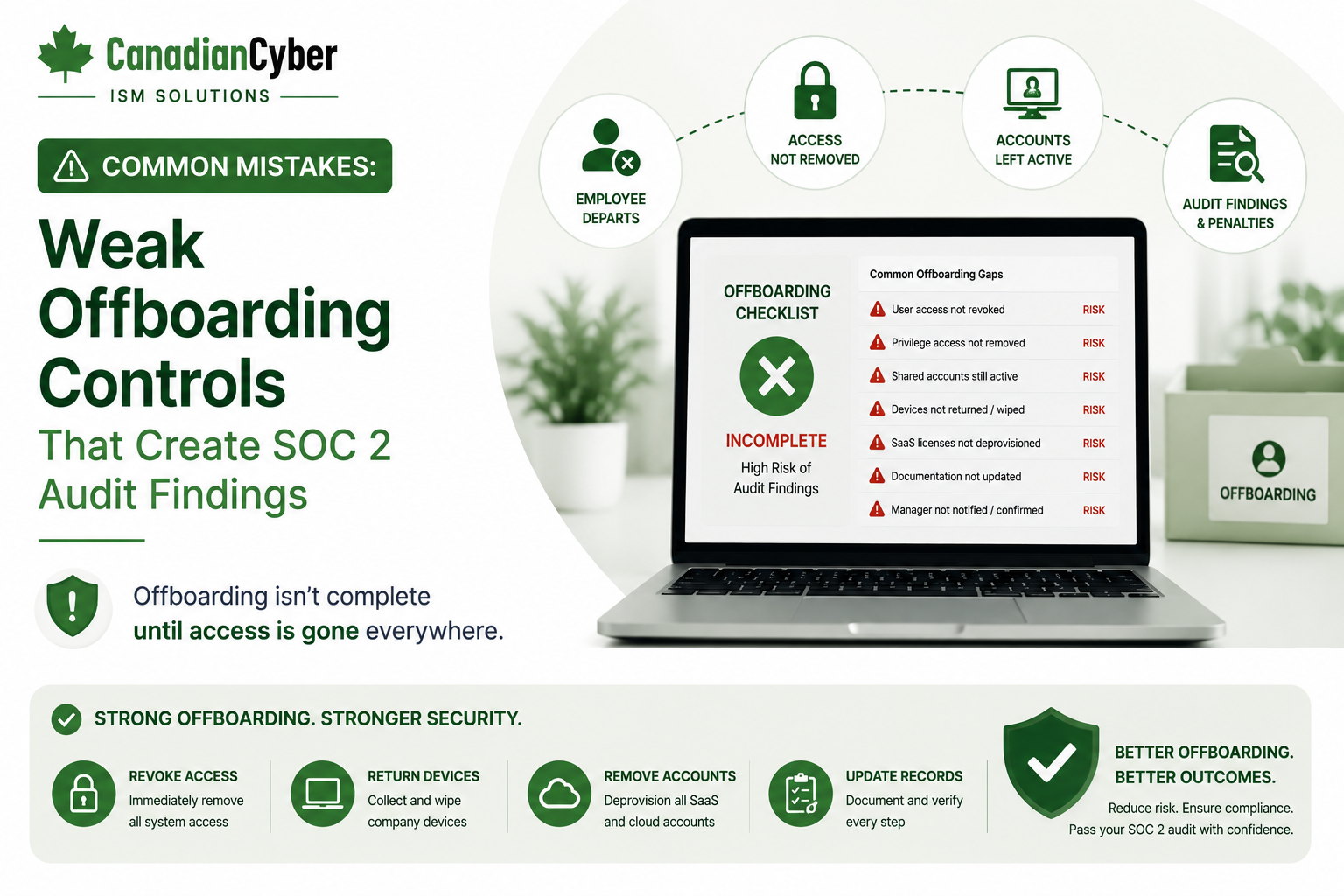
Common Mistakes: Weak Offboarding Controls That Create SOC 2 Audit Findings
Weak offboarding controls are one of the fastest ways to create SOC 2 audit findings. If former employees, contractors, vendors, or support users keep access to SaaS applications, cloud systems, source code, customer data, or admin tools, auditors may question whether access controls are operating effectively.
Canadian Cyber SOC 2 Access Control Support
Build Offboarding Controls That Are Fast, Verified, and Audit-Ready
Canadian Cyber helps SaaS companies and remote teams strengthen offboarding workflows, access review programs, privileged access removal, contractor access controls, device offboarding evidence, SharePoint offboarding trackers, and SOC 2 evidence libraries.
Quick Snapshot
| Offboarding Risk | Why It Creates SOC 2 Issues |
|---|---|
| Delayed Access Removal | Former users may retain access to customer data, production systems, or business applications. |
| No Offboarding Evidence | The company cannot prove when access was removed, by whom, or from which systems. |
| Missed SaaS Tools | Accounts remain active in tools outside email and identity provider workflows. |
| Contractor Access Gaps | Temporary users keep access after projects, contracts, or vendor support windows end. |
| Device Return Issues | Company laptops are not returned, wiped, locked, or removed from asset inventory properly. |
| No Manager Sign-Off | Access removal is not verified by the business owner, system owner, or manager. |
Introduction
Offboarding is simple in theory. Someone leaves the company, their access is removed, their device is returned or wiped, their accounts are disabled, their permissions are reviewed, their manager confirms closure, and evidence is retained.
In practice, offboarding is often messy. Remote employees may be in different time zones. Contractors may have access to project tools. Support users may access customer data. Developers may have cloud or code access. Vendors may have temporary accounts. HR may notify IT late. Access may exist across many SaaS tools.
During SOC 2 readiness, auditors may ask:
- When was access removed?
- Which systems were reviewed?
- Who approved removal?
- Was privileged access removed?
- Was the device returned or wiped?
- Were shared credentials rotated?
- Were API keys or tokens reviewed?
- Was customer data access removed?
- Where is the evidence?
Offboarding is not complete until access removal is verified and evidenced.
Worried Offboarding Could Create SOC 2 Findings?
Canadian Cyber helps SaaS companies review offboarding workflows, access removal evidence, contractor access, privileged accounts, device handling, shared credentials, and SOC 2 audit readiness.
Why Offboarding Matters for SOC 2
SOC 2 access controls are built around one core idea: only authorized users should have access to systems and data. When someone leaves, that authorization changes.
If access remains active after departure, the company may have a logical access control failure. If access was removed but evidence was not retained, the company may still struggle during audit testing.
| SOC 2 Control Area | Why Offboarding Matters |
|---|---|
| Logical Access | Ensures former users cannot access systems. |
| Privileged Access | Removes admin rights quickly. |
| Confidentiality | Protects customer data from unauthorized access. |
| Security | Reduces account misuse and credential risk. |
| Availability | Prevents misuse of operational tools. |
| Change Management | Removes access to code, deployment, and production systems. |
| Vendor Risk | Controls contractor, vendor, and third-party access. |
Mistake 1: Relying on Informal Notifications
Many offboarding failures start with weak communication. HR may tell a manager. A manager may tell IT in chat. IT may remove some access. Operations may update a spreadsheet later. This creates gaps because timing is unclear and evidence is not always created.
A better approach is to use a formal offboarding ticket or workflow.
| Offboarding Ticket Field | Purpose |
|---|---|
| User Name | Person leaving. |
| Role | Employee, contractor, or vendor. |
| Manager | Responsible business owner. |
| Last Working Day | Access removal date. |
| Termination Type | Planned, immediate, or involuntary. |
| Systems to Remove | Access checklist. |
| Device Action | Return, wipe, lock, or not applicable. |
| Evidence Link | Proof of completion. |
Practical rule: Offboarding should start with a trackable workflow, not a chat message.
Mistake 2: Only Removing Email Access
Disabling email is not enough. Former users may still have access to cloud infrastructure, source code repositories, CI/CD tools, admin consoles, customer support tools, CRM platforms, HR systems, finance tools, password managers, document storage, monitoring tools, ticketing systems, API keys, client portals, and vendor portals.
Offboarding should cover every system where the user had access, not only email.
Mistake 3: No Central Access Inventory
It is difficult to remove access if the company does not know where the user had accounts. A central access inventory or application list helps prevent missed systems.
| Access Inventory Field | Purpose |
|---|---|
| System Name | Application or platform. |
| System Owner | Person responsible. |
| User Population | Employees, contractors, vendors, or support users. |
| Access Type | Standard, admin, support, developer, or vendor. |
| SSO Enabled | Yes or no. |
| MFA Required | Yes or no. |
| Evidence Source | Export, screenshot, ticket, or report. |
Mistake 4: Weak Contractor Offboarding
Contractors often create offboarding gaps. They may join for short projects, integrations, design work, development support, security testing, or implementation support. Their access may be temporary, but it can be powerful.
| Contractor Offboarding Evidence | Why It Matters |
|---|---|
| Contract end date | Shows when access should end. |
| Access expiry date | Prevents open-ended temporary access. |
| Account removal ticket | Proves removal was requested and completed. |
| Repository access removal | Prevents code access after the engagement ends. |
| Admin access removal | Confirms high-risk access was removed. |
| System owner sign-off | Confirms removal was verified. |
Contractor Access Should Not Stay Open Forever
Canadian Cyber helps teams design contractor access expiry, system owner verification, repository access removal, admin access checks, and SOC 2-ready evidence records.
Mistake 5: Missing Privileged Access Removal
Privileged access requires special attention. Former admins may have access to high-risk systems such as cloud consoles, databases, source code, CI/CD platforms, identity providers, endpoint management, support platforms, billing tools, or client portals.
Evidence to prepare:
- admin user export before removal
- admin access removal ticket
- reviewer sign-off
- identity provider deactivation record
- cloud access removal record
- repository access removal record
- privileged access review update
Mistake 6: No Device Return or Wipe Evidence
Remote and hybrid work make device control more important. If a former employee keeps a laptop, customer data, local files, cached credentials, or company applications may remain exposed.
Remote wipe confirmation
Endpoint lock record
MDM status report
Asset inventory update
Manager or IT sign-off
Mistake 7: Forgetting Shared Credentials and Tokens
Offboarding is not only about user accounts. Former users may know shared passwords, API keys, recovery codes, SSH keys, personal access tokens, deployment keys, database credentials, break-glass credentials, client portal admin credentials, or vendor portal credentials.
| Credential Evidence | Purpose |
|---|---|
| Password manager access removal | Confirms user no longer has vault access. |
| Shared credential rotation record | Confirms known shared secrets were changed. |
| API key review | Confirms old keys were reviewed or revoked. |
| Token revocation evidence | Shows tokens cannot be reused. |
| Break-glass account review | Confirms emergency credentials remain controlled. |
Mistake 8: No Timeliness Standard
SOC 2 auditors may ask how quickly access is removed. If no standard exists, timing becomes hard to defend.
| Termination Type | Example Access Removal Target |
|---|---|
| Involuntary termination | Immediately or before notification. |
| High-risk privileged user | Immediately. |
| Standard employee departure | Same day as last working day. |
| Contractor completion | On contract end date. |
| Vendor temporary access | When work is complete or access window expires. |
Mistake 9: No Evidence of Completion
A team may remove access correctly but fail to retain evidence. That still creates an audit problem because the company cannot prove the control operated.
Completion evidence examples include:
Access removal checklist
Identity provider deactivation screenshot
SaaS account removal export
Manager sign-off
Password manager removal record
Contractor access removal record
Mistake 10: No Manager or System Owner Verification
IT may disable accounts, but system owners should confirm high-risk access is removed. This is especially important for cloud admin tools, source code platforms, support systems, billing systems, and customer portals.
| Verification Owner | What They Confirm |
|---|---|
| Manager | Departure details and whether business access is still needed. |
| IT | Identity access and device handling. |
| Engineering | Code, CI/CD, cloud, and production access removed. |
| Support Lead | Support platform and customer data access removed. |
| HR / Operations | Employment or vendor status closed. |
Mistake 11: Not Linking Offboarding to Access Reviews
Offboarding and periodic access reviews should support each other. Quarterly access reviews can detect former employees, contractors past their end date, dormant accounts, inappropriate privileged users, vendor users, and unowned service accounts.
Quarterly access reviews should detect offboarding failures before auditors do.
Mistake 12: Not Tracking Offboarding Exceptions
Sometimes access cannot be removed immediately because of legal hold requirements, transition support, temporary consulting arrangements, system migration, emergency support, or business continuity needs. These exceptions must be approved and tracked.
| Exception Field | Purpose |
|---|---|
| User | Person or account. |
| Reason | Why access remains. |
| Approver | Who approved the exception. |
| Systems | Access retained. |
| Expiry Date | When access ends. |
| Final Removal Evidence | Proof access ended. |
Turn Offboarding Into an Audit-Ready Workflow
Canadian Cyber helps teams design offboarding timelines, evidence checklists, exception tracking, system owner verification, access review reconciliation, and SharePoint dashboards.
SOC 2 Offboarding Evidence Checklist
Use this checklist to prepare audit-ready offboarding evidence.
HR and Workflow Evidence
| Evidence | Ready? |
|---|---|
| Offboarding policy | |
| Offboarding procedure | |
| HR termination notice or ticket | |
| Last working day record | |
| Manager confirmation | |
| Completion sign-off |
Access Removal Evidence
| Evidence | Ready? |
|---|---|
| Identity provider deactivation | |
| Email account removal or disablement | |
| SaaS application access removal | |
| Privileged access removal | |
| Source code access removal | |
| Cloud console access removal | |
| Support tool access removal | |
| API key or token review |
Device and Review Evidence
| Evidence | Ready? |
|---|---|
| Device return confirmation | |
| Remote wipe confirmation | |
| Asset inventory update | |
| Shared credential rotation evidence | |
| System owner verification | |
| Access review reconciliation |
Offboarding Workflow Template
| Step | What Happens |
|---|---|
| 1. HR Starts Record | HR enters user, role, manager, last working day, and termination type. |
| 2. IT Reviews Access | IT identifies access through identity provider, password manager, endpoint tools, and application inventory. |
| 3. System Owners Remove Access | System owners confirm removal from high-risk applications. |
| 4. Privileged Access Is Verified | Cloud, source code, deployment, admin, and support access are checked separately. |
| 5. Device Is Returned or Wiped | Device status is recorded. |
| 6. Shared Credentials Are Reviewed | Passwords, tokens, API keys, and secrets are rotated or revoked where needed. |
| 7. Manager Signs Off | Manager confirms no remaining business access is needed. |
| 8. Evidence Is Stored | Offboarding evidence is saved in the SOC 2 evidence library. |
SharePoint Offboarding Tracker
Canadian Cyber’s ISMS SharePoint solution can help teams track offboarding evidence in one workspace. A tracker should show access removal, device status, exceptions, owners, evidence links, and closure status.
| Recommended SharePoint Field | Purpose |
|---|---|
| User Name | Person being offboarded. |
| User Type | Employee, contractor, or vendor. |
| Manager | Approver. |
| Last Working Day | Removal date. |
| Identity Removed | Yes or no. |
| Privileged Access Removed | Yes or no. |
| SaaS Access Removed | Yes or no. |
| Device Returned / Wiped | Yes or no. |
| Tokens Reviewed | Yes or no. |
| Exceptions | Yes or no. |
| Evidence Link | Supporting records. |
| Completion Status | Open, in progress, or complete. |
Build a SOC 2 Offboarding Tracker in SharePoint
Canadian Cyber helps SaaS companies create SharePoint offboarding trackers, access review workflows, SOC 2 evidence libraries, control owner dashboards, and management review views.
Common Audit Questions About Offboarding
- How do you know when someone leaves?
- Who starts the offboarding process?
- How quickly is access removed?
- Which systems are included?
- How do you handle contractors?
- How do you remove privileged access?
- How do you confirm device return or wipe?
- How are exceptions approved?
- Where is evidence stored?
- How do access reviews catch missed accounts?
What Good Looks Like
A strong offboarding control can show:
- formal offboarding policy
- trackable offboarding ticket
- last working day
- clear access removal timeline
- identity account disabled
- SaaS access removed
- privileged access removed
- support access removed
- source code access removed
- cloud access removed
- password manager access removed
- API keys and tokens reviewed
- device returned or wiped
- manager sign-off
- system owner verification
- exception tracking
- evidence stored in SharePoint
- access review reconciliation
- corrective action tracking
This helps reduce SOC 2 audit findings and customer trust concerns.
Canadian Cyber’s Take
Canadian Cyber often sees offboarding issues during SOC 2 readiness. The company may have good intentions, but access removal is spread across HR, IT, engineering, operations, support, vendors, and SaaS tool owners.
That creates gaps. Offboarding needs structure. It should be triggered by HR, executed by system owners, verified by managers, reviewed by compliance, and evidenced in a central workspace.
For remote-first SaaS teams, this is even more important because access exists across cloud systems, SaaS tools, devices, support platforms, password managers, and code repositories.
A good offboarding process protects customer data and strengthens SOC 2 readiness.
Takeaway
Weak offboarding controls can create SOC 2 audit findings when former users retain access or when the company cannot prove access was removed.
Avoid:
- informal offboarding
- email-only access removal
- missed SaaS tools
- weak contractor offboarding
- missing privileged access removal
- no device wipe evidence
- unreviewed tokens or shared credentials
- no timeliness standard
- missing completion evidence
- no exception tracking
The goal is simple. When someone leaves, access should be removed, verified, documented, and reviewed.
How Canadian Cyber Can Help
Canadian Cyber helps SaaS companies and remote teams strengthen offboarding controls for SOC 2 readiness.
- SOC 2 readiness assessments
- offboarding control reviews
- access removal workflow design
- SharePoint offboarding tracker setup
- access review program design
- privileged access review support
- contractor access review
- device offboarding evidence review
- password manager and token review guidance
- corrective action tracking
- SOC 2 evidence library setup
- management review dashboards
- vCISO support for SaaS teams
- client-ready security evidence packs
Stay Connected With Canadian Cyber
Follow Canadian Cyber for practical guidance on SOC 2, offboarding controls, access reviews, remote SaaS security, SharePoint ISMS, audit evidence, ISO 27001, ISO 42001, and vCISO support.










