



ISO 27018 • SOC 2 • Support Channels • Customer Data Privacy • SaaS Security
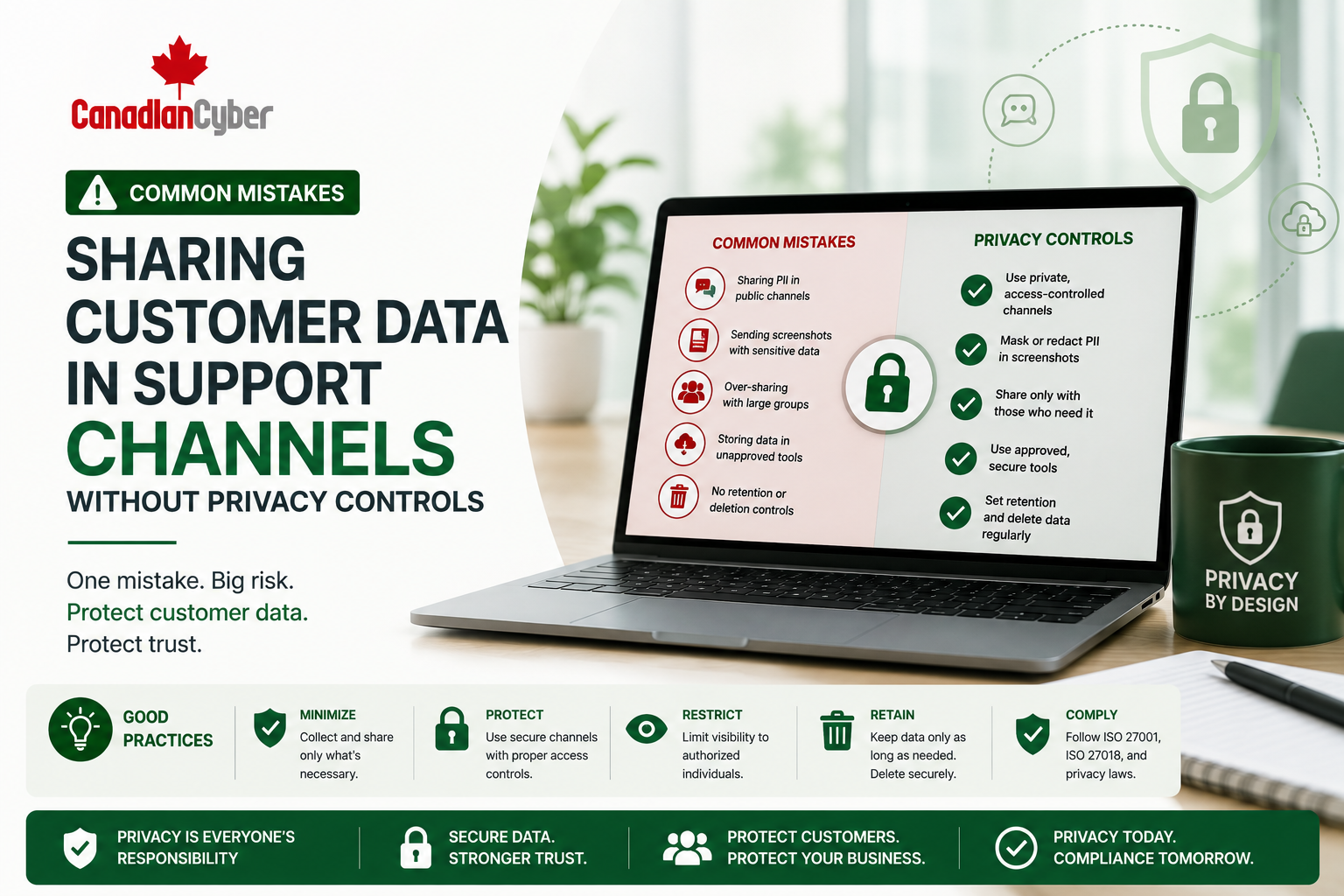
Common Mistakes: Sharing Customer Data in Support Channels Without Privacy Controls
Support teams need customer information to troubleshoot issues. But when customer data is shared through tickets, screenshots, chat tools, email threads, AI tools, vendors, and internal channels without privacy controls, risk grows quickly.
Canadian Cyber Support Privacy Readiness
Protect Customer Data Across Support Channels
Canadian Cyber helps SaaS companies and cloud service providers strengthen support privacy controls for SOC 2, ISO 27001, ISO 27018, client reviews, AI support tools, vendor support channels, retention, access reviews, and audit-ready evidence.
Quick Snapshot
| Support Privacy Risk | Why It Matters |
|---|---|
| Screenshots in Tickets | May expose names, emails, payroll data, billing details, client records, or sensitive workflows. |
| Internal Chat Sharing | Customer data may spread into Slack, Teams, or broad internal channels with unnecessary access. |
| Ticket Attachments | Files can contain sensitive information and remain stored longer than needed. |
| Support Access | Agents may view customer accounts, logs, metadata, files, or admin functions. |
| AI Support Tools | Customer data may be entered into unapproved AI systems without review. |
| Audit Evidence | Clients and auditors may ask how support data is protected, reviewed, retained, and deleted. |
Introduction
Customer support is one of the most important parts of SaaS operations. Support teams help users solve problems, understand features, report bugs, investigate errors, and escalate incidents.
But support workflows can also become a privacy risk. Customer data may be shared in support tickets, live chat tools, email threads, Slack or Teams channels, screenshots, screen recordings, log files, debug exports, customer portal views, CRM notes, AI support tools, internal escalation threads, and vendor support portals.
The problem is not that support teams are careless. The problem is that support teams often move fast. A customer shares a screenshot. An agent forwards it internally. An engineer asks for logs. A manager posts a ticket in chat. A file is uploaded for troubleshooting. An AI tool is used to summarize the issue. A vendor is asked to help investigate.
Without privacy controls, customer data can spread far beyond the original support request.
Need to Control Customer Data in Support Channels?
Canadian Cyber helps SaaS teams review support ticket workflows, screenshot handling, internal chat sharing, AI support tools, vendor support channels, access reviews, and SOC 2 / ISO 27018 evidence.
Why Support Channels Create Privacy Risk
Support channels are often treated as operational tools. But they may contain sensitive customer data, personal information, confidential business records, screenshots, logs, metadata, attachments, and vendor troubleshooting records.
Customer data that may appear in support channels includes:
email addresses
user IDs
IP addresses
billing records
invoice details
payroll files
screenshots
support logs
metadata exports
API responses
confidential business records
| Risk | Example |
|---|---|
| Oversharing | Customer uploads a full screen instead of the specific error. |
| Broad Internal Access | Screenshot is shared in a large support channel. |
| Long Retention | Ticket attachments remain stored for years. |
| Weak Redaction | Personal data appears in screenshots and logs. |
| Vendor Exposure | External support vendor receives customer data. |
| AI Tool Exposure | Ticket content is pasted into an unapproved AI tool. |
Support channels should be treated as customer data environments.
Mistake 1: Allowing Screenshots Without Redaction Guidance
Screenshots are useful. They help support teams see the exact error, page, workflow, or configuration. But screenshots often include more information than needed.
Screenshots may reveal:
- customer names, employee names, and emails
- billing records, invoice amounts, payroll information, or tax documents
- account IDs, file names, role permissions, and internal comments
- browser tabs, URLs, session tokens, and client records
| Screenshot Privacy Guidance | Purpose |
|---|---|
| Blur unrelated personal data | Reduces unnecessary exposure. |
| Hide account numbers or financial data | Protects sensitive records. |
| Close unrelated browser tabs | Avoids accidental disclosure. |
| Avoid showing full dashboards | Limits unnecessary data. |
| Remove authentication tokens from URLs | Prevents account risk. |
| Use approved support upload channels | Avoids uncontrolled sharing. |
Mistake 2: Sharing Tickets in Broad Internal Channels
Support agents often escalate issues internally. They may share a ticket link, screenshot, log snippet, or customer message in Slack or Teams. This can be helpful, but if the channel has broad access, customer data may reach people who do not need it.
| Internal Sharing Rule | Why It Matters |
|---|---|
| Share ticket links instead of raw data | Keeps data in the controlled system. |
| Use restricted channels for sensitive issues | Limits access. |
| Redact personal data before posting | Reduces exposure. |
| Avoid uploading customer files to chat | Prevents uncontrolled copies. |
| Delete unnecessary copied data where possible | Reduces retention risk. |
Support escalation should not turn internal chat into a second customer data repository.
Screenshots and Internal Chat Need Privacy Rules
Canadian Cyber helps teams create screenshot redaction guidance, restricted escalation channels, internal sharing rules, ticket-link workflows, and evidence for SOC 2 and ISO 27018 reviews.
Mistake 3: Treating Ticket Attachments as Low Risk
Customers may attach files to support tickets. These files can be more sensitive than the ticket text itself.
Risky attachments may include:
- payroll exports, tax documents, employee lists, and financial statements
- invoice files, database extracts, logs with personal data, and client records
- contracts, identity documents, configuration files, and screenshots
Better controls include attachment handling procedures, restricted access for sensitive attachments, retention rules, malware scanning where appropriate, download restrictions, safe upload guidance, deletion processes, and escalation for accidental sensitive uploads.
Mistake 4: Giving Too Many Support Users Access to Customer Data
Support teams need access to solve problems. But not every support user needs access to every customer record, attachment, log, admin function, export, or impersonation feature.
| Access Type | Control |
|---|---|
| Standard Support | Role-based ticket access. |
| Sensitive Tickets | Restricted queue. |
| Customer Impersonation | Approval and logging. |
| Ticket Exports | Limited to approved users. |
| Admin Access | Separate privileged review. |
| Contractor or Vendor Access | Time-bound, reviewed, and approved. |
Mistake 5: No Support Access Review
Access reviews are common in SOC 2 and ISO 27001. But companies often review cloud admins and forget support tools. That is a mistake because support tools may contain customer data, screenshots, logs, attachments, and personal information.
Support access reviews should include:
support managers
engineering escalation users
contractors
vendor users
export permissions
impersonation permissions
sensitive ticket access
Keep evidence such as user exports, reviewer sign-off, role matrices, exceptions, removed access evidence, privileged access reviews, completion dates, and evidence links.
Mistake 6: Copying Logs and Metadata Into Support Threads
Logs and metadata are useful for troubleshooting. But they can include email addresses, IP addresses, user IDs, session IDs, tenant IDs, device details, API activity, file names, browser information, login history, geolocation indicators, error payloads, and customer account details.
Logs can be personal data when they identify users or behavior.
Before sharing logs:
- remove unnecessary fields
- mask user identifiers where possible
- avoid sharing full exports
- share only the relevant time window
- store logs in approved tools
- restrict access to sensitive logs
- define retention rules
Mistake 7: Using AI Tools Without Privacy Controls
AI tools can help support teams draft replies, summarize tickets, classify issues, and troubleshoot faster. But AI use can create privacy risk if customer data is pasted into unapproved tools.
| AI Support Mistake | Better Control |
|---|---|
| Ticket text pasted into public AI tools | Approved AI tool list and usage policy. |
| Screenshots uploaded to AI tools | Customer data restrictions and redaction rules. |
| Logs copied into AI prompts | Masking and approved troubleshooting process. |
| AI vendor terms not reviewed | Vendor review and data training terms review. |
| AI output sent without review | Human review requirement and issue tracker. |
Mistake 8: No Retention Rules for Support Channels
Support data should not live forever without a reason. Old tickets, screenshots, logs, attachments, chat exports, AI-generated summaries, and vendor records increase privacy risk.
Retention controls should include:
- retention schedule
- deletion procedure
- legal hold exceptions
- ticket archive restrictions
- attachment deletion process
- metadata retention settings
- customer deletion request process
AI, Logs, Access, and Retention Need Evidence
Canadian Cyber helps support teams document AI tool rules, log sharing controls, metadata handling procedures, retention schedules, support access reviews, and privacy incident evidence.
Mistake 9: No Privacy Incident Escalation Path
Support teams may be the first to discover a privacy issue. They need to know what to do when a ticket is sent to the wrong customer, a screenshot is shared in the wrong channel, a sensitive file is uploaded, customer data is pasted into an unapproved AI tool, or metadata appears in an error log.
| Evidence to Keep | Purpose |
|---|---|
| Privacy incident procedure | Shows how privacy events are handled. |
| Incident classification matrix | Supports consistent escalation. |
| Incident register | Tracks events and status. |
| Customer notification decision | Documents decision-making. |
| Root cause analysis | Shows investigation quality. |
| Corrective action tracker | Tracks improvement actions. |
Mistake 10: Not Training Support Teams on Privacy Handling
Support teams cannot follow controls they do not understand. Training should be practical and role-specific.
Support privacy training should cover:
- what customer data looks like
- how to handle screenshots
- when to redact data
- how to share tickets internally
- what not to post in chat
- how to handle attachments and logs
- approved AI tool rules
- how to escalate privacy issues
Mistake 11: Vendor Support Channels Are Not Reviewed
Sometimes the company shares customer data with vendors to troubleshoot issues. This can happen with cloud providers, support platform vendors, monitoring vendors, logging vendors, payment processors, AI providers, integration vendors, analytics providers, and file processing vendors.
| Vendor Sharing Question | Yes / No |
|---|---|
| Is the vendor approved to receive customer data? | |
| Is there a contract or DPA? | |
| Does the vendor provide SOC 2 or ISO evidence? | |
| Are subprocessors reviewed? | |
| Are support files uploaded to vendor portals? | |
| Are vendor ticket retention rules known? |
Mistake 12: No Client-Ready Explanation
Enterprise customers may ask how support teams protect customer data. If the company has no clear answer, trust suffers.
A client-ready support privacy summary should explain how tickets are handled, how screenshots are protected, how support access is restricted, how sensitive attachments are managed, how vendors are reviewed, how retention is handled, how privacy incidents are escalated, how support staff are trained, and how AI tools are controlled.
Support Channel Privacy Checklist
Use this checklist to assess your current support privacy process.
| Checklist Area | Questions to Confirm | Yes / No |
|---|---|---|
| Support Tickets | Do we have support data handling procedures? Are sensitive tickets restricted? Are ticket exports controlled? Are attachments governed? | |
| Screenshots and Logs | Do customers receive screenshot redaction guidance? Are logs reviewed before sharing? Is metadata treated as potentially personal data? | |
| Internal Sharing | Are escalation channels restricted? Do teams share links instead of raw data? Are customer files kept out of general chat? | |
| Access and Training | Is support access role-based? Are support users reviewed? Are contractors and vendors reviewed? Are AI tool rules documented? |
How to Organize Evidence in SharePoint
Canadian Cyber’s ISMS SharePoint solution helps organizations track support privacy evidence in one workspace with clear owners, status, review dates, privacy sensitivity, auditor-ready views, and client-ready summaries.
| Recommended SharePoint Section | Purpose |
|---|---|
| Support Privacy Control Register | Tracks controls and owners. |
| Support Ticket Procedure Library | Stores approved support data handling procedures. |
| Screenshot Handling Evidence | Stores redaction guidance and examples. |
| Support Access Reviews | Stores support user and permission reviews. |
| Vendor Support Reviews | Tracks vendors used for troubleshooting. |
| AI Support Tool Register | Tracks approved AI tools and restrictions. |
| Retention Evidence | Stores retention settings and deletion records. |
| Privacy Incident Register | Tracks support-related privacy events. |
| Client-Ready Evidence Pack | Stores approved summaries for customers. |
Recommended Metadata
control ID
evidence owner
data type
support channel
privacy sensitivity
review status
auditor ready
client ready
Build a Support Privacy Evidence Library
Canadian Cyber helps SaaS companies build SharePoint support privacy evidence libraries for SOC 2, ISO 27001, ISO 27018, client reviews, support access, screenshots, AI tools, vendors, and retention evidence.
What Good Looks Like
A strong support privacy control environment can show:
- support data handling procedure
- customer screenshot guidance
- sensitive ticket process
- support access review
- role-based support permissions
- attachment handling rules
- log sharing rules
- metadata governance
- AI support tool policy
- vendor support review
- retention schedule
- privacy incident process
- support privacy training
- SharePoint evidence library
- client-ready privacy summary
This helps support teams move quickly without creating unnecessary privacy exposure.
Canadian Cyber’s Take
Support channels are often where privacy controls are weakest. Not because teams ignore privacy, but because support work is fast, informal, and collaborative.
A single screenshot can move from a ticket to chat, then to engineering, then to a vendor, then into a troubleshooting note. If privacy controls are not defined, customer data spreads without a clear owner, retention rule, or access boundary.
Canadian Cyber helps SaaS companies and cloud service providers create practical support privacy controls that support SOC 2, ISO 27001, ISO 27018, and client security reviews.
The goal is not to slow support down. The goal is to help support teams protect customer data while solving customer problems.
Takeaway
Sharing customer data in support channels without privacy controls can create serious risks. Avoid unredacted screenshots, broad internal sharing, uncontrolled ticket attachments, excessive support access, unreviewed support users, logs shared without masking, unapproved AI tool use, undefined retention, weak vendor support controls, and missing privacy incident escalation.
Support teams need privacy controls that match how they actually work. When tickets, screenshots, logs, vendors, AI tools, and internal chats are governed, customer trust becomes easier to protect.
How Canadian Cyber Can Help
Canadian Cyber helps SaaS companies and cloud service providers strengthen support privacy controls and prepare evidence for SOC 2, ISO 27001, ISO 27018, and client reviews.
- support privacy readiness assessments
- support ticket data handling procedures
- customer screenshot redaction guidance
- support access review programs
- ticket attachment control design
- support channel privacy controls
- AI support tool governance
- vendor support privacy reviews
- metadata handling procedures
- retention and deletion workflows
- privacy incident response preparation
- SharePoint support privacy evidence library setup
- client-ready privacy evidence packs
- vCISO and privacy governance support
Stay Connected With Canadian Cyber
Follow Canadian Cyber for practical guidance on ISO 27018, SOC 2, ISO 27001, support privacy, customer data protection, SharePoint ISMS, audit evidence, cloud privacy, and vCISO support.










