



vCISO • Cybersecurity Leadership • Security Tools • Cyber Budget • Risk Management
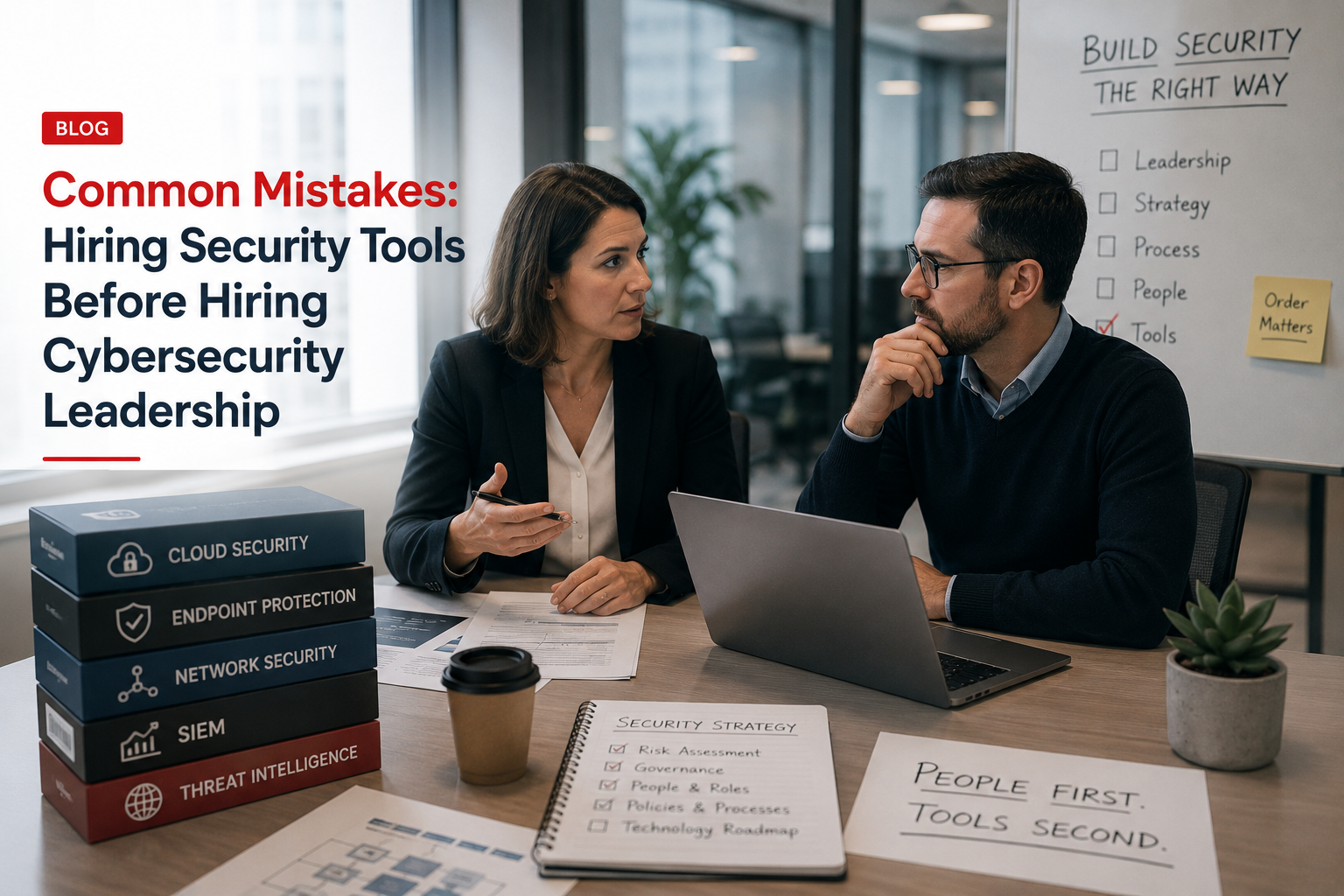
Common Mistakes: Hiring Security Tools Before Hiring Cybersecurity Leadership
Buying security tools before assigning cybersecurity leadership is like buying gym equipment before deciding who is training, what the goal is, and whether anyone will actually use it. Tools can help, but without strategy, ownership, and governance, they become expensive dashboards nobody trusts.
Quick Snapshot
| Mistake | What Goes Wrong |
|---|---|
| Buying tools first | Technology is added before risk priorities are clear. |
| No security owner | Nobody owns configuration, alerts, evidence, or improvement. |
| Tool sprawl | Multiple platforms overlap, duplicate, or go unused. |
| Weak governance | Leadership cannot tell whether risk is actually reduced. |
| Better approach | Use vCISO or cyber leadership to define risk, roadmap, ownership, and tool strategy first. |
Introduction
Many companies try to solve cybersecurity by buying tools.
A new endpoint platform. A vulnerability scanner. A SIEM. A GRC platform. A phishing tool. A backup tool. A cloud security dashboard. A vendor risk platform. An AI security tool. Another dashboard. Another subscription. Another login nobody checks after month two.
At first, it feels like progress. The company can say it invested in cybersecurity.
But then the board asks:
- Which risks did this reduce?
- Who owns the alerts?
- Are the controls operating?
- Can we prove it for SOC 2 or ISO 27001?
- Did this help cyber insurance renewal?
- Did this make enterprise procurement easier?
- Are we safer than last quarter?
Security tools do not replace cybersecurity leadership.
Tools can detect, block, monitor, scan, alert, and report. But leadership decides what matters, what to prioritize, who owns the work, how evidence is collected, and how risk is explained to executives.
Buying Security Tools but Still Unsure About Risk?
Canadian Cyber helps organizations assess cyber maturity, rationalize security tools, build 90-day roadmaps, prepare SOC 2 or ISO 27001 evidence, and provide vCISO strategic leadership.
Why Tools Feel Like the Easy Answer
Tools are tempting because they look concrete.
A tool has a dashboard. A tool has alerts. A tool has reports. A tool has a price. A tool has a sales demo. A tool has a promise.
Leadership can approve it and feel like something is being done.
But security maturity does not come from buying platforms. It comes from operating controls.
| Tool Purchase | Security Leadership |
|---|---|
| Adds capability | Sets direction. |
| Produces alerts | Defines response. |
| Creates reports | Explains business risk. |
| Stores evidence | Defines what evidence matters. |
| Scans systems | Prioritizes remediation. |
| Supports compliance | Connects controls to audits, customers, and insurance. |
A tool can support a control. It cannot own the control.
Mistake 1: Buying Tools Without a Risk Roadmap
Many organizations buy tools based on pressure.
A customer asks about SOC 2. An insurer asks about EDR. An auditor asks about vulnerability scanning. A board member asks about ransomware. A vendor demo looks convincing.
So the company buys something. But without a risk roadmap, the tool may not address the highest-priority problem.
Example:
The company buys a GRC platform. But it still has no access review process, no vendor risk owner, no restore test evidence, no incident tabletop, no approved policies, no risk register, and no control ownership. The platform did not solve the problem. It simply gave the problem a login page.
A better approach starts with a cybersecurity maturity assessment or vCISO review. Identify:
- top risks
- critical systems
- customer data exposure
- audit gaps
- insurance requirements
- vendor risk
- incident readiness
- existing tool coverage
Do not buy tools until you know which risk they are supposed to reduce.
Mistake 2: Assuming Tools Create Ownership
A company buys a vulnerability scanner and assumes vulnerability management is handled.
But who reviews findings? Who prioritizes critical issues? Who assigns remediation? Who tracks exceptions? Who reports overdue items? Who validates closure? Who explains risk to leadership?
The scanner does not do all of that. People do.
| Tool | Missing Ownership Question |
|---|---|
| EDR | Who reviews alerts and responds? |
| Vulnerability Scanner | Who owns remediation and exceptions? |
| SIEM | Who tunes alerts and investigates? |
| GRC Platform | Who owns controls and evidence? |
| Backup Tool | Who tests restoration? |
| Vendor Risk Tool | Who approves vendor risk? |
Every security tool needs an owner, backup owner, review cadence, and escalation path.
Mistake 3: Buying a GRC Platform Before Defining the Program
A GRC platform can be useful. But it is not a substitute for governance.
If your ISO 27001 or SOC 2 program is unclear, a GRC platform may simply organize confusion.
| Step | What to Do First |
|---|---|
| 1 | Define scope. |
| 2 | Identify business risks. |
| 3 | Map controls. |
| 4 | Assign owners. |
| 5 | Define evidence. |
| 6 | Build operating rhythm. |
| 7 | Choose a tool or SharePoint workspace. |
For many small and mid-sized companies, a well-designed SharePoint ISMS can work before investing in a full GRC platform. It can support:
- risk register
- control library
- evidence vault
- policy library
- vendor register
- internal audit tracker
- management review records
Choose the Right ISMS Tool Strategy
Canadian Cyber can help you decide whether your organization needs a GRC platform now, a SharePoint ISMS, or a simpler evidence workflow first.
Mistake 4: Tool Sprawl Without Strategy
Tool sprawl happens when companies keep adding platforms without a clear architecture. The result is expensive and messy.
Common signs include:
- multiple tools scan the same assets
- alerts go to inboxes nobody checks
- reports are created but not reviewed
- tools overlap in function
- renewals happen automatically
- owners are unclear
- evidence is still hard to collect
More tools do not always mean more security. Sometimes they mean more unmanaged work.
Mistake 5: Buying Detection Without Response
Detection tools are useful. But detection without response creates false confidence.
| Detection | Response Owner | Evidence |
|---|---|---|
| Risky login | IT / Security | Investigation ticket |
| Malware alert | IT / MSP | EDR alert and closure notes |
| Critical vulnerability | Engineering / IT | Remediation ticket |
| Cloud exposure | Cloud Lead | Change record and fix evidence |
| Vendor breach | Vendor Owner / Legal | Vendor incident record |
| Backup failure | Infrastructure Lead | Resolution evidence |
Do not fund detection unless response is funded too.
Mistake 6: Buying Compliance Tools Without Evidence Discipline
Compliance tools can help with SOC 2 and ISO 27001. But they do not automatically create good evidence.
| Weak Evidence | Strong Evidence |
|---|---|
| Random screenshots | Mapped to control. |
| Unclear file names | Consistent naming rules. |
| No owner | Evidence owner assigned. |
| No approval | Review status clear. |
| Wrong audit period | Period covered identified. |
| Old reports | Source system and date identified. |
A vCISO or ISMS owner helps define:
- what evidence is needed
- who collects it
- how often it is collected
- where it is stored
- how it is reviewed
- how gaps are escalated
Mistake 7: Buying Tools Before Understanding Cyber Insurance Requirements
Cyber insurance renewals often trigger tool purchases. But cyber insurance also requires evidence and accurate answers.
| Requirement | Evidence Needed |
|---|---|
| MFA | Enforcement report and exception register. |
| EDR | Coverage report and alert review. |
| Backups | Backup reports and restore test evidence. |
| Incident Response | Approved plan and tabletop record. |
| Vulnerability Management | Scan results and remediation tickets. |
| Vendor Risk | Vendor register and review evidence. |
For cyber insurance, a tool without evidence may not strengthen your answer.
Prepare Cyber Insurance Evidence Before Renewal
Canadian Cyber helps organizations prepare cyber insurance evidence for MFA, EDR, backups, incident response, vendor risk, access reviews, vulnerability management, and executive reporting.
Mistake 8: Buying Tools Without Executive Reporting
Executives do not need every dashboard. They need risk reporting.
| Tool Dashboards Show | Executive Reporting Should Show |
|---|---|
| Alerts | Top risks. |
| Findings | Risk movement. |
| Scores | Overdue actions. |
| Events | Control failures. |
| Tickets | Budget needs. |
| Trends | Decisions needed. |
Better executive summary:
“Privileged access reviews are now operating quarterly. Backup restore testing remains incomplete for two systems. Critical vendor reviews are 70% complete. Three high-risk vulnerabilities are overdue. Incident tabletop actions are on track. Board decision needed: approve funding for restore testing and vendor risk support.”
Mistake 9: Thinking an MSP Replaces Cybersecurity Leadership
Managed service providers can be valuable. They may manage systems, endpoints, backups, support tickets, and security tools. But an MSP is not always the same as cybersecurity leadership.
| MSP May Own | Cybersecurity Leadership Owns |
|---|---|
| Endpoint deployment | Risk decisions. |
| Patching | Security roadmap. |
| Backup monitoring | Board reporting. |
| Tool administration | Policy direction. |
| Basic alerts | Control ownership. |
| Technical support | Customer trust strategy. |
You can outsource IT tasks. You still need someone accountable for cybersecurity direction.
Mistake 10: Not Hiring a vCISO Before Major Trust Events
Many companies wait too long to bring in cyber leadership. They wait until SOC 2 is urgent, ISO 27001 is behind, enterprise procurement is blocked, cyber insurance renewal is painful, a ransomware scare happens, or investors ask security questions.
Bring in vCISO support before:
- major enterprise sales push
- SOC 2 or ISO 27001 project
- cyber insurance renewal
- board budget planning
- security tool renewal cycle
- M&A or investor due diligence
- AI governance rollout
- cloud security expansion
Hire Fractional Cyber Leadership Before the Pressure Hits
Canadian Cyber provides vCISO strategic leadership to help organizations prioritize security investments, reduce tool waste, and build practical roadmaps.
What Cybersecurity Leadership Should Do Before Tool Buying
Before buying another tool, answer these questions.
| Question | Why It Matters |
|---|---|
| What risk are we reducing? | Prevents random spending. |
| What control will this support? | Connects tool to governance. |
| Who owns the tool? | Creates accountability. |
| Who responds to alerts? | Prevents ignored dashboards. |
| What evidence will it produce? | Supports audits and insurance. |
| How will success be measured? | Shows value. |
| Does an existing tool already do this? | Reduces duplication. |
| How does this support business goals? | Connects spend to revenue and trust. |
If you cannot answer these questions, do not buy the tool yet.
Better Security Investment Sequence
| Step | What to Do |
|---|---|
| 1. Assess | Understand current maturity, risks, gaps, and existing tools. |
| 2. Prioritize | Identify the highest business risks and control gaps. |
| 3. Assign Ownership | Name control owners, evidence owners, and escalation paths. |
| 4. Build Processes | Access reviews, vendor reviews, incident response, backup testing, and evidence collection. |
| 5. Improve Existing Tools | Make sure current tools are configured, owned, and reviewed. |
| 6. Buy What Is Missing | Purchase tools that directly support the roadmap. |
Security Tool Decision Checklist
Use this before approving a new cybersecurity tool.
| Question | Yes / No |
|---|---|
| Do we know which business risk this tool reduces? | |
| Is this risk in the risk register? | |
| Does this tool support SOC 2, ISO 27001, cyber insurance, or customer trust? | |
| Do we already own a tool with similar capability? | |
| Is there a named owner? | |
| Is there a backup owner? | |
| Do we know who will review alerts or reports? | |
| Do we know what evidence this tool will produce? | |
| Is there a process for responding to findings? | |
| Have we defined success metrics? |
If several answers are “no,” pause the purchase.
What Good Looks Like
A mature security investment model has:
- cybersecurity leadership
- risk register
- security roadmap
- control ownership
- tool inventory
- evidence strategy
- budget priorities
- executive reporting
- SOC 2 or ISO 27001 alignment
- cyber insurance readiness
- incident response process
- measurable outcomes
Tools are still useful. But they are selected to support the strategy, not replace it.
Canadian Cyber’s Take
At Canadian Cyber, we often see companies spending money on cybersecurity without a clear leadership model.
They have tools, but no roadmap. They have alerts, but no response owner. They have policies, but no evidence. They have dashboards, but no board reporting. They have security spend, but no risk story.
That is fixable.
A vCISO helps the company step back and ask the right questions: What are our top risks? Which tools do we already have? Which controls are missing? Who owns each control? What evidence do we need? What should we fund first? What can wait?
Cybersecurity leadership turns tool spending into risk reduction.
Takeaway
Do not hire security tools before hiring cybersecurity leadership.
Tools matter. But only when they support a clear strategy.
Before buying more platforms:
- assess risk
- define priorities
- assign owners
- build processes
- review existing tools
- define evidence
- prepare executive reporting
- then buy what is missing
A tool can help protect the business. But leadership decides what protection means. That is why vCISO support often creates more value than another dashboard.
How Canadian Cyber Can Help
Canadian Cyber helps organizations move from tool-heavy security to leadership-driven risk reduction.
- vCISO services
- security tool rationalization
- cybersecurity maturity assessments
- 90-day security roadmap development
- SOC 2 readiness planning
- ISO 27001 readiness planning
- SharePoint ISMS setup
- evidence vault design
- access control reviews
- vendor risk programs
- incident response tabletop exercises
- cyber insurance readiness
- board cyber reporting and security budget prioritization
Stay Connected With Canadian Cyber
Follow Canadian Cyber for practical guidance on vCISO services, cybersecurity leadership, tool rationalization, SOC 2, ISO 27001, cyber insurance, board reporting, and risk management.










