email-svg
Get in touch
info@canadiancyber.ca

Policy-to-Procedure Linkage

A practical guide showing how to implement policy-to-procedure linkage in an ISMS so auditors can clearly see how policies translate into operational procedures and evidence.
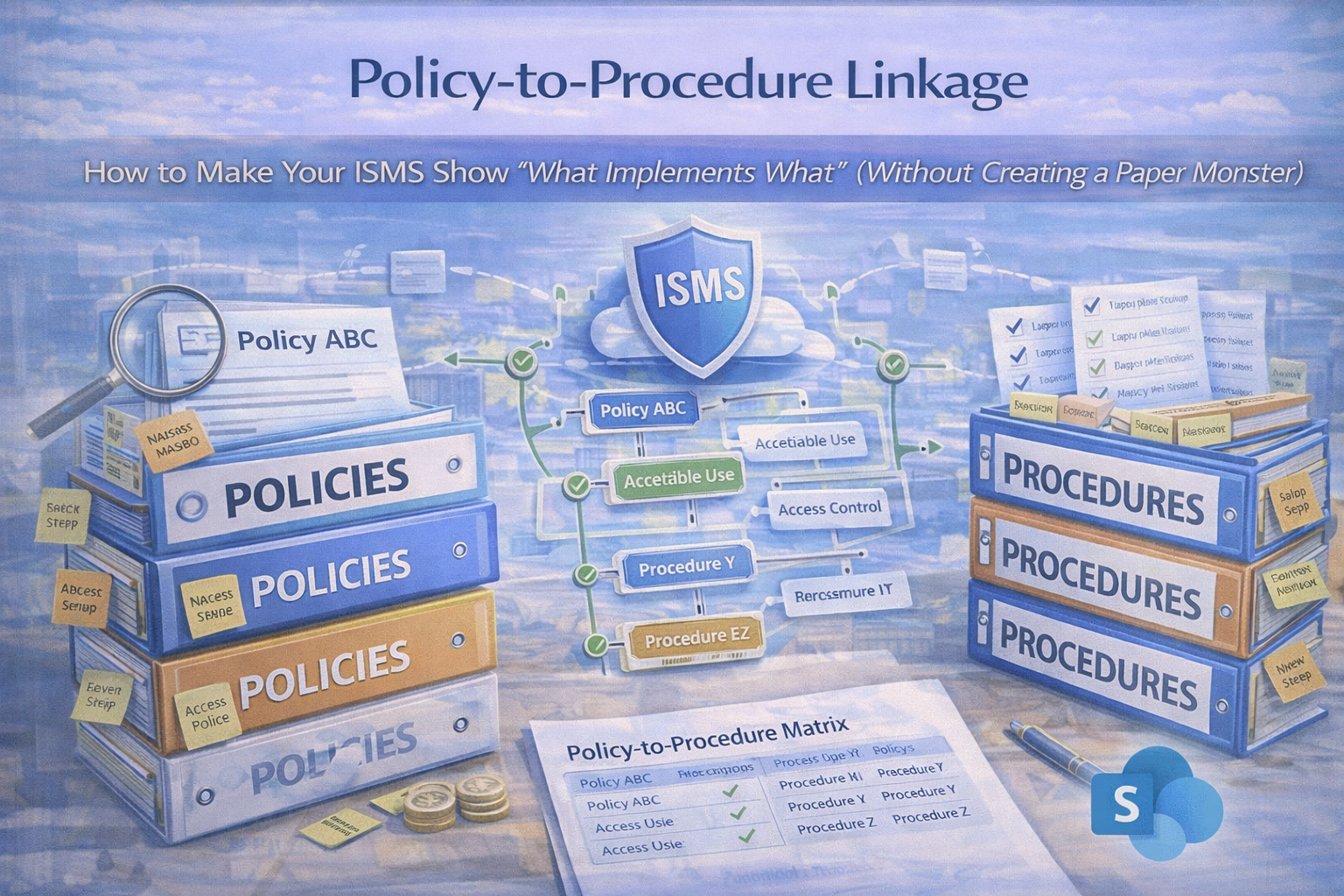
Main Hero Image
Policy → Procedure → Evidence • “What Implements What” • Audit-Ready

Policy-to-Procedure Linkage

How to Make Your ISMS Show “What Implements What” (Without Creating a Paper Monster)

Auditors don’t fail ISMS programs because policies are missing. They fail them because policies aren’t implemented.
The fastest way to prove implementation is simple: build a visible chain from Policy → Procedure → Evidence so anyone (including an auditor) can answer “What implements what?” in minutes.

The audit question
“Show me how this policy is implemented.”
The fix
Policy → Procedure → Evidence (with cadence).
The result
Audits become verification—not discovery.

The problem: policies exist, but operations are invisible

Most ISMS libraries look fine on paper. Then the audit question lands:
“Show me how this policy is implemented.”
Suddenly the team is hunting tickets, screenshots, runbooks, and one-off spreadsheets.

That’s not a control failure. That’s a linkage failure.

What “policy-to-procedure linkage” means (plain English)

A policy states what you commit to. A procedure shows how you do it. Evidence proves you did it.
A strong ISMS lets you click through:
Policy → Procedures/Standards → Evidence → Review cadence.

Example (what auditors trust)
“How do you enforce MFA?” →
Access Control Policy (commitment) →
MFA procedure (steps + owners) →
evidence (settings export + quarterly review sign-off).

Why linkage is high-impact for ISO 27001 and SOC 2

Faster audits
Less back-and-forth. Sampling becomes quick and factual.
Higher control quality
Controls survive staff turnover. Less tribal knowledge.
Less drift
Cadence + evidence stops “we used to do that.”

The 3-layer model that always works

Use this structure to show “what implements what”
  1. Policies (commitments) — approved by leadership
  2. Procedures & Standards (implementation) — steps, roles, frequency
  3. Records/Evidence (proof) — outputs over time (tickets, exports, sign-offs)
Linkage rule:
Every policy links to at least one procedure. Every procedure points to at least one evidence type.

How to build linkage without doubling your documentation

Step 1: Add “Implemented By” and “Implements” blocks (two simple fields)

In each Policy document (top section)
Implemented By:
• Procedure: JML-01 Joiner-Mover-Leaver
• Procedure: IAM-02 Privileged Access Review
• Standard: IAM-03 MFA & Conditional Access Standard
• Record: IAM-R01 Quarterly Access Review Evidence Pack
In each Procedure document (top section)
Implements: [Policy Name + section]
Produces Evidence: [evidence types + where stored]
Frequency: monthly/quarterly/annual
Owner: [named role]

Step 2: Create a “Linkage Register” (one table for the whole ISMS)

This is the easiest auditor and leadership view. It turns your ISMS into an index, not a scavenger hunt.

Policy Implementing procedure(s) Evidence produced Owner Frequency Evidence link
Access Control Policy JML Procedure; Privileged Access Review; MFA Standard Tickets + exports + quarterly sign-off IT Manager Ongoing + quarterly Evidence pack link
Incident Response Policy IR Runbook; Comms Plan; PIR Procedure IR tickets + tabletop + PIR actions Security Lead Annual + as needed Evidence pack link
Vendor Security Policy Vendor Review Procedure; Risk Acceptance Procedure SOC reports + review notes + decisions Procurement Owner Annual (+ quarterly for critical) Evidence pack link

Step 3: Convert “evidence chaos” into Evidence Packs

Evidence is where linkage usually breaks. Fix it by grouping proof by time period (audits are time-bound).

Evidence pack examples
  • Access Reviews — 2026 Q1
  • Log Reviews — 2026-02
  • Vendor Reviews — 2026
  • Management Review — 2026 Q1
Each pack should include: the record (output), sign-off (approval), and supporting extracts (exports/screenshots/tickets).

Practical examples (copy/paste patterns)

Example 1: Access Control Policy linkage
Implemented by
  • JML Procedure (create/change/remove accounts)
  • Privileged Access Review Procedure (admin roles reviewed)
  • MFA Standard (enforcement + exceptions)
Evidence packs
  • Quarterly admin role export + sign-off
  • Sample JML tickets for the period
  • Conditional Access/MFA configuration export
Auditor conclusion: logical access is controlled and operating.
Example 2: Vendor Management Policy linkage
Implemented by
  • Vendor Tiering Standard
  • Annual Vendor Review Procedure
  • Vendor Risk Acceptance Procedure
Evidence packs
  • Vendor register snapshot
  • Top 10 critical vendors review notes
  • SOC reports + decision records
  • Risk acceptances with expiry dates
Auditor conclusion: third-party risk is governed and repeatable.
Example 3: Incident Response Policy linkage
Implemented by
  • Incident Triage Runbook
  • Communication Plan (internal/external)
  • Post-Incident Review Procedure
Evidence packs
  • Annual tabletop record
  • Incident ticket sample (if available)
  • PIR notes + corrective actions
Auditor conclusion: incident response exists, is practiced, and improves.

The 5 most common linkage failures (and quick fixes)

  1. Policies reference procedures that don’t exist → create lightweight SOPs (1–2 pages) first.
  2. Procedures don’t name owners or frequency → add Owner + Frequency at the top of every procedure.
  3. Evidence isn’t organized by period → evidence packs by month/quarter with naming rules.
  4. Linkage depends on memory → maintain the linkage register and review it in management review.
  5. Too many documents → one procedure can implement multiple policies; don’t duplicate.

Make it real in SharePoint (best practice for your ISMS SharePoint app)

SharePoint makes linkage visible and self-serve when you separate content types and use metadata.
What to set up
  • Policy Library (versioning + approvals)
  • Procedure Library (controlled docs + owners)
  • Evidence Library (packs with metadata)
  • Linkage Register (SharePoint List)
Metadata that makes linkage effortless
  • Framework: ISO 27001 / SOC 2 / Both
  • Control/Clause: A.5.15 / CC6.1 (as needed)
  • Policy name + Procedure name
  • Evidence period + Owner + Frequency
“Auditor View” idea
Create a saved view that shows the policy, its implementing procedures, the latest evidence packs, and last review dates.
That becomes your “what implements what” interface—without oversharing.

Want to remove the “audit scramble tax” in one week?
We’ll set up linkage so your ISMS shows Policy → Procedure → Evidence with a register, evidence packs, and an auditor-ready view.

Quick template: the linkage block to add to every document

For policies
Implemented By:
• [Procedure ID + Name]
• [Standard ID + Name]
Evidence Produced:
• [Evidence pack name + period]
Owner: [Role]
Review Frequency: [Annual / Quarterly]
For procedures
Implements:
• [Policy Name + section]
Owner: [Role]
Frequency: [Monthly/Quarterly/Annual/As needed]
Evidence Produced:
• [Evidence pack + location]
Exceptions:
• [Link to risk acceptance workflow]

Download the Policy-to-Procedure Linkage Starter Kit
Implement linkage fast with a ready-to-import register and copy/paste header blocks.
Kit includes:
  • linkage register template (ready to import into SharePoint)
  • policy/procedure header blocks (copy/paste)
  • evidence pack naming conventions
  • “auditor view” structure checklist

Follow Canadian Cyber
Practical cybersecurity + compliance guidance:

© 2026 Canadian Cyber. All rights reserved.


Related Post







