



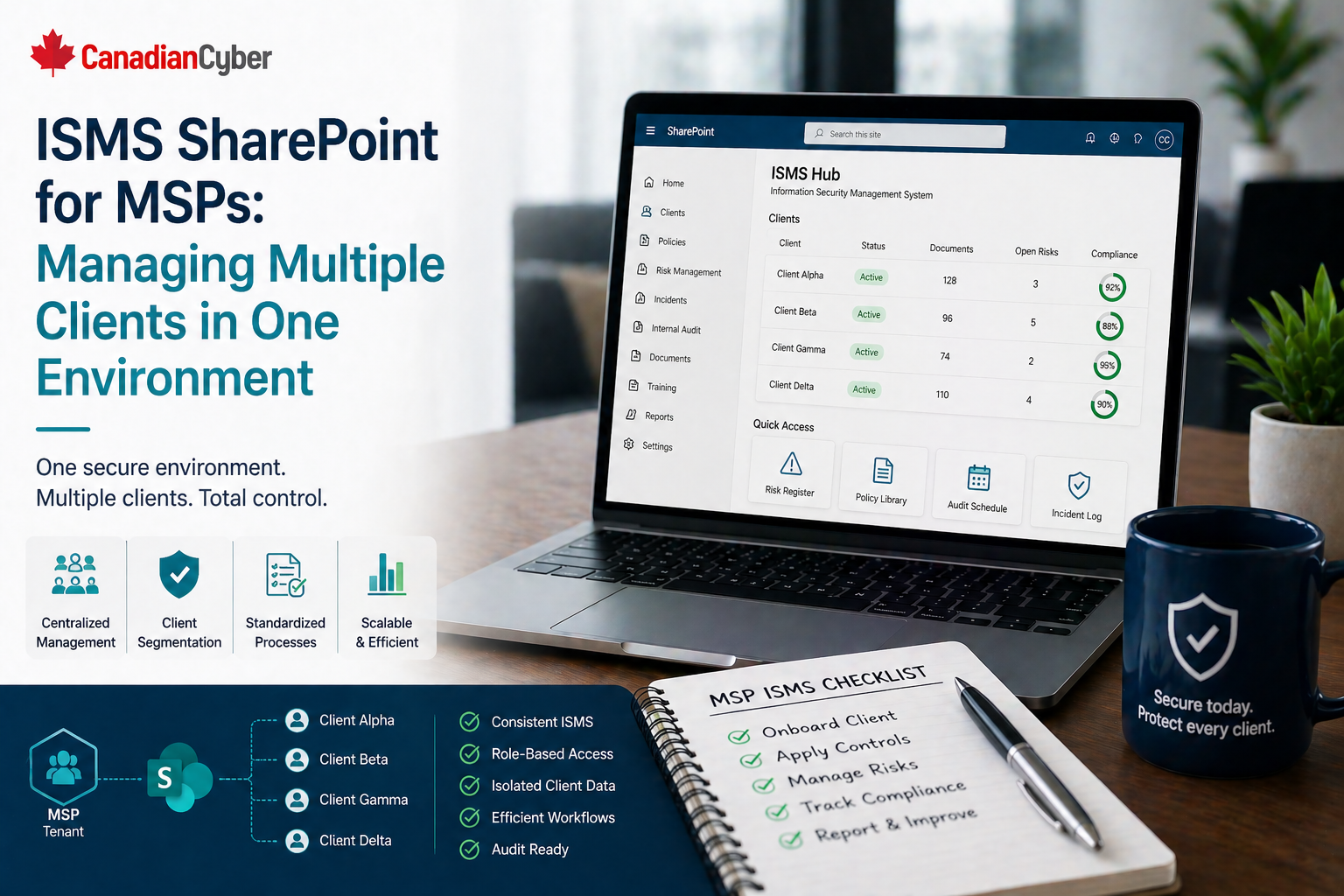
SharePoint ISMS • MSP Security • Multi-Client Governance
ISMS SharePoint for MSPs: Managing Multiple Clients in One Environment
A well-designed SharePoint ISMS helps MSPs manage client evidence, risks, access reviews, vendors, incidents, corrective actions, and audit readiness without creating a messy folder maze.
Quick Snapshot
| MSP ISMS Area | Why It Matters |
|---|---|
| Client Register | Keeps client ownership, services, risk tiers, contract status, and special requirements visible |
| Evidence Library | Tracks client-specific evidence by client, control area, owner, date, and review status |
| Access Reviews | Helps prove privileged access is reviewed across client tenants and shared MSP tools |
| Management View | Gives leadership visibility into risks, overdue actions, incidents, and client exceptions |
Introduction
MSPs manage complexity every day.
- Different clients.
- Different contracts.
- Different risk levels.
- Different evidence requests.
- Different cloud tenants.
- Different vendors.
- Different audit expectations.
That complexity becomes harder when the MSP is also trying to manage security and compliance through scattered folders, Excel trackers, email threads, and client-specific documents saved in different places.
SharePoint can become the MSP’s compliance operating system instead of another document dump.
A well-designed SharePoint ISMS can help an MSP manage multiple clients in one structured environment while keeping ownership, evidence, risks, corrective actions, policies, and client records organized.
Managing Multiple Clients Through Folders?
Canadian Cyber helps MSPs design SharePoint ISMS environments that organize client evidence, access reviews, vendors, incidents, and audit readiness.
Why MSPs Need a Different ISMS Structure
A normal ISMS usually supports one organization.
An MSP needs to manage security across many client relationships.
That means the system must support:
- client-specific evidence
- shared internal policies
- service-level risks
- client onboarding and offboarding
- vendor and subcontractor tracking
- privileged access reviews
- incident records
- corrective actions
- recurring reviews
- audit and questionnaire support
The MSP needs a structure that separates client information clearly while still giving leadership one view of the overall security program.
The Common Problem
Picture this: an MSP supports 35 clients.
The team stores compliance records in SharePoint, but the structure has grown organically.
There are folders for:
- client evidence
- internal policies
- vendor records
- access reviews
- incident notes
- audit files
- corrective actions
But the team struggles to answer simple questions:
- Which clients are overdue for access review?
- Which client environments have open risks?
- Which corrective actions are tied to which client?
- Which evidence supports enterprise buyer questionnaires?
- Which vendors support multiple clients?
- Which incidents affected more than one client?
- Which clients have special exceptions?
The files exist. But the system does not manage the work.
Recommended SharePoint Structure for MSPs
A practical MSP ISMS site can include:
| SharePoint Area | Purpose |
|---|---|
| MSP Policies and Procedures | Central location for internal MSP security standards |
| Client Register | Anchor list for client ownership, services, risk tier, and requirements |
| Control and Evidence Library | Metadata-driven proof library for client and internal controls |
| Access Reviews | Tracks privileged access reviews across clients and systems |
| Incident Register | Shows client impact, response actions, and lessons learned |
| Management Review | Provides leadership visibility across client risk and governance |
1. Client Register
The client register should be the anchor. Use a SharePoint List with fields such as:
| Field | Purpose |
|---|---|
| Client Name | Identifies the client |
| Service Type | Managed IT, cloud ops, security monitoring, vCISO, and more |
| Client Owner | Internal account or service owner |
| Risk Tier | Low, moderate, high, or critical |
| Systems Managed | M365, Azure, AWS, endpoint, backup, and other systems |
| Special Requirements | Client-specific security obligations |
Need a Cleaner Client Register?
We help MSPs build client registers that connect service types, risk tiers, data sensitivity, review frequency, and client-specific requirements.
2. Client-Specific Evidence Library
Create an evidence library with metadata instead of only folders.
| Metadata Field | Purpose |
|---|---|
| Client | Links evidence to client |
| Evidence Type | Access review, backup test, incident record, approval, report |
| Control Area | Access, logging, backup, vendor, incident, and more |
| Period Covered | Shows audit relevance |
| Collection Date | Shows freshness |
| Review Status | Draft, accepted, needs update |
This lets the MSP filter evidence by client, control, date, or owner. That is much better than searching through dozens of client folders.
3. Risk Register With Client Tagging
MSPs need to track internal risks and client-specific risks.
A SharePoint risk register should include:
- risk ID
- risk title and description
- client affected
- service affected
- risk owner
- inherent risk and residual risk
- treatment action and due date
- status and review date
Client tagging helps the MSP see risks by client, high residual risks, risks affecting multiple clients, overdue treatment actions, and recurring risk patterns across services.
4. Privileged Access Review Tracker
Privileged access is one of the most important MSP control areas.
Track access reviews for:
- internal admin accounts
- client tenant admin roles
- support tools
- remote management platforms
- cloud portals
- backup consoles
- security tools
| Field | Purpose |
|---|---|
| Client | Which client environment is reviewed |
| System | M365, Azure, RMM, backup tool, and more |
| Reviewer | Who performed the review |
| Review Date | When it happened |
| Removals Required | Yes or no |
| Evidence Link | Proof of review |
Can You Prove Client Admin Access Is Reviewed?
Canadian Cyber helps MSPs build privileged access review trackers for client tenants, shared tools, RMM platforms, cloud portals, and backup consoles.
5. Vendor and Subcontractor Register
MSPs often use vendors that affect many clients.
Examples include:
- RMM tools
- backup platforms
- endpoint protection
- ticketing systems
- cloud providers
- monitoring tools
- subcontracted support
- security platforms
Track vendor name, service provided, clients affected, data handled, access level, criticality, security evidence reviewed, contract status, next review date, and open issues. This helps identify shared third-party risk.
6. Incident Register With Client Impact
MSP incident tracking should show whether an issue affects one client, multiple clients, internal MSP systems, shared tools, or vendor platforms.
Useful fields include:
- incident ID and date detected
- client affected
- service affected
- severity and owner
- response actions
- client notification status
- closure summary and lessons learned
- linked corrective action
7. Corrective Action Tracker
Corrective actions should not live in emails.
Track:
- action ID
- source
- client affected
- issue
- owner and priority
- due date and status
- evidence link
- verified by and closure date
Create views for overdue actions, actions by client, actions by owner, high-priority actions, and actions awaiting verification.
8. Audit and Questionnaire Workspace
MSPs often respond to enterprise questionnaires and client audits.
Create a workspace for:
- common questionnaire answers
- standard security evidence
- client-specific evidence packages
- approved policy documents
- access review evidence
- incident response documentation
- vendor evidence
- insurance and compliance records
Want Faster Questionnaire Responses?
We help MSPs create reusable questionnaire workspaces with standard answers, approved evidence, client-specific proof, and trust documentation.
9. Management Review Dashboard
Leadership should not need to open every client folder.
Create filtered views or dashboards showing:
- high-risk clients
- overdue access reviews
- open corrective actions
- incidents by client
- vendor reviews due
- policies due for review
- client exceptions
- top risks
Permissions Matter
Managing multiple clients in one SharePoint environment requires careful permissions.
Use permissions to ensure:
- client-specific information is restricted
- internal MSP policies remain controlled
- evidence is not edited by unauthorized users
- sensitive incident records have tighter access
- only appropriate staff can view client-specific records
The structure should support operational efficiency without creating unnecessary exposure.
Common Mistakes MSPs Should Avoid
- Using folders only: Folders do not manage ownership, due dates, or review status.
- Mixing client evidence without metadata: This makes audit response slow and risky.
- Not tracking privileged access by client: This is one of the biggest MSP trust issues.
- Treating shared vendor risk casually: One vendor weakness may affect many clients.
- Forgetting client-specific exceptions: Exceptions need owners, expiry dates, and review.
- No leadership view: If management cannot see risk across clients, governance is weak.
Canadian Cyber’s Take
At Canadian Cyber, we often see MSPs with strong technical operations but weak compliance structure.
The MSP may be doing the right work, but the evidence is scattered across tickets, folders, emails, and spreadsheets.
For MSPs, the goal is not just internal compliance. It is client trust.
Takeaway
An MSP SharePoint ISMS should help manage multiple clients without turning the environment into a confusing folder maze.
The strongest setup includes:
- client register
- metadata-driven evidence library
- client-tagged risk register
- privileged access review tracker
- vendor and subcontractor register
- incident register
- corrective action tracker
- audit and questionnaire workspace
- management dashboard
MSP security is not only about delivering services. It is about proving those services are governed, controlled, and trustworthy across every client environment.
How Canadian Cyber Can Help
We help MSPs build practical SharePoint ISMS environments that support client trust, audit readiness, and multi-client governance.
- SharePoint ISMS setup for MSPs
- client evidence library design
- access review and risk tracking workflows
- vendor and subcontractor registers
- incident and corrective action tracking
- audit and questionnaire workspaces
- vCISO guidance for MSP security governance
Stay Connected With Canadian Cyber
Follow Canadian Cyber for practical guidance on SharePoint ISMS, MSP security governance, client evidence, access reviews, audit readiness, and vCISO support.










