DIY Guide • SOC 2 • SaaS Audit Readiness
DIY SOC 2 Gap Assessment for SaaS Companies Before Hiring an Auditor
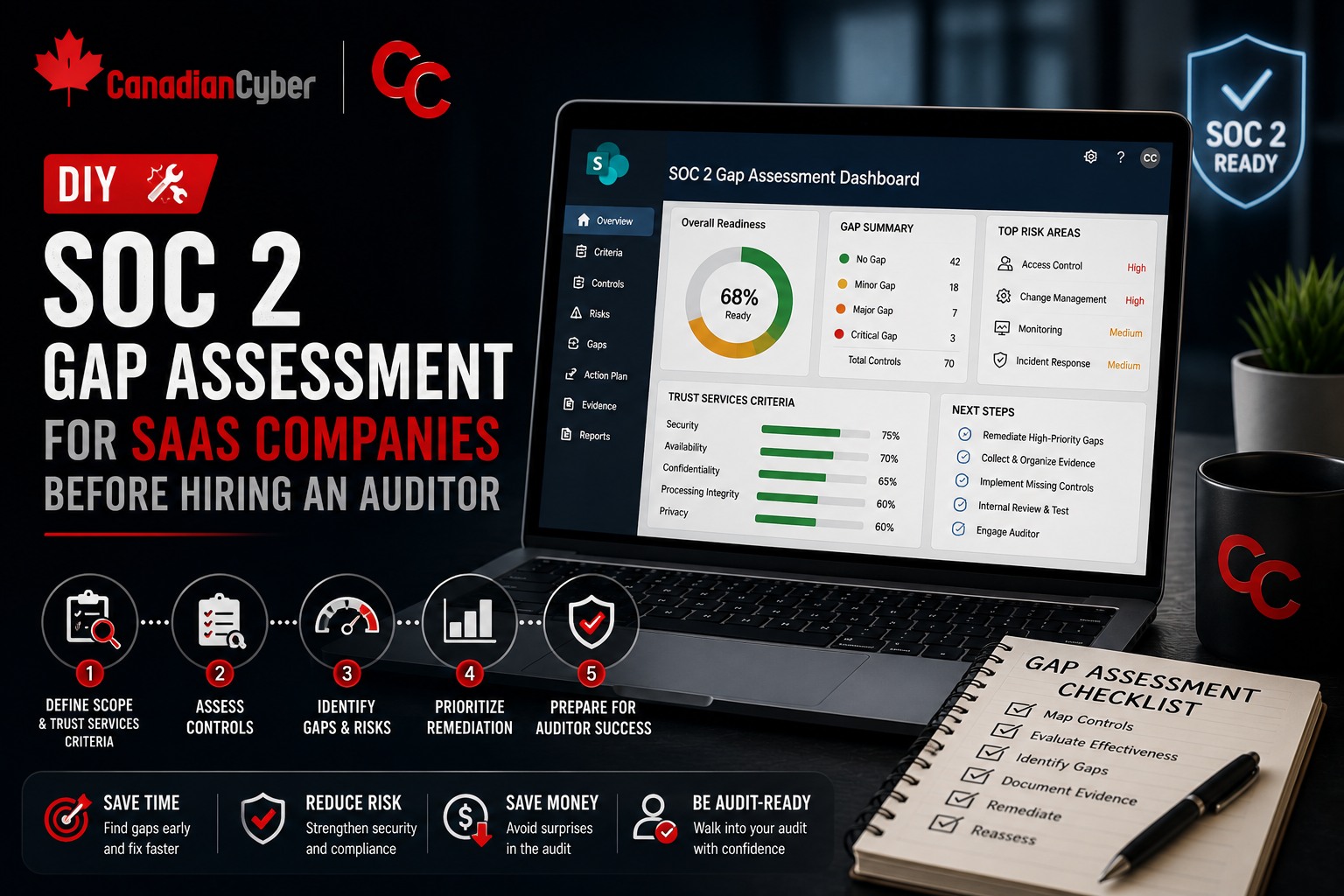
Before hiring a SOC 2 auditor, SaaS companies should understand what controls exist, what evidence is missing, and which gaps could slow the audit down.
Quick Snapshot
| Assessment Area | What to Check |
|---|---|
| Scope | Product, cloud infrastructure, customer data, APIs, vendors, source control, CI/CD, and support tools. |
| Controls | Access, change management, vendors, incidents, backups, policies, logging, endpoints, and risk management. |
| Evidence | Policies, access reviews, MFA reports, vendor reviews, training records, backup tests, pull requests, and deployment logs. |
| Readiness | Decide whether Type I or Type II makes sense based on how mature and consistent your evidence is. |
Introduction
Hiring a SOC 2 auditor before you understand your gaps can make the process slower, messier, and more expensive.
Many SaaS companies rush into audit conversations because a customer asks:
“Do you have SOC 2?”
Then the team realizes they are not ready.
- Access reviews are incomplete.
- Policies are outdated.
- Vendor records are scattered.
- Change management evidence is inconsistent.
- Incident response has never been tested.
- Evidence lives across Slack, Jira, GitHub, cloud dashboards, and someone’s downloads folder.
In simpler terms: before hiring an auditor, SaaS companies should understand what controls exist, what evidence is missing, and which gaps could slow the audit down.
Not Sure If You’re SOC 2 Ready?
Canadian Cyber helps SaaS companies run practical SOC 2 gap assessments before auditor conversations begin.
Why Do a Gap Assessment Before Hiring an Auditor?
A SOC 2 auditor is there to examine controls.
They are not there to build your security program for you.
Before audit, your team should know:
- what systems are in scope
- what customer data is handled
- which controls already exist
- where evidence is stored
- who owns each control
- which gaps need remediation
- whether you are closer to Type I or Type II readiness
A DIY gap assessment gives you a practical starting point before audit pressure begins.
Step 1: Define Your Likely SOC 2 Scope
Start with the SaaS product customers care about.
Include systems like:
- production application
- cloud infrastructure
- databases
- APIs
- identity provider
- source control
- CI/CD pipeline
- support tooling
- logging and monitoring
- backup systems
- key vendors
Avoid over-scoping every internal tool unless it materially supports the service or handles customer data.
Step 2: Choose Your Trust Services Criteria
Most SaaS companies start with Security.
Depending on customer needs, you may also consider:
- Availability
- Confidentiality
- Processing Integrity
- Privacy
For a first SOC 2, do not add criteria just because they sound impressive. Add them because buyers need them and your team can support the evidence.
Step 3: Review Core SOC 2 Control Areas
Use this checklist as your starting point:
| Control Area | What to Check |
|---|---|
| Access Control | MFA, SSO, onboarding, offboarding, access reviews |
| Change Management | Pull requests, approvals, deployment records |
| Vendor Management | Vendor register, risk reviews, security evidence |
| Incident Response | Plan, roles, incident records, tabletop exercise |
| Security Awareness | Training completion, phishing follow-up |
| Endpoint Security | Device inventory, encryption, EDR, patching |
| Logging and Monitoring | Alerts, logs, ownership, review process |
| Backup and Recovery | Backup coverage, restore testing |
| Policies | Approved, current, matched to reality |
| Risk Management | Risk register, owners, treatment actions |
Need Help Reviewing SOC 2 Control Areas?
Canadian Cyber helps SaaS teams assess access, vendors, change management, backups, incidents, policies, and evidence before audit.
Step 4: Gather Existing Evidence
Create a central evidence workspace, ideally in SharePoint or a clean cloud folder.
Collect:
- approved policies
- MFA screenshots or reports
- access review records
- onboarding and offboarding examples
- vendor reviews
- training reports
- incident response plan
- backup restore test evidence
- pull request samples
- deployment logs
- asset inventory
- risk register
Do not worry if it is incomplete. The point is to see what is ready and what is missing.
Step 5: Score Your Readiness
Use a simple 1–5 scale.
| Score | Meaning |
|---|---|
| 1 | Missing |
| 2 | Informal |
| 3 | Documented but inconsistent |
| 4 | Operating with evidence |
| 5 | Mature and regularly reviewed |
For each control area, ask:
- Is there a process?
- Is it documented?
- Is there an owner?
- Is there evidence?
- Has it operated recently?
- Would it survive audit testing?
Step 6: Build a Gap Register
Track gaps clearly.
| Gap | Risk | Owner | Priority |
|---|---|---|---|
| No formal access review | Excessive access may remain active | IT Lead | High |
| Vendor register incomplete | Third-party risk not tracked | Ops Lead | Medium |
| Restore test missing | Recovery unproven | Cloud Lead | High |
| Policies not approved | Governance evidence weak | Compliance Lead | Medium |
This makes remediation easier before the auditor is involved.
Need a Clear SOC 2 Remediation Plan?
Canadian Cyber helps turn SOC 2 gaps into a practical roadmap with owners, priorities, evidence needs, and timelines.
Step 7: Fix the Highest-Impact Gaps First
Most SaaS companies should prioritize:
- MFA enforcement
- privileged access review
- offboarding evidence
- vendor register
- incident response plan
- backup restore testing
- policy approval
- security awareness records
- change management evidence
- asset inventory
These areas often create the biggest audit friction.
Step 8: Decide If You Are Ready for Type I or Type II
A SOC 2 Type I report reviews control design at a point in time.
A SOC 2 Type II report reviews whether controls operated over a period of time.
| Report Type | Best Fit |
|---|---|
| Type I | Controls are newly built and you need to prove design readiness at a point in time. |
| Type II | Controls have operated consistently for several months and evidence is available. |
If your controls are newly built, Type I may be the better first step. If you already have consistent evidence over several months, Type II may be realistic.
Common Mistakes to Avoid
- Hiring an auditor before controls are ready: This can create unnecessary pressure and rework.
- Writing policies that do not match reality: Auditors test what you say you do.
- Ignoring evidence: A control without proof is weak during audit.
- Over-scoping the report: Bigger scope means more evidence and more testing.
- Waiting too long to assign owners: Every control needs accountability.
Make SOC 2 Readiness Practical
Canadian Cyber helps SaaS companies assess gaps, organize evidence, clean up controls, and prepare for smoother auditor conversations.
Canadian Cyber’s Take
At Canadian Cyber, we often see SaaS companies start SOC 2 with urgency but without a clear view of their current readiness.
A DIY gap assessment helps slow the panic down and make the project practical.
The best prepared teams know:
- what is in scope
- what evidence exists
- which controls are weak
- who owns remediation
- what needs expert support
That makes the auditor conversation much smoother.
Takeaway
Before hiring a SOC 2 auditor, SaaS companies should run a simple internal gap assessment.
Focus on:
- scope
- Trust Services Criteria
- access control
- vendors
- incidents
- change management
- backups
- policies
- evidence
- ownership
SOC 2 readiness is not about rushing into an audit. It is about building controls you can actually prove.
How Canadian Cyber Can Help
At Canadian Cyber, we help SaaS companies prepare for SOC 2 before the audit begins.
- SOC 2 gap assessments
- readiness roadmaps
- control mapping
- evidence organization
- access and vendor review workflows
- policy and process cleanup
- vCISO support for audit readiness
Stay Connected With Canadian Cyber
Follow Canadian Cyber for practical guidance on SOC 2 readiness, SaaS security, evidence management, vendor reviews, access control, and vCISO support.