SharePoint ISMS • ISO 27001 • SOC 2 • ISO 42001 • AI Governance • Compliance Automation
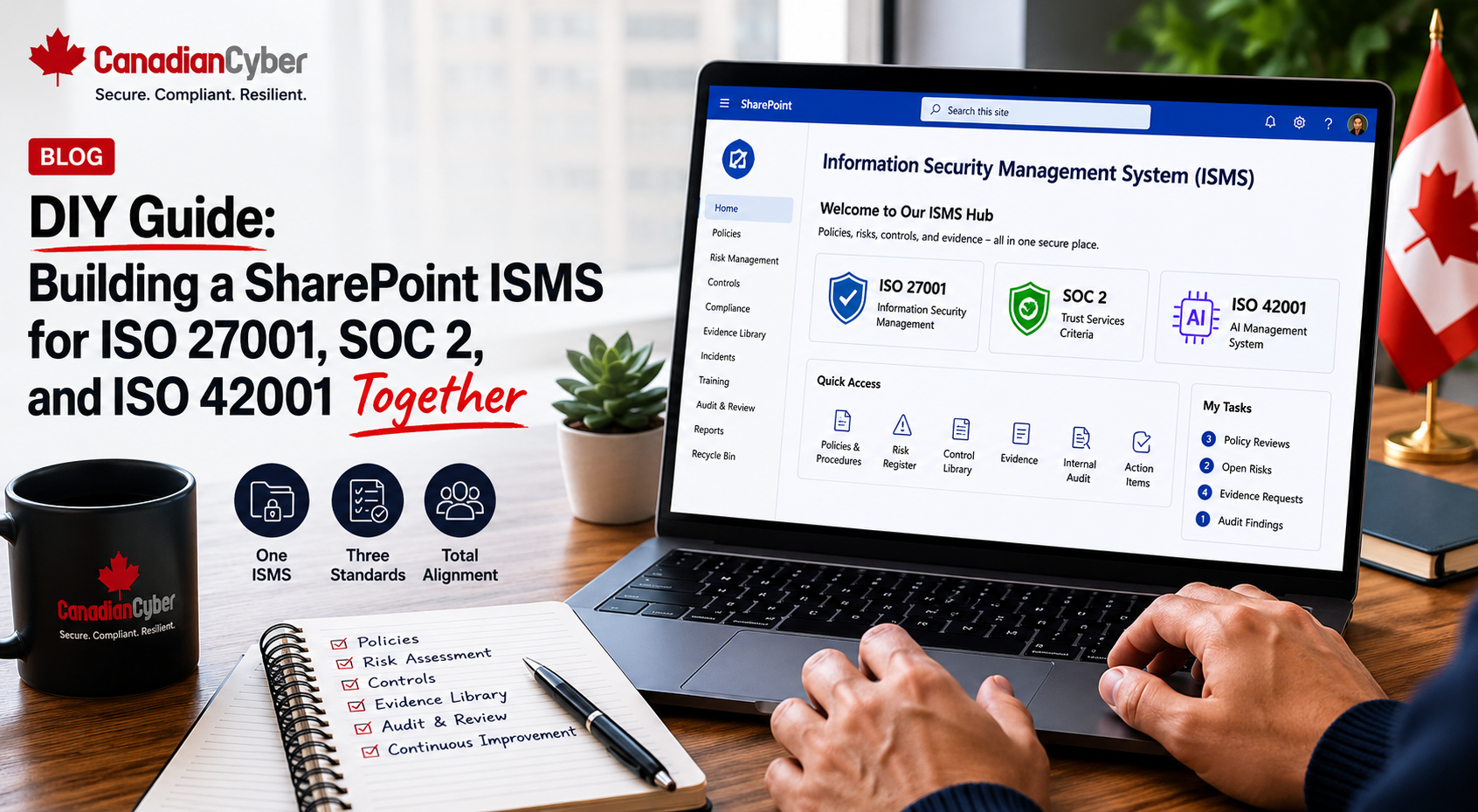
DIY Guide: Building a SharePoint ISMS for ISO 27001, SOC 2, and ISO 42001 Together
Most companies do not need three separate compliance systems for ISO 27001, SOC 2, and ISO 42001. They need one practical ISMS workspace that connects risks, controls, policies, evidence, owners, audits, corrective actions, and management review.
Quick Snapshot
| Compliance Need | How a SharePoint ISMS Helps |
|---|---|
| ISO 27001 | Manages information security risks, controls, policies, evidence, audits, and management review. |
| SOC 2 | Organizes access control, vendor risk, change management, incident response, cloud evidence, and security proof. |
| ISO 42001 | Supports AI governance, AI risk tracking, data use, model/vendor oversight, and AI management review. |
| Shared Problem | Evidence gets scattered across folders, emails, spreadsheets, GRC tools, cloud consoles, and tickets. |
| Better Approach | Use one SharePoint ISMS to connect controls, owners, evidence, risks, audits, and leadership reporting. |
Introduction
Compliance gets messy when every framework becomes its own project.
ISO 27001 has one tracker. SOC 2 has another evidence folder. ISO 42001 has a separate AI risk spreadsheet. Policies live somewhere else. Access reviews are in email. Vendor reviews are in Excel. Audit requests are in another folder. Corrective actions are tracked manually.
At first, this may seem manageable. Then the auditor asks for evidence. The buyer asks for SOC 2 proof. The ISO auditor asks for risk treatment. The AI governance team asks for model oversight. Leadership asks for a dashboard.
This is why a SharePoint ISMS matters. It gives your organization one structured workspace for security, privacy, AI governance, audit evidence, and leadership reporting.
Canadian Cyber already has an ISMS SharePoint solution built for this exact problem. This guide shows how a SharePoint ISMS can support ISO 27001, SOC 2, and ISO 42001 together without creating unnecessary complexity.
Want One Workspace for ISO 27001, SOC 2, and ISO 42001?
Canadian Cyber’s ISMS SharePoint solution helps organizations manage risks, controls, policies, evidence, vendors, AI governance, internal audits, corrective actions, and management review in one practical Microsoft 365 workspace.
Why Companies Struggle With Multiple Frameworks
ISO 27001, SOC 2, and ISO 42001 each have different goals. But they share many operational needs.
They all need clear scope, risk assessment, control ownership, policies, evidence, review cycles, vendor oversight, incident response, audit readiness, corrective actions, management review, and leadership visibility.
| Problem | Result |
|---|---|
| Separate evidence folders | Teams duplicate work. |
| Different control trackers | Owners get confused. |
| No shared risk view | Leadership cannot prioritize. |
| Policy versions scattered | Audit evidence becomes messy. |
| AI governance separate from security | ISO 42001 becomes disconnected. |
| SOC 2 evidence disconnected from ISO 27001 | Buyers and auditors receive inconsistent proof. |
If the same control supports multiple frameworks, it should not be managed three different ways.
Why SharePoint Works Well for an ISMS
Many organizations already use Microsoft 365. That makes SharePoint a practical place to manage compliance.
| SharePoint Feature | ISMS Benefit |
|---|---|
| Document Libraries | Store policies, procedures, evidence, reports, and approvals. |
| Microsoft Lists | Track risks, controls, vendors, audit requests, and corrective actions. |
| Metadata | Filter evidence by framework, control, owner, period, and status. |
| Version History | Track changes to policies and evidence. |
| Permissions | Control sensitive compliance records. |
| Views | Show overdue items, owner tasks, audit-ready evidence, and open findings. |
| Power Automate | Send reminders, approvals, and escalation notifications. |
SharePoint should not be used like a shared drive. It should be designed like an ISMS.
The Core Idea: One Control, Multiple Frameworks
The best part of a unified SharePoint ISMS is control mapping. One control can support multiple frameworks.
For example, a quarterly access review may support ISO 27001 access control requirements, SOC 2 security criteria, ISO 42001 AI system access governance, cyber insurance evidence, and customer security questionnaire responses.
| Control | ISO 27001 | SOC 2 | ISO 42001 | Evidence |
|---|---|---|---|---|
| Privileged Access Review | Access control | Security | AI system access control | Admin export, sign-off, exceptions |
| Vendor Risk Review | Supplier security | Vendor management | AI provider oversight | Vendor register and assurance review |
| Incident Response Tabletop | Incident management | Incident response | AI incident readiness | Scenario, attendance, lessons learned |
| Risk Register | ISMS risk treatment | Risk governance | AI risk management | Risk register and treatment actions |
| Management Review | Leadership review | Governance | AI governance review | Minutes, decisions, action items |
Build controls once. Map them many times.
How ISO 27001 Fits Into the SharePoint ISMS
ISO 27001 focuses on building and operating an Information Security Management System. A SharePoint ISMS can support the main ISO 27001 operating pieces.
| ISMS Area | SharePoint Component |
|---|---|
| ISMS Scope | Scope document library. |
| Risk Assessment | Risk register list. |
| Risk Treatment | Risk treatment tracker. |
| Statement of Applicability | SoA library or list. |
| Policies | Policy library. |
| Control Ownership | Control library. |
| Evidence | Evidence vault. |
| Management Review | Management review library. |
Canadian Cyber’s solution can help organize ISO 27001 evidence so your team can answer who owns a control, which risk it treats, what evidence proves it works, when it was last reviewed, and whether it is ready for internal audit.
How SOC 2 Fits Into the Same SharePoint ISMS
SOC 2 is often driven by customer trust and enterprise sales. Buyers want proof that controls are operating.
| SOC 2 Area | SharePoint Evidence |
|---|---|
| Access Control | MFA reports, admin reviews, offboarding samples. |
| Change Management | Pull requests, deployment approvals, ticket samples. |
| Vendor Risk | Vendor register, SOC 2 report reviews, DPAs. |
| Incident Response | Incident plan, tabletop evidence, incident logs. |
| Backup Recovery | Backup reports, restore test evidence. |
| Policy Governance | Approved policies, review dates, version history. |
How ISO 42001 Fits Into the Same SharePoint ISMS
ISO 42001 focuses on AI management systems. For AI-enabled companies, it introduces governance around AI systems, risks, responsibilities, lifecycle controls, and oversight.
| AI Governance Area | SharePoint Component |
|---|---|
| AI System Inventory | AI system register. |
| AI Risk Assessment | AI risk register. |
| AI Vendor Review | AI vendor register. |
| AI Data Use | Data use and training rules library. |
| Model / Prompt Changes | AI change tracker. |
| AI Incident Response | AI incident scenario and incident tracker. |
| AI Management Review | Leadership review records. |
AI governance should not be separate from your security program. AI systems still need access control, vendor risk, data classification, incident response, logging, change management, policy control, risk treatment, and management review.
ISO 42001 should extend your ISMS, not create an isolated AI compliance island.
What Canadian Cyber’s ISMS SharePoint Solution Can Include
Canadian Cyber’s ISMS SharePoint solution is designed to help organizations move from scattered compliance work to one structured workspace.
| Module | Purpose |
|---|---|
| Risk Register | Track ISO 27001, SOC 2, and AI risks. |
| Control Library | Map controls to frameworks and owners. |
| Evidence Vault | Store audit-ready proof. |
| Policy Library | Manage versions, owners, approvals, and review dates. |
| Vendor Register | Track suppliers, sub-processors, AI vendors, and reviews. |
| AI System Register | Track AI tools, models, data use, and owners. |
| Internal Audit Tracker | Manage audit requests, evidence, findings, and status. |
| Dashboard Views | Show overdue actions, missing evidence, risks, and audit status. |
DIY Build: The Minimum SharePoint ISMS Structure
If you are building your own SharePoint ISMS, start simple. Do not overbuild on day one.
| SharePoint Area | What It Should Track |
|---|---|
| 1. Risk Register | Information security, cloud, vendor, AI, privacy, and operational risks. |
| 2. Control Library | Control ID, owner, framework mapping, status, and evidence required. |
| 3. Evidence Vault | Evidence by control, owner, period, status, and framework. |
| 4. Policy Library | Policies, versions, owners, approvals, and next review dates. |
| 5. Vendor Register | Vendor criticality, data handled, review status, and assurance evidence. |
| 6. AI System Register | AI tools, model providers, data use, risk rating, and owner. |
| 7. Audit Tracker | Audit requests, evidence links, owner, due date, and status. |
| 8. Corrective Action Register | Findings, actions, owners, due dates, and closure evidence. |
Metadata Fields That Matter
Metadata is what turns SharePoint from folders into an ISMS. If you want dashboards, filters, reminders, and audit views, metadata is not optional.
| Evidence Metadata Field | Why It Matters |
|---|---|
| Control ID | Maps evidence to control. |
| Framework | ISO 27001, SOC 2, ISO 42001. |
| Evidence Owner | Assigns responsibility. |
| Period Covered | Shows audit period. |
| Review Status | Not reviewed, approved, rejected. |
| Source System | Entra ID, AWS, GitHub, Jira, AI platform. |
| AI System Metadata Field | Why It Matters |
|---|---|
| AI System Name | Identifies AI tool or model. |
| Business Purpose | Explains use. |
| Owner | Accountability. |
| Data Used | Customer, employee, confidential, public. |
| Training Use | Whether data trains models. |
| Review Status | Approved, pending, restricted. |
Workflow Example: One Evidence Item, Three Frameworks
Let’s say your team completes a quarterly privileged access review.
Evidence item:
AccessControl-EntraID-PrivilegedAccessReview-2026-Q2.pdf
| Field | Value |
|---|---|
| Control ID | AC-01 |
| Framework | ISO 27001, SOC 2, ISO 42001 |
| Evidence Owner | IT Lead |
| Period Covered | 2026-Q2 |
| Review Status | Approved |
| Related Risk | Unauthorized access to customer and AI system data |
The same evidence can support ISO 27001 access control, SOC 2 security criteria, ISO 42001 AI system access governance, cyber insurance readiness, and customer security questionnaire responses.
Why Start With Canadian Cyber’s ISMS SharePoint?
Building an ISMS from scratch takes time. Canadian Cyber’s ISMS SharePoint solution gives you a practical starting point with a risk register, control library, policy library, evidence vault, vendor register, AI governance register, audit tracker, corrective action tracker, management review support, and audit-ready views.
30-Day DIY Launch Plan
| Week | Focus | What to Do |
|---|---|---|
| Week 1 | Define Scope and Structure | Confirm frameworks, scope, teams, systems, AI systems, and ISMS ownership. |
| Week 2 | Build Registers | Create risk register, control library, vendor register, AI system register, policy library, and evidence vault. |
| Week 3 | Map Controls and Evidence | Map frameworks, owners, evidence requirements, and review frequencies. |
| Week 4 | Start Operating | Upload evidence, assign owners, review vendors, track AI systems, approve policies, and prepare management review views. |
A SharePoint ISMS becomes valuable when teams start using it weekly. Not when the site looks perfect.
SharePoint ISMS Readiness Checklist
Use this before launching your workspace.
| Question | Yes / No |
|---|---|
| Is the ISMS scope defined? | |
| Are ISO 27001, SOC 2, and ISO 42001 mapped to shared controls? | |
| Is there a risk register? | |
| Is there a control library? | |
| Is there an evidence vault with metadata? | |
| Is there a policy library with version control? | |
| Is there a vendor register? | |
| Is there an AI system register? | |
| Are control owners assigned? | |
| Are evidence requirements defined? | |
| Are corrective actions tracked to closure? | |
| Are sensitive records permission-controlled? |
If several answers are “no,” your SharePoint ISMS may need structure before it can support audit readiness.
Where Teams Usually Go Wrong
- Creating three separate workspaces. Use one ISMS and map controls to multiple frameworks.
- Using folders without metadata. Folders help navigation. Metadata helps reporting, filtering, and auditing.
- Forgetting owners. Every risk, control, policy, vendor, AI system, evidence request, and corrective action needs an owner.
- Treating AI governance separately. AI governance should connect to risk, vendor management, access control, data handling, and incident response.
- Waiting until audit time. Collect evidence monthly or quarterly.
- Overcomplicating the build. Start with practical lists and libraries. Improve maturity over time.
What Good Looks Like
A strong SharePoint ISMS for ISO 27001, SOC 2, and ISO 42001 has:
- one central workspace
- clear scope
- risk register
- control library
- policy library
- evidence vault
- vendor register
- AI system register
- framework mapping
- control owners
- evidence owners
- audit tracker
- corrective action register
- management review library and dashboard views
It does not create three compliance silos. It creates one operating system for trust.
Canadian Cyber’s Take
At Canadian Cyber, we see many organizations trying to manage compliance through folders, spreadsheets, and last-minute evidence hunts.
That may work for a short time. But it becomes painful when the company grows, buyers ask harder questions, auditors request proof, or AI governance becomes a priority.
ISO 27001, SOC 2, and ISO 42001 should not fight each other. They should work together.
A SharePoint ISMS gives organizations a practical way to connect security, trust, and AI governance in one place. Canadian Cyber’s ISMS SharePoint solution is built to help teams start faster, reduce duplicate work, and make compliance easier to operate.
Takeaway
If your organization is preparing for ISO 27001, SOC 2, and ISO 42001, do not build three separate compliance systems.
Build one SharePoint ISMS. Use it to manage:
- risks
- controls
- policies
- evidence
- vendors
- AI systems
- internal audits
- corrective actions
- management review
Map shared controls across frameworks. Assign owners. Collect evidence regularly. Use dashboards and views to manage progress. Canadian Cyber’s ISMS SharePoint solution gives your team a practical foundation to do this faster and with less confusion.
How Canadian Cyber Can Help
Canadian Cyber helps organizations implement a practical ISMS SharePoint solution for ISO 27001, SOC 2, ISO 42001, and broader trust governance.
- ISMS SharePoint implementation
- ISO 27001 workspace setup
- SOC 2 evidence vault setup
- ISO 42001 AI governance tracking
- risk register configuration
- control library mapping
- policy library setup
- vendor register design
- AI system register setup
- internal audit tracker setup
- corrective action register setup
- management review dashboards
- Power Automate reminders
- vCISO support for governance and audit readiness
Stay Connected With Canadian Cyber
Follow Canadian Cyber for practical guidance on SharePoint ISMS, ISO 27001, SOC 2, ISO 42001, AI governance, audit readiness, evidence management, and vCISO support.