SharePoint ISMS • Fintech Compliance • Evidence Collection • SOC 2 • ISO 27001
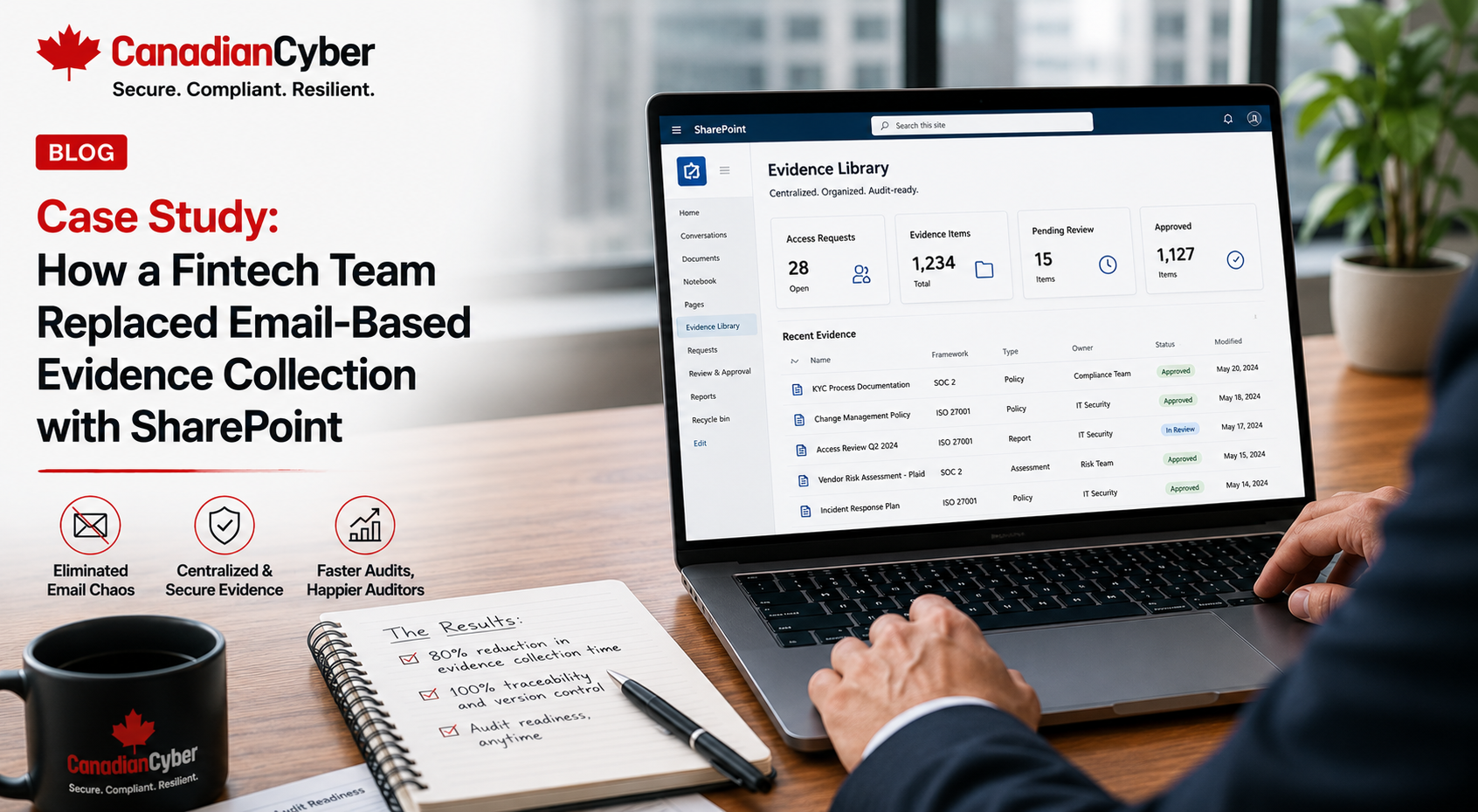
Case Study: How a Fintech Team Replaced Email-Based Evidence Collection with SharePoint
Email is not an evidence management system. For fintech teams preparing for SOC 2, ISO 27001, customer reviews, cyber insurance, and internal audits, email-based evidence collection creates delays, version confusion, missed owners, and audit stress.
Quick Snapshot
| Case Study Area | What Changed |
|---|---|
| Business Context | Fintech SaaS team preparing for SOC 2, ISO 27001, and enterprise customer reviews. |
| Main Problem | Evidence was requested, submitted, reviewed, corrected, and approved through email threads. |
| Biggest Risk | Wrong versions, missing evidence, unclear ownership, weak audit trail, and slow procurement responses. |
| Solution | Move evidence collection into a structured SharePoint ISMS with metadata, owners, views, and workflows. |
| Outcome | Faster evidence collection, clearer ownership, stronger audit readiness, and better customer trust responses. |
Introduction
The fintech team had a problem.
Not a lack of security work. A lack of evidence structure.
Access reviews were happening. Vendor reviews were being discussed. Backups were monitored. Incidents had an escalation process. Policies existed. Cloud alerts were reviewed. Customer security questions were answered.
But almost everything was managed through email.
The compliance lead emailed IT for access evidence. IT replied with screenshots. The vendor owner forwarded SOC 2 reports. Engineering attached change approval samples. HR sent training reports. Someone replied with a newer version. Someone else asked which file was final.
By the time the audit came close, nobody trusted the evidence folder.
This fictional case study shows how a fintech SaaS team replaced email-based evidence collection with a structured SharePoint ISMS. The company is fictional, but the problem is very real.
Still Collecting Audit Evidence Through Email?
Canadian Cyber’s ISMS SharePoint solution helps fintech and SaaS teams manage evidence, controls, risks, vendors, policies, audits, corrective actions, and management review in one structured Microsoft 365 workspace.
Meet the Fintech Team
Let’s call the company PayLedger Cloud.
PayLedger Cloud provided SaaS workflow software for finance and payment operations teams. Its platform handled:
- customer account data
- transaction metadata
- approval workflows
- user activity logs
- API integrations
- support tickets
- financial reporting data
- admin configuration data
The company was growing quickly. Enterprise buyers were asking for SOC 2. Investors wanted better security governance. Customers asked for vendor risk details. The cyber insurer asked for evidence. Leadership wanted a clearer view of risk.
The fintech team knew it needed stronger evidence management. The old email process could not scale.
The Starting Problem: Evidence Was Everywhere
PayLedger had security activity, but evidence was scattered.
| Evidence Type | Where It Was Stored |
|---|---|
| MFA reports | Email attachments from IT. |
| Access reviews | Spreadsheets sent through email. |
| Vendor reviews | Email threads and shared folders. |
| Policies | SharePoint folder with mixed versions. |
| Backup evidence | Screenshots from cloud tools. |
| Change records | GitHub and Jira links inside email threads. |
| Customer questionnaire answers | Old email replies copied forward. |
The team had proof. But it was hard to locate, verify, and reuse.
The audit problem was not only missing evidence. It was not knowing which evidence was current, approved, complete, and ready to share.
Why Email-Based Evidence Collection Failed
Email is useful for communication. It is weak for evidence governance.
| Problem | Why It Matters |
|---|---|
| Wrong version attached | Auditor may review outdated proof. |
| No metadata | Evidence is not mapped to control, owner, framework, or period. |
| No clear status | Nobody knows if evidence is approved or rejected. |
| Evidence buried in threads | Hard to find later. |
| No central owner view | Compliance has to chase everyone manually. |
| Sensitive evidence overshared | Access control risk. |
| No dashboard | Leadership cannot see gaps. |
Realistic email problem:
The access review evidence existed in a thread called “Re: Re: Access review Q1 updated final final.” Inside the thread were four spreadsheets. Nobody knew which one was approved.
Practical rule: If evidence is important enough for an auditor, buyer, insurer, or board, it should not live only in email.
The Turning Point
A major enterprise buyer asked for a security evidence package.
The buyer wanted:
- SOC 2 roadmap
- access control evidence
- vendor risk process
- incident response summary
- backup and recovery proof
- policy review status
- cloud security overview
- sub-processor list
PayLedger could answer the questions. But every answer took too long.
The founder asked: “Why does every security review feel like we are starting from scratch?”
The Solution: A Structured SharePoint ISMS
PayLedger already used Microsoft 365. So the team chose SharePoint as the central ISMS workspace.
The goal was not just to create folders. The goal was to create a structured evidence system.
| SharePoint ISMS Area | Purpose |
|---|---|
| Evidence Vault | Store audit-ready evidence by control, period, owner, and status. |
| Control Library | Map controls to ISO 27001, SOC 2, cyber insurance, and customer reviews. |
| Risk Register | Track risks, owners, treatment, and residual risk. |
| Vendor Register | Track vendors, criticality, data handled, assurance, and review status. |
| Policy Library | Manage approved policies, owners, versions, and review dates. |
| Internal Audit Tracker | Track audit requests, evidence, findings, and owners. |
| Corrective Action Register | Track remediation, owners, due dates, and closure evidence. |
Move From Email Chaos to Audit-Ready Evidence
Canadian Cyber’s ISMS SharePoint solution helps fintech teams move from email-based evidence collection to structured, audit-ready evidence workflows.
Step 1: Building the Evidence Vault
The evidence vault became the heart of the new system. Instead of asking people to email proof, control owners uploaded evidence directly to SharePoint.
| Evidence Vault Metadata | Purpose |
|---|---|
| Evidence Title | Clear name of the evidence. |
| Control Area | Access, vendor, backup, incident, cloud, policy. |
| Control ID | Maps evidence to a control. |
| Framework | SOC 2, ISO 27001, cyber insurance, customer review. |
| Evidence Owner | Person responsible for proof. |
| Period Covered | Month, quarter, or year. |
| Source System | Entra ID, AWS, GitHub, Jira, HR tool, vendor portal. |
| Review Status | Requested, uploaded, under review, approved, rejected. |
The compliance lead no longer had to search email threads. They could filter evidence by owner, control, framework, period, and status.
Step 2: Creating Evidence Naming Rules
The team created naming rules to stop “final-final” files.
| Old File Name | New File Name |
|---|---|
| MFA report.pdf | AccessControl-EntraID-MFAReport-2026-Q2.pdf |
| Access review final.xlsx | AccessControl-GitHub-AdminReview-2026-Q2.xlsx |
| Vendor SOC2 updated.pdf | VendorRisk-CriticalVendorReview-2026-Q2.pdf |
| Backup screenshot.png | BackupRecovery-ProductionRestoreTest-2026-05.pdf |
| Policy approved latest.docx | Policy-AccessControl-v1.0-Approved-2026-06.pdf |
Naming formula:
ControlArea-System-EvidenceType-Period-Version
Auditors could understand the evidence before opening the file. Control owners knew how to submit proof. Duplicate evidence dropped.
Step 3: Mapping Controls to Multiple Requirements
The fintech team needed evidence for more than one purpose: SOC 2, ISO 27001, cyber insurance, enterprise buyers, internal audit, and management review.
The same evidence often supported multiple needs.
| Control | SOC 2 | ISO 27001 | Cyber Insurance | Evidence |
|---|---|---|---|---|
| MFA Enforcement | Security | Access Control | Yes | MFA report |
| Privileged Access Review | Security | Access Control | Yes | Admin access review |
| Vendor Risk Review | Vendor Management | Supplier Security | Yes | Vendor register |
| Restore Testing | Availability / Security | Business Continuity | Yes | Restore test report |
| Incident Tabletop | Incident Response | Incident Management | Yes | Tabletop report |
The team stopped duplicating evidence. One strong evidence item could support multiple frameworks.
Step 4: Assigning Evidence Owners
The old email process depended on the compliance lead chasing everyone. The new SharePoint model assigned evidence owners.
| Evidence Area | Owner |
|---|---|
| MFA and Identity Reports | IT Lead |
| Privileged Access Reviews | Security Lead |
| Vendor Reviews | Operations Manager |
| Backup and Restore Evidence | Infrastructure Lead |
| Change Management Samples | Engineering Manager |
| Training Reports | HR Manager |
| Policy Approvals | ISMS Owner |
Practical rule: Evidence collection fails when everyone assumes compliance owns the evidence. The control owner should own the proof.
Step 5: Replacing Email Requests With SharePoint Views
Instead of emailing everyone manually, the team created SharePoint views.
| View | Purpose |
|---|---|
| Evidence Requested | Shows pending evidence requests. |
| Evidence by Owner | Shows each owner what they owe. |
| Evidence Under Review | Shows what compliance must validate. |
| Rejected Evidence | Shows what needs correction. |
| Missing Evidence | Shows audit gaps. |
| SOC 2 Evidence | Shows SOC 2-ready proof. |
| Management Review Evidence | Shows leadership-relevant items. |
Build My Evidence Dashboard
Canadian Cyber can configure SharePoint views and dashboards so evidence owners, auditors, and executives see exactly what they need.
Step 6: Adding Power Automate Reminders
Once the evidence process was clear, the team added reminders. They did not automate chaos. They automated a defined process.
| Trigger | Action |
|---|---|
| Evidence due in 7 days | Notify evidence owner. |
| Evidence overdue | Notify owner and ISMS lead. |
| Evidence rejected | Notify owner with review comments. |
| Policy review due | Notify policy owner. |
| Corrective action overdue | Escalate to executive sponsor. |
Automate reminders only after ownership, metadata, and evidence expectations are clear.
Step 7: Improving Internal Audit Readiness
The internal audit process became easier. Instead of asking, “Can someone send me evidence?” the auditor could review the SharePoint evidence vault.
| Internal Audit Tracker Column | Purpose |
|---|---|
| Audit Request ID | Unique request. |
| Control Area | Access, vendor, cloud, policy, incident. |
| Evidence Required | What auditor needs. |
| Evidence Link | Direct SharePoint link. |
| Owner | Responsible person. |
| Status | Requested, submitted, accepted, finding raised. |
| Finding ID | Link to corrective action. |
Audit requests were tracked. Findings were linked. Evidence was easier to validate. Audit preparation became more controlled.
Step 8: Creating Management Review Packs
Before SharePoint, management review was rebuilt manually. The team had to gather risk updates, audit findings, evidence gaps, vendor issues, access review results, incident response status, corrective actions, and policy review status.
With SharePoint, these items were already tracked.
| Management Review Input | SharePoint Source |
|---|---|
| Top Risks | Risk Register. |
| Open Corrective Actions | CAPA Register. |
| Evidence Gaps | Evidence Vault View. |
| Vendor Issues | Vendor Register. |
| Access Review Status | Access Review Tracker. |
| Policy Review Status | Policy Library. |
Management review became a decision meeting, not a document hunt.
The Results After Moving to SharePoint
The fintech team saw measurable improvement.
| Before Email-Based Collection | After SharePoint ISMS |
|---|---|
| Evidence buried in email. | Evidence stored in controlled vault. |
| Multiple versions attached. | Version history and naming rules. |
| Owners unclear. | Evidence owners assigned. |
| Manual chasing. | Views and reminders. |
| Audit prep stressful. | Evidence available by control and period. |
| Customer reviews slow. | Reusable evidence pack. |
| Findings hard to track. | CAPA register linked to evidence. |
The company improved audit readiness, SOC 2 evidence quality, ISO 27001 readiness, customer response speed, evidence ownership, version control, leadership visibility, cyber insurance preparation, and control accountability.
Lessons for Fintech Teams
- Email is not evidence management. Email is for communication. Evidence needs structure, metadata, status, and ownership.
- SharePoint works best with metadata. Folders alone are not enough. Use columns for control ID, owner, framework, period, and status.
- Evidence owners matter. Compliance should not collect everything alone. Control owners must own proof.
- One evidence item can support multiple frameworks. Map evidence to SOC 2, ISO 27001, cyber insurance, and customer reviews.
- Automate after the process is clear. Power Automate is useful when the workflow is already defined.
- Management review gets easier with better data. Leadership decisions improve when evidence, risks, and findings are visible.
SharePoint Evidence Collection Checklist
Use this before replacing email-based evidence collection.
| Question | Yes / No |
|---|---|
| Is there a central evidence vault? | |
| Are evidence naming rules defined? | |
| Does each evidence item have an owner? | |
| Is evidence mapped to controls? | |
| Is evidence mapped to frameworks? | |
| Is the audit period captured? | |
| Is review status tracked? | |
| Are rejected evidence items tracked? | |
| Are sensitive evidence files permission-controlled? | |
| Are internal audit requests tracked? | |
| Are corrective actions linked to findings? | |
| Are management review inputs easy to generate? |
If several answers are “no,” email is probably still doing too much of the work.
Common Mistakes to Avoid
- Moving email attachments into folders without structure. That only moves the chaos. Use metadata.
- Making every field required. Too many required fields frustrate owners. Start with the essentials.
- No review status. Uploaded evidence is not automatically audit-ready. Review it.
- Not mapping evidence to controls. Auditors need traceability.
- Forgetting permissions. Evidence may contain sensitive system, customer, or security information.
- No owner views. Owners need to see what they owe.
- Not linking findings to corrective actions. Audit findings must lead to tracked remediation.
What Good Looks Like
A strong SharePoint evidence collection process has:
- central evidence vault
- clear metadata
- naming rules
- control mapping
- framework mapping
- evidence owners
- review status
- period covered
- source system
- sensitivity labels
- owner views
- auditor views
- management dashboards
- corrective action links
- Power Automate reminders and version history
That is audit-ready evidence management. Not email chaos.
Canadian Cyber’s Take
At Canadian Cyber, we often see fintech and SaaS teams doing the right security work but struggling to prove it.
The access review happened. The vendor was reviewed. The backup was checked. The policy was approved. The incident plan was updated.
But the evidence lives in email.
That creates unnecessary audit pain. A SharePoint ISMS helps turn scattered proof into structured governance. It gives the team one place to manage evidence, owners, risks, controls, audits, and leadership reporting.
Takeaway
Email-based evidence collection does not scale.
It creates version confusion, missing proof, unclear ownership, and audit stress.
A SharePoint ISMS gives fintech teams a better way to manage:
- controls
- owners
- evidence
- frameworks
- audit periods
- review status
- findings
- corrective actions
- management review
Start with the evidence vault. Add metadata. Assign owners. Create views. Use reminders. Then use the same evidence for SOC 2, ISO 27001, cyber insurance, customer reviews, and leadership reporting.
How Canadian Cyber Can Help
Canadian Cyber helps fintech and SaaS teams replace email-based evidence collection with structured SharePoint ISMS workflows.
- SharePoint evidence vault setup
- ISMS SharePoint implementation
- SOC 2 evidence mapping
- ISO 27001 evidence mapping
- control library setup
- risk register setup
- vendor register setup
- access review tracker setup
- internal audit tracker setup
- corrective action register setup
- management review dashboards
- Power Automate reminders
- evidence naming rules
- vCISO support for audit governance
Stay Connected With Canadian Cyber
Follow Canadian Cyber for practical guidance on SharePoint ISMS, fintech compliance, SOC 2, ISO 27001, evidence management, internal audits, and vCISO support.