



ISO 27001 Internal Audit
SOC 2 Readiness
Client Data
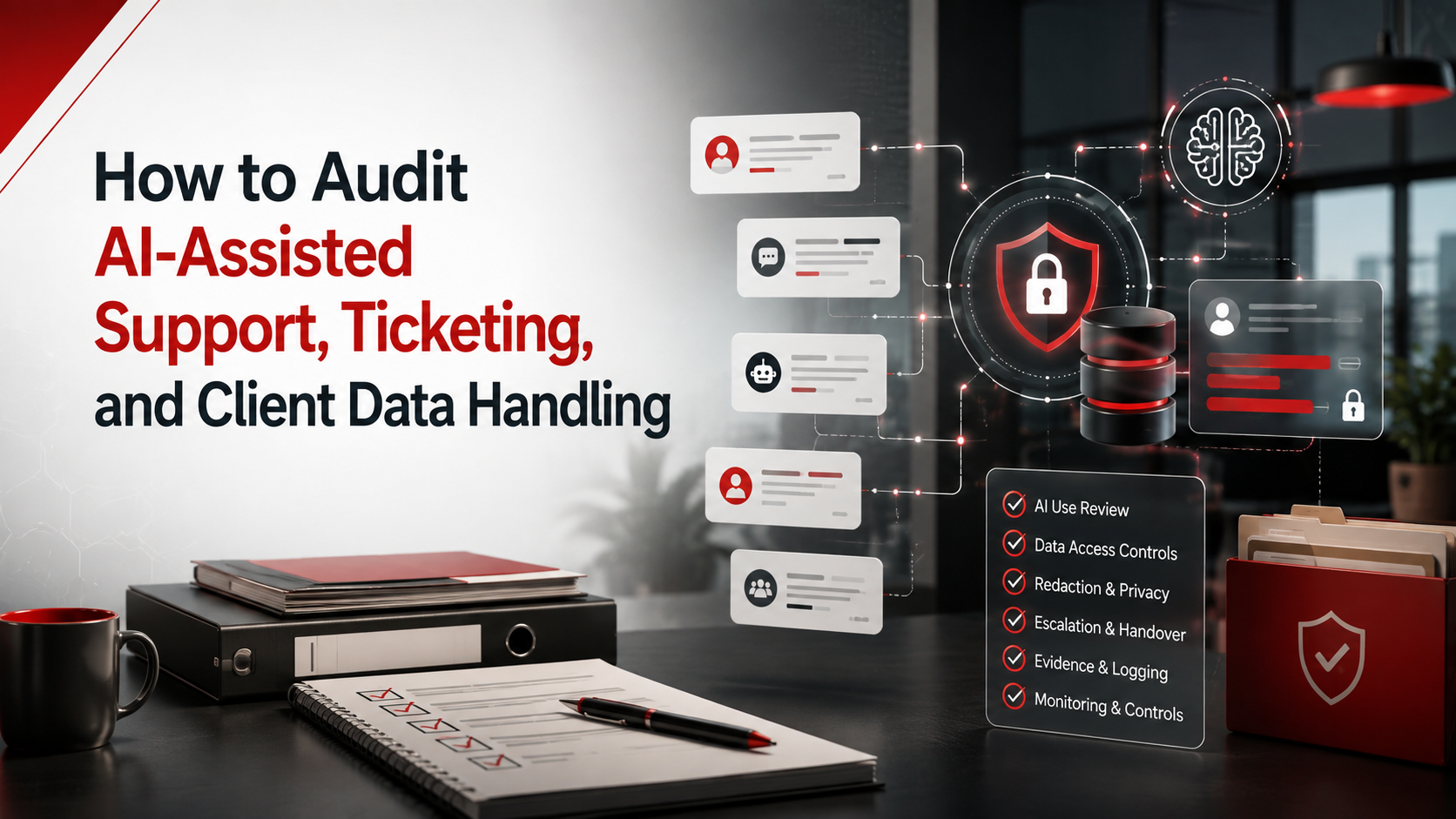
How to Audit AI-Assisted Support, Ticketing, and Client Data Handling
AI can make support faster. However, it can also expose client data, screenshots, logs, credentials, and confidential information if controls are weak.
Quick Answer
How do you audit AI-assisted support?
Audit AI-assisted support by checking whether AI tools are approved, ticket data is classified, client data is protected, and vendors are reviewed.
Also test access control, human review, chatbot monitoring, incident reporting, logs, contract obligations, and corrective actions.
Bottom line: AI support should improve service delivery without exposing client data, credentials, screenshots, logs, personal information, or confidential records.
Canadian Cyber AI Support Audit Services
Protect Client Data in AI-Assisted Support Workflows
Canadian Cyber helps organizations audit AI-assisted support, ticketing systems, chatbots, and client data handling.
We support ISO 27001 internal audits, SOC 2 readiness, AI governance, vendor risk reviews, client data protection, and SharePoint ISMS evidence workspaces.
Quick Snapshot
| Audit Area | What Internal Audit Should Check |
|---|---|
| AI Tool Inventory | Which AI tools are used in support and ticketing. |
| Ticket Data Types | What client data appears in tickets, logs, screenshots, and attachments. |
| Approved Use Cases | What support teams are allowed to use AI for. |
| Prohibited Data | What must never be entered into AI tools. |
| Vendor Review | Whether AI support vendors are risk-assessed. |
| Human Review | Whether AI-generated replies are checked before sending. |
| Incident Reporting | Whether AI-related exposure or misuse can be reported. |
Why AI-Assisted Support Needs Internal Audit
AI is changing customer support.
Support teams now use AI to summarize tickets, draft replies, classify incidents, and suggest knowledge base articles.
This can improve speed and quality.
However, it also creates security, privacy, confidentiality, vendor, and contractual risk.
If support tickets contain client data, AI support tools must be included in the internal audit scope.
Who This Blog Is For
- SaaS companies, MSPs, MSSPs, and IT support providers.
- FinTech, HealthTech, AI platform, and professional services teams.
- Customer support and technical support teams.
- Security managers, IT managers, privacy leads, and compliance teams.
- Internal auditors and vCISO teams.
- Canadian businesses preparing for ISO 27001, SOC 2, ISO 42001, or enterprise client reviews.
What Sensitive Data Can Appear in Support Tickets?
Support teams handle sensitive information every day.
When AI is added, this data may be processed, summarized, analyzed, or copied into another system.
Tickets May Include
The Main Internal Audit Question
Do not stop at this question:
“Do we use AI in support?”
Ask the stronger question:
“Can we prove that AI-assisted support is approved, controlled, reviewed, and safe for client data?”
Where AI May Appear in Support and Ticketing
AI may appear directly or quietly inside support workflows.
It may sit inside the ticketing platform, CRM, chatbot, documentation tool, or meeting assistant.
Common AI Support Use Cases
Audit Area 1: AI Tool Inventory for Support
Start with a clear inventory.
If the organization does not know which AI tools are used, it cannot govern them.
Questions to Ask
- Which AI tools are used by support teams?
- Are AI features inside the ticketing platform enabled?
- Are AI chatbots used for client support?
- Are AI meeting assistants used for client calls?
- Are personal AI accounts used?
- Is each tool assigned an owner?
Evidence to Review
- AI tool inventory.
- Approved AI tool list.
- Ticketing platform configuration.
- AI feature settings.
- Vendor register.
- AI approval records.
Audit Area 2: Ticket Data Classification
Before AI can be audited, ticket data must be understood.
Support teams need clear rules for sensitive tickets, logs, screenshots, and attachments.
| Audit Question | Evidence to Review |
|---|---|
| Do tickets contain client data? | Ticket samples and data handling procedure. |
| Do tickets contain personal information? | Data classification policy. |
| Do screenshots contain sensitive data? | Screenshot handling guidance. |
| Do logs contain tokens or identifiers? | Log handling guidance. |
| Are support agents trained? | Training records. |
Practical rule: AI support controls are weak if ticket data is not classified.
Audit Area 3: Approved AI Use Cases in Support
AI should be approved for specific support tasks.
A tool approved for internal summaries may not be approved for client-facing replies.
Use Cases to Define
AI tools should be approved for defined support tasks, not unlimited support use.
Audit Area 4: Prohibited Client Data in AI Tools
This is one of the most important audit areas.
Support teams need clear examples of what must never be entered into unapproved AI tools.
Data That Should Usually Be Prohibited
Need to Audit AI Use in Support Tickets?
Canadian Cyber can review AI support tools, ticket data risks, AI vendors, client data restrictions, access controls, human review evidence, and corrective actions.
For senior advisory support, view Waqar Mehboob’s profile.
Audit Area 5: AI Vendor Risk
AI support tools are vendors.
They may process tickets, client messages, transcripts, attachments, or diagnostic records.
Vendor Evidence to Review
Practical rule: an AI tool that processes support tickets should go through vendor risk review.
Audit Area 6: Access Control for AI Support Features
AI support features may process tickets, view summaries, generate replies, and analyze client data.
Access should be role-based, approved, reviewed, and removed during offboarding.
| Access Area | Evidence |
|---|---|
| User access | AI feature access list and ticketing export. |
| Admin roles | Admin role list and review records. |
| MFA | MFA evidence. |
| Offboarding | User removal evidence. |
| Integrations | Integration permission review. |
Audit Area 7: Human Review of AI-Generated Replies
AI can draft support replies.
However, humans should remain accountable.
Internal audit should test whether AI-generated responses are reviewed before being sent to clients.
Evidence to Review
AI can draft the response, but the organization owns the message.
Audit Area 8: AI Chatbots and Client-Facing Support
Client-facing AI chatbots create extra risk.
They interact directly with customers and may collect sensitive information.
Questions to Ask
- Is the chatbot approved?
- What data does it collect?
- Can it escalate to a human?
- Are high-risk topics blocked?
- Are chatbot logs reviewed?
Evidence to Review
- Chatbot approval record.
- Chatbot configuration.
- Conversation logs.
- Escalation rules.
- Testing records.
- Privacy review.
Audit Area 9: Ticket Attachments, Screenshots, and Logs
Support tickets often include files.
AI use becomes riskier when screenshots, logs, and diagnostic files are processed.
Audit Questions
- Can AI tools process ticket attachments?
- Are screenshots redacted before AI use?
- Are logs scanned for tokens or secrets?
- Are diagnostic files restricted?
- Are attachments classified?
- Are client files uploaded to approved systems only?
Practical rule: attachments should be reviewed before AI tools process them.
Audit Area 10: AI Use in Incident Support
Support teams may use AI during security incidents.
This can help summarize events or draft updates.
It can also create risk if sensitive incident details are shared with unapproved AI tools.
| Audit Question | Evidence |
|---|---|
| Can AI be used during incidents? | Incident response plan and AI guidance. |
| Are breach details restricted? | Security incident procedure. |
| Are summaries reviewed before sharing? | AI output review records. |
| Are legal or privacy teams involved? | Legal escalation procedure. |
Audit Area 11: Logging and Monitoring of AI Support Use
Organizations should be able to review how AI support tools are used.
Logs help support review, investigation, and improvement.
Evidence to Review
Audit Area 12: Client Contracts and Data Handling Requirements
Client contracts may restrict how client data is processed, stored, transferred, or shared with vendors.
AI use must align with those commitments.
Evidence to Review
AI-assisted support should respect client contracts, not only internal policy.
Audit Area 13: AI Incidents and Misuse Reporting
AI-related issues should be reportable.
Support staff should know what to do if client data is accidentally entered into an unapproved AI tool.
| Audit Question | Evidence |
|---|---|
| Can employees report AI misuse? | AI misuse reporting procedure. |
| Does incident response include AI exposure? | Incident response plan. |
| Are privacy incidents escalated? | Privacy escalation process. |
| Are lessons learned tracked? | Lessons learned records. |
Internal Audit Checklist for AI-Assisted Support
| Checklist Item | Ready? |
|---|---|
| AI support tools are inventoried. | |
| AI features inside ticketing platforms are reviewed. | |
| AI support use cases are documented. | |
| Ticket data types are classified. | |
| Client data restrictions are clear. | |
| Prohibited data rules include credentials, screenshots, logs, and attachments. | |
| AI vendors are risk-assessed. | |
| AI vendor terms and data retention are reviewed. | |
| AI support access is role-based. | |
| AI admin roles are reviewed. | |
| Human review is required for AI-generated client replies. | |
| Chatbot responses are tested and monitored. | |
| Ticket attachments are handled safely. | |
| AI use during incidents is restricted and governed. | |
| Client contractual AI restrictions are tracked. | |
| AI misuse can be reported. | |
| AI risks are included in the risk register. | |
| Corrective actions are tracked to verified closure. |
Common Internal Audit Findings
Support teams use AI, but the tool list is incomplete.
The team does not know which tickets contain client data, credentials, or logs.
Support agents do not know what can enter AI tools.
AI support tools are used before privacy or vendor risk review.
AI-generated responses are used without validation.
Client-facing AI support lacks monitoring.
Screenshots, logs, or files are uploaded without checks.
Incident response does not include accidental AI disclosure.
Corrective Action Examples
| Finding | Immediate Correction | Corrective Action |
|---|---|---|
| AI tool missing from inventory. | Add tool to register. | Create quarterly AI support tool review. |
| Ticket data not classified. | Classify high-risk tickets. | Update ticket data handling procedure. |
| Client data rules unclear. | Issue support-specific guidance. | Update AI acceptable use training. |
| AI vendor not reviewed. | Complete vendor assessment. | Add AI tools to procurement workflow. |
| AI replies not reviewed. | Require manual review. | Create support AI output checklist. |
| Attachments not redacted. | Stop unapproved uploads. | Create screenshot and log redaction process. |
Practical rule: AI support findings should improve workflow controls, not only policy wording.
How SharePoint Can Help Manage AI Support Audit Evidence
A SharePoint ISMS workspace can help organizations manage AI support, ticketing, and client data evidence.
It gives teams one controlled place for tools, vendors, tickets, risks, evidence, and corrective actions.
SharePoint Can Track
How Canadian Cyber Helps
Canadian Cyber helps organizations audit AI-assisted support, ticketing systems, and client data handling.
We help teams move from informal AI use to controlled, evidence-based governance.
Frequently Asked Questions
What is AI-assisted support?
AI-assisted support means using AI to help with ticket summaries, reply drafts, chatbots, ticket classification, escalation notes, log analysis, trend analysis, or knowledge base suggestions.
Why should AI-assisted support be audited?
It should be audited because support tickets may contain client data, screenshots, logs, credentials, confidential details, personal information, or security information.
What is the biggest risk in AI-assisted ticketing?
One major risk is entering client data, credentials, secrets, screenshots, or logs into unapproved AI tools.
Should AI vendors be reviewed?
Yes. AI vendors should be reviewed if they process tickets, client data, transcripts, attachments, logs, support messages, or diagnostic information.
Can AI-generated support replies be used?
Yes, when policy allows it, humans review the replies, and the response aligns with client communication rules.
Should chatbot logs be reviewed?
Yes. Client-facing chatbot logs should be reviewed for accuracy, sensitive data exposure, escalation issues, complaints, and improvement opportunities.
Can SharePoint help track AI support evidence?
Yes. SharePoint can track AI support tools, approved use cases, vendor reviews, ticket handling rules, AI incidents, exceptions, corrective actions, and dashboards.
Can Canadian Cyber audit AI-assisted support workflows?
Yes. Canadian Cyber provides AI-assisted support internal audits, ticketing data reviews, AI vendor assessments, AI governance readiness, SharePoint evidence workspaces, SOC 2 readiness, and ISO 27001 internal audit services.
Takeaway
AI can make support faster.
However, faster support should not mean weaker client data protection.
Organizations using AI in support need clear controls for tools, ticket data, prohibited data, vendors, access, outputs, chatbots, incidents, contracts, evidence, and corrective actions.
Internal audit helps turn AI-assisted support from an informal shortcut into a secure, responsible, auditable, and client-trusted process.
Ready to Audit AI-Assisted Support and Ticketing?
Canadian Cyber can help your organization audit AI use in support, ticketing, chatbots, and client data workflows.
We provide AI-assisted support internal audits, ticketing system data handling reviews, AI vendor assessments, client data protection reviews, SharePoint AI governance workspaces, ISO 27001 internal audit services, SOC 2 readiness alignment, ISO 42001 readiness, vCISO services, ISO 27017, ISO 27018, and cybersecurity assessments.
Stay Connected With Canadian Cyber
Follow Canadian Cyber for practical guidance on AI governance, AI-assisted support, ISO 27001 internal audits, SOC 2 readiness, client data protection, SharePoint ISMS, ISO 42001, vCISO services, and cybersecurity readiness.










